
FaceTime Like a Pro
Get our exclusive Ultimate FaceTime Guide 📚 — absolutely FREE when you sign up for our newsletter below.

FaceTime Like a Pro
Get our exclusive Ultimate FaceTime Guide 📚 — absolutely FREE when you sign up for our newsletter below.


Not sure what Snapchat symbols mean? Here's a quick guide to every Snapchat icon, emoji, arrow, and status symbol explained.
 ByVikhyat
Snapchat uses dozens of arrows, emojis, and status icons to show everything from message activity to Snapstreaks and friendship levels. If you’ve ever wondered what a red arrow, hourglass, or yellow heart actually means, you’re not alone.
I still remember checking my chats one day and noticing an hourglass emoji next to a friend’s name. My first thought was that Snapchat had added another random feature. As it turns out, it was warning me that our Snapstreak was about to end.
In this post, I’ll explain the most important Snapchat symbols, emojis, and icons you’ll encounter across chats, Stories, Snap Map, and Snapchat+.
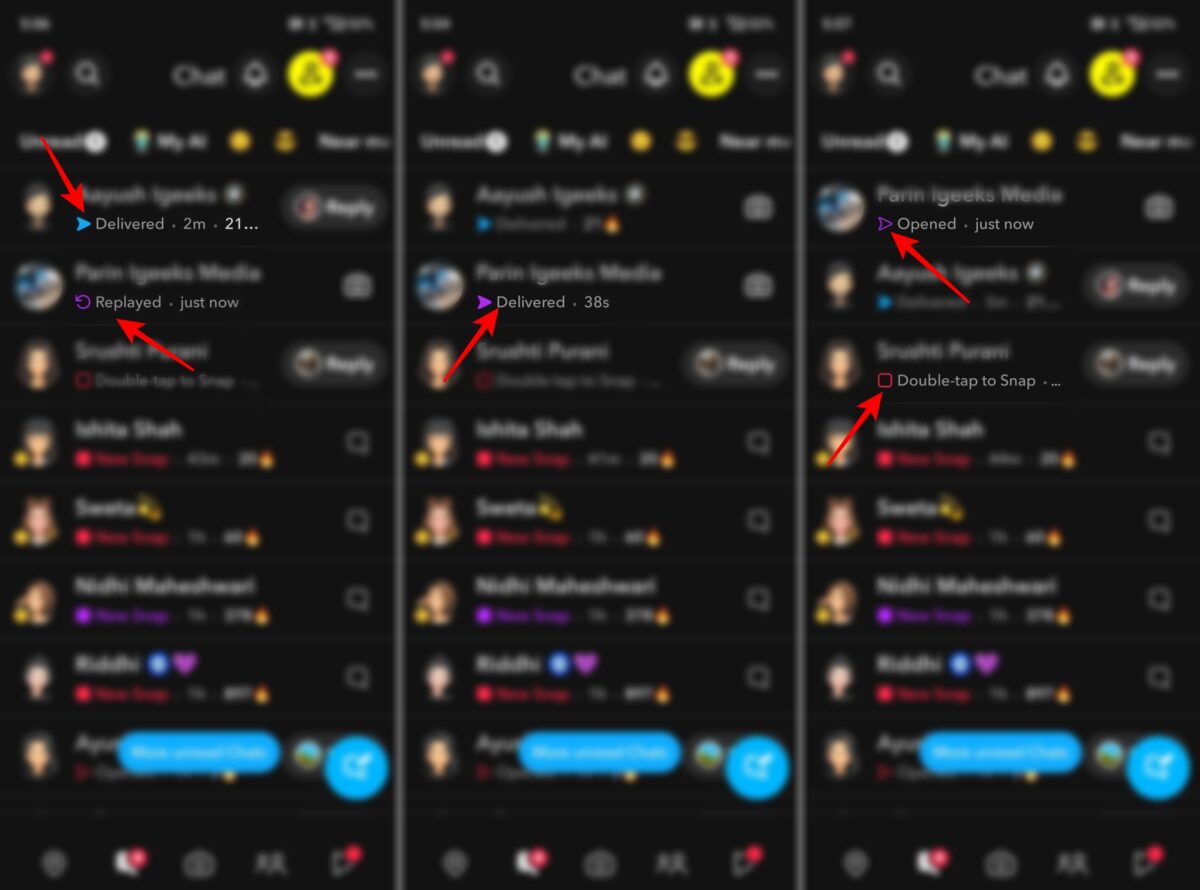
Snapchat uses several icons in chats to show the status of your Snaps and messages. These icons tell you the status of your Snaps and messages and help you understand what’s happening in a conversation at a glance.
Friend emojis are unique because they’re based on your interactions with other users. Snapchat automatically assigns these emojis depending on how frequently you exchange Snaps with specific friends.
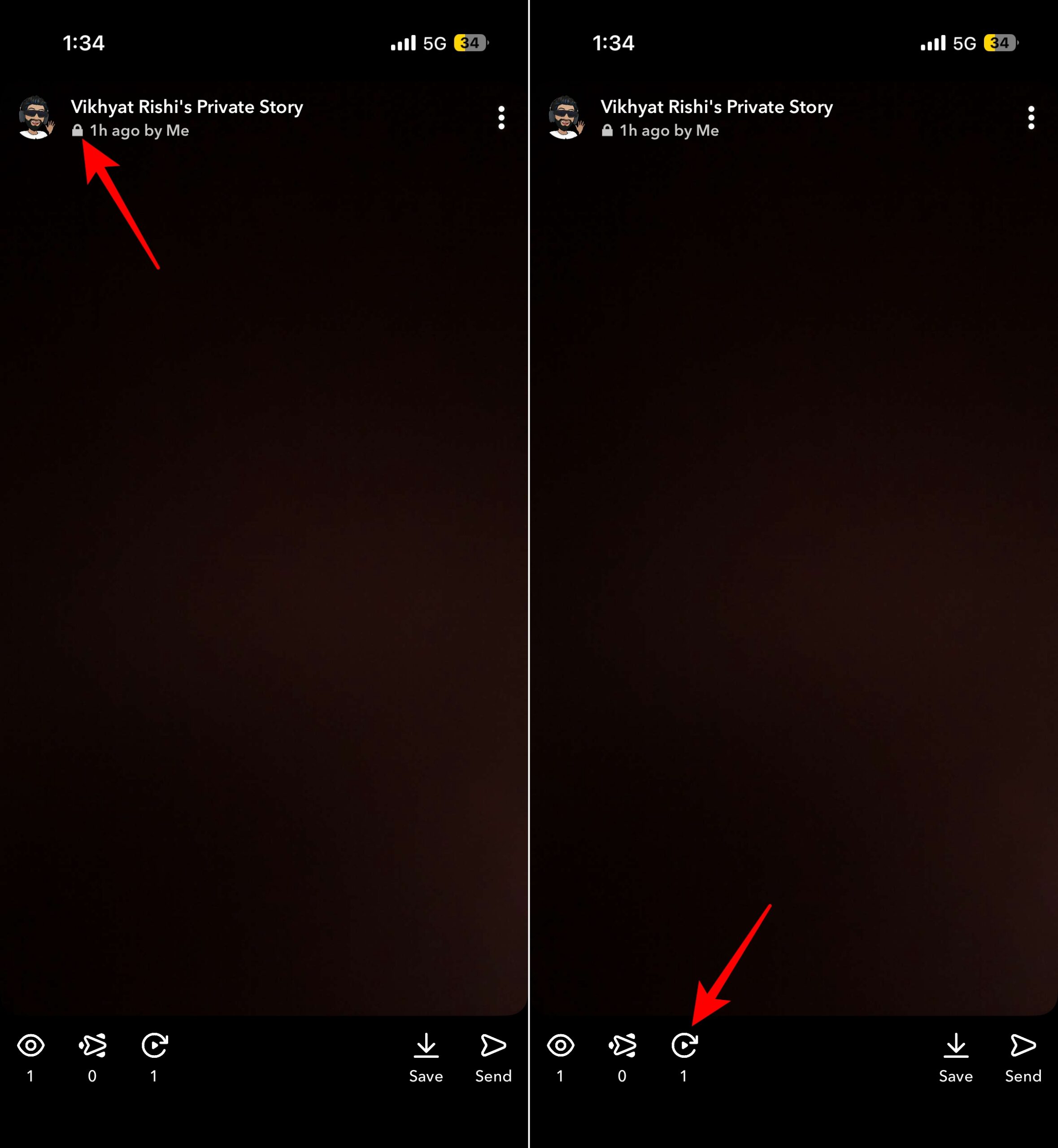
Story icons help identify who can view a Snapchat Story and how users are interacting with it.
Lock Icon 🔒
The lock icon indicates a Private Story. It means the Story is only visible to a selected group of friends chosen by the creator.
Story replay count icon
If you’re a Snapchat+ subscriber, Snapchat can show a replay count on your Stories. The replay indicator appears alongside a number, showing how many friends rewatched your Story after viewing it for the first time.
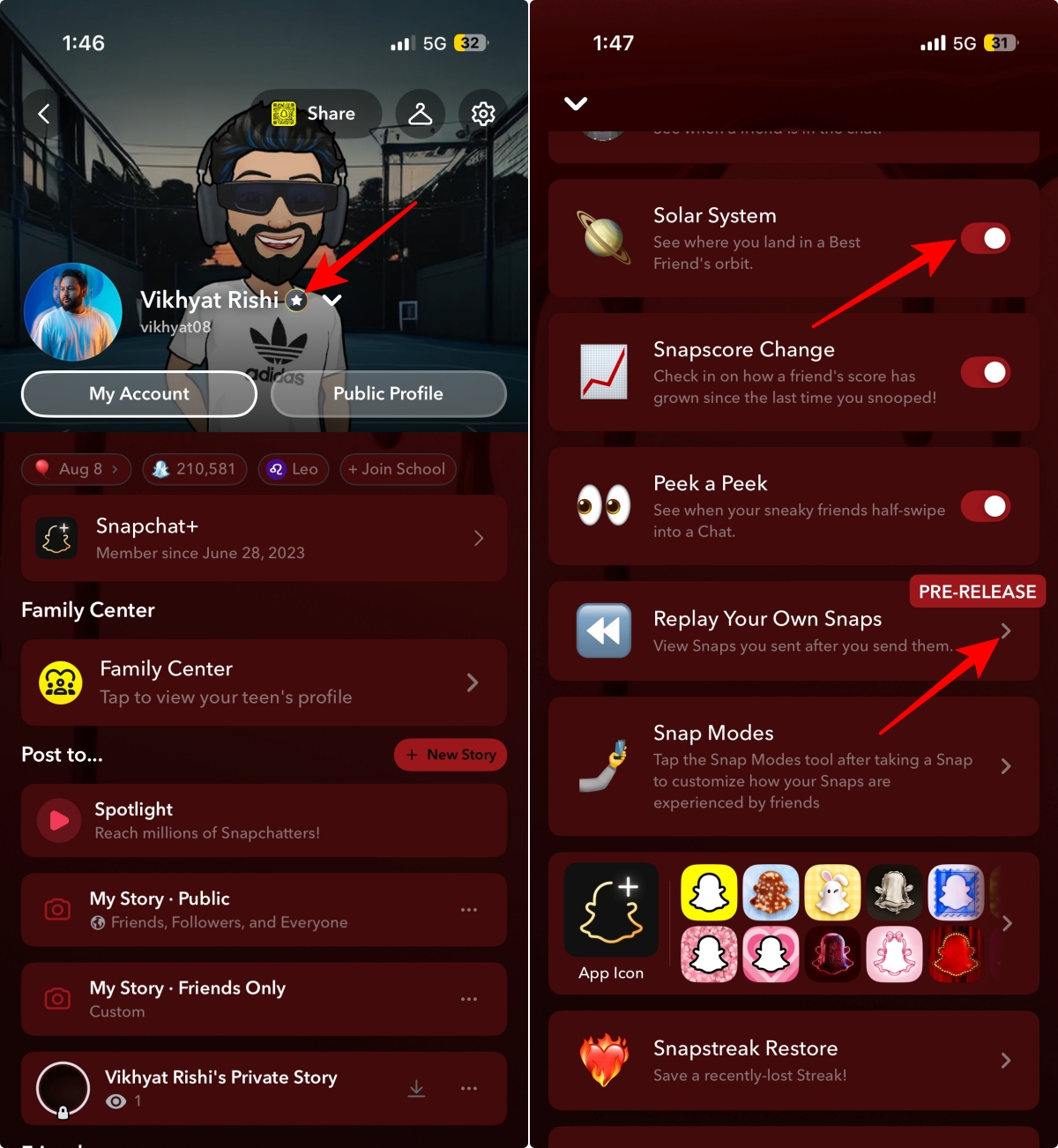
Snapchat Plus subscribers gain access to exclusive badges and features that introduce several additional icons.
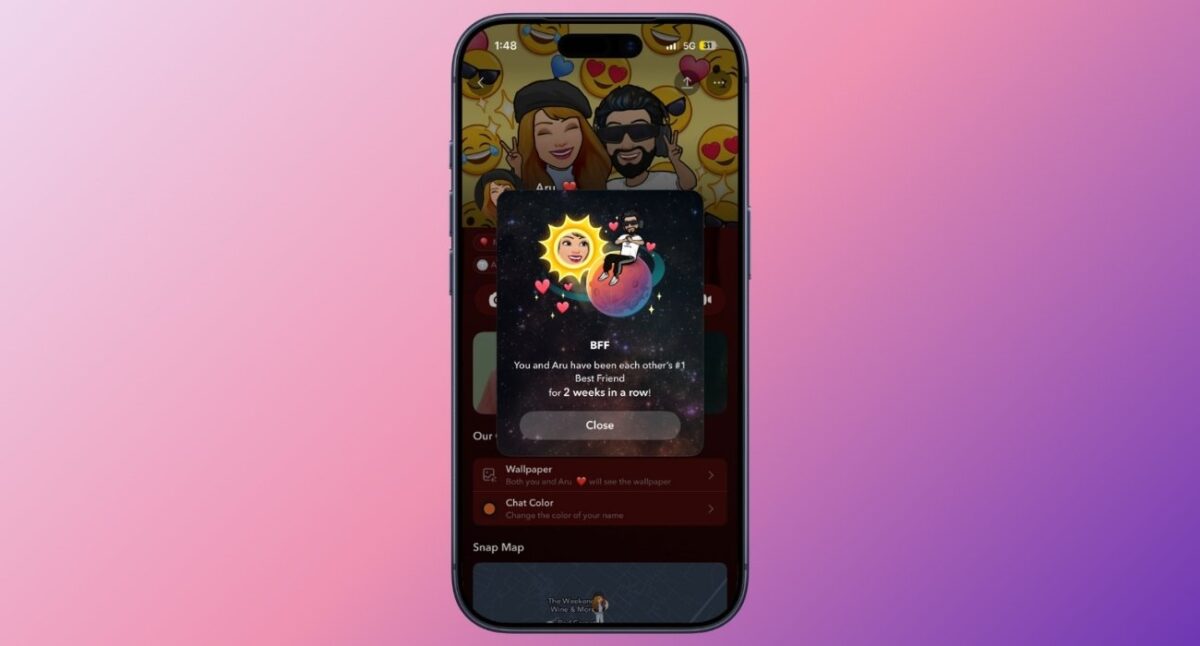
The Friend Solar System is a Snapchat+ feature that ranks your top eight Best Friends using planets. The closer the planet is to the Sun, the closer that friend is to you on Snapchat.
| Planet | Friendship Rank |
|---|---|
| Mercury | #1 Best Friend (closest friend) |
| Venus | #2 Best Friend |
| Earth | #3 Best Friend |
| Mars | #4 Best Friend |
| Jupiter | #5 Best Friend |
| Saturn | #6 Best Friend |
| Uranus | #7 Best Friend |
| Neptune | #8 Best Friend |
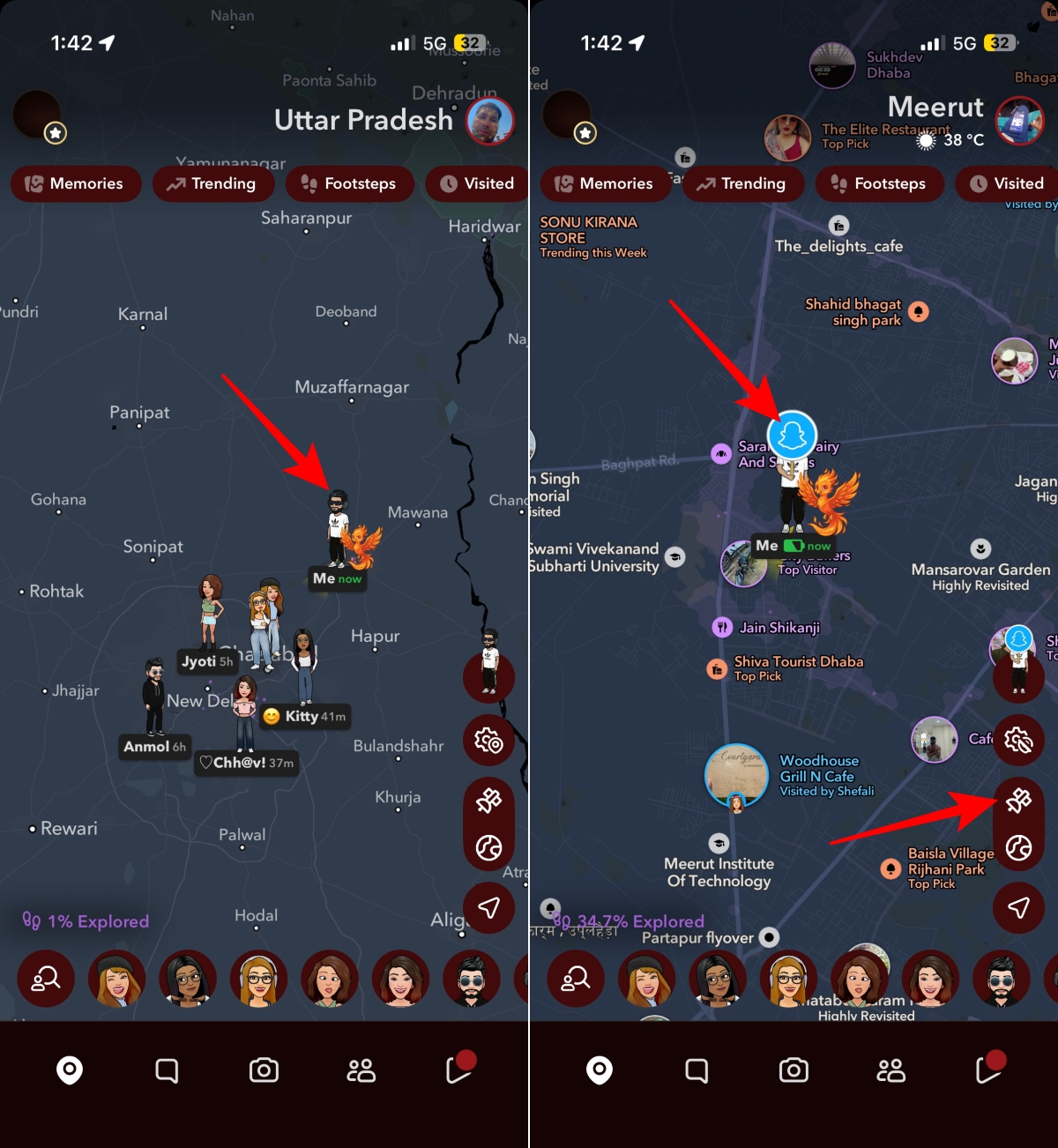
Snap Map uses its own set of symbols to indicate location status and activity.
Ghost Mode icon
The blue Snapchat ghost inside a map marker is the Ghost Mode icon. When enabled, Ghost Mode hides your location from friends on Snap Map. It’s useful when you don’t want others to see your real-time location.
Bitmoji on map
On Snap Map, friends are represented by their Bitmojis instead of traditional map markers. These Bitmojis can sometimes appear with different poses or activities depending on what Snapchat detects, such as traveling, listening to music, or spending time at a specific place.
Satellite Icon
The satellite icon appears in the bottom-right corner of Snap Map and lets you switch between Snapchat’s standard map view and satellite imagery.
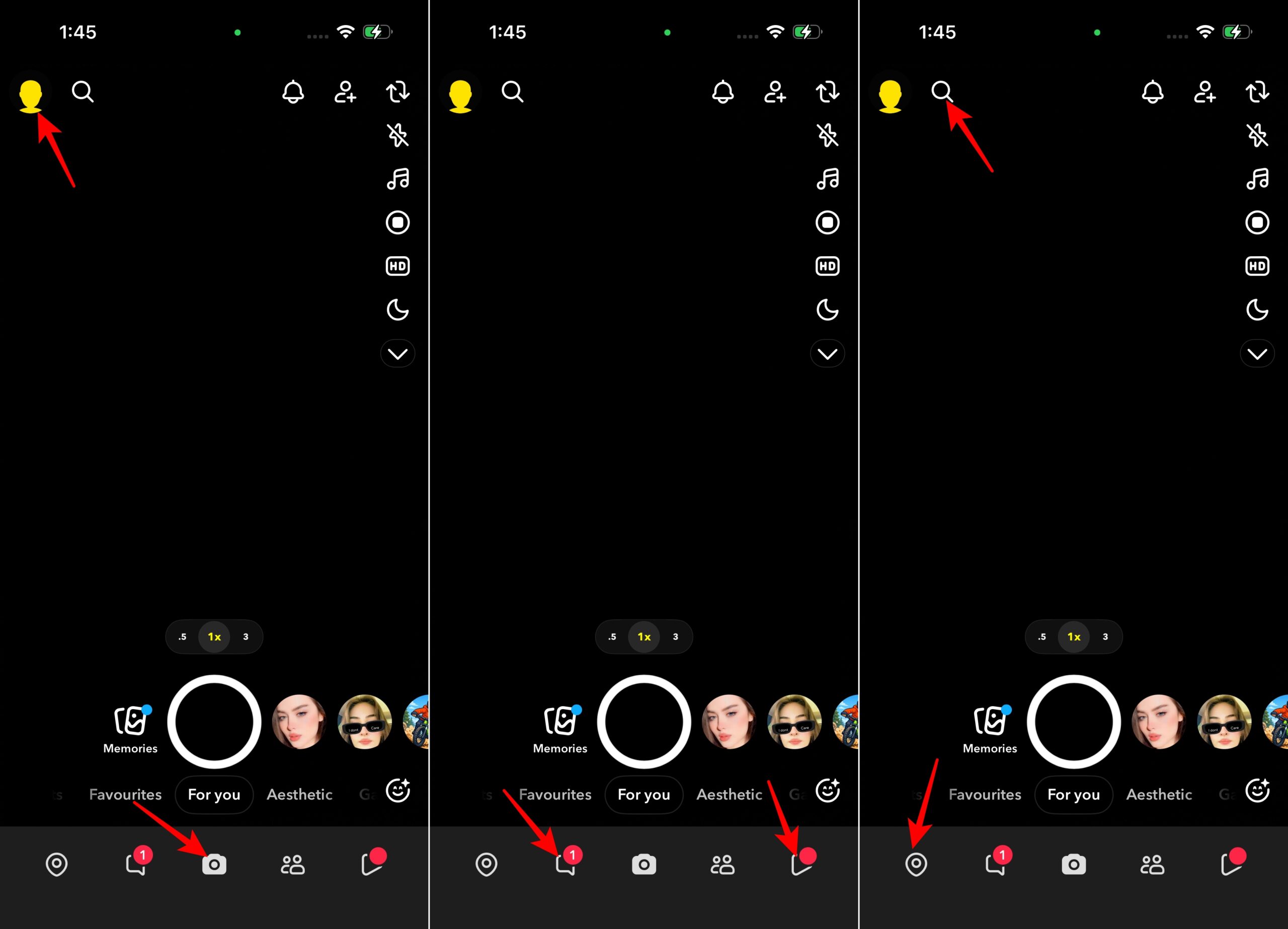
Beyond chats and Stories, Snapchat includes several icons that help users navigate the app.
At first glance, Snapchat’s symbols can seem overwhelming. Fortunately, most of these symbols follow a simple pattern. Once you understand Snapchat’s arrows, emojis, and status indicators, it’s much easier to tell what’s happening in your chats, Stories, and Snapstreaks without guessing what every symbol means.
Still have questions about a Snapchat symbol or icon that isn’t covered in this guide? Drop it in the comments below, and I’ll help you figure out exactly what it means.
Related articles worth reading:











