FaceTime Like a Pro
Get our exclusive Ultimate FaceTime Guide 📚 — absolutely FREE when you sign up for our newsletter below.

FaceTime Like a Pro
Get our exclusive Ultimate FaceTime Guide 📚 — absolutely FREE when you sign up for our newsletter below.


Facebook buries the chronological feed deliberately, and it resets constantly. Here is where the Most Recent option lives in the current iPhone app and how to get back to it quickly.
Want to see your Facebook posts in chronological order? No issues, follow this simple tutorial and ensure that you see the Most Recent Facebook posts on your iPhone.
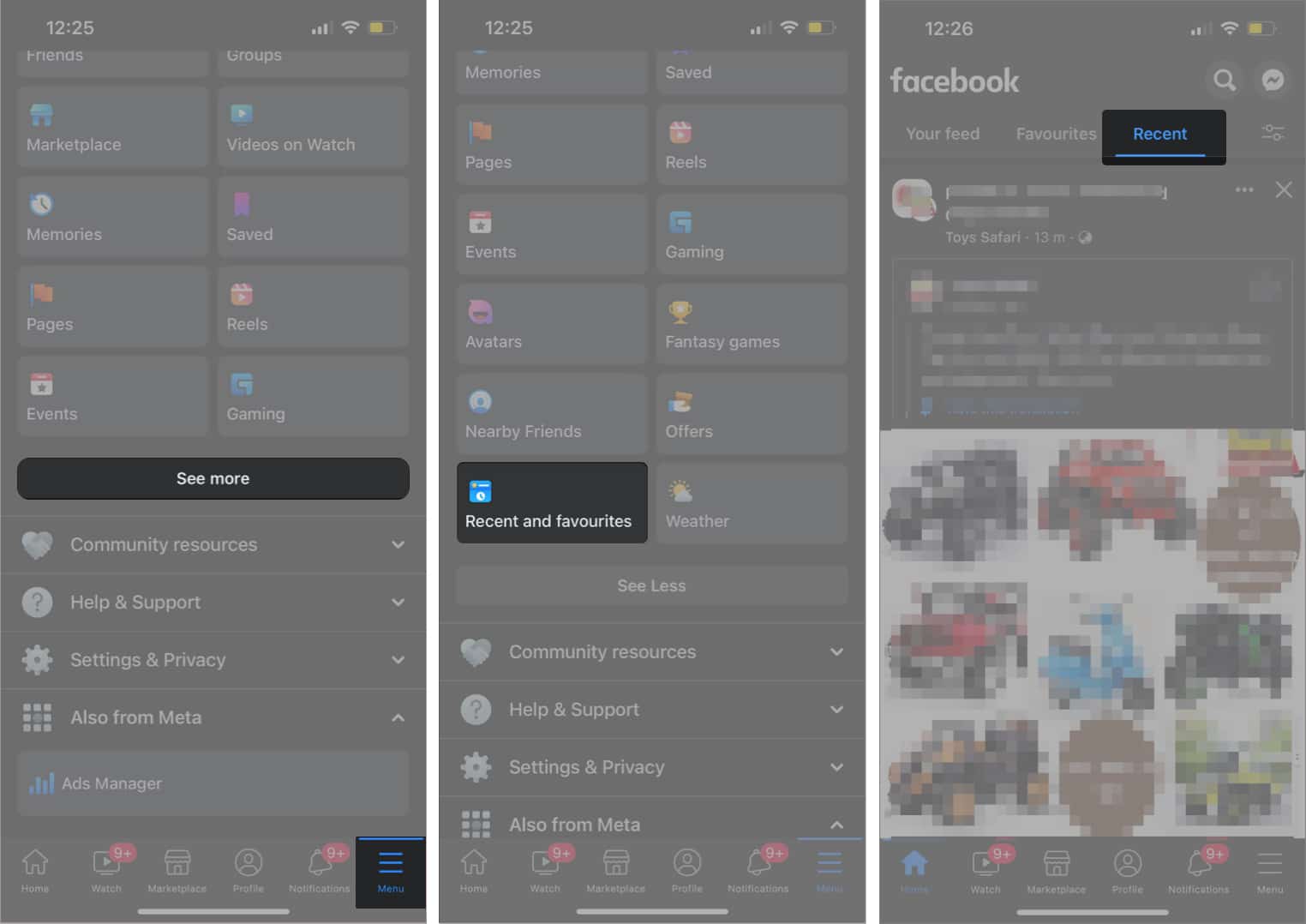
Head back to the News Feed and now, it should load the most recent feed on the app.
It makes sense to check out the most recent status updates, photo updates and other shares from your friends and pages you’ve liked/subscribed to. I don’t know why Facebook wants to change this default behavior to something that’s not so “current.”
In other things that have changed, the Facebook app now lets you edit updates before you post them. This includes viewing and removing suggested links based on your status update/link share.
The other feature is offline posting: you can now use and post your status updates/shares to Facebook even when you are offline (Airplane mode / no data etc.). Facebook will post the update whenever your iPhone connects to a network.
Download the new Facebook app here. If you already have the app installed, go to the App Store → Updates section to update the Facebook.
You may also like to read: