FaceTime Like a Pro
Get our exclusive Ultimate FaceTime Guide 📚 — absolutely FREE when you sign up for our newsletter below.

FaceTime Like a Pro
Get our exclusive Ultimate FaceTime Guide 📚 — absolutely FREE when you sign up for our newsletter below.


Activation Lock can turn a used Apple device into an expensive paperweight. Here’s how to check it on an iPhone, iPad, Mac, or Apple Watch before you pay, and what to do if the device is still linked to the seller’s Apple Account.

 ByDhvanesh Adhiya and Yash Wate
If you’re planning to buy a used Apple device, there’s one step you should never skip: checking its Activation Lock status. If it’s turned on, you won’t be able to use the device without the previous owner’s Apple Account credentials.
Keep reading, and I’ll show you how to check Activation Lock before buying a used iPhone, iPad, Mac, or Apple Watch. I’ll also share what to do if the device is iCloud-locked.
Activation Lock is a security feature that’s part of Apple’s Find My service, and it stops anyone else from using your device. It turns on automatically when you set up Find My on your device. Apple stores your Apple Account on its activation servers and links it to that device.
After that, anyone who wants to turn off Find My, erase the device, or reactivate and use it needs the original Apple Account and password (or, on iPhone and iPad, the device passcode). This makes a lost or stolen Apple device practically useless to anyone except its owner.
Activation Lock also stays on even if you remotely erase your device, as long as Find My isn’t turned off. Every time someone tries to activate the device, it checks with Apple’s servers and asks for the owner’s credentials. This also improves your chances of getting a lost or stolen Apple device back.
Note: AirPods, AirTag, and other Find My accessories can also be locked to an Apple Account. If you’re buying used AirPods, ask the seller to remove them from the Find My app or iCloud.com/find first. Apple can’t remove this lock for you.
Apple’s advice is simple: if the device is Activation Locked, don’t buy it. Checking the status upfront helps you:
Besides Activation Lock, there are a few other things to check, especially on a used iPhone. See our checklist of things to check before buying a used iPhone for more details.
Where you buy also matters. If you’re looking for a refurbished iPhone, our guide to the best places to buy a refurbished iPhone can help.
You need the device in hand, because Apple no longer offers a way to check Activation Lock remotely. Here are three ways to check it on a used iPhone or iPad (the same steps work on an older iPod touch).
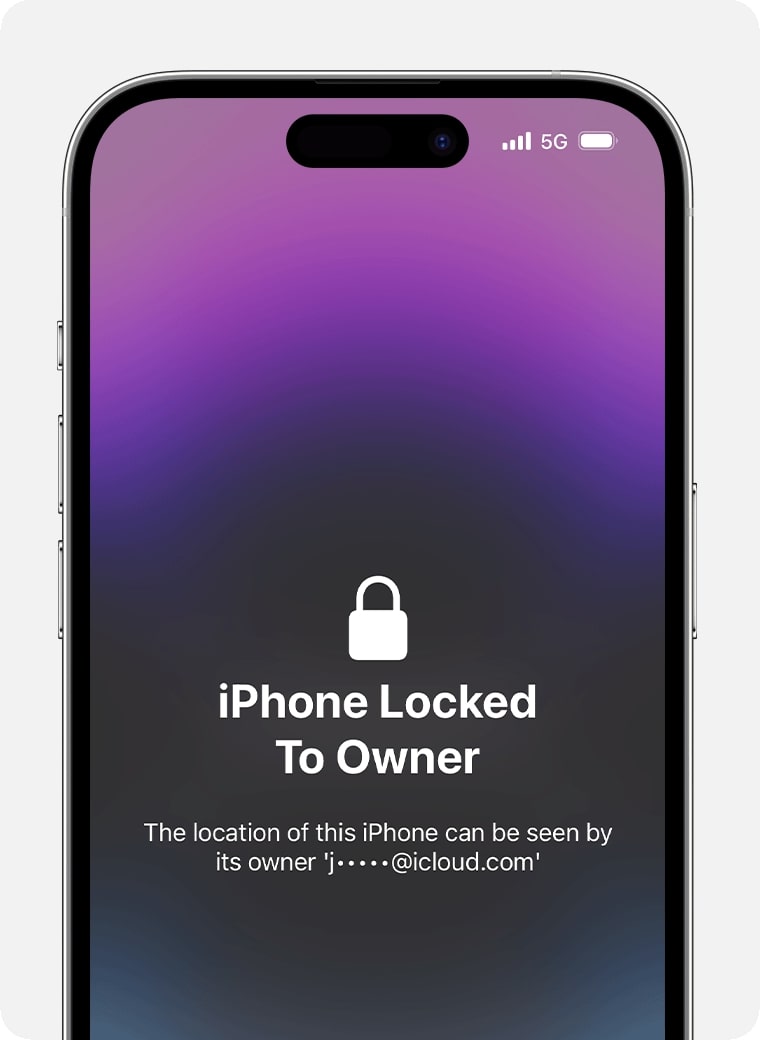
Turn on the device or wake it up and If you see any of the following alerts…
Activation Lock is turned on:
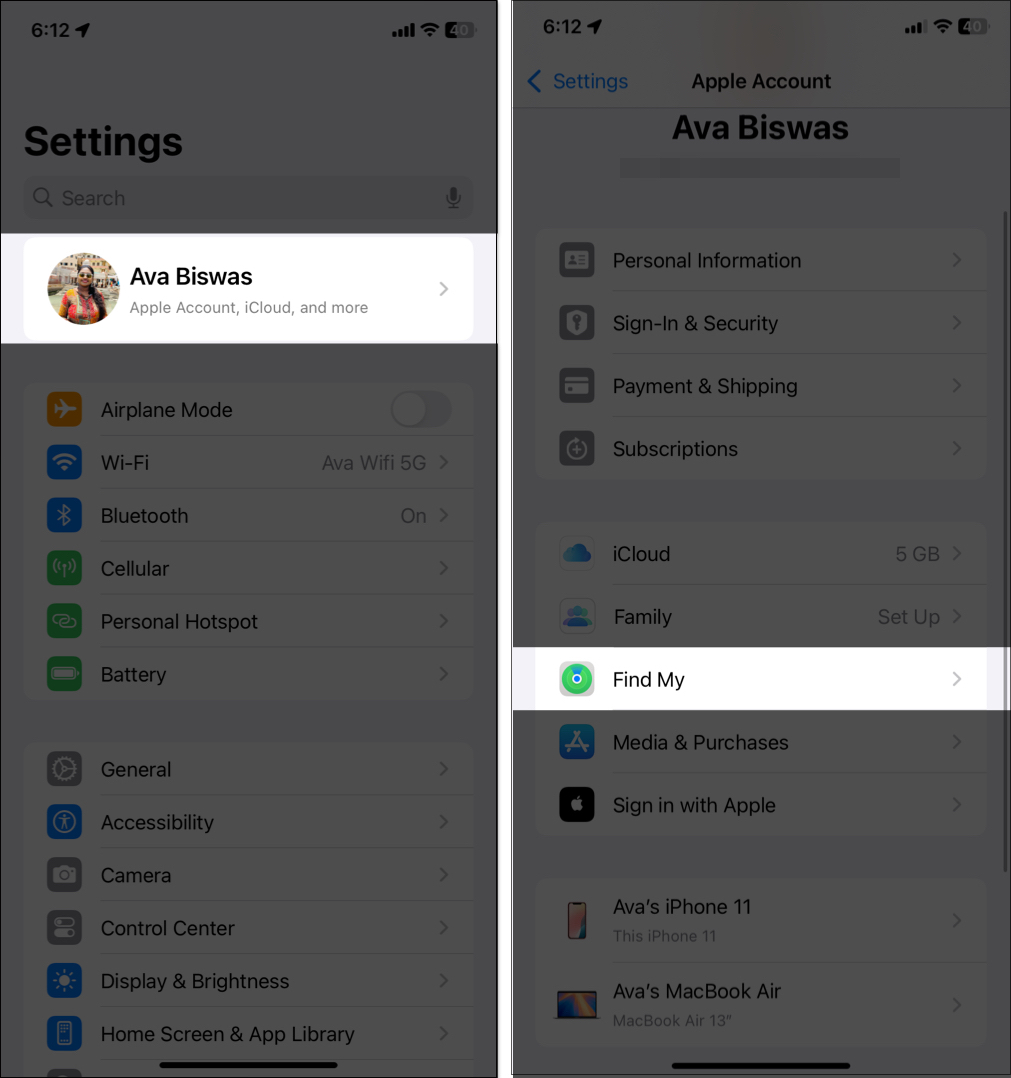
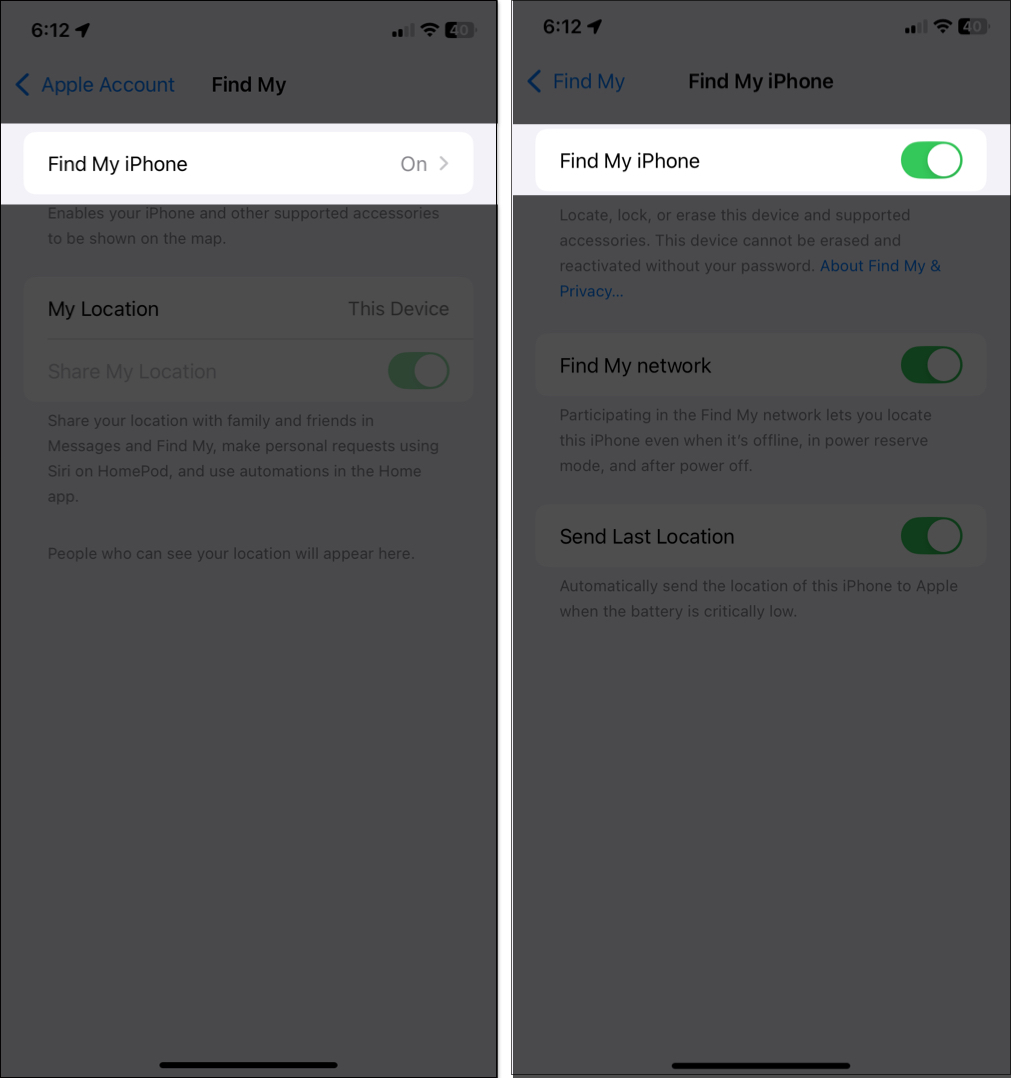
Tip: If the seller has Stolen Device Protection turned on, they may need Face ID or Touch ID to make these changes. If they’re away from a familiar location, some actions, like signing out of their Apple Account, can also need a one-hour security delay. Plan the handover with that in mind.
While you’re in Settings, also go to General → About → Parts and Service History. Apple says Activation Lock can protect individual parts too. A part listed as “Unknown” may be non-genuine or taken from another iPhone.
Like iPhone, a Mac turns on Activation Lock when Find My Mac is turned on. It’s supported on Macs with Apple silicon or the Apple T2 Security Chip running macOS Catalina or later, when two-factor authentication is on for the Apple Account. Here’s how to check:
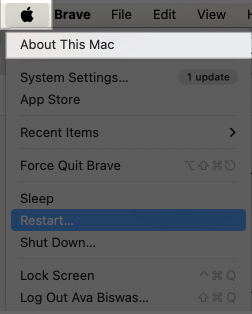
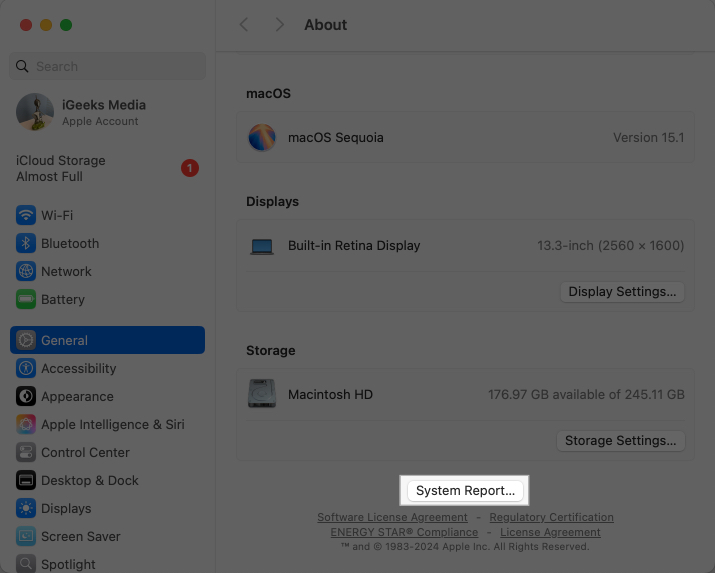
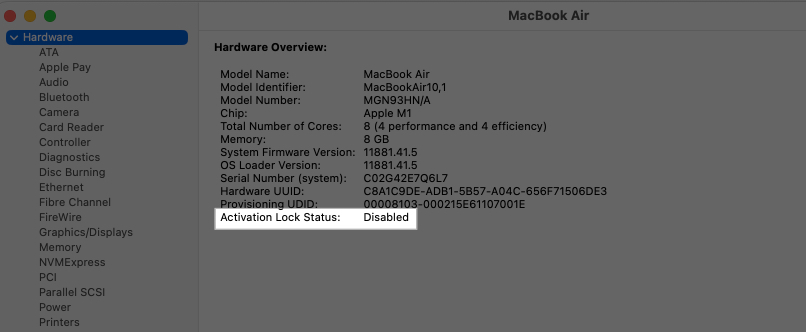
Buy the Mac only if it says Disabled.
You can also go to System Settings → [seller’s name] → iCloud and check whether Find My Mac is on.
If the Mac has already been erased, start the setup. If you see an Activation Lock screen asking for an Apple Account, don’t buy the Mac until the seller removes it from their account.
You can also go to System Settings → [seller’s name] → iCloud and check whether Find My Mac is on.
If the Mac has already been erased, start the setup. If you see an Activation Lock screen asking for an Apple Account, don’t buy the Mac until the seller removes it from their account.
When you pair an Apple Watch with an iPhone that has Find My turned on, Activation Lock turns on for the watch too.
If you find out that a device you’re buying, or already bought, is Activation Locked, here’s what to do:
For more details, see our guide on what to do if your iPhone or iPad is stuck on Activation Lock.
Checking Activation Lock before buying a used iPhone, iPad, Mac, or Apple Watch takes a minute and can save you from a device you can’t use. Make sure Find My is turned off and the previous owner has removed their Apple Account before you pay. If Activation Lock is still on, walk away. It’s not worth the risk.
FAQs
You cannot legally bypass Activation Lock. Apple designed it as a security feature to prevent stolen devices from being used. The only way to remove it is by entering the original Apple Account and password. If you forgot your Apple Account, visit Apple’s official recovery page.
No. Factory resetting does not remove the Activation Lock from an Apple device. Even if you erase the device, it will still ask for the previous owner’s Apple Account and password during setup. Activation Lock can only be disabled by turning off Find My iPhone before erasing the device.
You may find these helpful:

As an Amazon Associate, iGeeksBlog earns from qualifying purchases.