
FaceTime Like a Pro
Get our exclusive Ultimate FaceTime Guide 📚 — absolutely FREE when you sign up for our newsletter below.

FaceTime Like a Pro
Get our exclusive Ultimate FaceTime Guide 📚 — absolutely FREE when you sign up for our newsletter below.


Shop Amazon like a local—anywhere in the world. Here’s how to switch your country in a snap!

 ByAva Biswas and Dhvanesh Adhiya
Ever tried to grab a amazing Amazon deal from another country, only to hit a “not available in your region” message? Changing your Amazon country settings helps you shop in local currency, access regional products, and enjoy content tailored to your location.
In this step-by-step guide, we’ll show you how to switch your Amazon country on iPhone, Android, or desktop, what changes after you switch, and a few tips to make the process smooth and hassle-free.
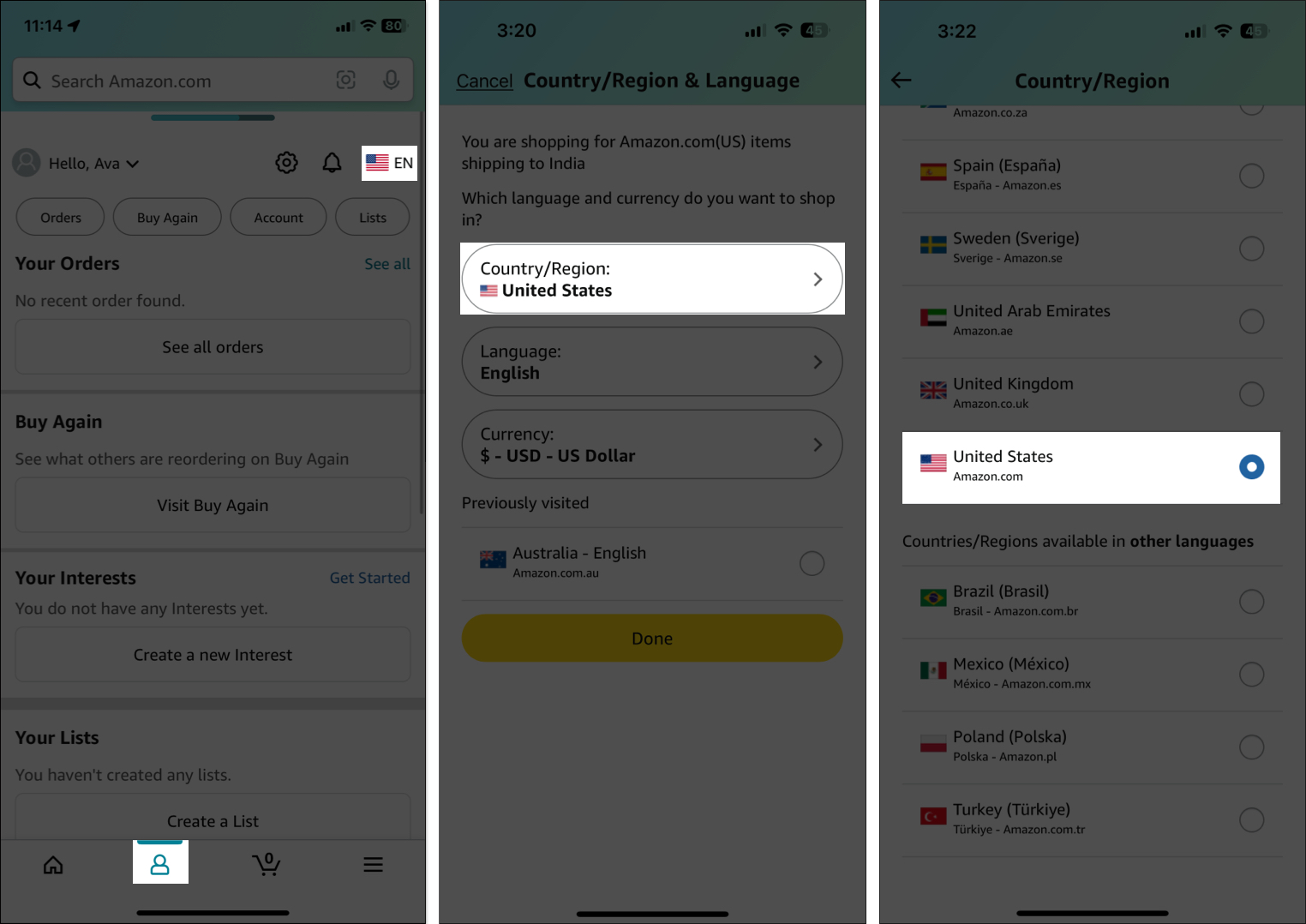
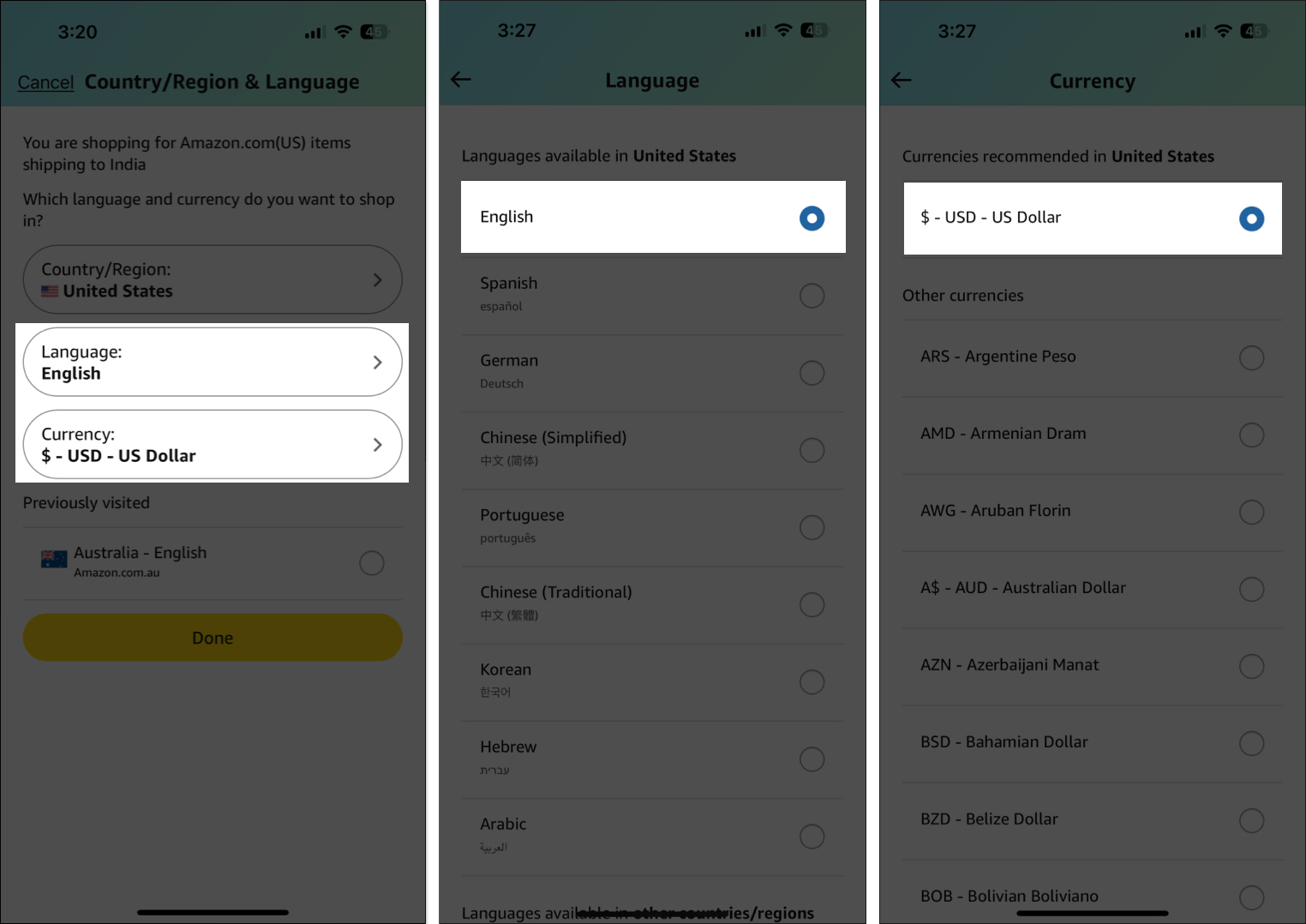
Your app might refresh and show you new deals, languages, or featured products. If everything suddenly switches to a language you don’t speak, repeat the steps above and change the language back.
Note: Follow the same steps again to change back to your original country.
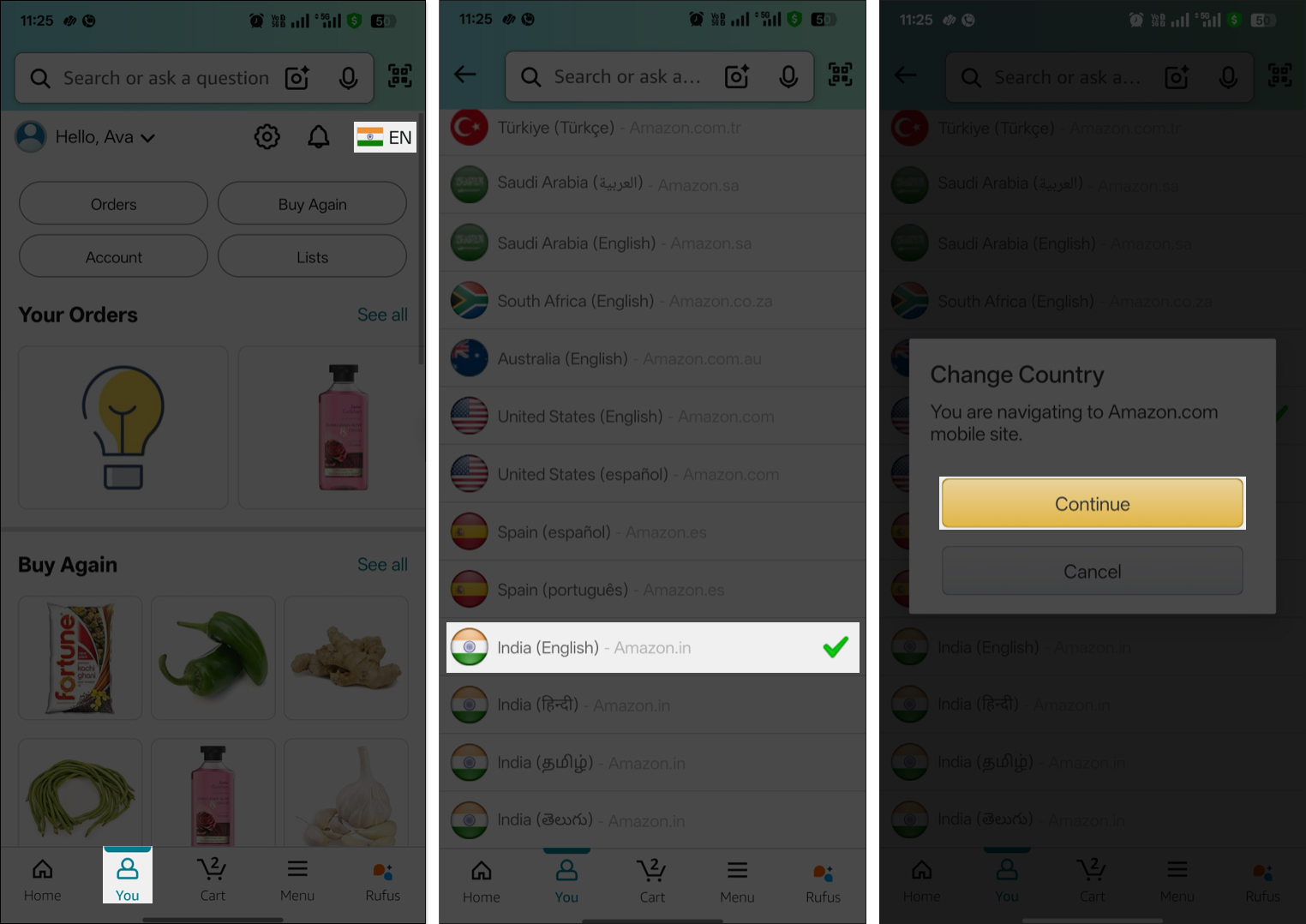
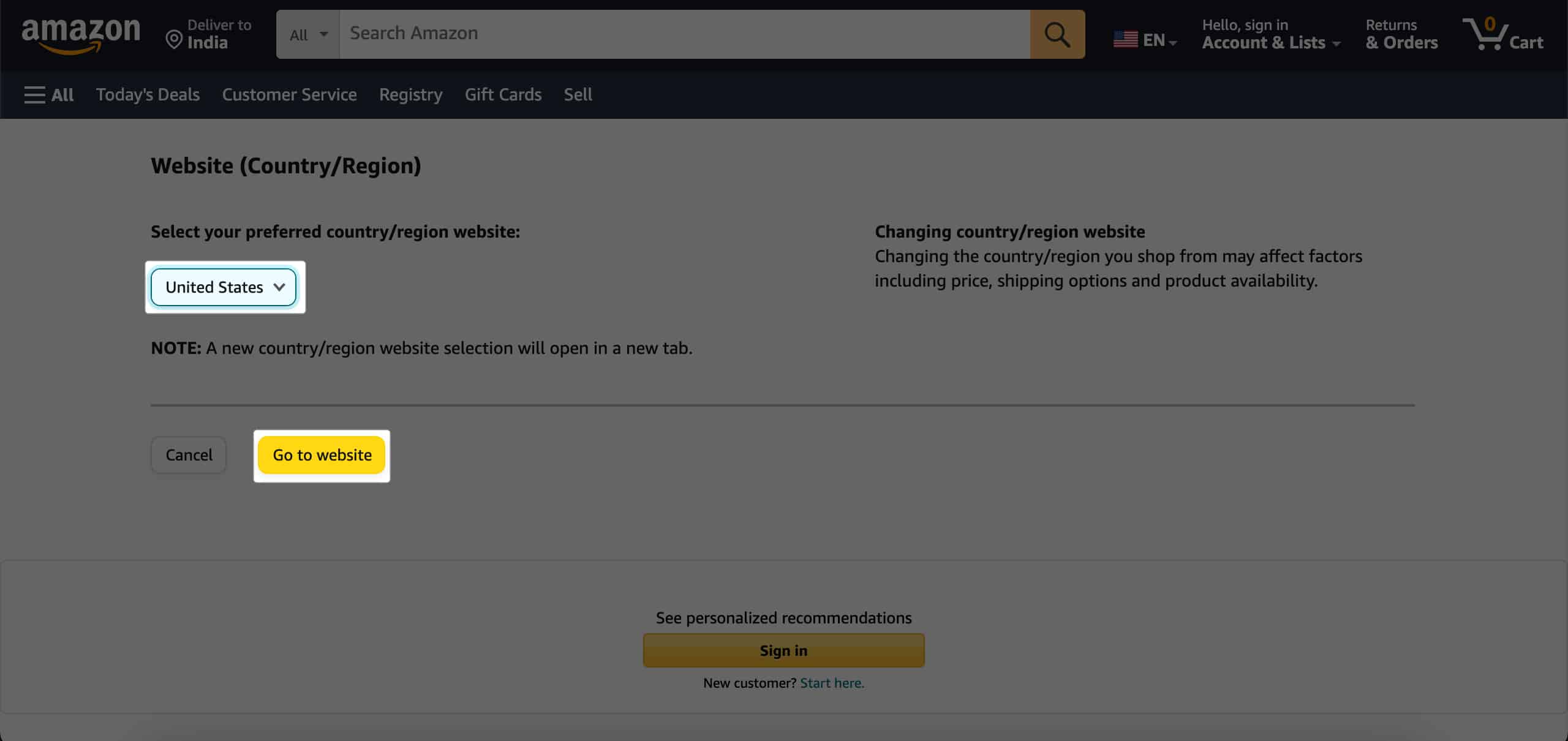
Officially, you can’t change the default country on your Amazon mobile app. When you choose a different Amazon store, it will redirect you to that country-specific store via your mobile browser.
If you only want to chance Amazon store language, you will find it in the same menu. Can’t find the menu? Update the app or clear cache on your device.
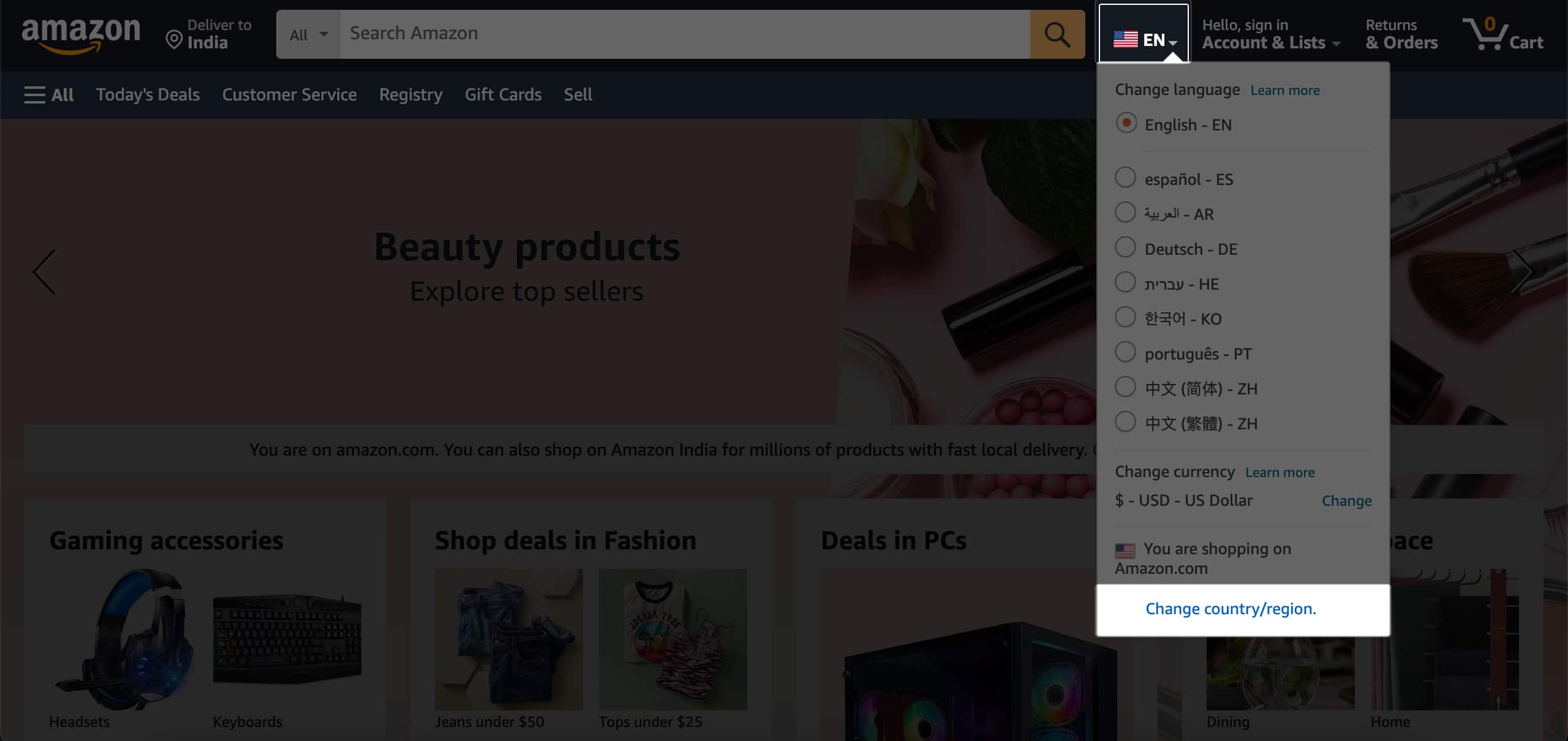
There are many reasons you might want to do this:
Changing your Amazon region affects nearly every part of your account. So, before you proceed, understand the changes:
Note: If you’re only abroad temporarily, just update your shipping address instead of fully changing your country.
| Option | What It Does | Best For |
|---|---|---|
| Browsing another region | Lets you explore other Amazon stores (like Amazon.co.uk) without transferring your account. | Short-term browsing or price checks. |
| Transferring your account | Moves your billing address, payment methods, and digital content library. | Long-term relocations. |
To officially transfer your account:
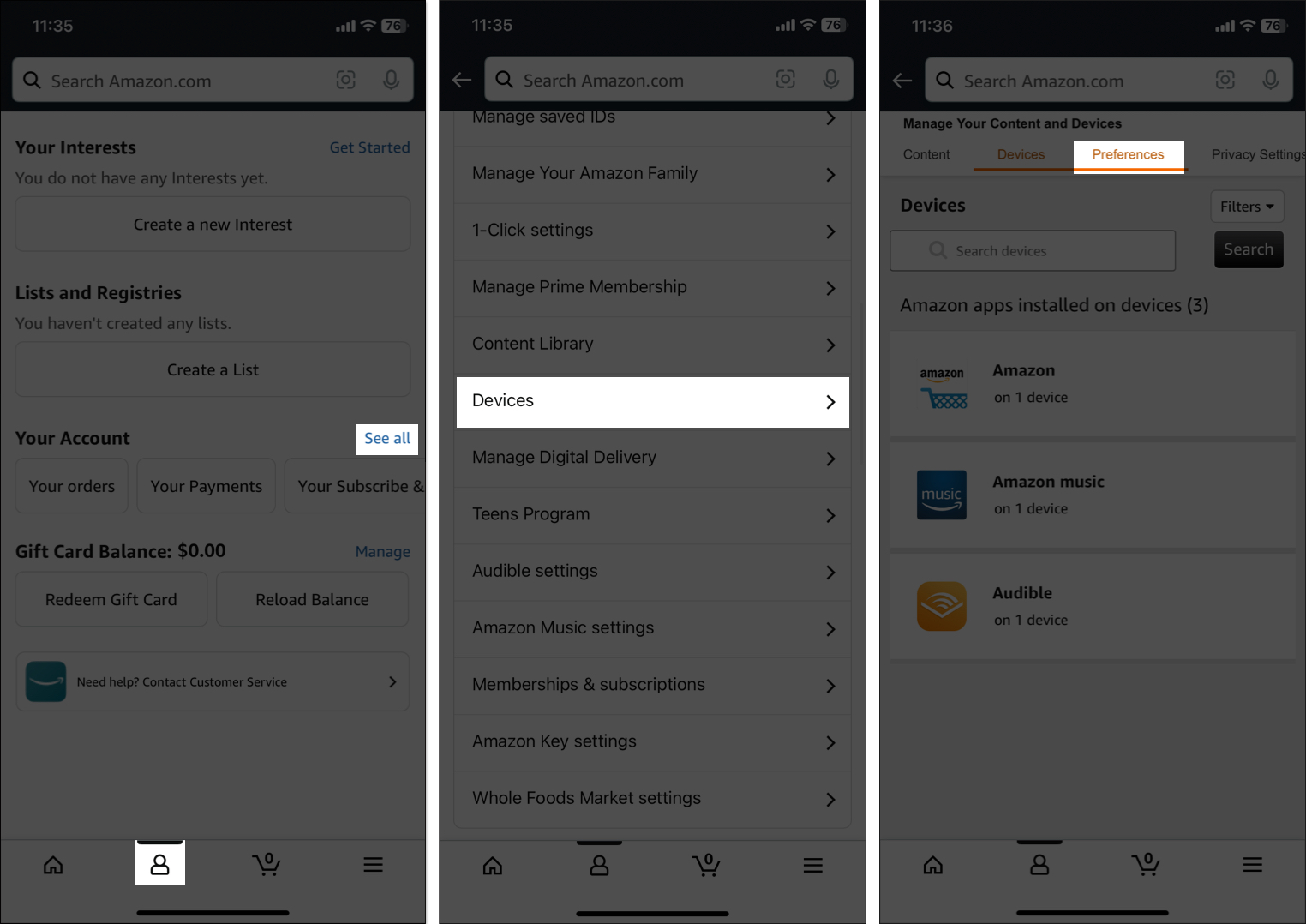
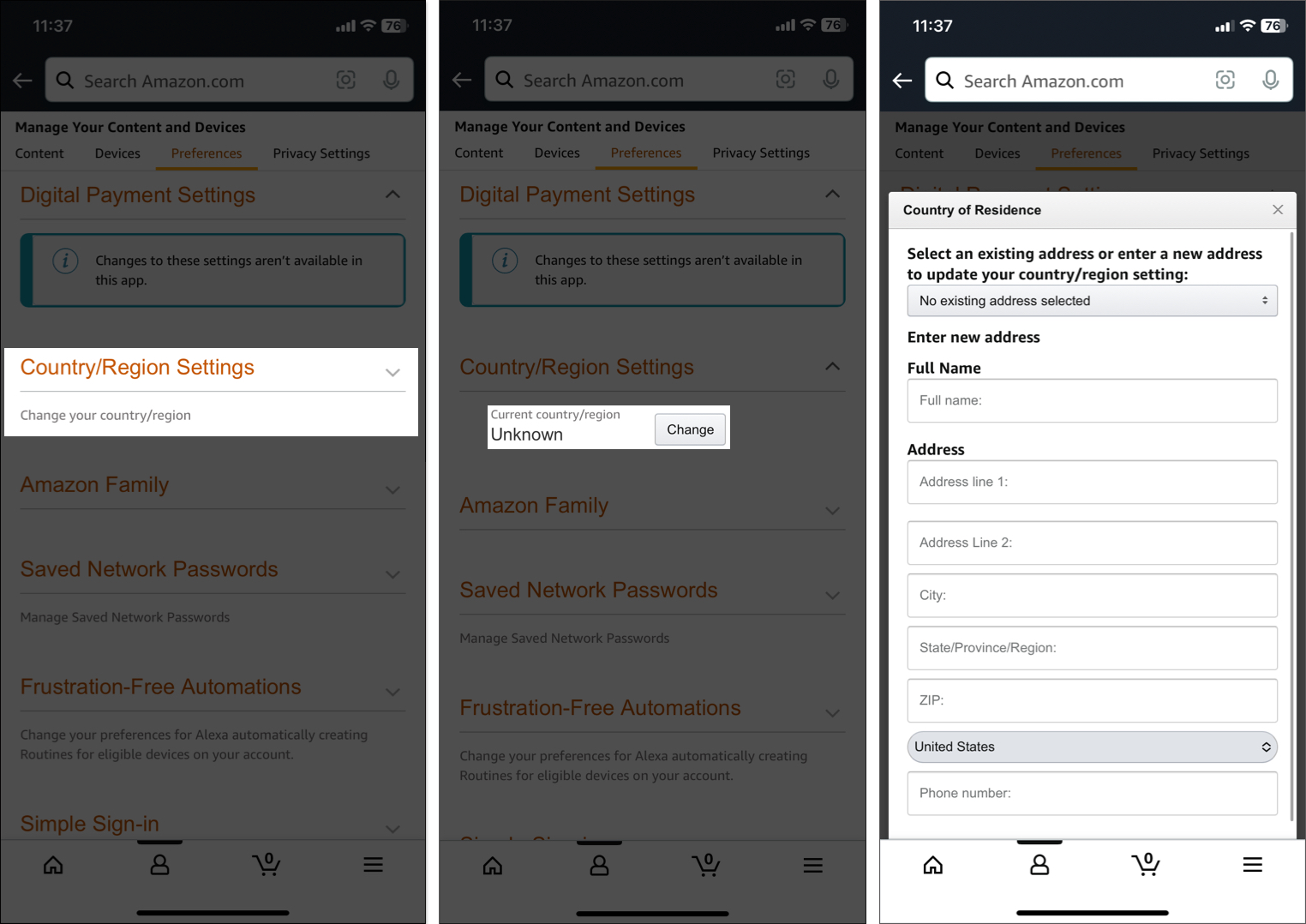
It may takes up to 24 hours to apply the changes. After your account switches successfully, update your billing info and payment methods right away for smooth shopping.
| Transfers With You | Does NOT Transfer |
|---|---|
| Kindle Books, Audible Audiobooks, Amazon Music | Amazon Subscriptions like Prime, Music Unlimited, Kindle Unlimited, Kids, Kids+, Newsstand and Magazines, Luna |
| Prime Video | Rented or Purchased Prime Video Titles |
| Apps & games from the Amazon Appstore | Order history, wishlists, shopping cart |
| Amazon Drive Files | Household & Family Library profiles |
| 1-click payment methods and billing information | |
| Gift card balances & promo credits |
Note: Back up anything important and cancel subscriptions before you switch. Once the account transfers, sign up again from the new Amazon store.
If you’re a seller:
| Problem | Fix |
|---|---|
| Country option missing | Update app or reinstall. Search Country in settings. |
| Error when saving new country | Make sure billing address and payment method match. You must not have any open orders or active subscriptions tied to your old country, |
| Payment method not accepted | Add a new payment method that’s valid in your new country. |
| Lost digital content | Some items are region-locked. Check new store and re-download if available. |
| Language not updating | Change manually from the Country & Language settings then restart app. |
| Greyed-out country option | You may have switched too recently so wait a few months. |
Still stuck? Contact Amazon Support. They’ll verify your account and help manually complete the transfer.
Switching your Amazon country can open up a world of new shopping, streaming, and gifting possibilities. Always double-check what will and won’t transfer, update your info, and don’t be afraid to ask for help if you get stuck.
Have a question or want to share your experience? Drop a comment below, I’d love to hear from you and help however I can!
FAQs
Yes, as long as you have an active billing address in your original country. Amazon limits how frequently you can change countries, typically to once every few months.
Amazon restricts country changes to about once every few months to maintain account security and stability.
Some Prime benefits and digital content are region-specific. While many memberships and purchases may transfer, the available catalog and perks can change. You may need to re-subscribe or repurchase some content in your new region.
Yes, but purchases, order history, and Prime benefits do not sync between accounts. You’ll need to log out and back in to switch.
No. Language and country are separate settings.
No. A VPN does not update your official Amazon country settings. Use Amazon’s official process to switch countries.
For short trips, it’s usually best not to change your Amazon country. Update your shipping address instead. Changing country is best for longer stays or permanent moves.
Make sure your app is updated. If the option is missing, search for “country” in the app or use a web browser to access your account settings.
Check that your billing address and payment method match your new country, clear any pending orders, and ensure subscriptions are compatible. If issues persist, contact Amazon Support.
Check out these helpful guides too:











