FaceTime Like a Pro
Get our exclusive Ultimate FaceTime Guide 📚 — absolutely FREE when you sign up for our newsletter below.

FaceTime Like a Pro
Get our exclusive Ultimate FaceTime Guide 📚 — absolutely FREE when you sign up for our newsletter below.


Getting Fortnite on your iPhone or iPad is easier than ever. From the App Store to cloud gaming platforms, here are the four best ways to start playing today.
The protracted court battle between Epic Games and Apple has taken a new shape, in which Fortnite is now back on the App Store almost everywhere in the world. What this also means is that now there are new ways to play the massively popular online game.
For over five years, Fortnite had not been available to play natively on iPhone and iPad, owing to the differences between Epic and Apple over payment systems. However, with the game finding its way back to the App Store, that situation has now changed for the better. Read on to find out all the working methods that let you play Fortnite across these two devices.
Most people can now simply download Fortnite from the App Store and play it on their iPhone and iPad. It’s as straightforward as looking up any app on the storefront and comes with no catch.
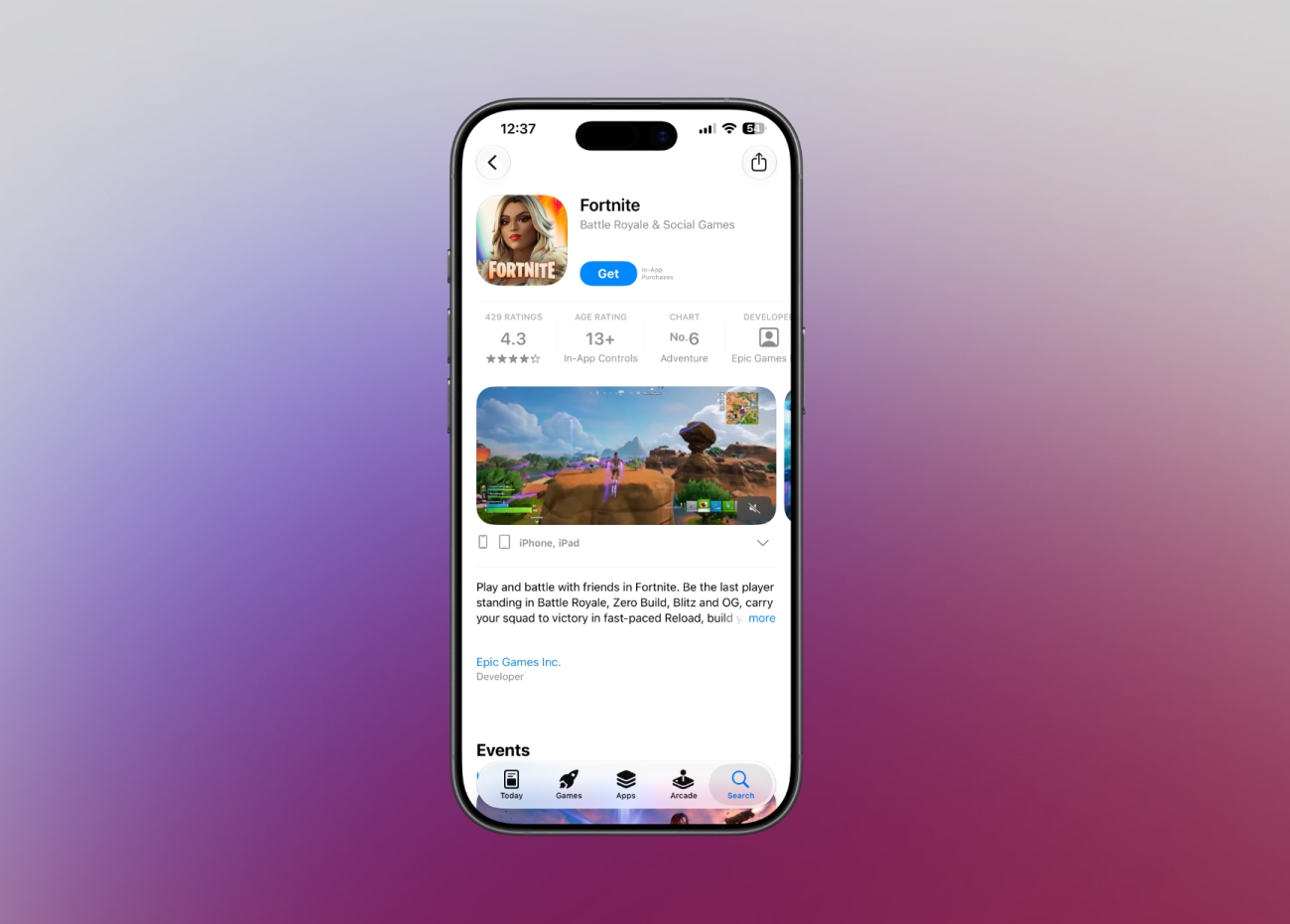
Although the game is live on Apple’s storefront nearly worldwide, there is one country where it still isn’t listed. That country is Australia, where legal proceedings of the Epic v Apple case are still not at a stage where this could become possible.
Xbox Cloud Gaming is currently only available to Game Pass subscribers in select regions. Visit the supported regions page and pick your country from the list on the left side of the screen to see if it is available in your area.
If your region is not listed, you can still access Xbox Cloud Gaming using a VPN service. But keep in mind that the experience may not be optimal, and you may encounter noticeable lag using cloud gaming this way.
Thanks to cloud gaming, you can play games such as Fortnite on your iPhone without installing them. The best part is that it won’t hog your iPhone’s storage or resources.
At the same time, it’s worth remembering you will need a Microsoft account to play Fortnite on your iPhone using Xbox Cloud Gaming. So, make sure you create that beforehand via “microsoft.com” or “xbox.com”.
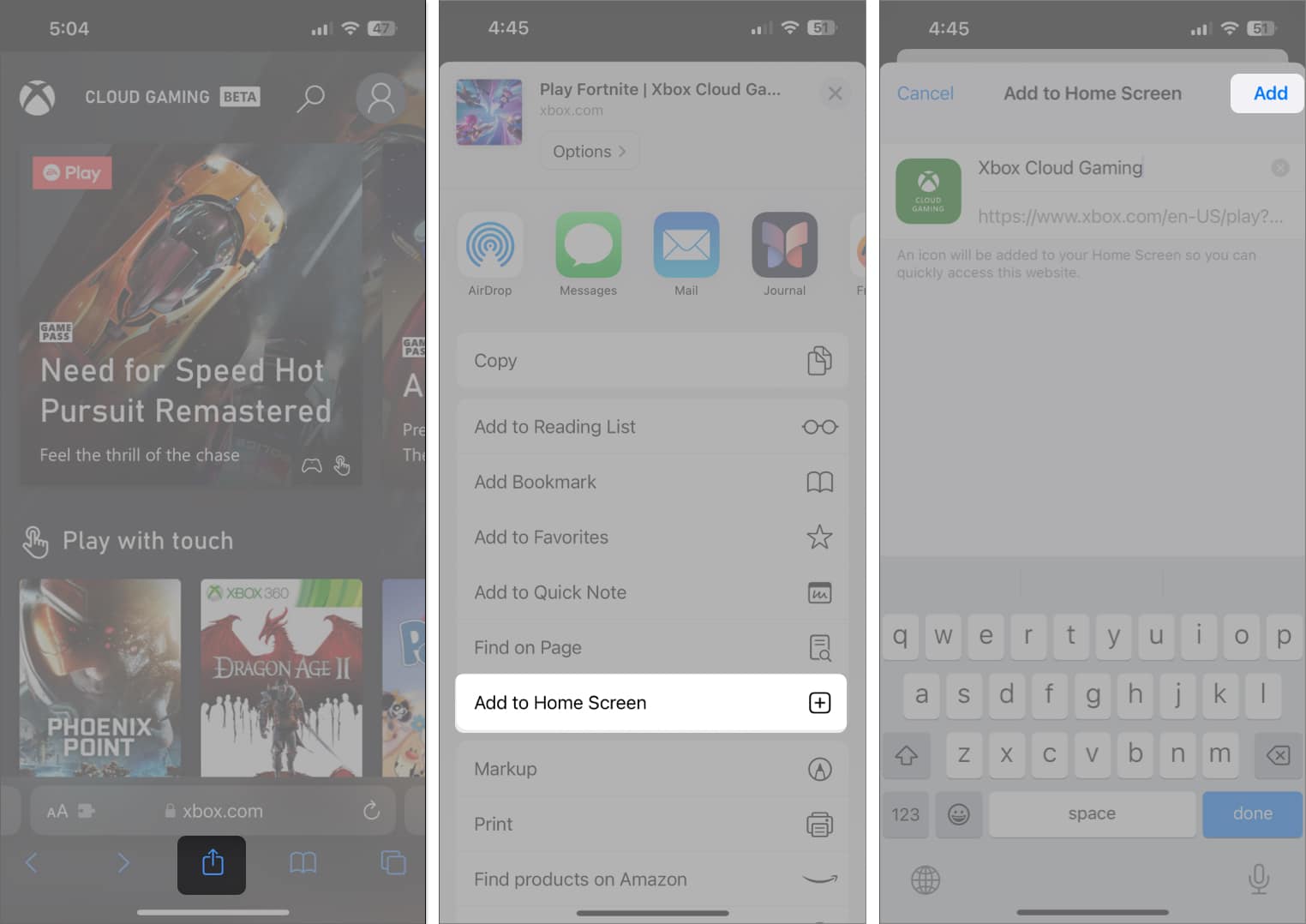
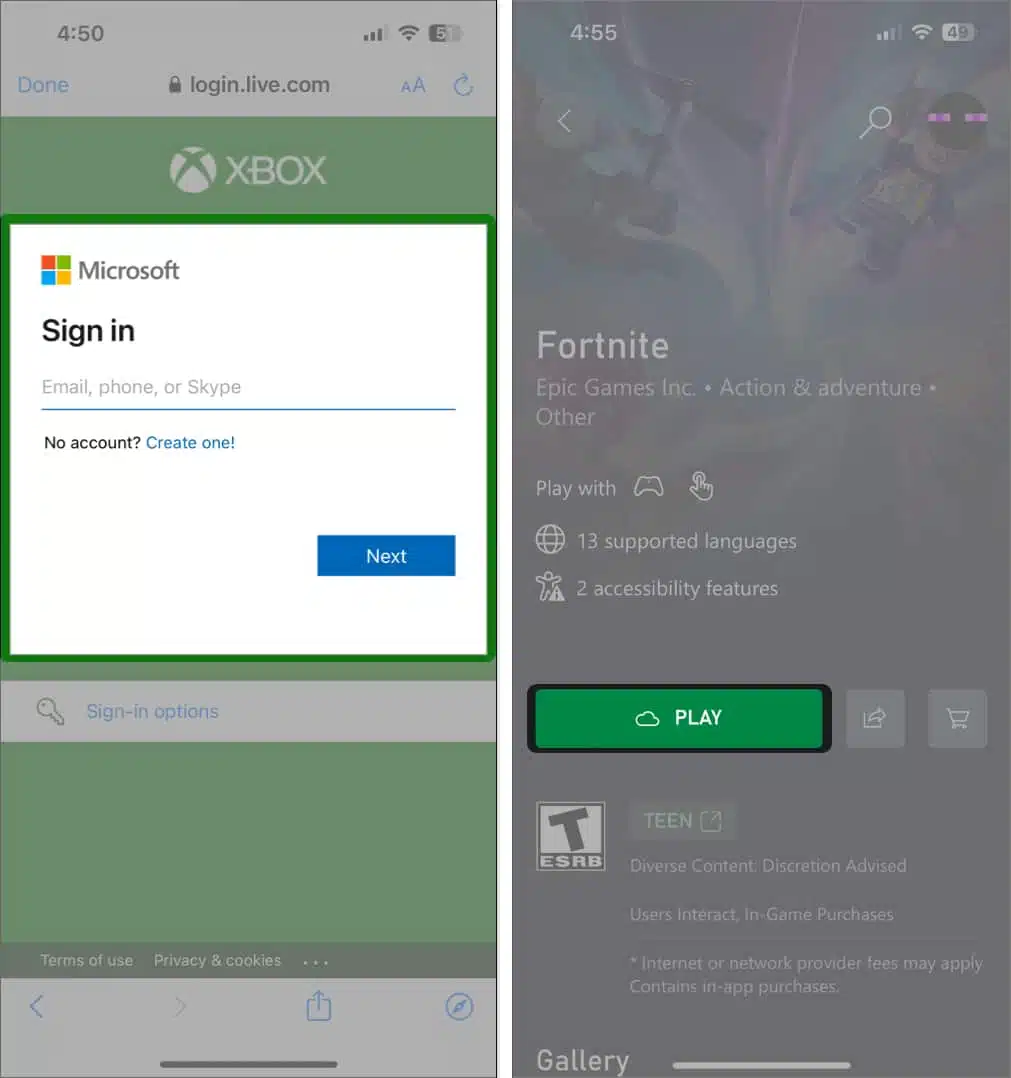
The instructions below show how to get Fortnite up and running via Xbox Cloud Gaming.
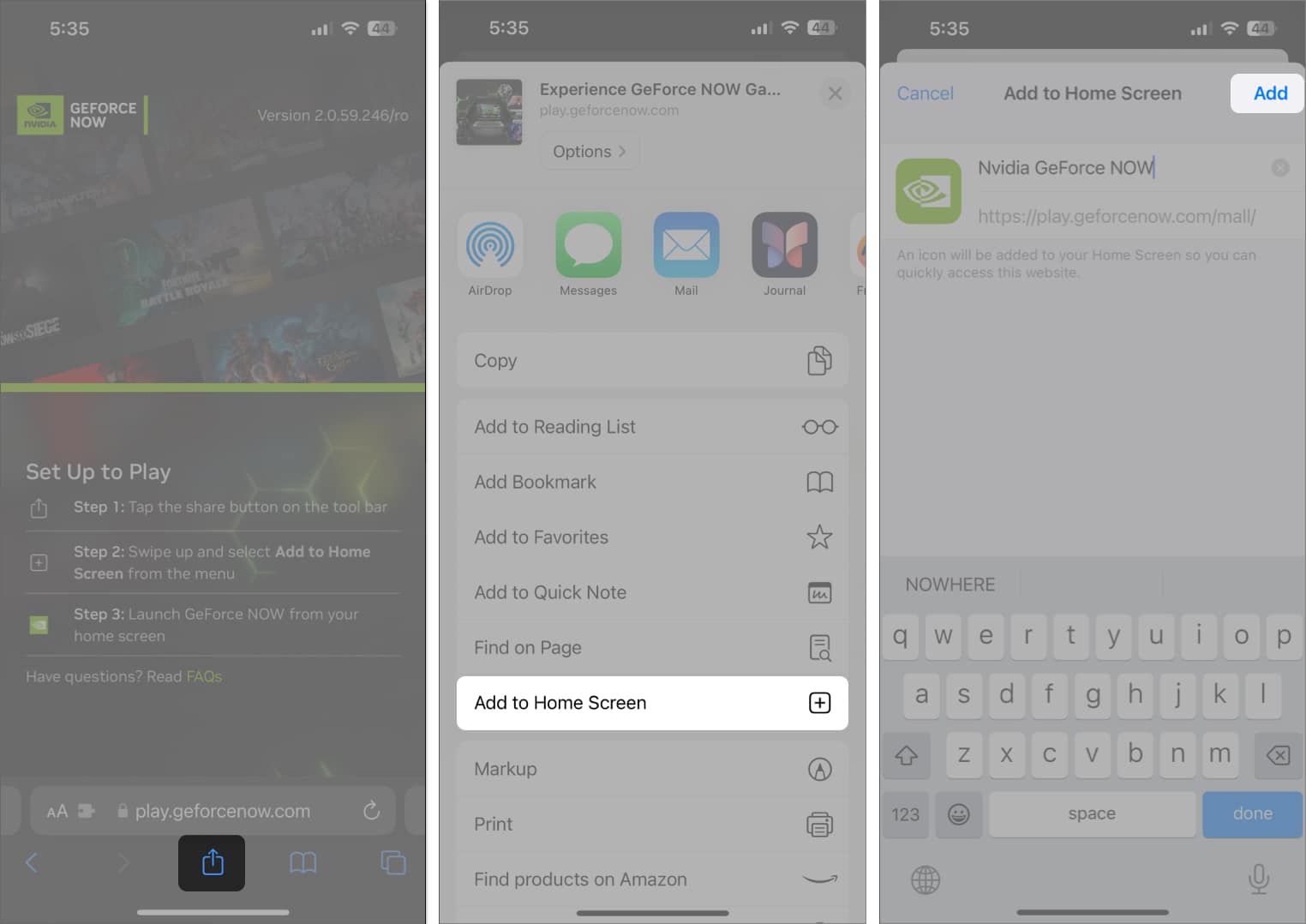
Just as with Xbox Cloud Gaming, NVIDIA GeForce Now’s availability is also limited to subscribers from a specific pool of countries that you can check here. If it turns out the service hasn’t launched in your region yet, you can use a VPN to access it, although with relatively more network hiccups.
You will need an Nvidia account in order to use its cloud gaming service. So, make sure you have set it up in advance to ensure a smooth experience.
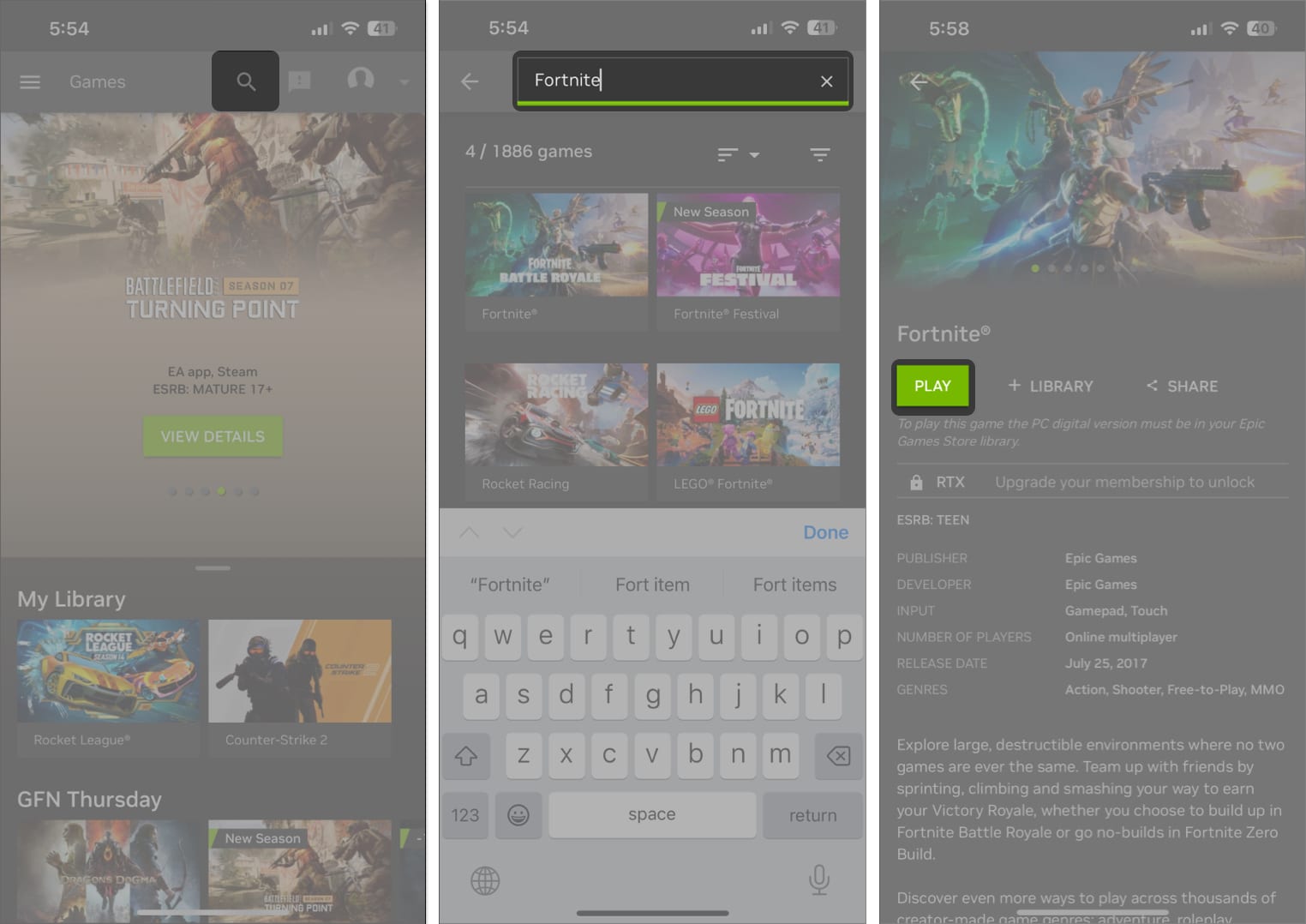
Follow the steps mentioned below to access Fortnite via GeForce Now.
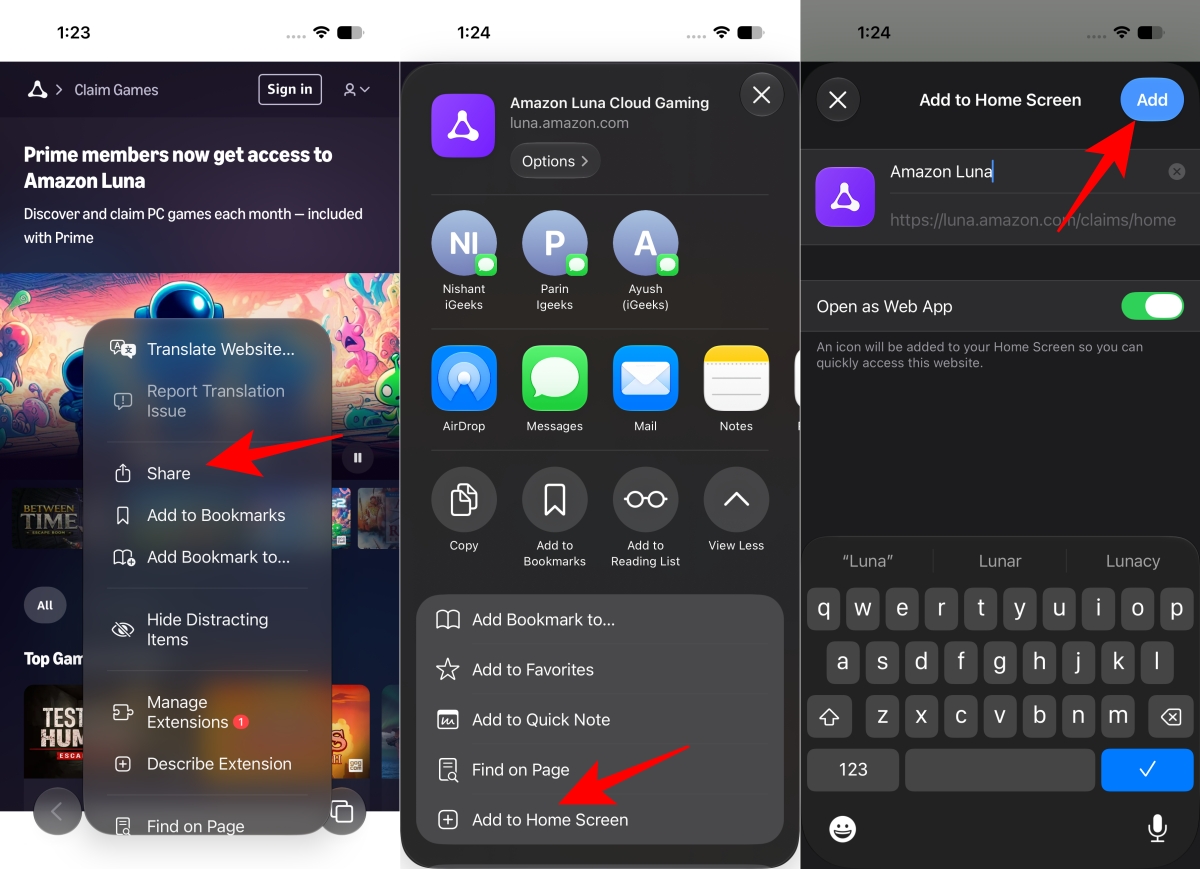
If you are an Amazon Prime subscriber, there’s more than just same-day deliveries and discounts that you can avail. That’s because the subscription also comes bundled with Amazon Luna, the e-commerce giant’s take on cloud gaming.
And since Amazon Luna has Fortnite among the many games in its lineup, it means that Amazon Prime members have an exclusive way to play Fortnite on their iPhone. You can check out the steps below to learn how to use this option.
Using any of these ways, you can easily launch Fortnite on your iPhone and iPad. For most users, getting it through the App Store is the best option.
But, given that the native Fortnite app only offers support for iPhone 10 and newer models along with iPad 10th Gen and later versions, those who own older devices are basically left with the option to use cloud streaming options. In that case, GeForce Now, which is seen as highly reliable, would be the most appropriate pick.
You may also like to read: