Ever been watching a video on YouTube and suddenly hit with the annoying “Something went wrong, tap to retry” message? Yeah, it kills the vibe instantly and gives you zero clue what actually happened.
The good part. This error is pretty common and in most cases, easy to fix. In this guide, you’ll learn why it shows up and simple steps to get YouTube working again on your phone or computer.
Why Does YouTube Keep Saying Something Went Wrong?
When YouTube displays the “Something went wrong” message, it signals a problem that’s preventing the app or website from loading or playing videos as expected. You might also see variations like “Tap to retry” or “Please try again later.” This error can appear on any device—iPhone, Android, desktop, or tablet.
Before jumping into fixes, it helps to know what might be causing the issue. Common reasons include:
Slow or unstable Wi-Fi or cellular connection: Weak or fluctuating signals can prevent YouTube from loading content.
Server outages or maintenance: Sometimes the problem lies with YouTube, not with you.
App or browser bugs/glitches: Temporary software issues can disrupt playback.
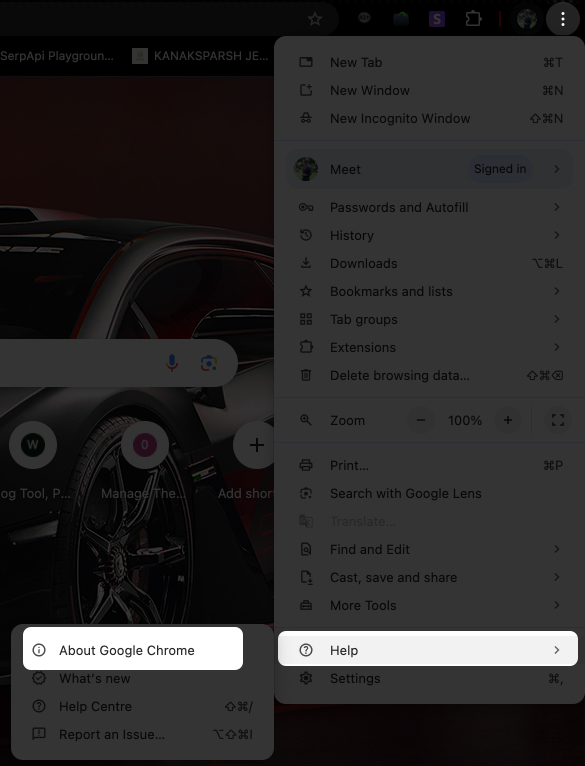
Outdated YouTube app or browser: Older versions may not work properly with YouTube’s latest updates.
Beta versions of YouTube: Beta apps are experimental and can be buggy.
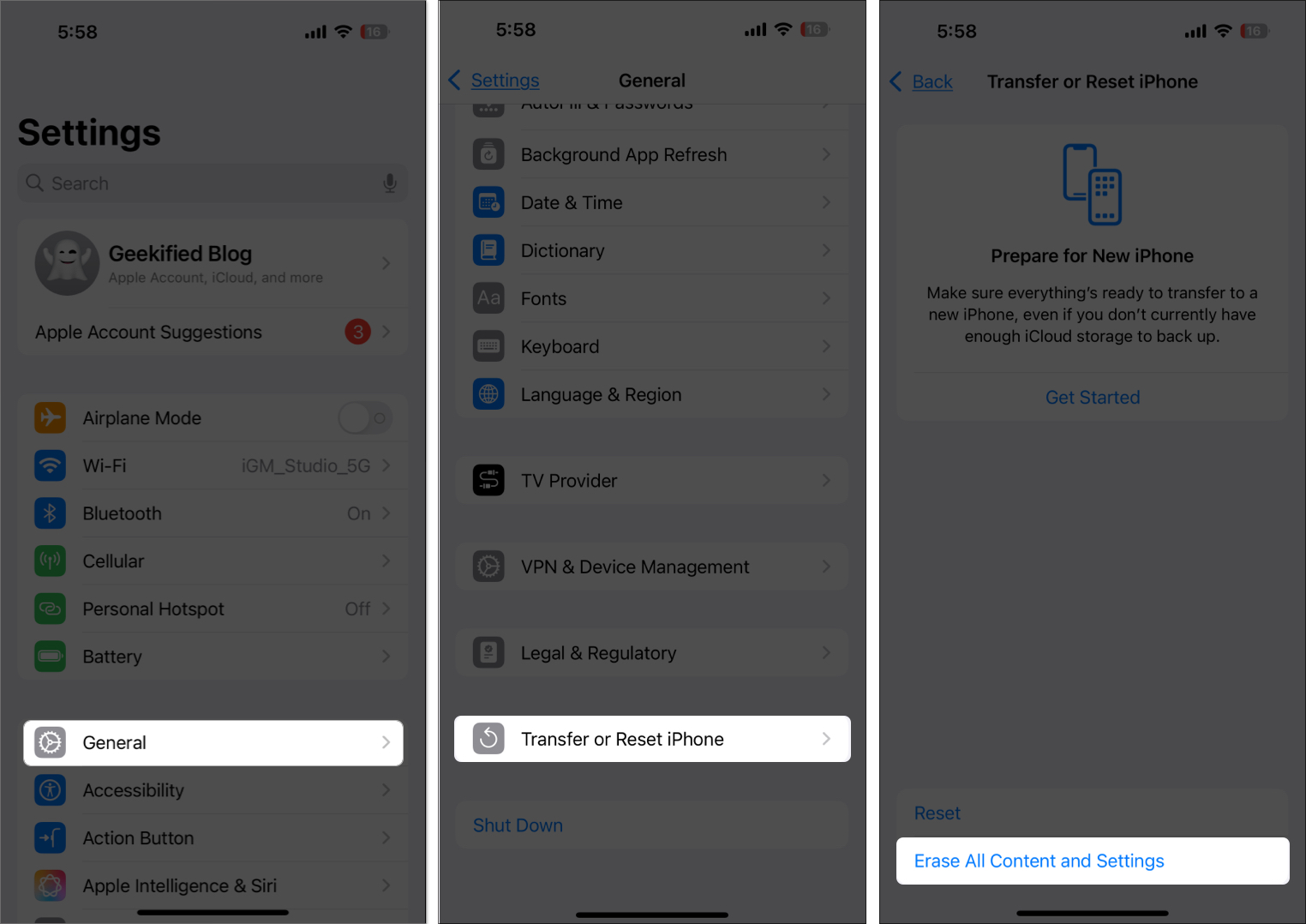
Device or OS issues: iOS or Android glitches may interfere with apps.
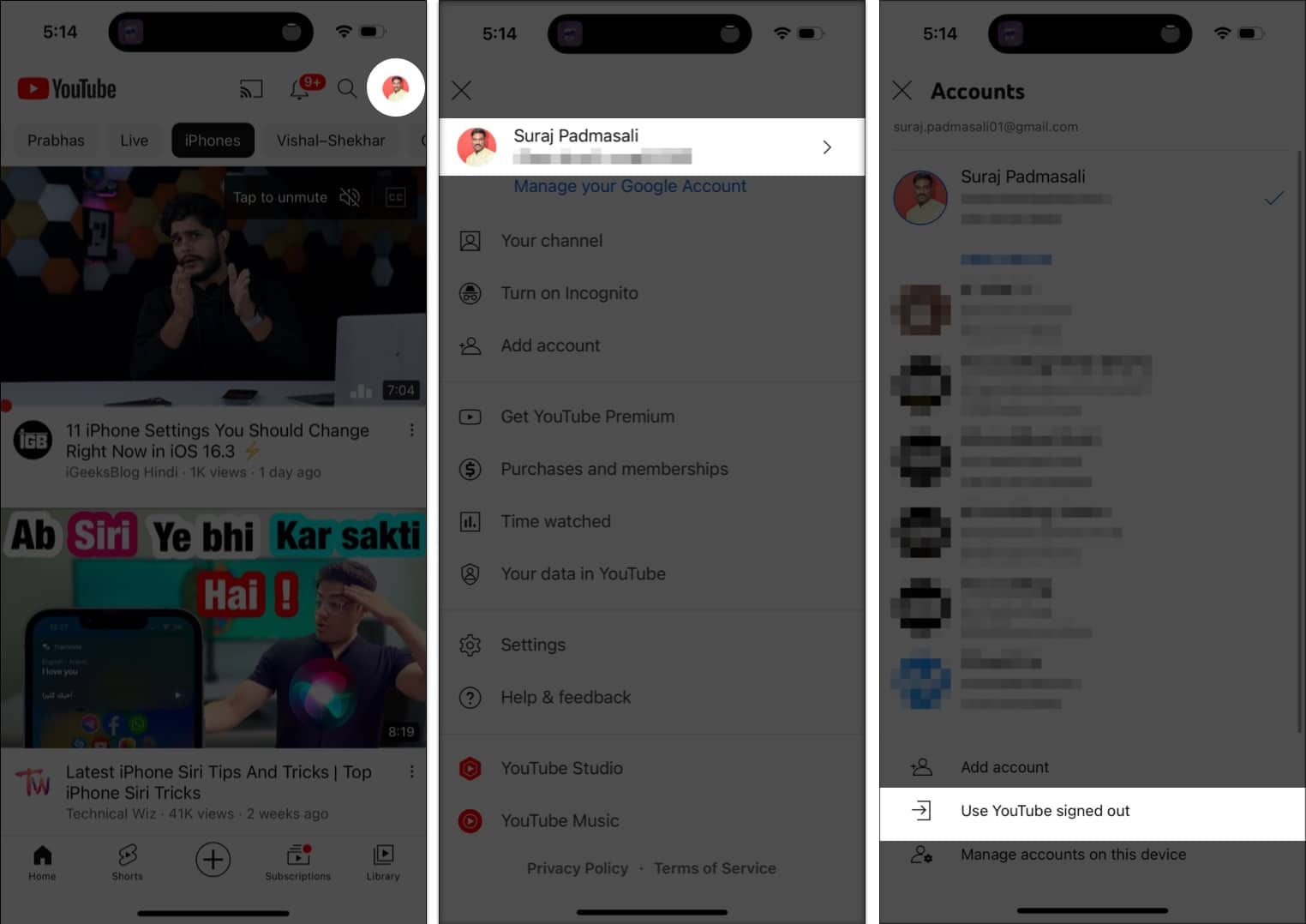
Incorrect account settings: Outdated or incorrect account info can cause errors.
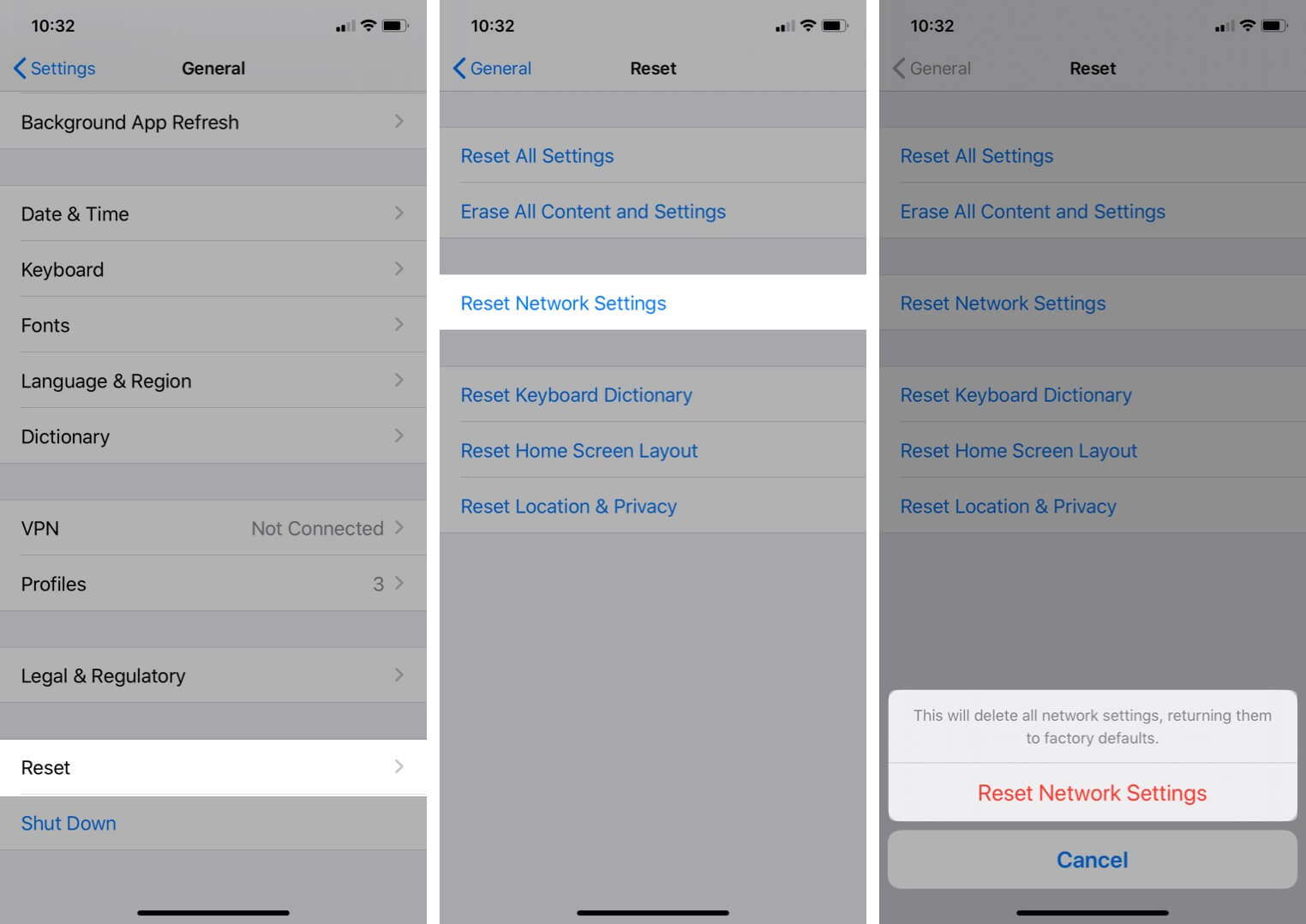
VPN or network configuration problems:VPNs or custom DNS settings may disrupt connectivity.
How to Fix the YouTube “Something Went Wrong” Error on Mobile
If you’re seeing the error on your iPhone or Android, work through these detailed steps:
1. Force Quit the YouTube App
Sometimes, simply closing and reopening YouTube can resolve temporary glitches.
How to force quit on iPhone:
Swipe up from the bottom of the screen and pause in the middle (on iPhones without a Home button).
If your iPhone has a Home button, double-click it to open the app switcher.
Find the YouTube app preview and swipe it up to close it.
Wait a few seconds, then reopen the YouTube app and try playing a video.
How to force quit on Android:
Tap the square or swipe up from the bottom to open the recent apps screen.
Find YouTube and swipe it off the screen, or tap the “X” to close it.
Reopen the app and check if the issue is resolved.
2. Check if YouTube Servers Are Down
Sometimes, the problem is not on your end. YouTube might be experiencing a temporary outage.
Try accessing YouTube from a different device or network.
You’re All Set to Fix the YouTube Error Quickly
The “Something went wrong” error on YouTube can feel random, but most of the time it’s caused by small issues like network problems, app glitches, or outdated settings. The good news. You don’t need any technical skills to fix it.
By going through the steps in this guide, you can quickly find what’s causing the issue and get back to watching without interruptions. And if it ever shows up again, you already know exactly what to do.
FAQs
Why does this keep happening on my iPhone?
Often, it’s due to network issues, outdated apps, or temporary glitches. Following the troubleshooting steps above should resolve it.
Will reinstalling YouTube delete my subscriptions?
No, your subscriptions and history are tied to your Google account, not the app itself.
Is it safe to clear app data?
Yes, but you may need to log in again and reconfigure some settings.
Ava is a die-hard Apple aficionado and seasoned writer with a knack for breaking down complex tech concepts into easily digestible content. Having honed her writing and editing skills over 5 years at renowned media houses like TechBurner, Ava crafts informative and engaging articles including troubleshooting guides, product reviews, editorials at iGeeksBlog. When not typing, you can find her exploring the latest Apple releases or pondering the future of tech innovation.