FaceTime Like a Pro
Get our exclusive Ultimate FaceTime Guide 📚 — absolutely FREE when you sign up for our newsletter below.

FaceTime Like a Pro
Get our exclusive Ultimate FaceTime Guide 📚 — absolutely FREE when you sign up for our newsletter below.


iOS 27 brings Siri AI, Spatial Reframing in Photos, AI-powered Shortcuts, Safari upgrades, and more. Here’s everything you need to know.
 ByVikhyat
iOS 27 is here, and Apple is putting Apple Intelligence at the center of the update. From a rebuilt Siri and AI-powered Shortcuts to new tools in Photos and Safari, the latest iPhone software brings changes to many of the apps people use every day.
The headline addition is Siri AI, a completely rebuilt version of Siri that can understand your personal context, hold natural conversations, and help you complete tasks across apps. But that’s only part of the story. Apple has also upgraded Safari, Photos, Shortcuts, Passwords, Messages, and several other apps while making the entire operating system faster and more responsive.
If you’ve been waiting for Apple Intelligence to move beyond demos and become part of everyday iPhone use, iOS 27 is Apple’s biggest step yet.
Here’s everything new in iOS 27, along with its release date and supported devices.
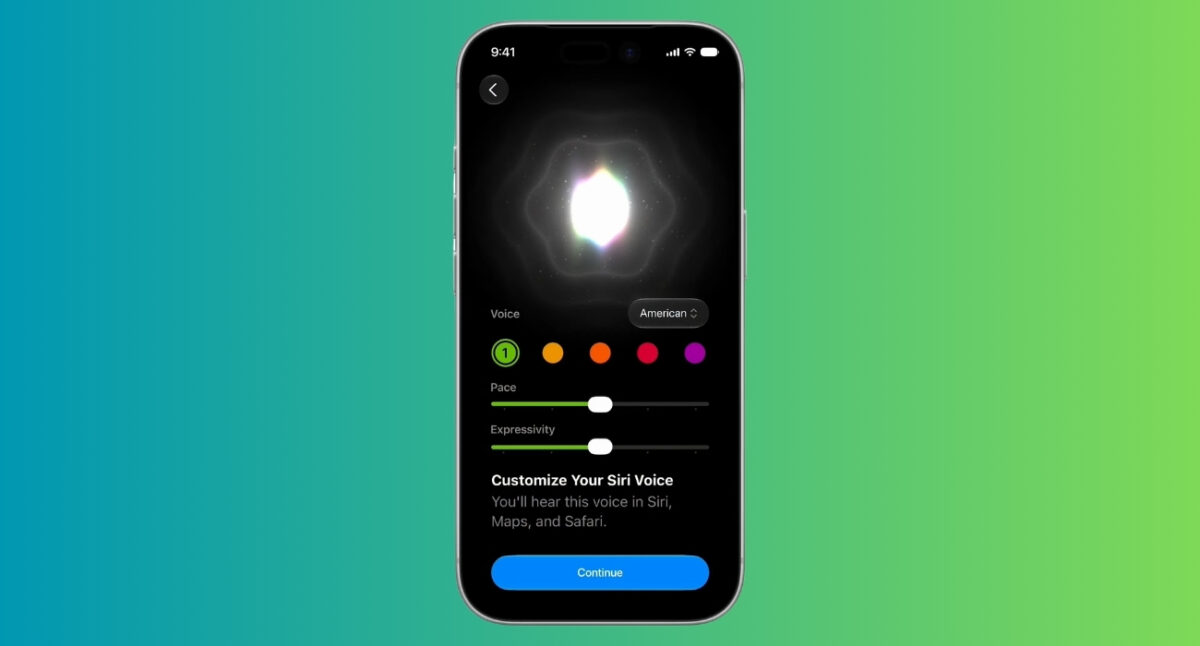
Apple spent years promising a smarter Siri. With iOS 27, it has finally arrived.
Siri AI is a completely rebuilt assistant powered by Apple Intelligence. It can understand information from across your apps, maintain natural conversations, and help complete tasks that previously required jumping between multiple apps.
For example, you can ask Siri where a friend recently moved, find photos from a specific trip, create reminders based on information from the web, or draft a message using details from previous conversations.
Apple has also introduced a dedicated Siri app that stores your conversation history and syncs it across supported Apple devices through iCloud.
Other Siri improvements include:
If you’re someone who constantly ends up with dozens of open tabs, Safari finally has a solution.
iOS 27 introduces automatic tab organization powered by Apple Intelligence. Safari can analyze your open tabs, identify related pages, and group them into topics automatically.
For example, if you’re planning a vacation, Safari can place hotel bookings, restaurant research, airline pages, and travel guides into the same group without any manual effort.
Apple is also introducing a new feature called Notify Me.
Instead of repeatedly checking a website for updates, you can ask Safari to watch the page for you. When something changes, such as tickets becoming available or a product returning to stock, Safari sends you a notification.
Safari also gains a feature called Describe an Extension. You can simply describe what you want a website to do, and Safari can create a custom extension that modifies the page accordingly.
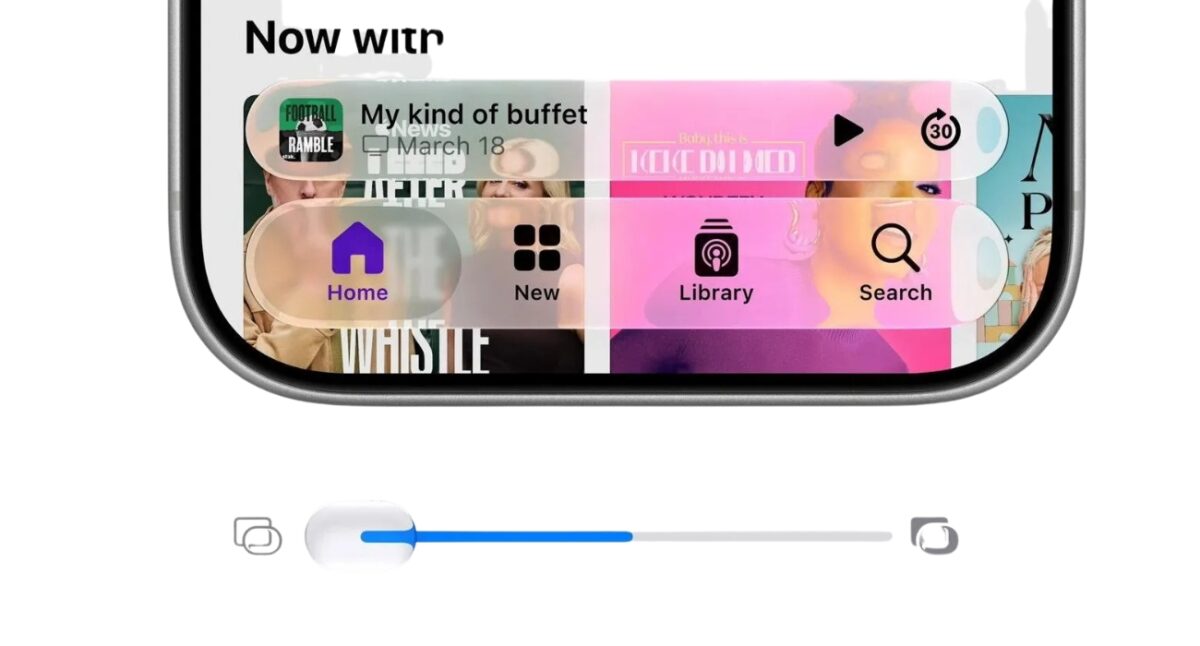
After introducing Liquid Glass last year, Apple is giving users more control over the look of the interface.
A new transparency slider allows you to adjust the appearance of Liquid Glass elements across the system. You can choose a cleaner, more transparent appearance or a stronger tinted effect depending on your preference.
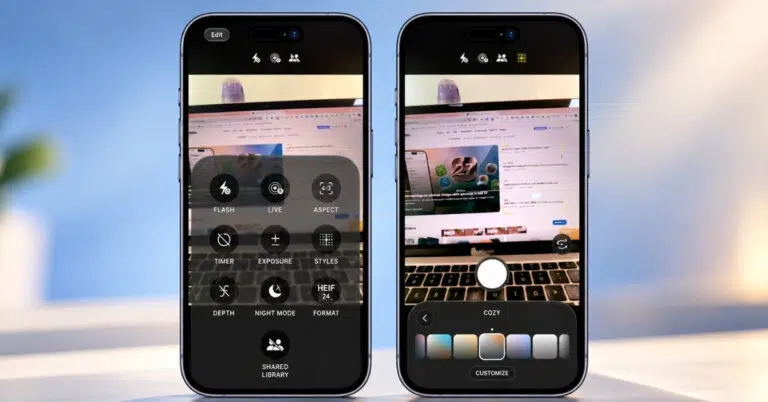
The Photos app receives three major Apple Intelligence upgrades.
Apple uses AI to generate the missing parts naturally, helping edits look more realistic.
The Shortcuts app has always been powerful, but many users found it intimidating. Apple is solving that problem with Apple Intelligence.
Instead of manually building an automation step by step, you can simply describe what you want in plain English.
For example, you can type:
“When I leave work, text my partner that I’m on my way home and include my ETA.”
Shortcuts automatically creates the automation, adds the necessary actions, and even allows you to refine it further using natural language.
For many users, this could be the first time Shortcuts feels approachable.
Apple is adding a couple of new features to the Wallet app in iOS 27.
The first is support for digitizing physical passes. Instead of carrying certain paper-based passes, users can add supported versions to Wallet and access them directly from their iPhone.
Apple is also making it easier to split expenses. When paying with Apple Pay, users can divide a bill and settle balances using Apple Cash without switching between multiple apps.
Managing passwords is important, but updating dozens of accounts can be a hassle.
With iOS 27, the Passwords app can automatically update eligible accounts to stronger passwords.
Using Apple Intelligence and Safari together, your iPhone can navigate supported websites, sign in securely, and replace weak credentials with stronger alternatives.
The result is better security with much less effort.
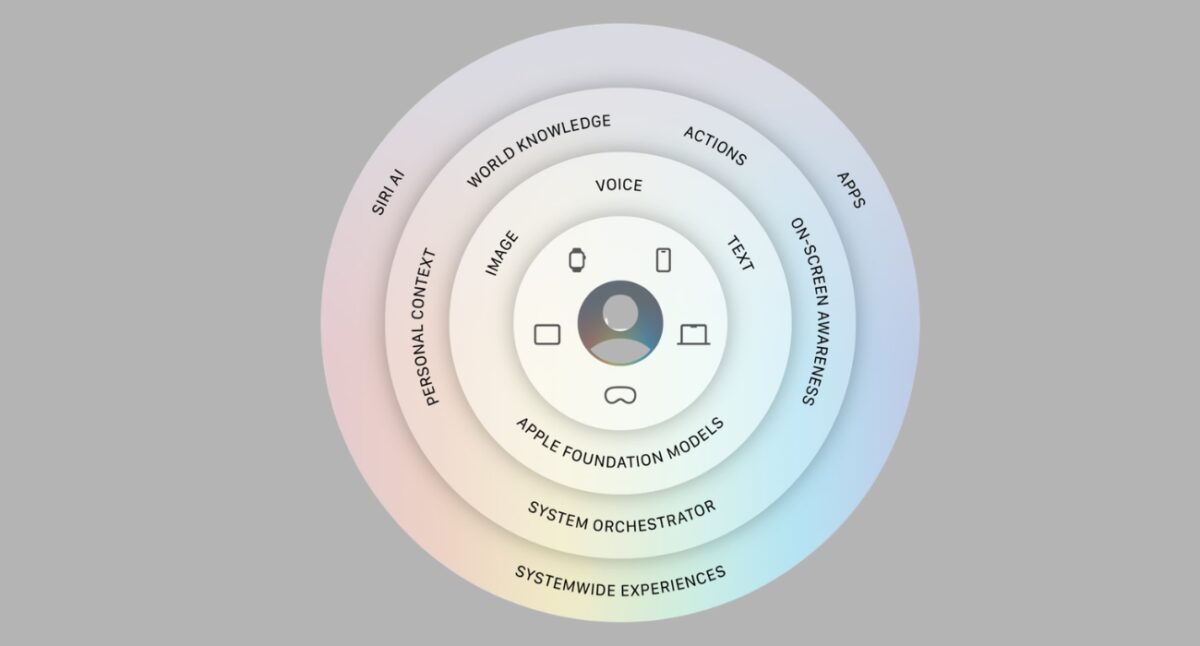
Apple Intelligence is now deeply integrated across the apps many people use every day.
Apple also spent time improving performance throughout the operating system.
According to Apple:
Another notable change is an upgraded CPU scheduler for older iPhones. Apple says the improvements extend all the way back to the iPhone 11, helping the devices manage system resources more efficiently.
Families aren’t being left out of this update. iOS 27 introduces Ask to Browse for website approvals, expands Communication Safety to include violent content, and refreshes Screen Time with new controls for managing app access throughout the day.
If you’ve ever created a Shared Album only to realize that some friends or family members couldn’t participate because they use Android or Windows devices, iOS 27 removes that limitation. Apple now lets Android and Windows users join Shared Albums and add their own photos and videos.
Apple is also removing another long-standing limitation. Shared Albums now support full-resolution photos and videos, so the memories you share won’t lose quality in the process.
Must read: How to create a Shared Album on iPhone
Apple is keeping the same compatibility list as iOS 26, meaning every supported iPhone from the iPhone 11 lineup onward can run iOS 27. Moreover, the newly launched iPhone 18 Pro, iPhone 18 Pro Max, and iPhone Duo will arrive with iOS 27.
However, some Apple Intelligence features will remain limited to newer iPhone models.
Apple unveiled iOS 27 during its WWDC 2026 keynote on June 8, 2026, and the developer beta launched immediately, while the public beta arrived in July 2026.
Apple released the final version of iOS 27 to all users on September 14, 2026.
iOS 27 isn’t defined by a single headline feature. Instead, Apple has woven Apple Intelligence throughout the operating system, from Siri and Safari to Photos, Shortcuts, and Passwords. If these features work as advertised, iOS 27 could end up feeling less like a traditional software update and more like a smarter version of the iPhone people already use every day.
Which iOS 27 feature are you most excited to try first? Let us know in the comments below.
Check it: