
FaceTime Like a Pro
Get our exclusive Ultimate FaceTime Guide 📚 — absolutely FREE when you sign up for our newsletter below.

FaceTime Like a Pro
Get our exclusive Ultimate FaceTime Guide 📚 — absolutely FREE when you sign up for our newsletter below.


Not sure whether to Restrict or Block someone on Instagram? Here's what each feature does, their key differences, and when you should use each to protect your privacy.
 ByVikhyat
Instagram offers several tools for managing unwanted interactions, but Restrict and Block are the two features people confuse most often. While both limit how someone can interact with your account, they serve very different purposes.
If you want to quietly manage someone’s comments and messages without them knowing, Restrict is the better choice. If you want to completely remove someone from your Instagram experience, Block is the way to go.
Keep reading to learn what happens when you restrict or block someone on Instagram, the key differences between the two, and when you should use each feature.
| Feature | Restrict | Block |
|---|---|---|
| Can they find your profile? | Yes | No |
| Can they view your posts? | Yes (if your account is public) | No |
| Can they comment on your posts? | Yes, but only they can see their comments unless you approve them | No |
| Can they send you direct messages? | Yes, but new messages are moved to your Message Requests | No |
| Can they see your Active Status or read receipts? | No | No |
| Can they tag or mention you? | Yes | No |
| Will they be notified? | No | No |
| Can they follow you? | Yes | No (they must follow you again if you unblock them) |
| Best for | Quietly limiting interactions without cutting off contact | Completely preventing someone from finding or interacting with your account |
Instagram introduced Restrict as a more subtle alternative to blocking someone. Instead of cutting off contact entirely, it quietly limits how that person can interact with you.
When you restrict someone:
One of the biggest advantages of Restrict is that Instagram doesn’t notify the other person. From their perspective, everything appears normal, even though their comments and messages are being quietly filtered.
Restrict is ideal when someone is becoming annoying or intrusive but hasn’t crossed the line into harassment.
For example, imagine a coworker comments on every post you share with sarcastic remarks. Blocking them could create unnecessary tension, especially if you work together. Restricting them allows you to hide those comments from everyone else without creating an awkward situation.
Similarly, if someone keeps sending messages that you don’t want to respond to, restricting them moves those messages out of your primary inbox while preventing them from knowing whether you’ve seen them.
Blocking is Instagram’s strongest privacy feature. Once you block someone, they’re essentially removed from your Instagram experience.
A blocked user:
Instagram also lets you block the current account as well as any new accounts that person may create, making it much harder for them to contact you again.
Although your previous chat history remains in your inbox, the blocked person won’t be able to send any new messages unless you unblock them.
Blocking is the right choice when you no longer want someone to have any access to your profile or content.
For instance, if an ex keeps trying to contact you, a stranger repeatedly sends inappropriate messages, or someone is harassing you through comments and DMs, blocking is the safest option.
If the behavior violates Instagram’s Community Standards, you should also consider reporting the account in addition to blocking it.
The right option depends entirely on what you’re trying to accomplish.
Choose Restrict if you want to reduce someone’s interactions without making it obvious. It’s ideal for classmates, coworkers, relatives, or anyone you don’t want to confront directly.
Choose Block if you want to completely stop someone from viewing your profile or contacting you. It’s the better option for dealing with harassment, fake accounts, spam, or people who repeatedly ignore your boundaries.
An easy way to remember the difference is:
Restricting someone only takes a few seconds.
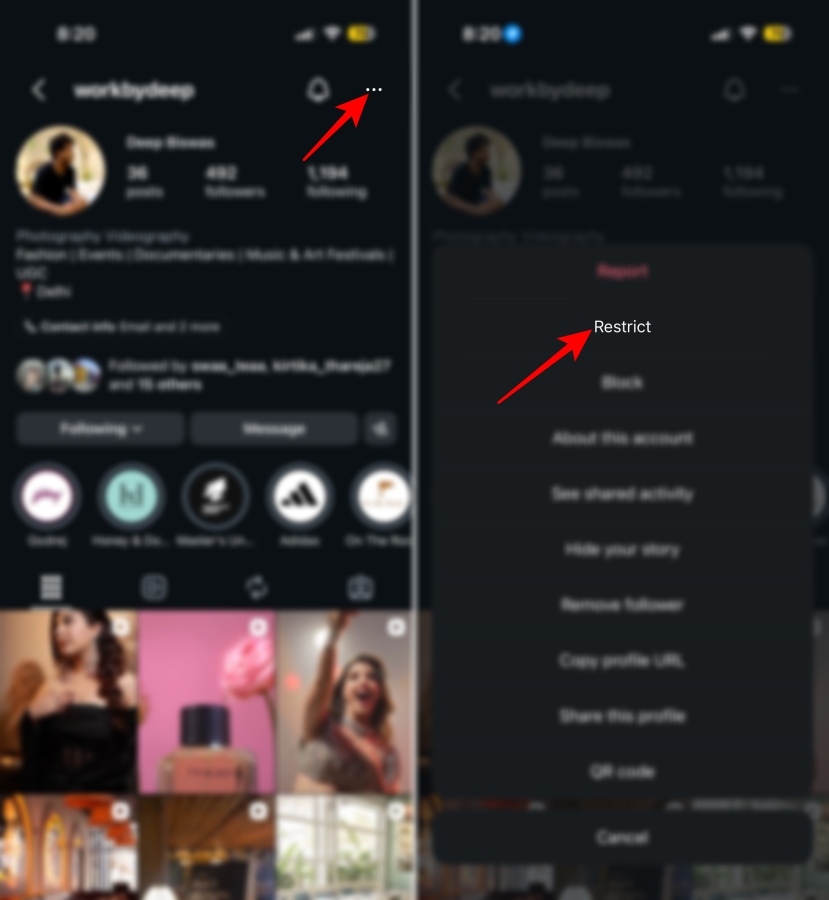
You can also restrict someone directly from the comments section by long-pressing their comment and choosing Restrict.
If you decide blocking is the better option:
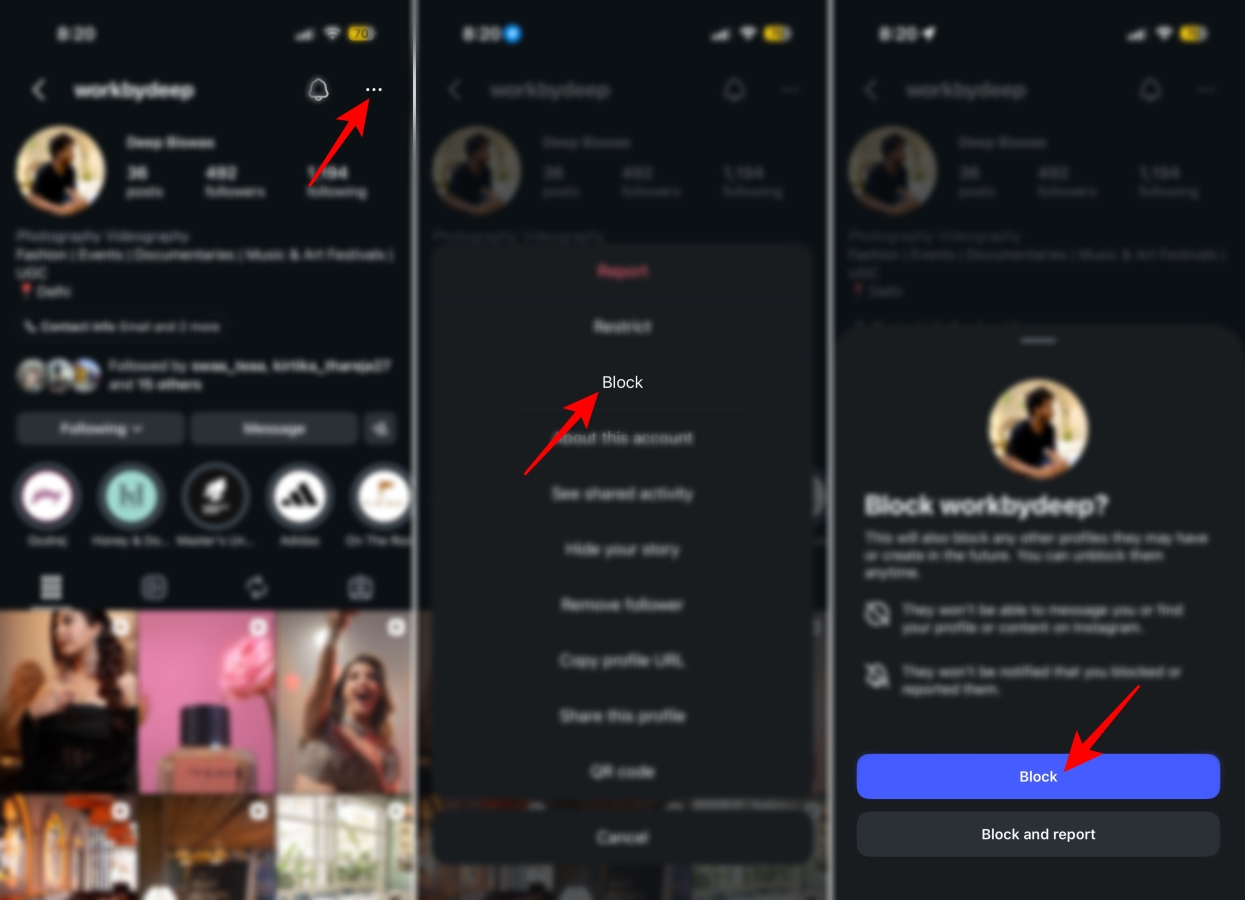
Instagram never notifies someone when you restrict or block them, but the two actions become noticeable in different ways.
Someone you’ve restricted may eventually realize something is different because their comments don’t receive replies, their messages stay in requests, and they can’t see your activity status. Even then, Instagram never explicitly tells them they’ve been restricted.
A blocked user will usually figure it out much faster because your profile disappears from search, they can’t open your account, and every interaction with your content stops working.
Both Restrict and Block are useful privacy tools, but they’re designed for different situations. Restrict quietly manages unwanted interactions without alerting the other person, while Block completely removes someone from your Instagram experience.
If you’re simply trying to avoid unwanted conversations or hide inappropriate comments, Restrict is usually enough. But if someone is harassing you, repeatedly contacting you, or making you feel unsafe, Block is the better option.
Still have questions about Instagram’s privacy features? Let us know in the comments below, and we’ll help you out.
Also read:











