iGeeksBlog


Want fewer Snapchat notifications without blocking someone? Here’s how to mute chats, calls, Stories, and location updates on iPhone and Android in just a few steps.


Snapchat is a great way to stay connected with friends, but sometimes the notifications can become overwhelming. Maybe someone sends too many messages, posts Stories all day, or keeps a group chat constantly active.
Rather than blocking or deleting them, you can mute them. It lets you eliminate distractions while staying in touch. In this guide, you’ll learn how to mute someone on Snapchat on both iPhone and Android, along with a few helpful tips to manage your notifications better.
When you mute someone on Snapchat, they are not notified. Everything continues normally from their side.
They can still:
The main difference is on your side. You stop receiving notifications or seeing their content prominently.
Unlike blocking or removing someone, muting helps you control your Snapchat experience without changing your friendships.
The steps are similar on the iOS and Android app. Snapchat keeps these controls inside chat settings and friend profiles. Below are the different ways you can mute someone.
If someone messages too often, you can silence notifications for that conversation.
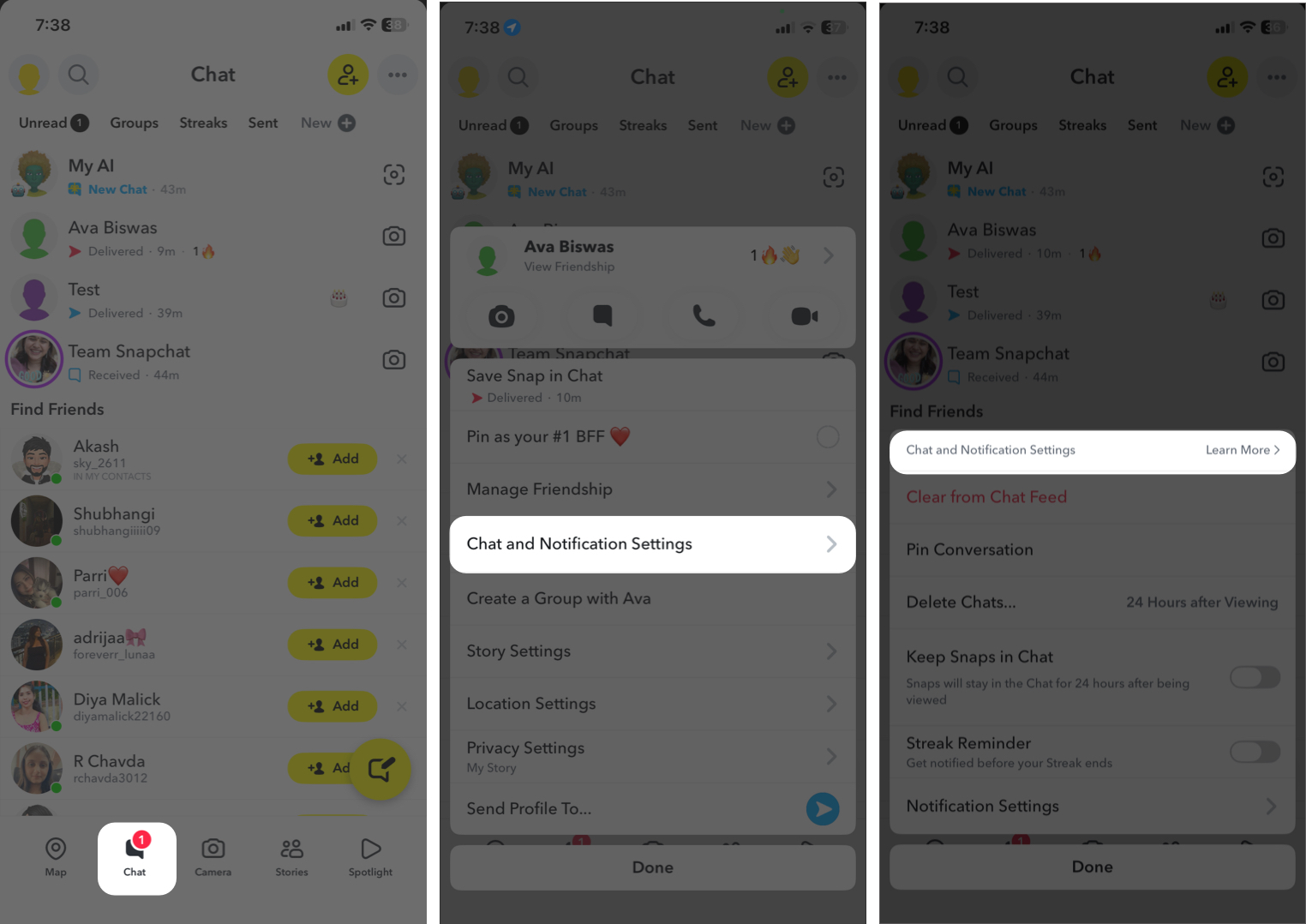
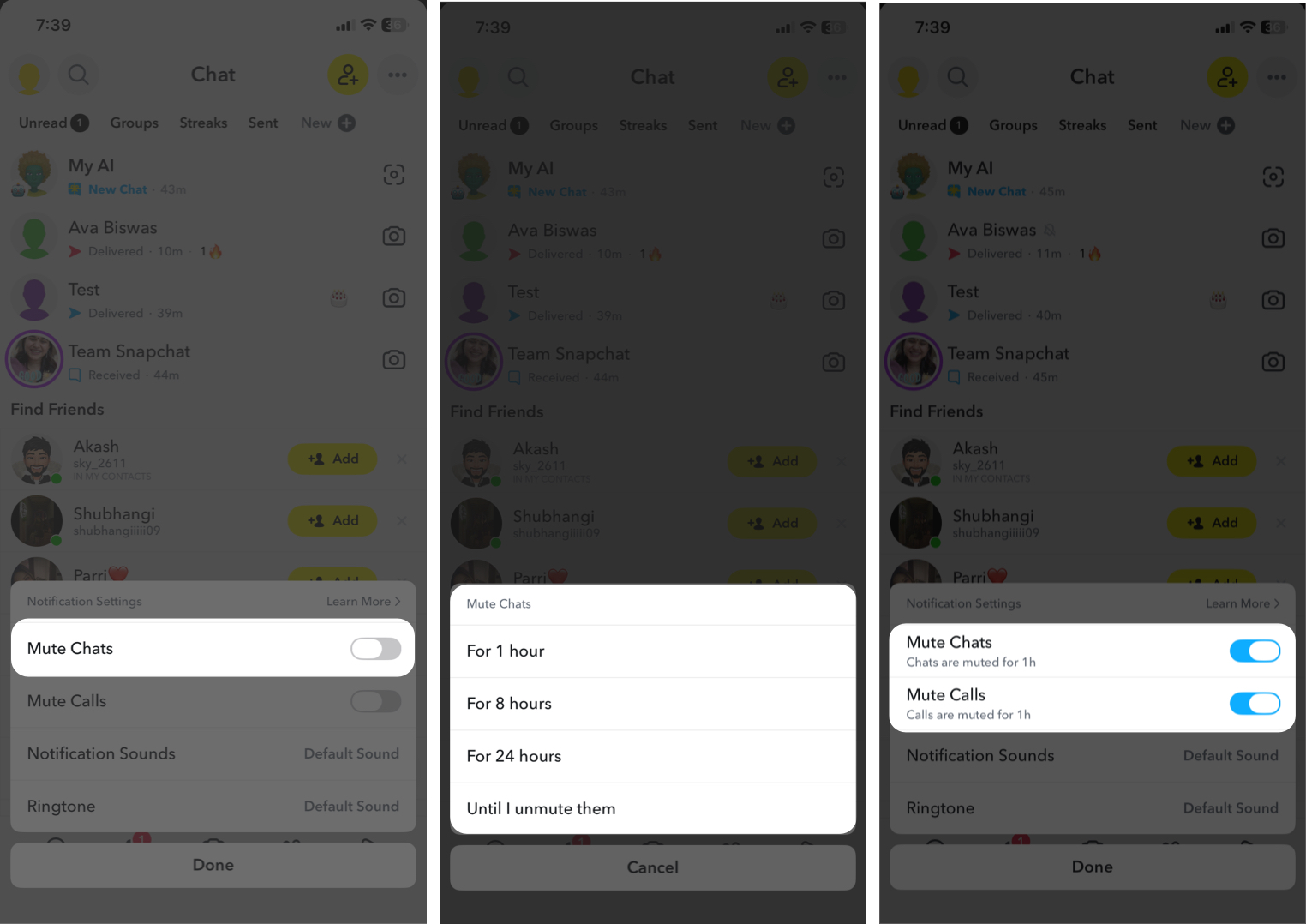
A crossed bell icon will appear next to their name to show they’re muted. This works for individual chats and group chats. You’ll still receive messages, just without notifications.
For group chats, you can also enable notifications only for mentions and replies to your messages from Chat Notifications.
If a friend posts Stories too frequently, you can hide them without unfriending them.
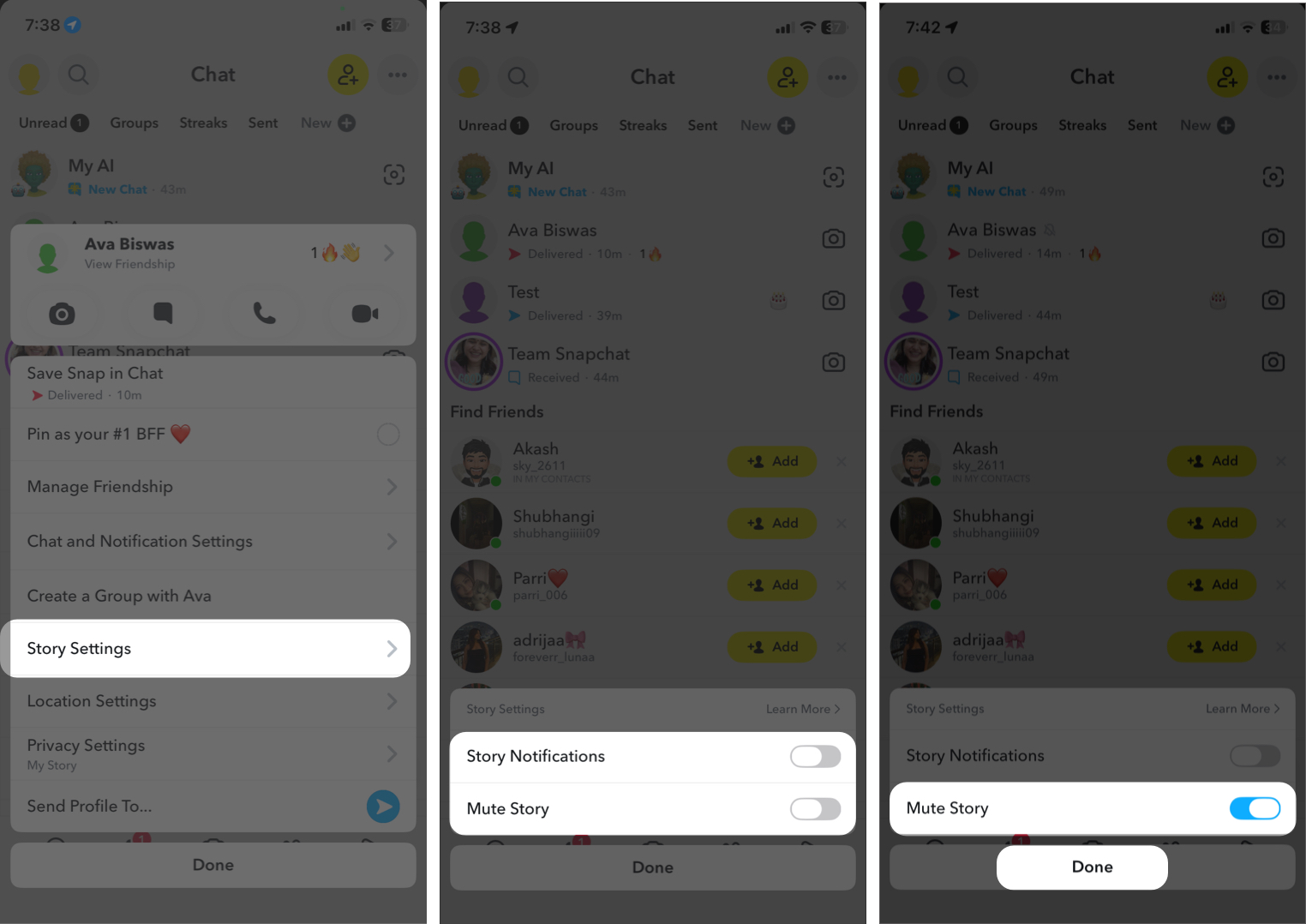
Their Stories will no longer appear at the top of your feed, but you can still view them manually if you want.
This method is useful when you want to fine-tune your Stories feed without removing anyone.
Snapchat’s Snap Map lets you see friends’ locations, but you can stop viewing location updates for specific friends.
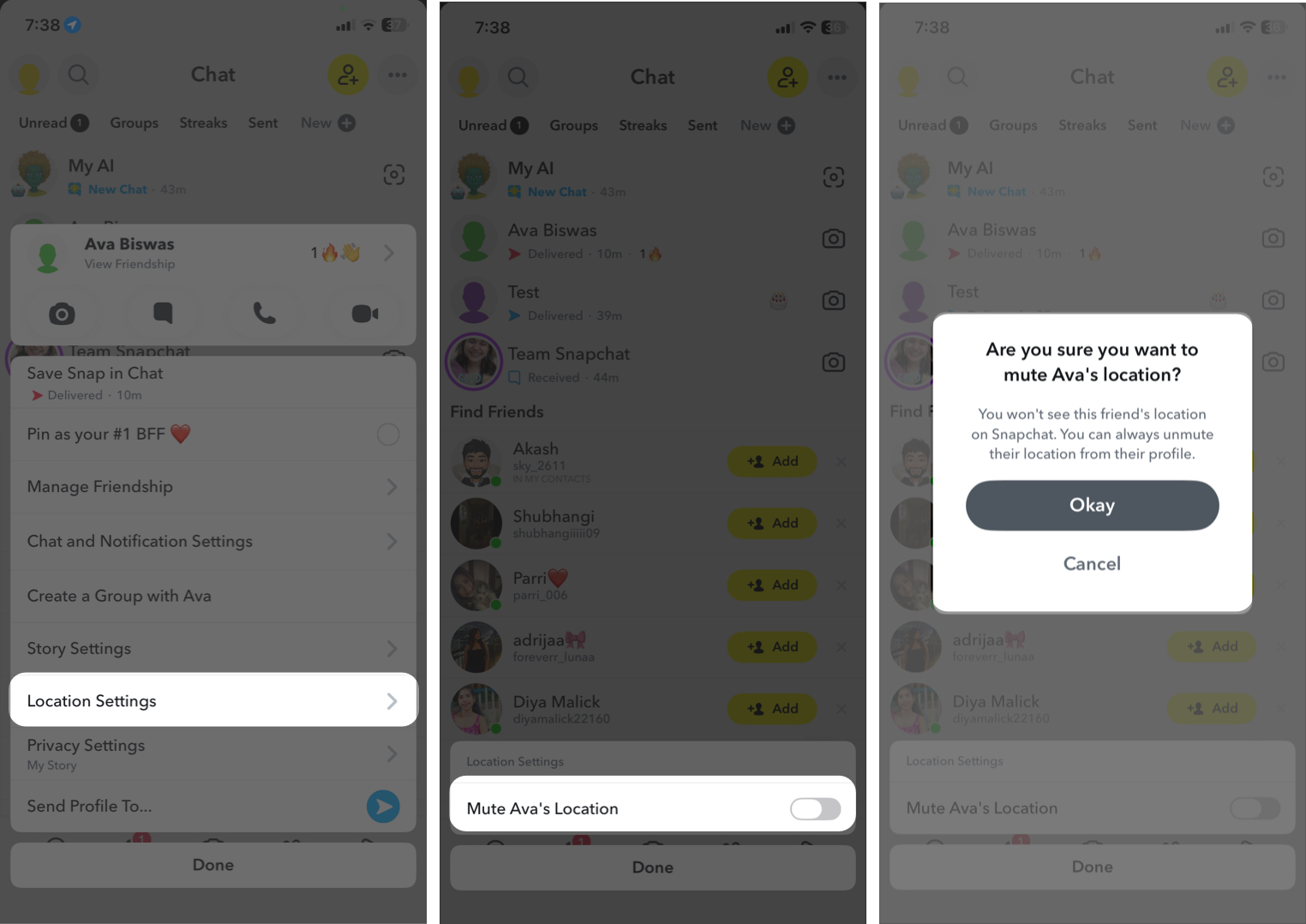
It prevents you from seeing your friend’s location updates.
Muting people is just one way to make Snapchat less distracting. If you have a lot of active friends, group chats, and story updates, notifications can quickly become overwhelming. The good news is that you can control almost everything.
Here are a few extra tips:
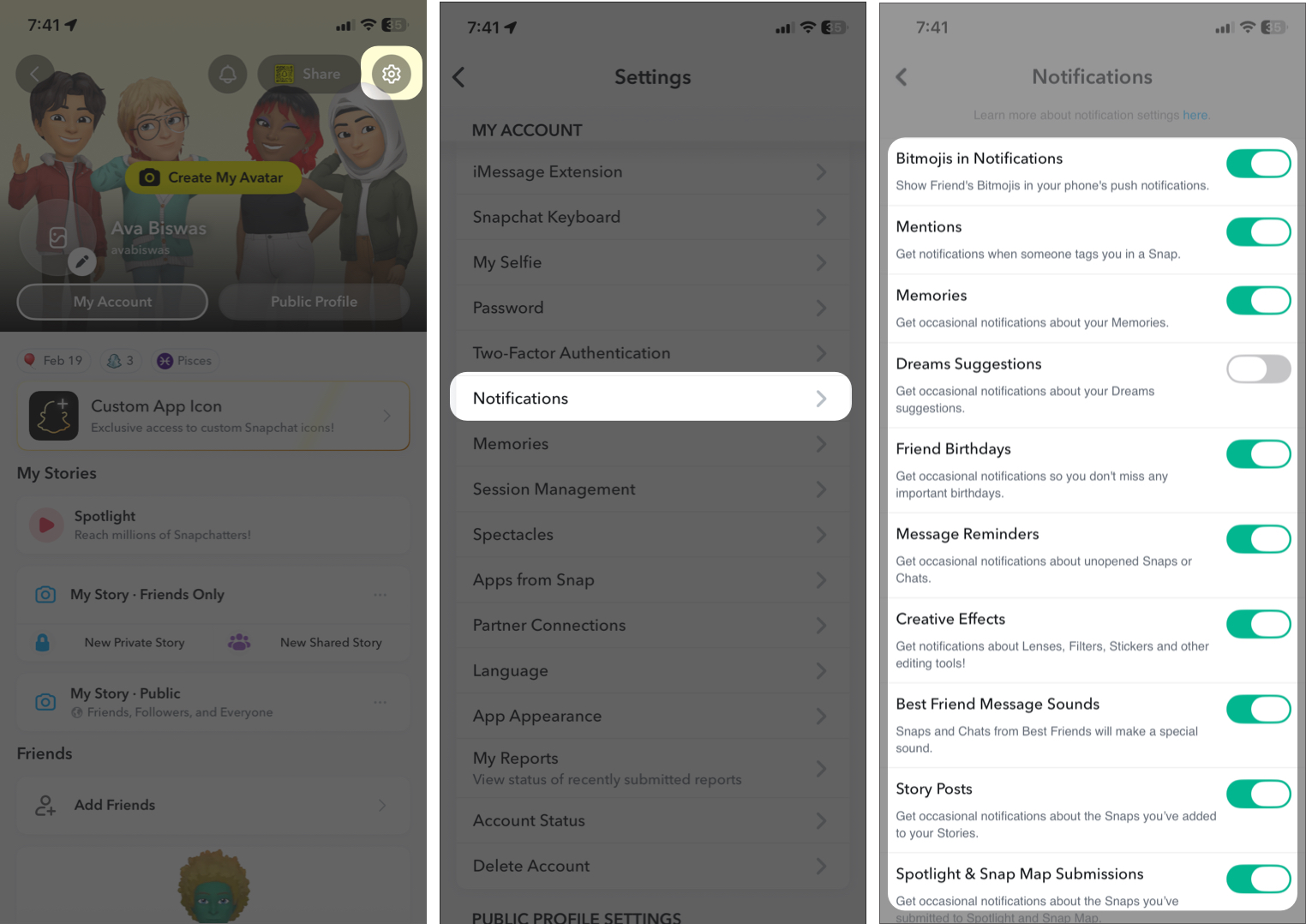
These small changes can make Snapchat feel much calmer and easier to use.
Muting someone on Snapchat is a simple way to reduce noise without damaging relationships. Whether it’s chat notifications, Stories, group conversations, location sharing, or game alerts, Snapchat gives you plenty of control.
The best part is that muting is private. The other person won’t know. You stay connected while keeping your notifications under control. For more tips and tricks, explore our other Snapchat guides.
FAQs
Yes. Muting someone does not stop them from sending Snaps or messages. You simply won’t receive notifications for their activity. You can still open the chat and respond whenever you want.
No. Snapchat does not notify users when they are muted. From their perspective, everything works normally.