FaceTime Like a Pro
Get our exclusive Ultimate FaceTime Guide 📚 — absolutely FREE when you sign up for our newsletter below.

FaceTime Like a Pro
Get our exclusive Ultimate FaceTime Guide 📚 — absolutely FREE when you sign up for our newsletter below.


Getting photos out of iCloud differs on every platform. This guide covers downloading originals to iPhone, Mac, and Windows, plus using iCloud.com when you are on someone else's computer.
Whether you’re upgrading your iPhone, switching devices, or simply looking to access your photos offline, understanding how to download your iCloud photos is crucial. In this simple tutorial, we’ll provide you with the easy steps to download the iCloud photos to your iPhone, iPad, Mac, or PC. Using this technique, you can access your favorite photos without worrying about internet connectivity. Let’s get started!
If you’re looking for a traditional way to download photos and videos from iCloud, this approach is perfect.
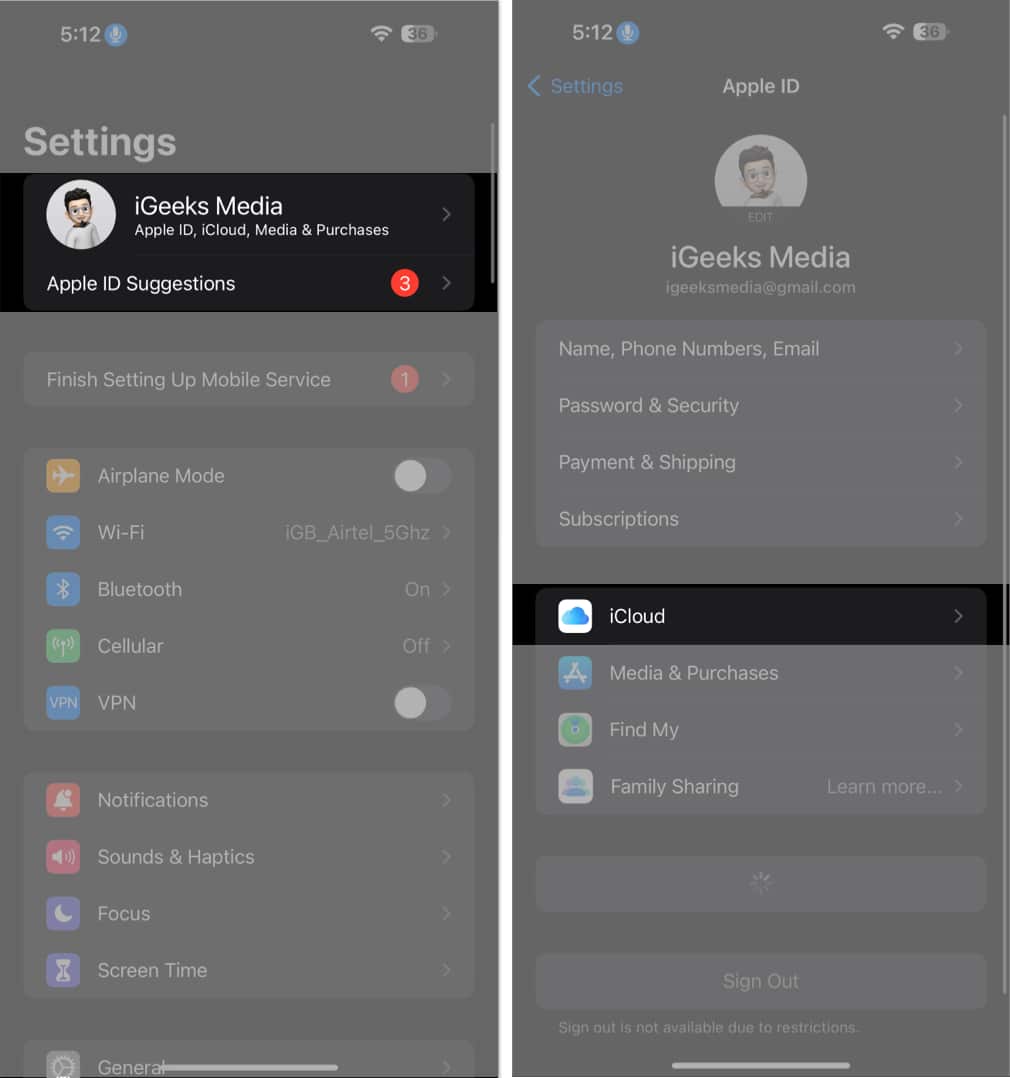
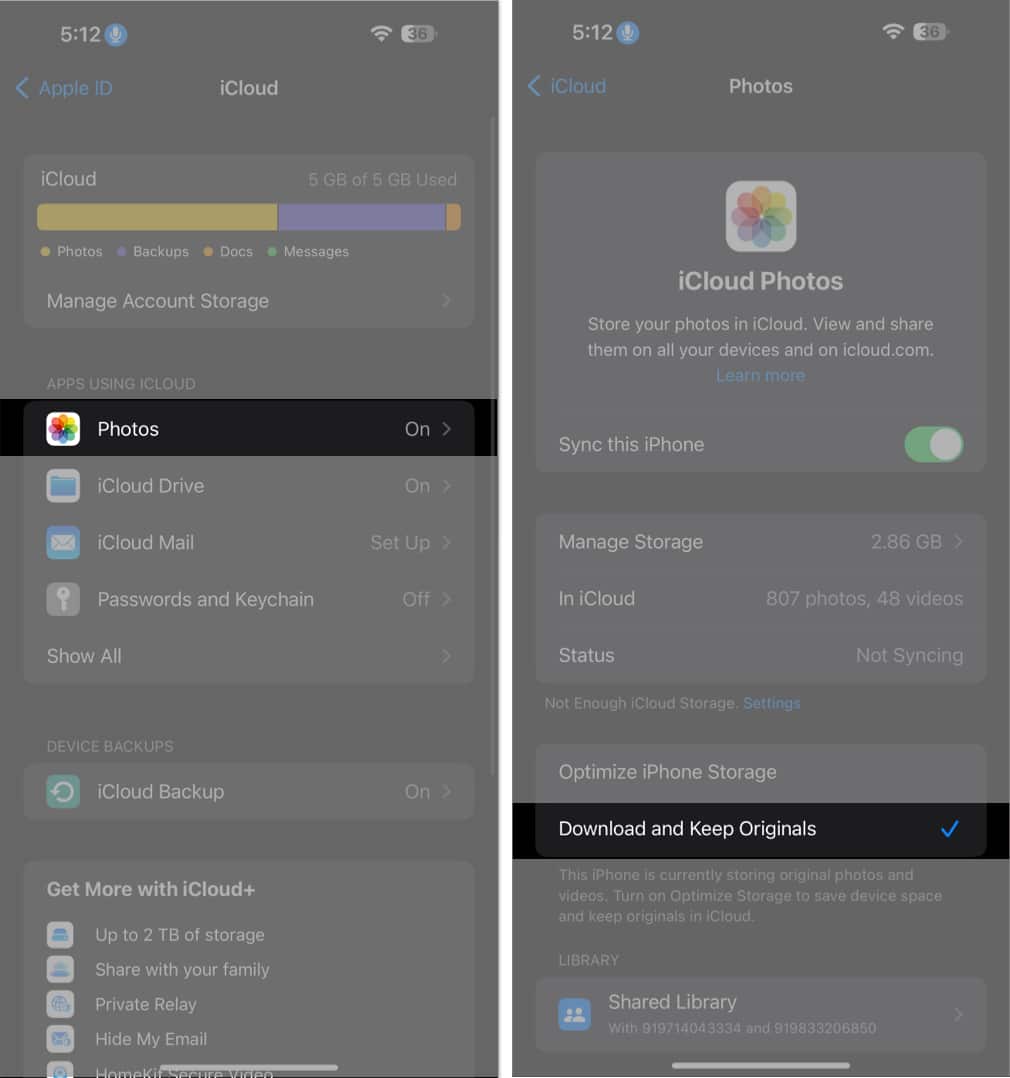
It will download all photos and videos in full resolution to your iPhone or iPad. The time required for this method can vary based on the data size in the Photos app.
On the other hand, if you prefer to download selected pictures only, then follow the steps outlined below:
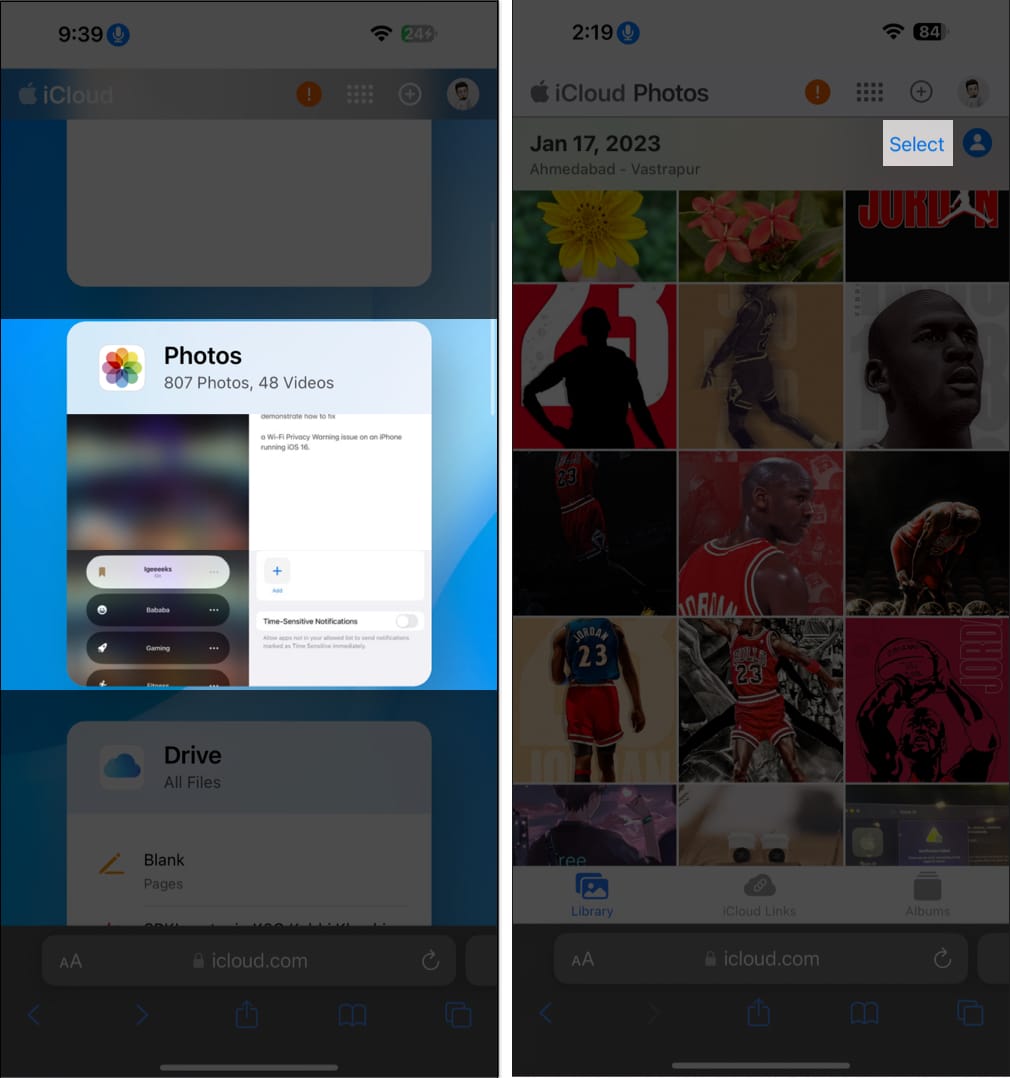
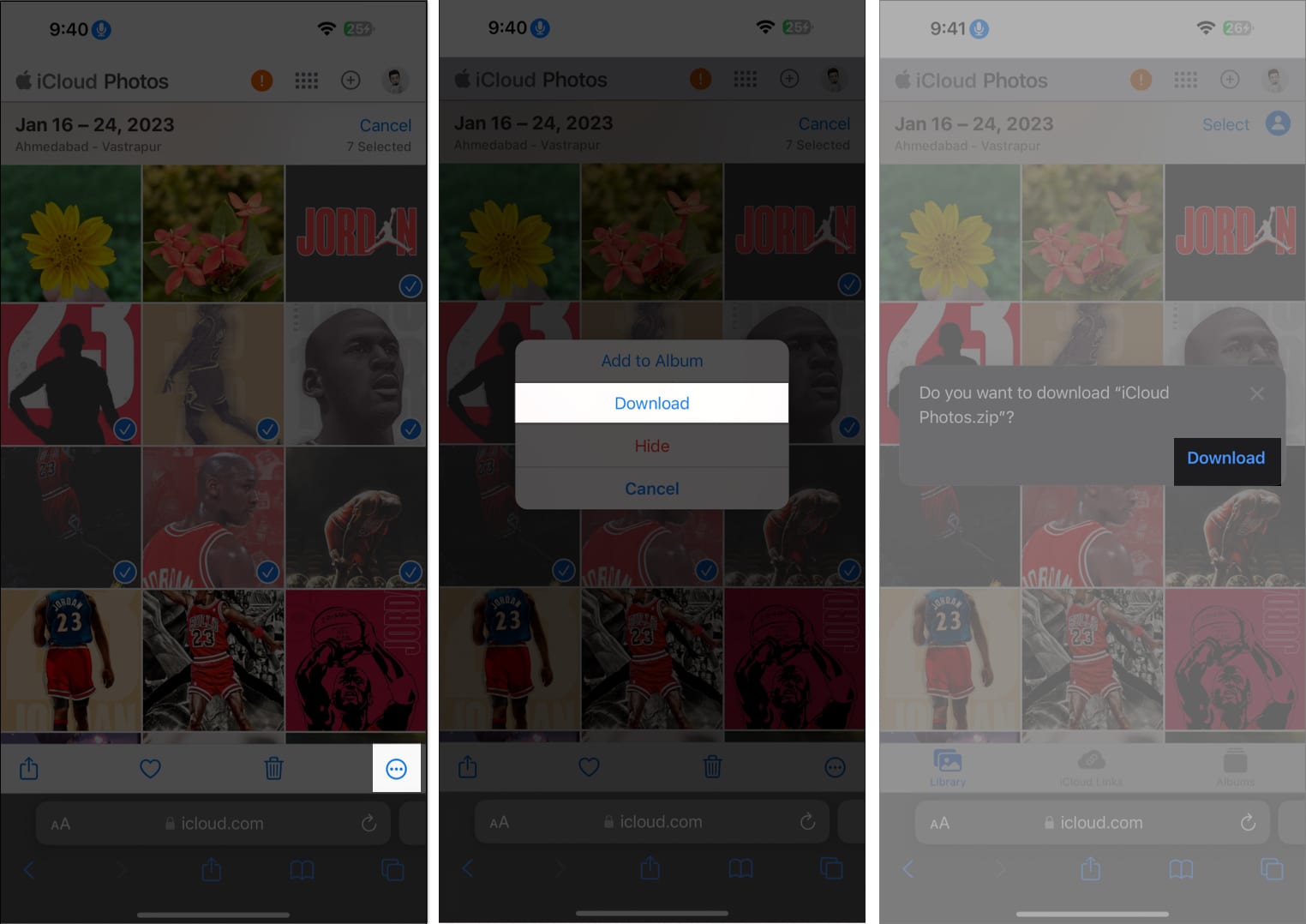
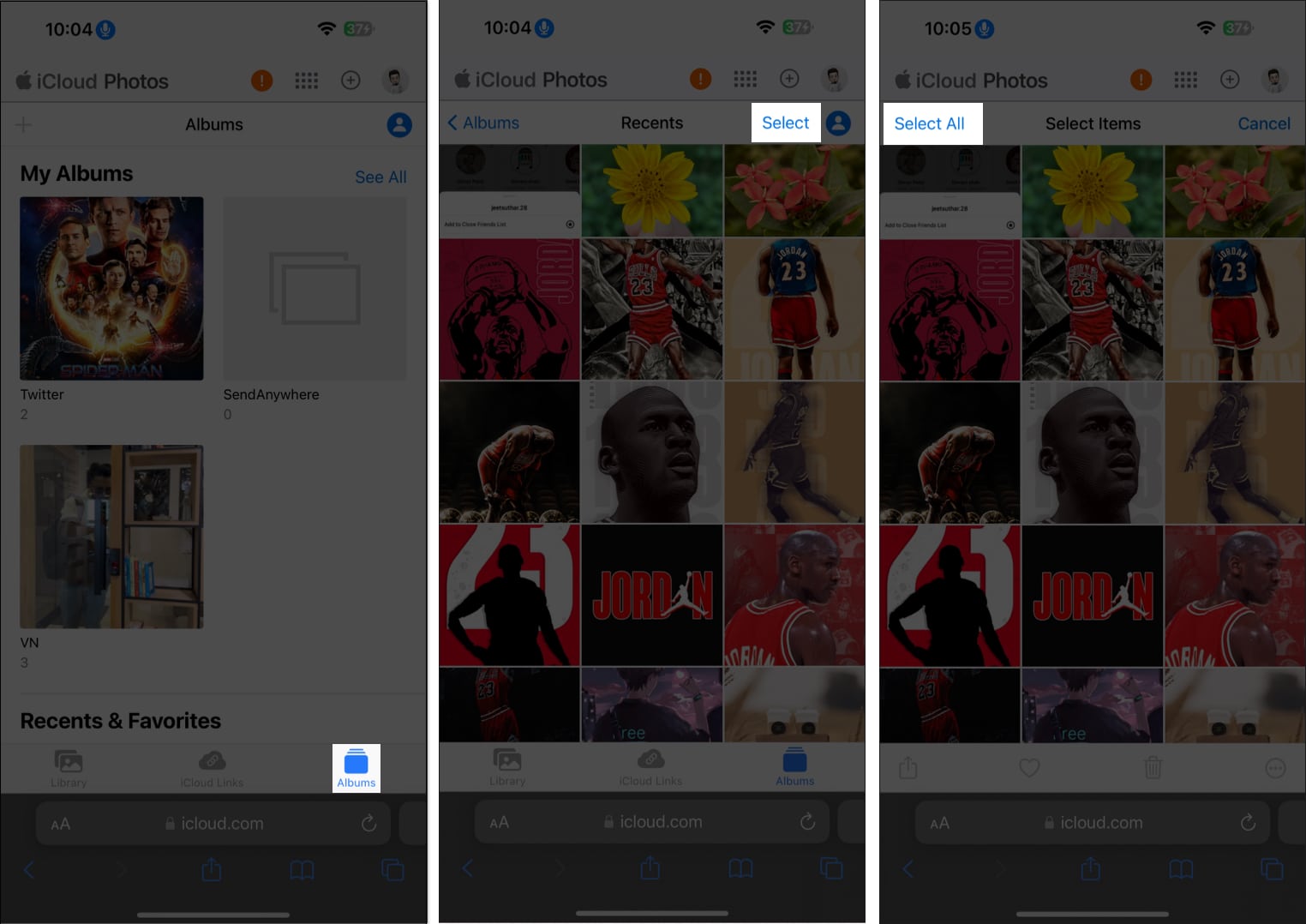
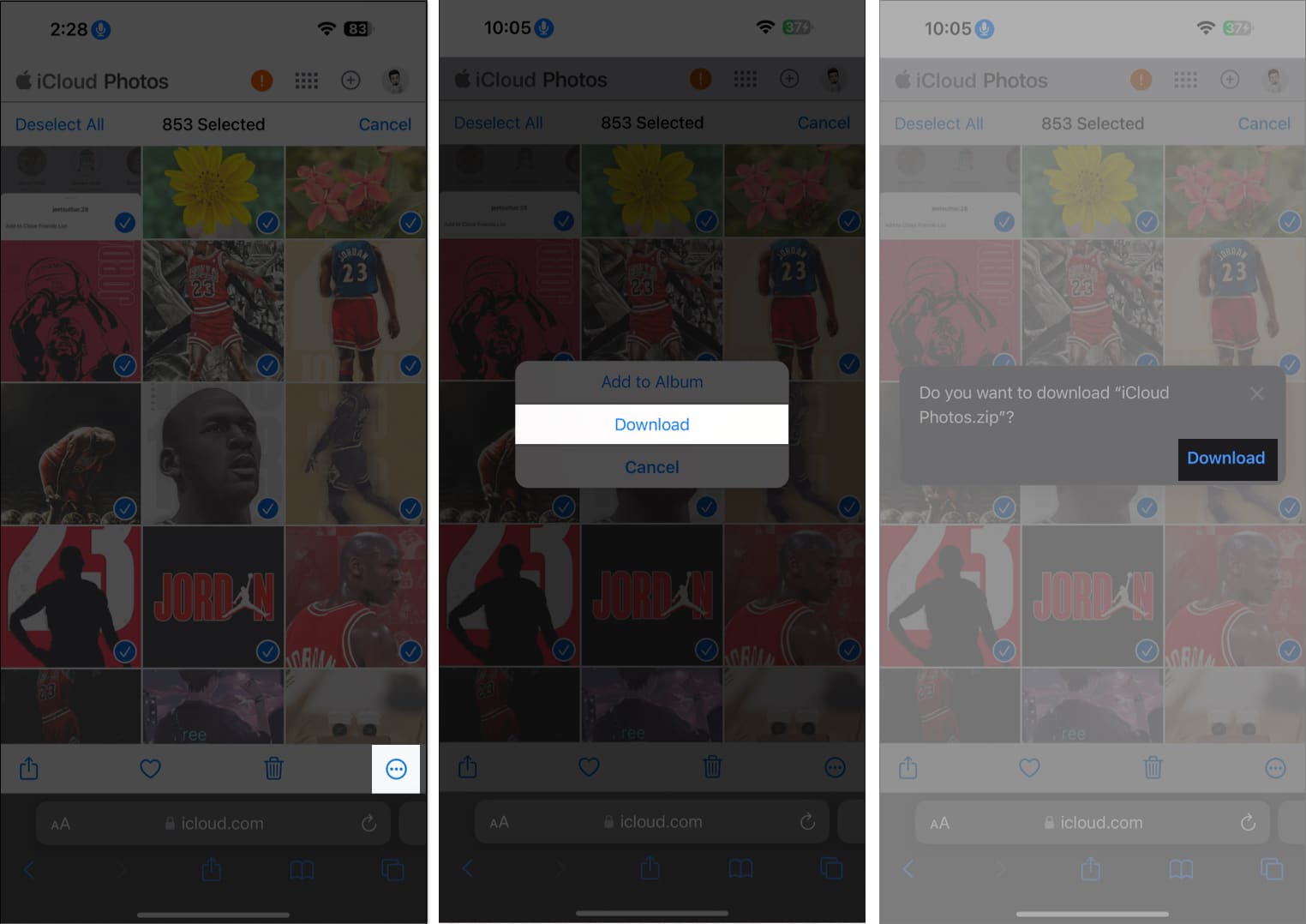
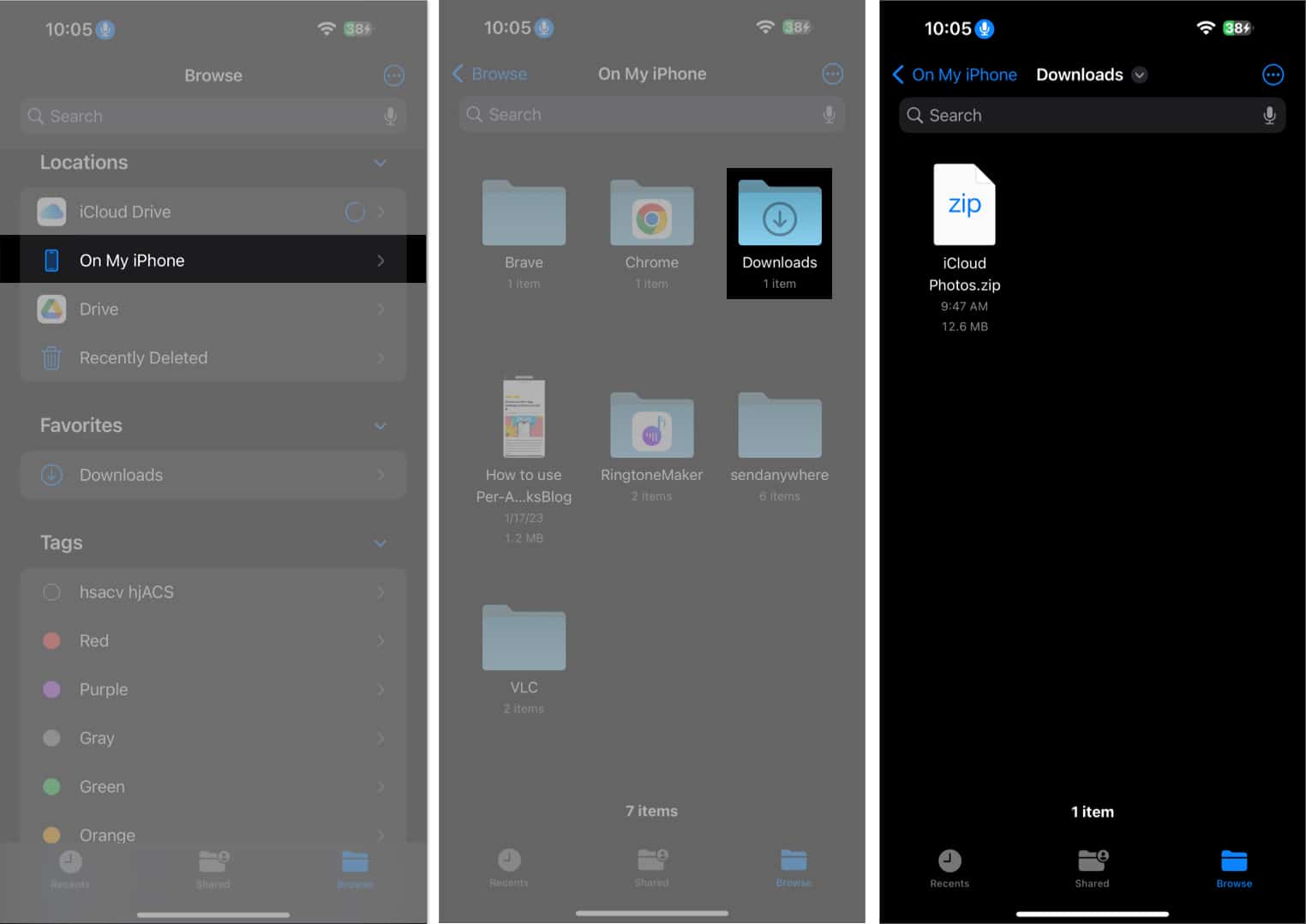
As the last step, you must unzip the downloaded files on your iPhone to access all images and videos within.
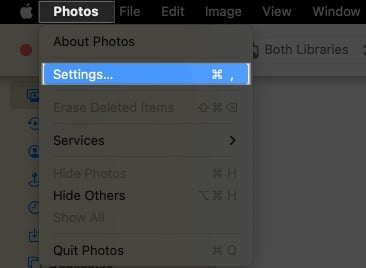
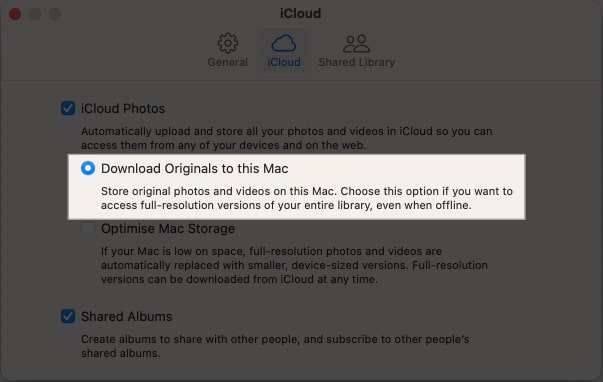

If you’re an iPhone user looking for a way to save photos and videos on your PC, follow these steps to accomplish your goal.
Well, downloading software on your system and following through with the process can be a hassle sometimes. But don’t worry! I’ll share an ultimate and easy technique for those looking for a straightforward way to download photos and videos from iCloud.
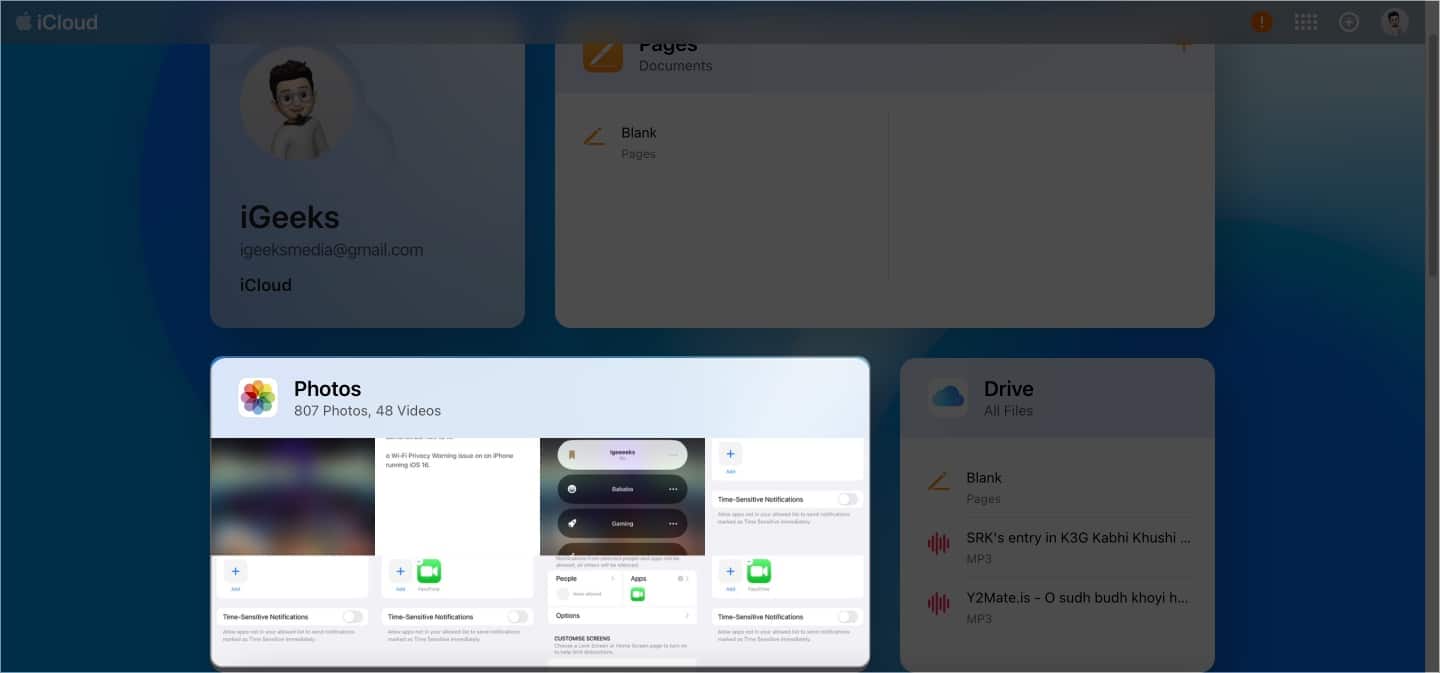
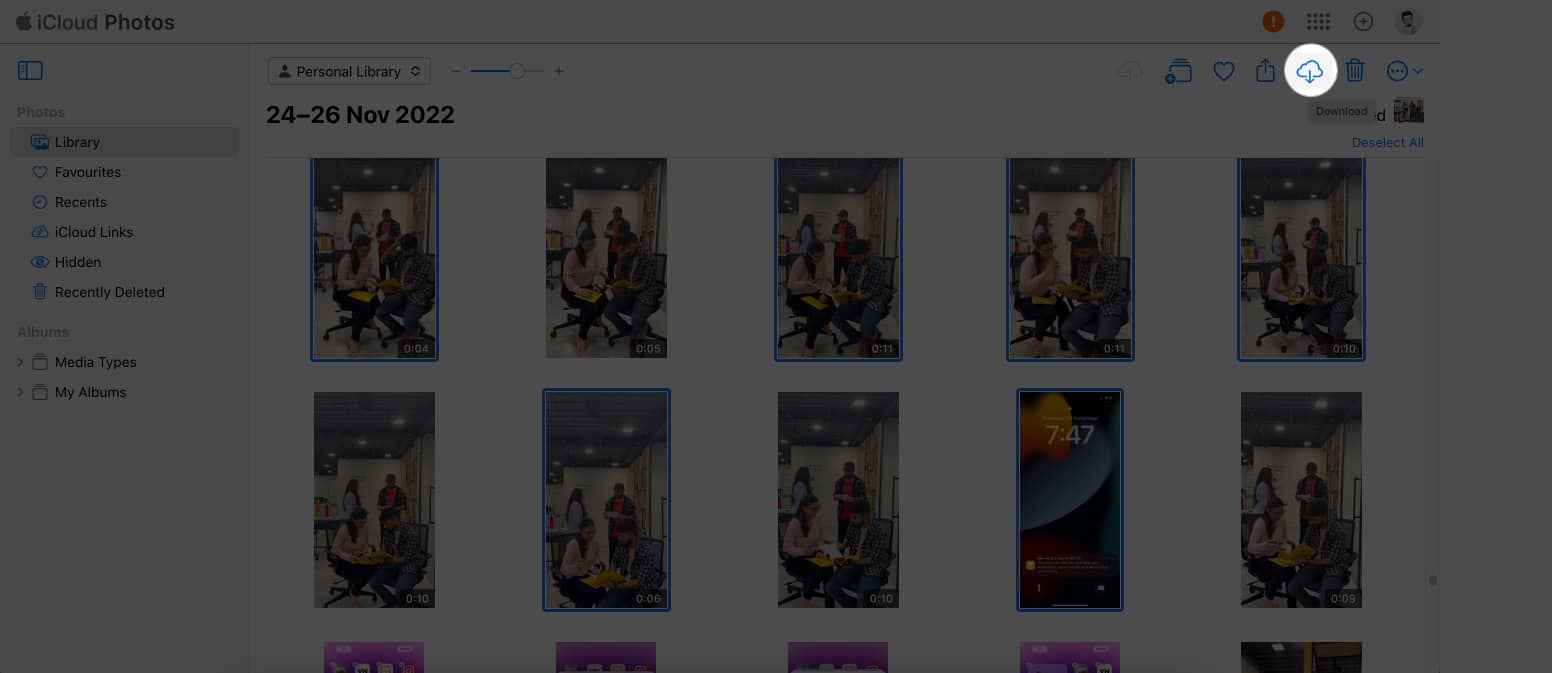
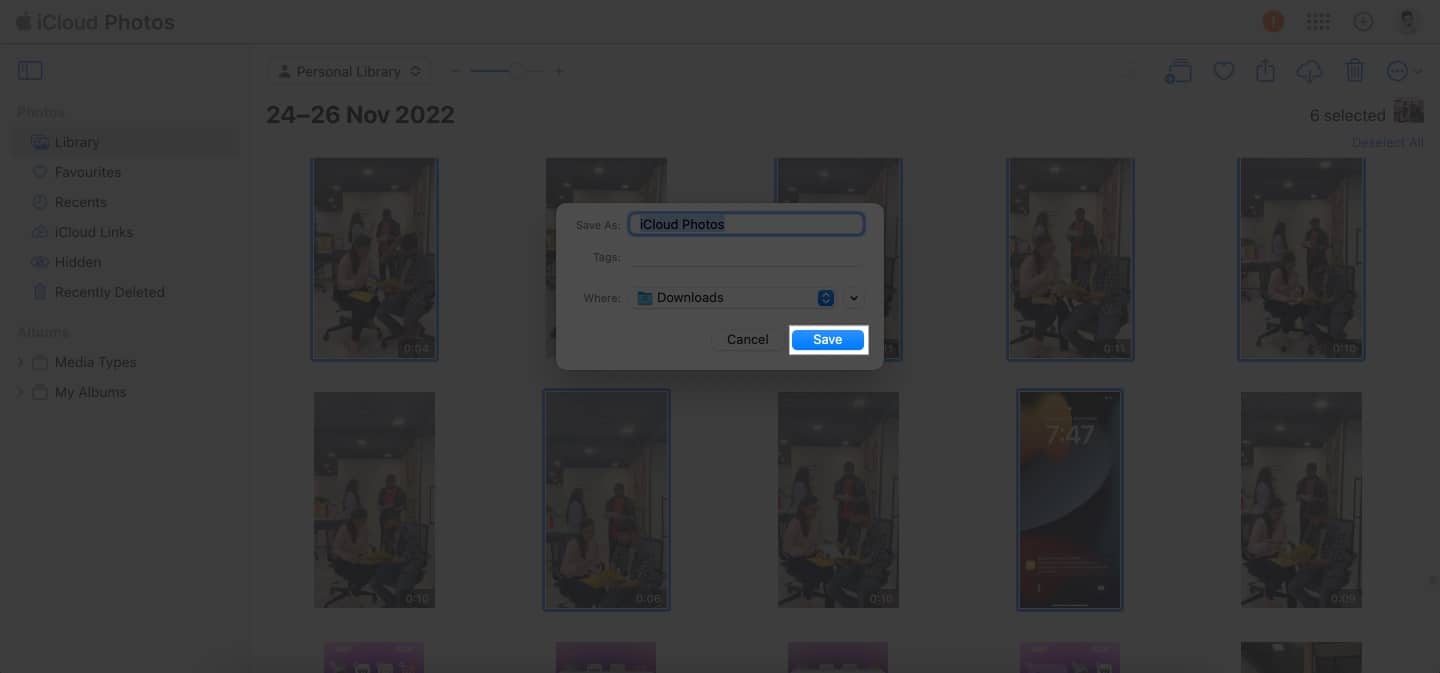
Note: The file will be saved in a zip format, so you need to unzip the same to access the content within.
Voila! You’re done!
Now that you’ve learned how to get photos and videos from iCloud, you can access your media anywhere and anytime. It’s a great way to keep your memories close at hand and share them when necessary. With all the options available, downloading photos and videos from iCloud is quick and easy.
I hope you find this guide helpful. Also, don’t forget to leave your thoughts below.
Read more: