
FaceTime Like a Pro
Get our exclusive Ultimate FaceTime Guide 📚 — absolutely FREE when you sign up for our newsletter below.

FaceTime Like a Pro
Get our exclusive Ultimate FaceTime Guide 📚 — absolutely FREE when you sign up for our newsletter below.


Aside from its pristine-looking finish and brilliant display, the Mac also comes equipped with a stylishly illuminated keyboard. Mac’s backlit keyboard automatically turns brighter in low-lit conditions and dims in brighter ones—making working with a Mac easy on the eyes.
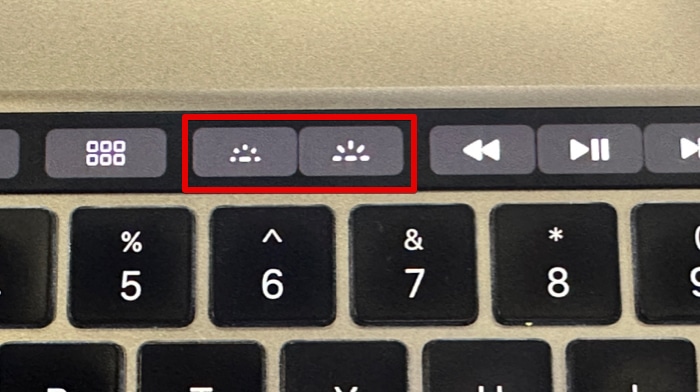
Some Macs have dedicated keys for Keyboard brightness, making adjusting keyboard brightness very easy. Some don’t have this key anymore. If you’re wondering how to turn on or turn off your Mac’s keyboard light, this guide has you covered.
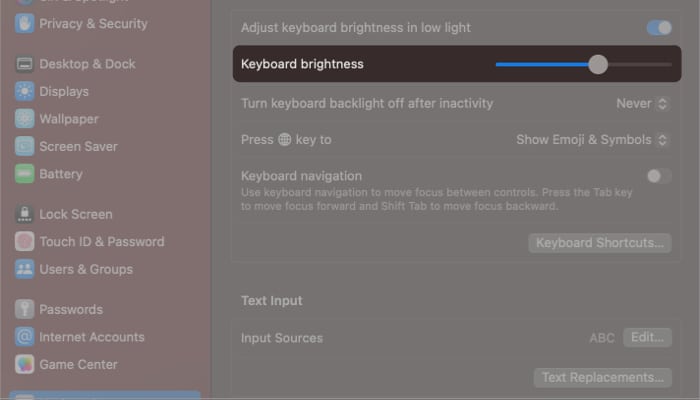
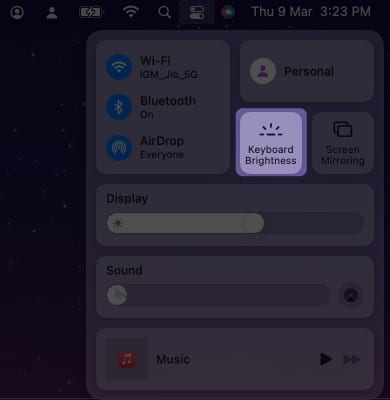
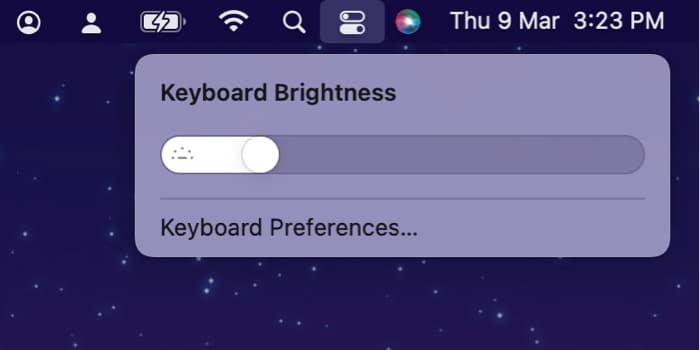
Changing or turning off your Mac’s keyboard backlight depends on what kind of model you have.
Aside from the ability to adjust your keyboard backlight, you can do a ton of shortcuts with the Mac keyboard. Check out over 300+ keyboard shortcuts for beginners and pros with our Mac Keyboard Shortcuts eBook.
It can be a hassle having to manually increase your keyboard’s backlight whenever you’re in a dimly lit place. This could be beneficial if you’re sharing a room with someone who’s already sleeping or if you’re often outdoors.
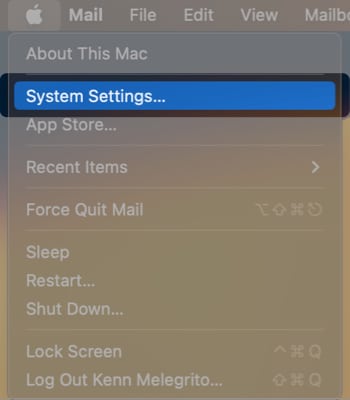
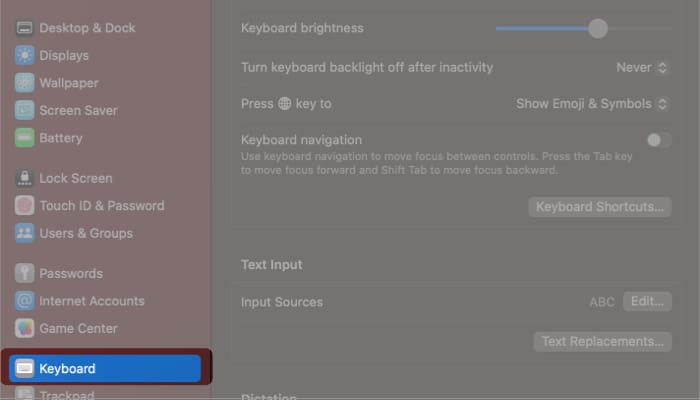
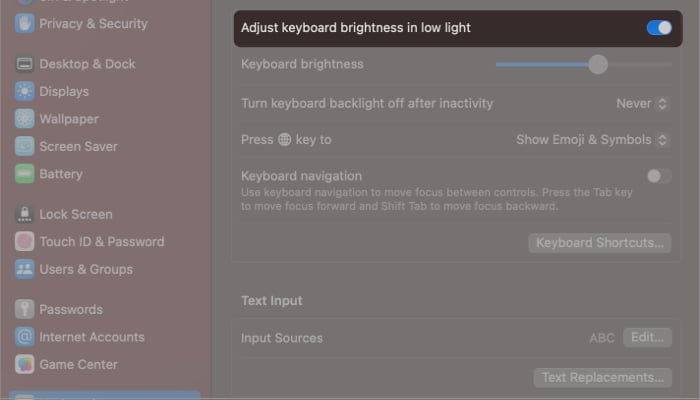
Note: The steps remain the same for macOS Monterey and Ventura.
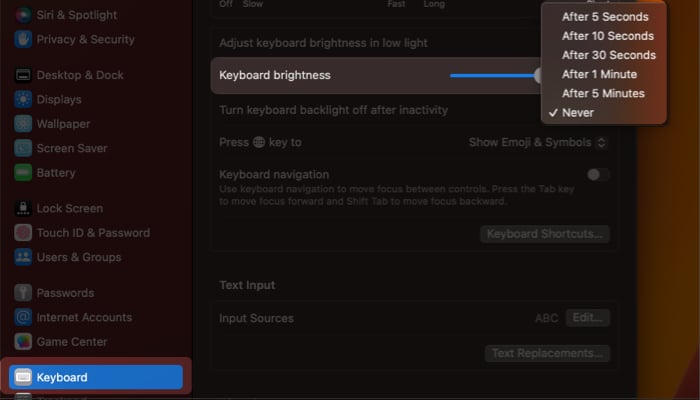
Wrapping up…
No matter what type of Mac you have, these steps should help you turn off your Mac’s keyboard backlight whenever necessary.
And if you’re looking for something more convenient, you can also make your Mac automatically adjust the keyboard brightness or even turn it off when idle.
Read more:












