
FaceTime Like a Pro
Get our exclusive Ultimate FaceTime Guide 📚 — absolutely FREE when you sign up for our newsletter below.

FaceTime Like a Pro
Get our exclusive Ultimate FaceTime Guide 📚 — absolutely FREE when you sign up for our newsletter below.


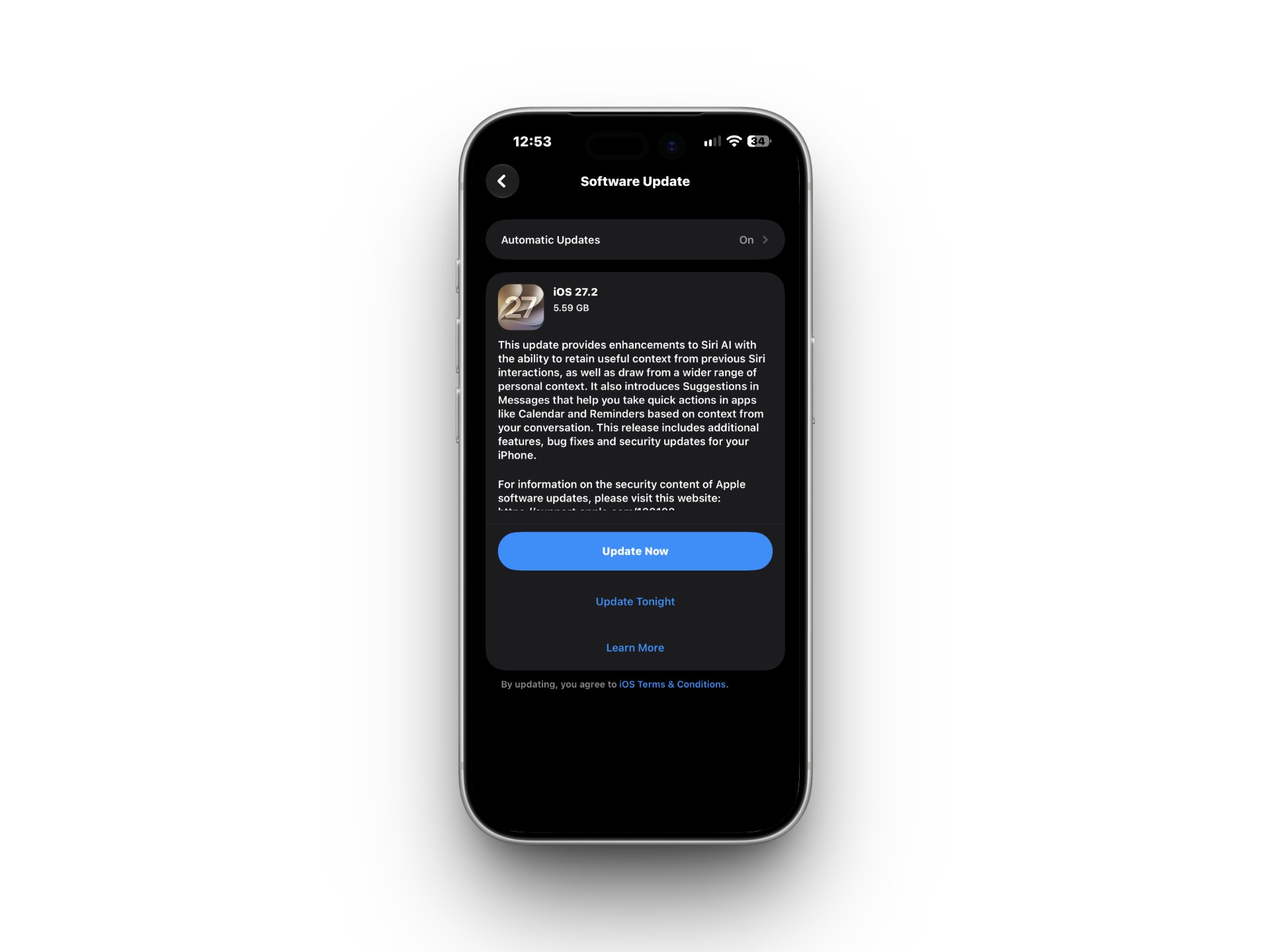
If your iPhone shows "Unable to Check for Update" while trying to install iOS 27.2 follow these easy steps to fix it.
Apple released iOS 27.2 on October 26, 2026. If you’re trying to install it and your iPhone shows an “Unable to Check for Update” error, it may be having trouble connecting to Apple’s update servers. An unstable internet connection, temporary server issue, or software glitch can also prevent the update from appearing.
Here are the fixes I’d try, starting with the easiest.
The “Unable to Check for Update” message generally means your iPhone couldn’t successfully communicate with Apple’s servers to look for the latest iOS 27 update.
Here are the most common reasons:
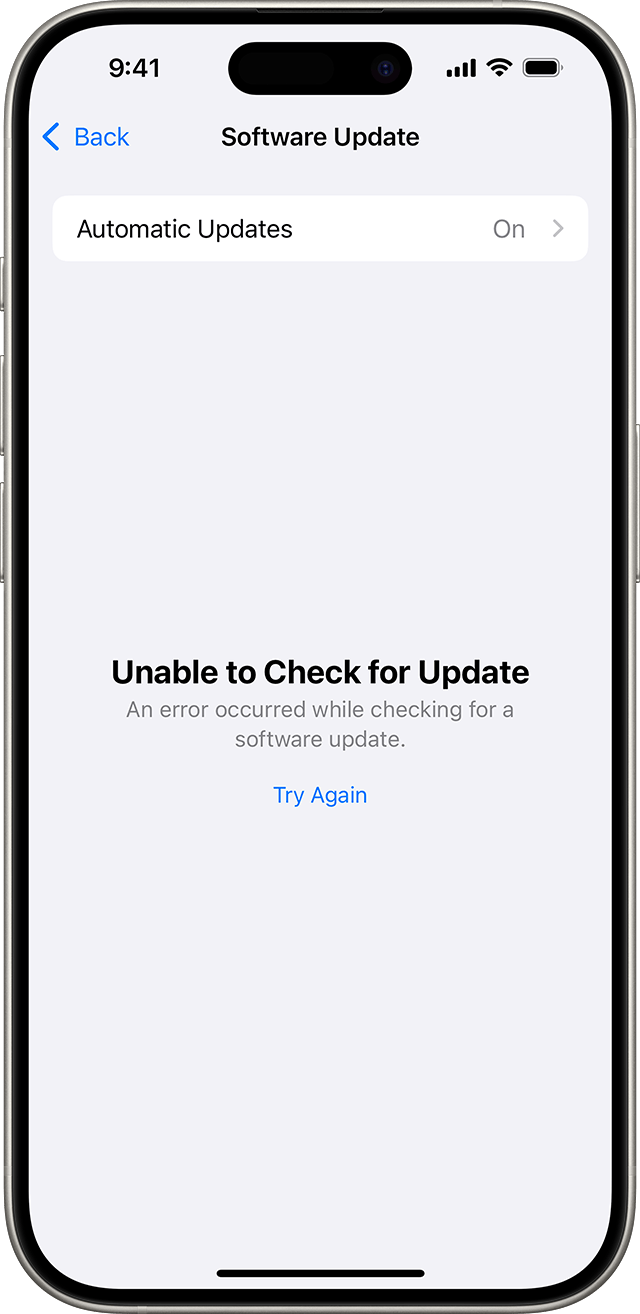
Other errors you may encounter during the update process include:
These issues typically stem from the same update-server and download errors. Understanding the causes makes it easier to apply the right fix. Let’s get started.
Before moving to advanced solutions, try these quick and effective steps to resolve the iOS 27.2 update error.
The first thing I check when an iPhone refuses to find an update is the network connection.
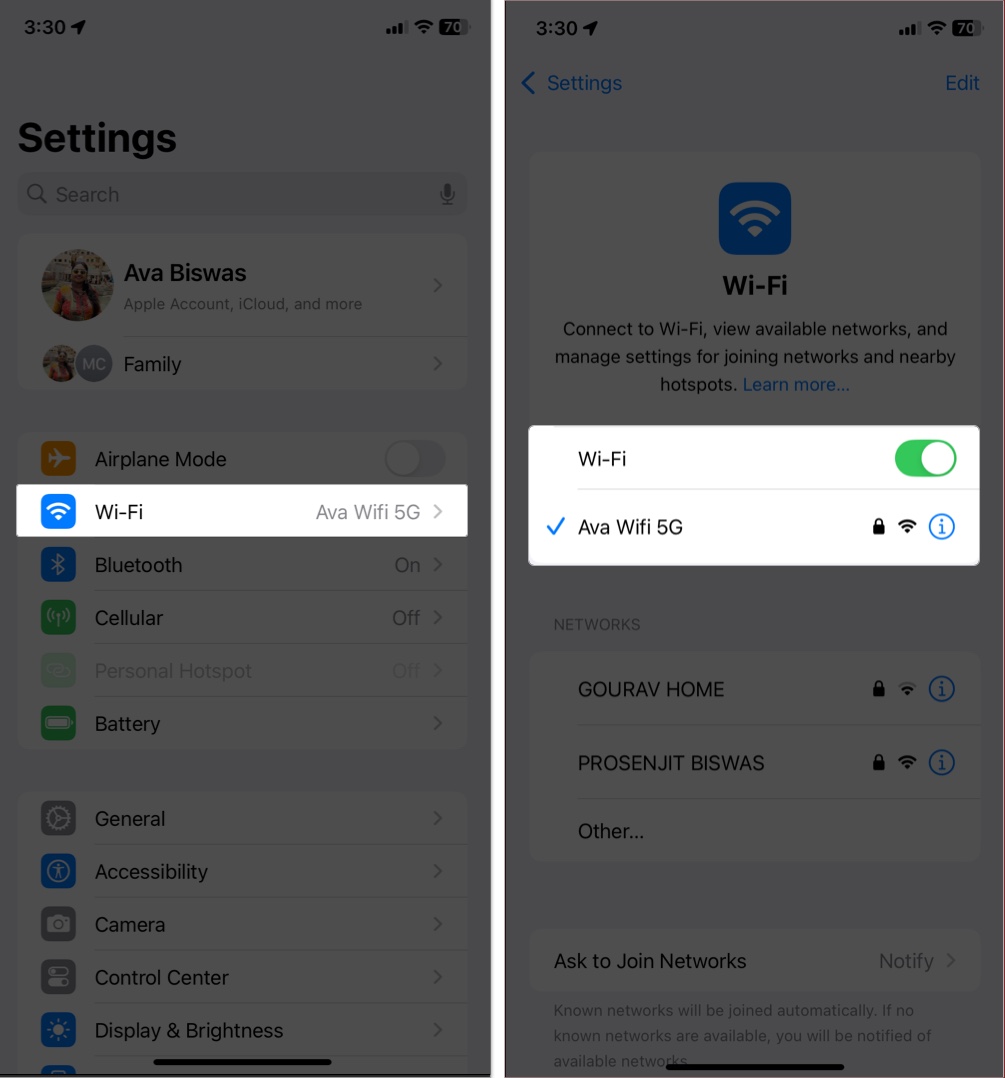
If your connection is solid but the error persists, continue to the next step.
Sometimes the problem isn’t your iPhone at all—it could be Apple. If Apple’s update servers are experiencing an outage or a temporary problem, your iPhone may be unable to check for updates.
Restarting your iPhone often clears minor glitches and resets network requests.
Still no luck? Try a force restart depending on your iPhone model to clear a more stubborn temporary software problem.
The actual download size for the iOS 27.2 update is just over 1 GB, but your phone needs roughly 15 GB to 25 GB of total free storage space to download and safely unpack temporary installation files
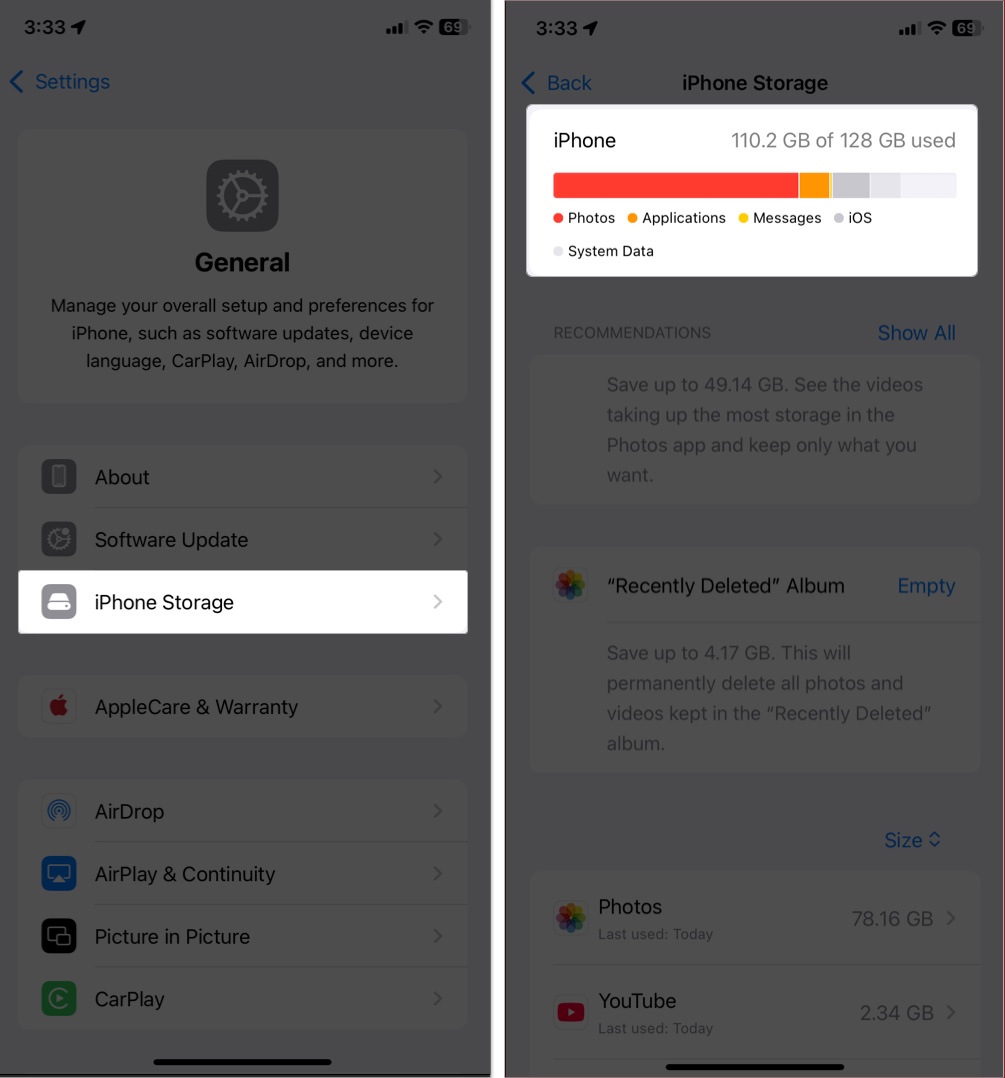
Once you’ve freed up space, try updating again.
Still stuck? These deeper fixes should help resolve the issue with the iOS 27.2 update.
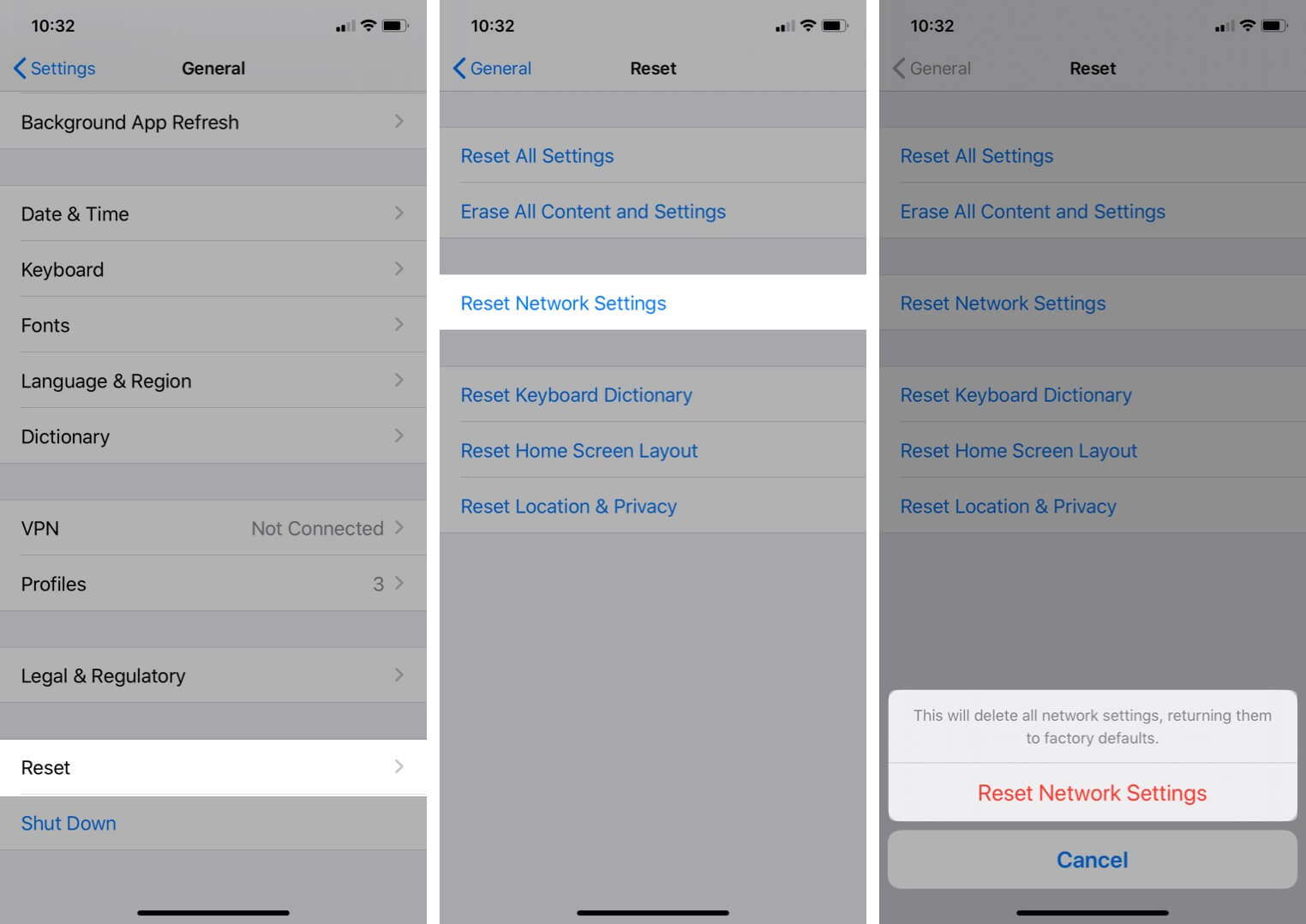
If your internet works normally but the iPhone still can’t communicate with Apple’s update servers, resetting network settings can help.
Keep in mind that this removes saved Wi-Fi passwords and resets network-related settings, so you’ll need to reconnect to your Wi-Fi networks afterward.
If iOS 27.2 already appears in your iPhone Storage, the downloaded update file may be incomplete or corrupted.
Go to Settings > General > iPhone Storage and look through the list for the iOS update.
If you see the update:
Apple specifically recommends deleting the update and downloading it again when an iPhone continues to have trouble installing the latest version.
When an over-the-air update refuses to work, I would move to a computer rather than repeatedly trying the same download.
Ensure your computer has a stable internet connection and is running the latest software.
As a last resort, put your iPhone into recovery mode and restore it. This will erase everything. I’d use it if the iPhone becomes stuck during an update, isn’t recognized by your computer, or repeatedly fails to start normally.
Important: Back up your data to iCloud or your computer beforehand.
If Update doesn’t work, you may eventually need to choose Restore. Then set up your iPhone again and restore your backup.
If the same error appears across multiple networks and also occurs when you try updating through a computer, the problem is less likely to be a simple Wi-Fi issue. It’s time to contact Apple Support.
They may walk you through additional troubleshooting or recommend a hardware check.
The “Unable to Check for Update” error in iOS 27.2 is frustrating, but these steps can often help. Start by checking your internet connection, restarting your iPhone, and making sure you have enough storage. If the error continues, try another network or update your iPhone using a Mac or PC.
If none of these fixes work, contact Apple Support for help. Did one of these steps solve the problem? Share your experience in the comments to help other readers.
Have you managed to fix it? Drop a comment below and help others in the same boat!












