
FaceTime Like a Pro
Get our exclusive Ultimate FaceTime Guide 📚 — absolutely FREE when you sign up for our newsletter below.

FaceTime Like a Pro
Get our exclusive Ultimate FaceTime Guide 📚 — absolutely FREE when you sign up for our newsletter below.


These Snapchat privacy settings helped me stop random messages, hide my location, and feel more secure instantly.
 ByVikhyat
I used to think Snapchat was naturally private. Messages disappear, Stories vanish, and everything feels temporary. That illusion held up until I started noticing unfamiliar usernames showing up in my Story views, along with the occasional random message from someone I didn’t remember adding. That’s when it clicked. The app wasn’t as locked down as I assumed.
So I went into the settings to see what was actually going on. What I found was surprising. A few small changes made a noticeable difference in how secure the app felt almost immediately.
Here’s exactly what I changed and why it matters.
Snapchat’s disappearing nature creates a false sense of security. Messages vanish, Stories expire, and it feels like everything is temporary. But the reality is more nuanced. Snaps can still be saved, Story screenshots can be taken, and activity can be tracked in subtle ways.
The turning point came after noticing unfamiliar usernames appearing consistently in Story views and occasional random friend requests from unknown accounts. That raised a simple question. How many parts of the account were actually open without realizing it?
A quick dive into settings revealed that several features were designed for discoverability rather than strict privacy. Quick Add was making the profile visible to strangers. Story visibility wasn’t as restricted as assumed. Location sharing, while optional, was just a toggle away from being exposed.
While none of this felt alarming in isolation, when combined, it created an ecosystem where more people had access than intended. Taking my privacy seriously wasn’t about paranoia; it was about regaining control. Tightening these settings shifted Snapchat from a semi-public platform back into a space that felt personal, predictable, and secure.
Here’s a breakdown of the exact changes that make Snapchat feel significantly safer.
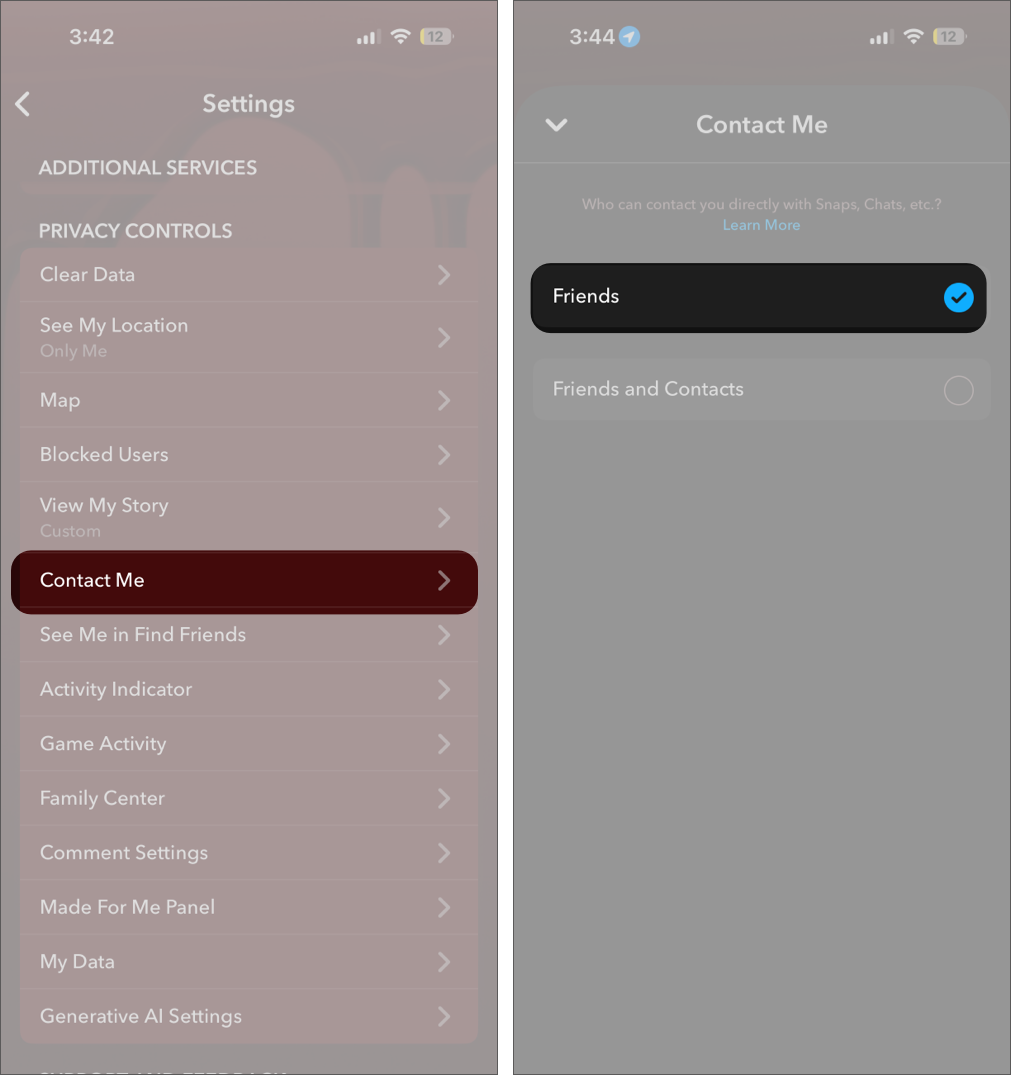
For a long time, it felt like Snapchat was already filtering who could reach me. That assumption broke the moment a few unexpected messages showed up from people I didn’t remember adding.
On Snapchat, discoverability still plays a role through contacts and mutual connections. Switching Contact Me to My Friends closed that gap. After that, every message started coming from someone I had actually chosen to connect with, which made the inbox feel intentional again.
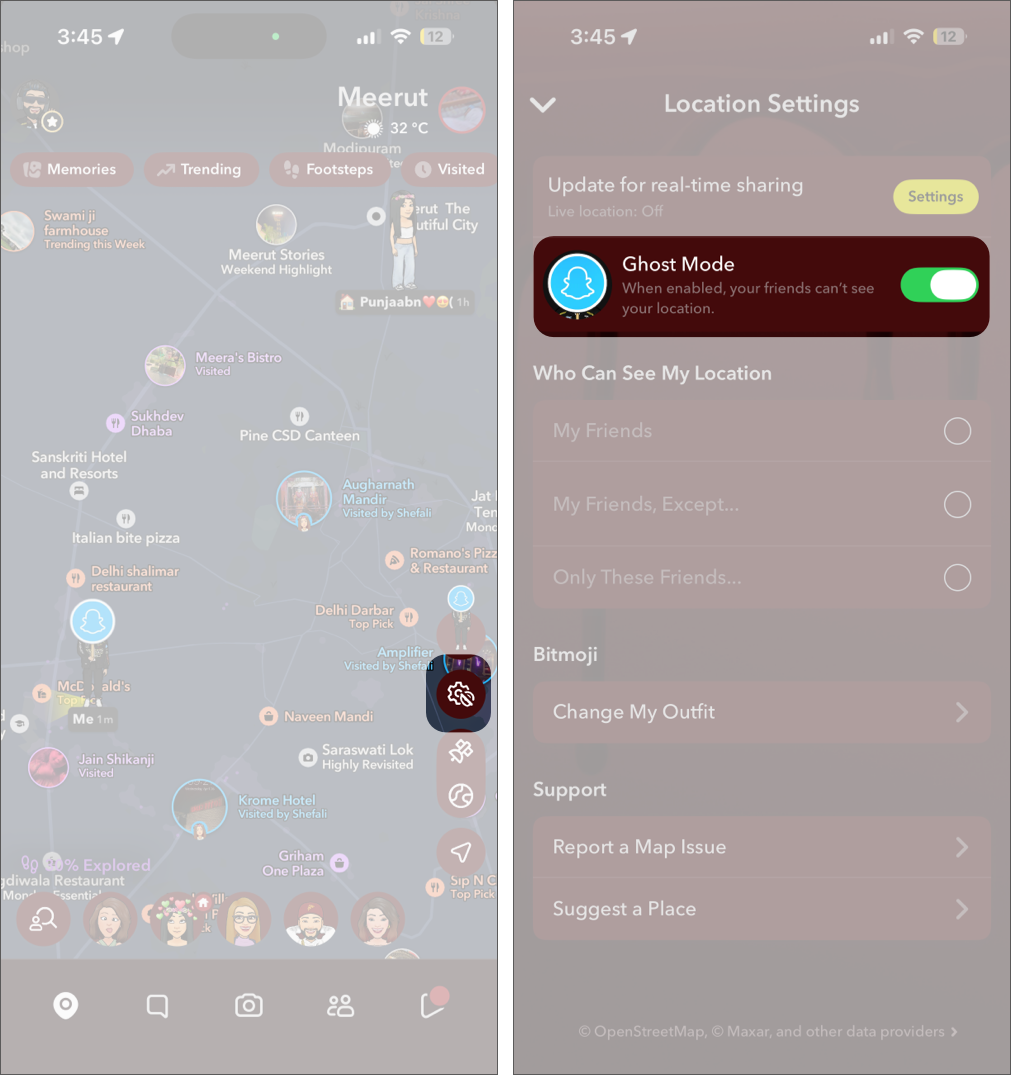
Location sharing, when enabled, updates your location on the Snap Map whenever you open Snapchat, and it’s visible to others based on your settings. This is not a rough area estimate. It can pinpoint your exact street or building in real time, which poses a privacy risk, since not every person on your friend list is trustworthy.
Enabling Ghost Mode completely removes your presence from Snap Map. Instead of choosing who can see your location, this setting ensures that no one can access it unless you deliberately turn sharing back on.
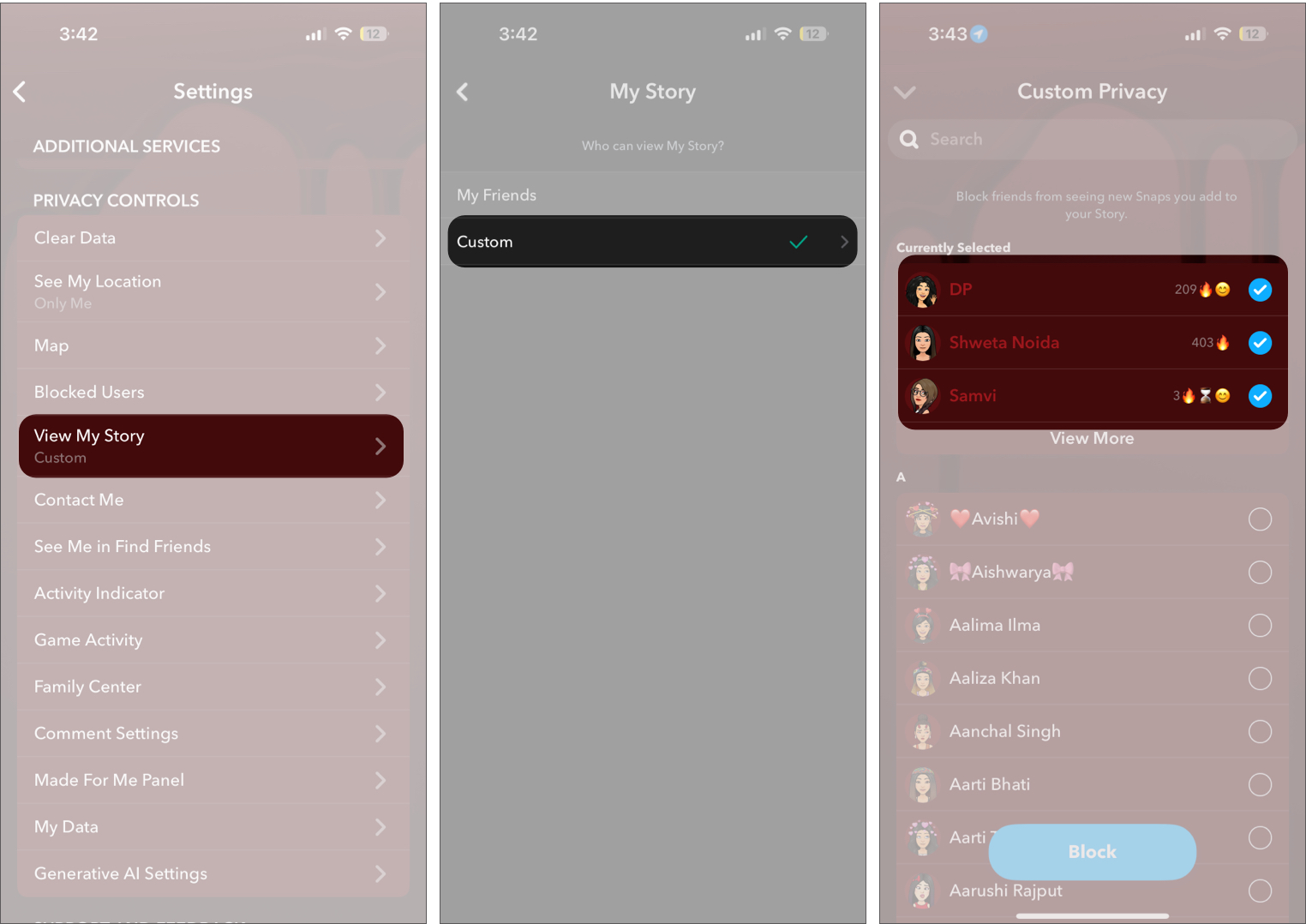
Story visibility can quietly extend beyond your intended audience, since not every connection reflects your current level of trust.
Setting View My Story to Custom allows you to exclude specific people and refine your audience. This keeps your Stories limited to a smaller, relevant group and prevents passive viewers from staying in your circle indefinitely.
You may like to read: How to see how many times people rewatched your Story on Snapchat
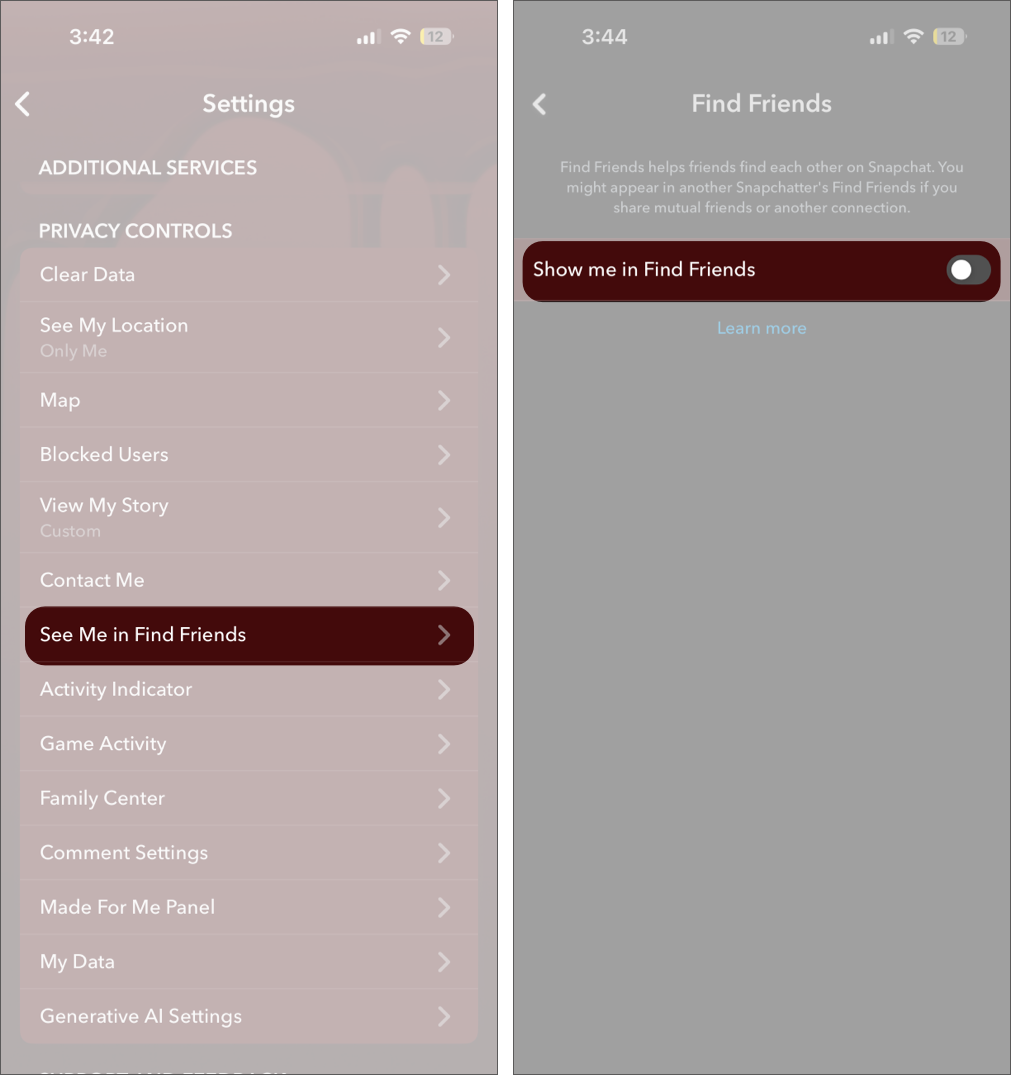
If you keep getting random friend requests from accounts you don’t know, See Me in Find Friends is the culprit. It increases your account’s visibility on Snapchat by suggesting your profile to others based on mutual connections and contacts.
Disabling See Me in Find Friends removes your account from these suggestions. This reduces incoming requests from people you did not actively choose to connect with and limits how widely your profile is surfaced.
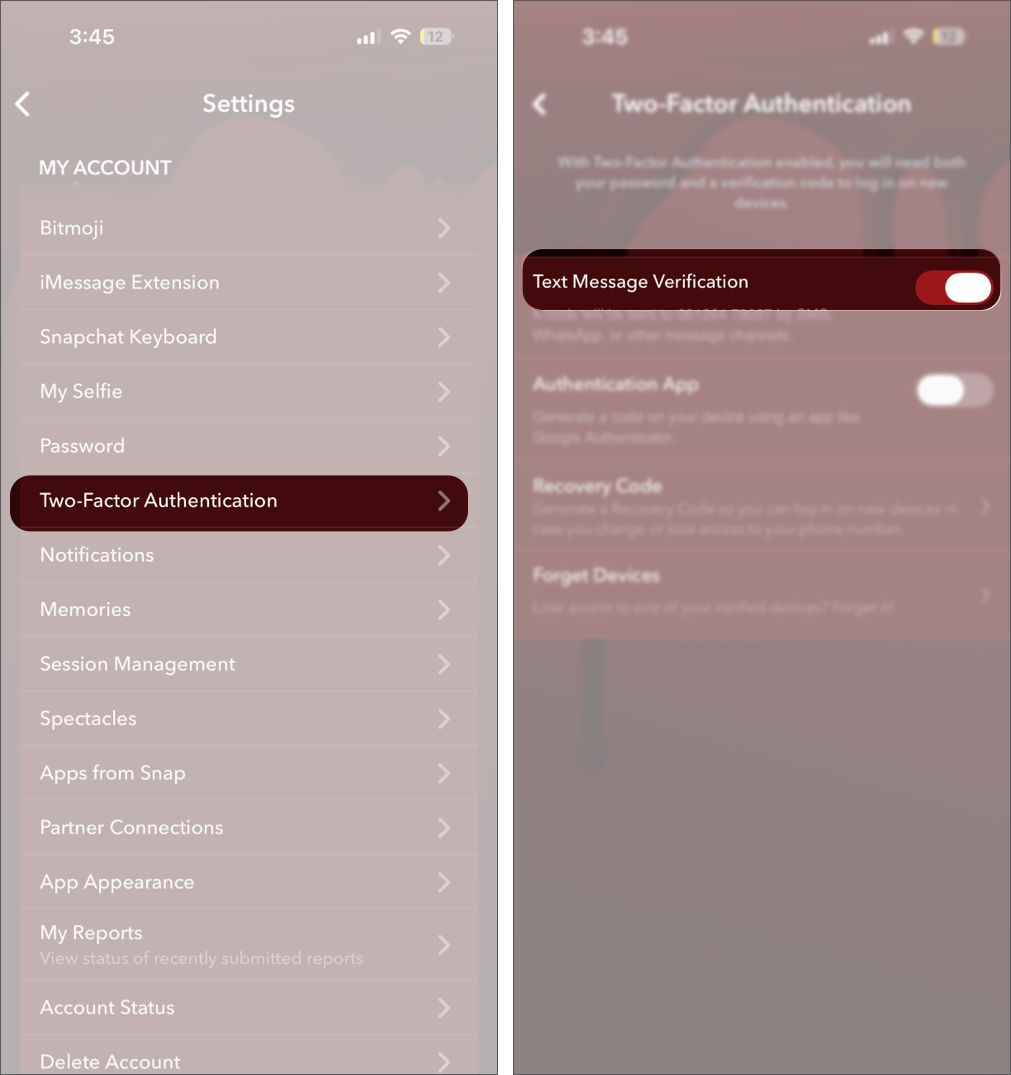
Security wasn’t something I thought about until I realized how much personal content sits inside Memories in my Snapchat account.
Enabling two-factor authentication added a second step to the login process.
It runs quietly and ensures that even if someone has your password, they still cannot get in. That one setting adds a level of protection you won’t notice day to day, yet it is something you definitely want in place.
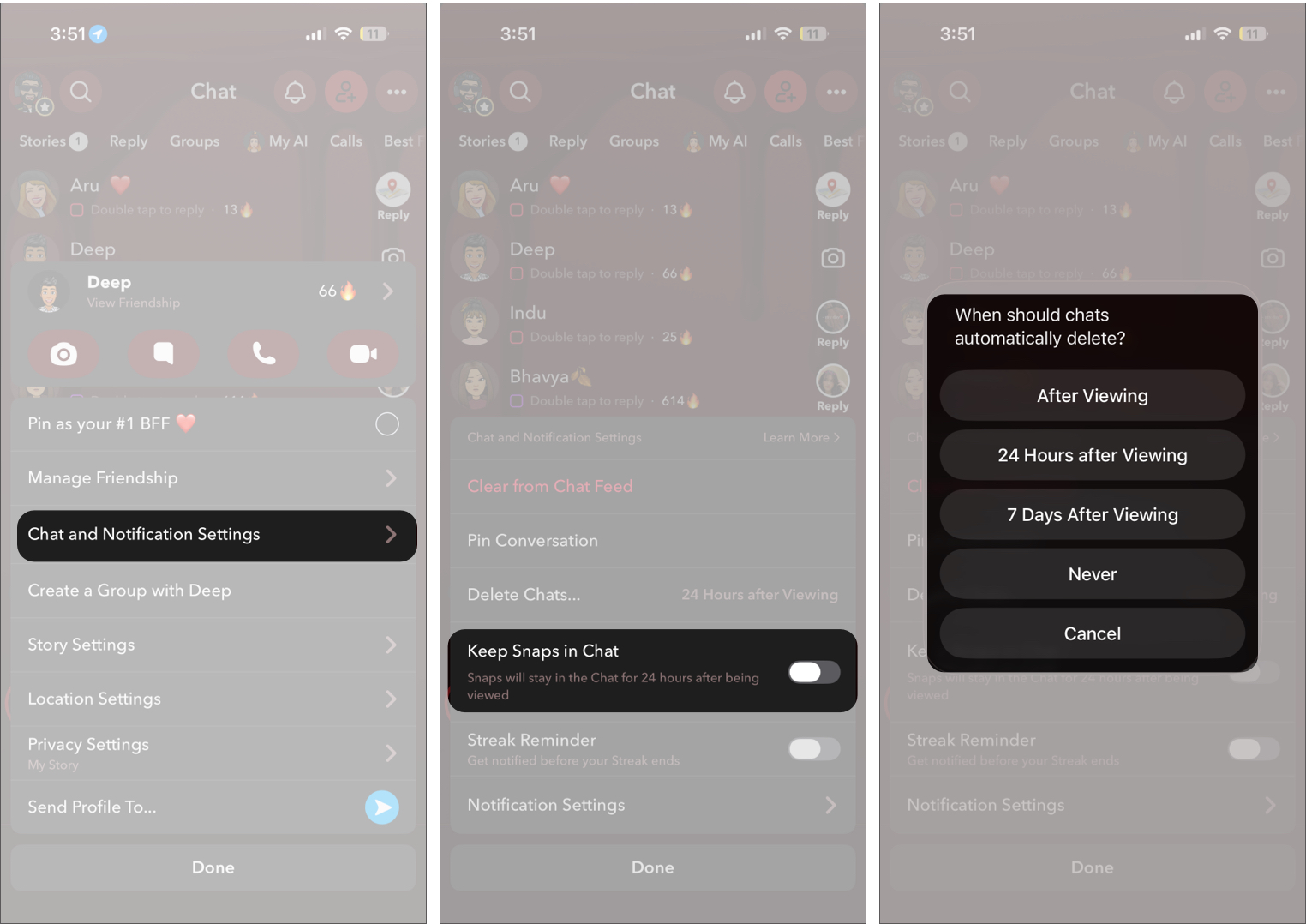
Not every chat on Snapchat needs to behave the same way. Some conversations are casual, others are better kept temporary.
Going into chat settings and setting messages to delete after viewing, along with disabling Keep Snaps in Chat, made a noticeable difference. Conversations now disappear the way you expect them to, instead of sticking around longer than intended.
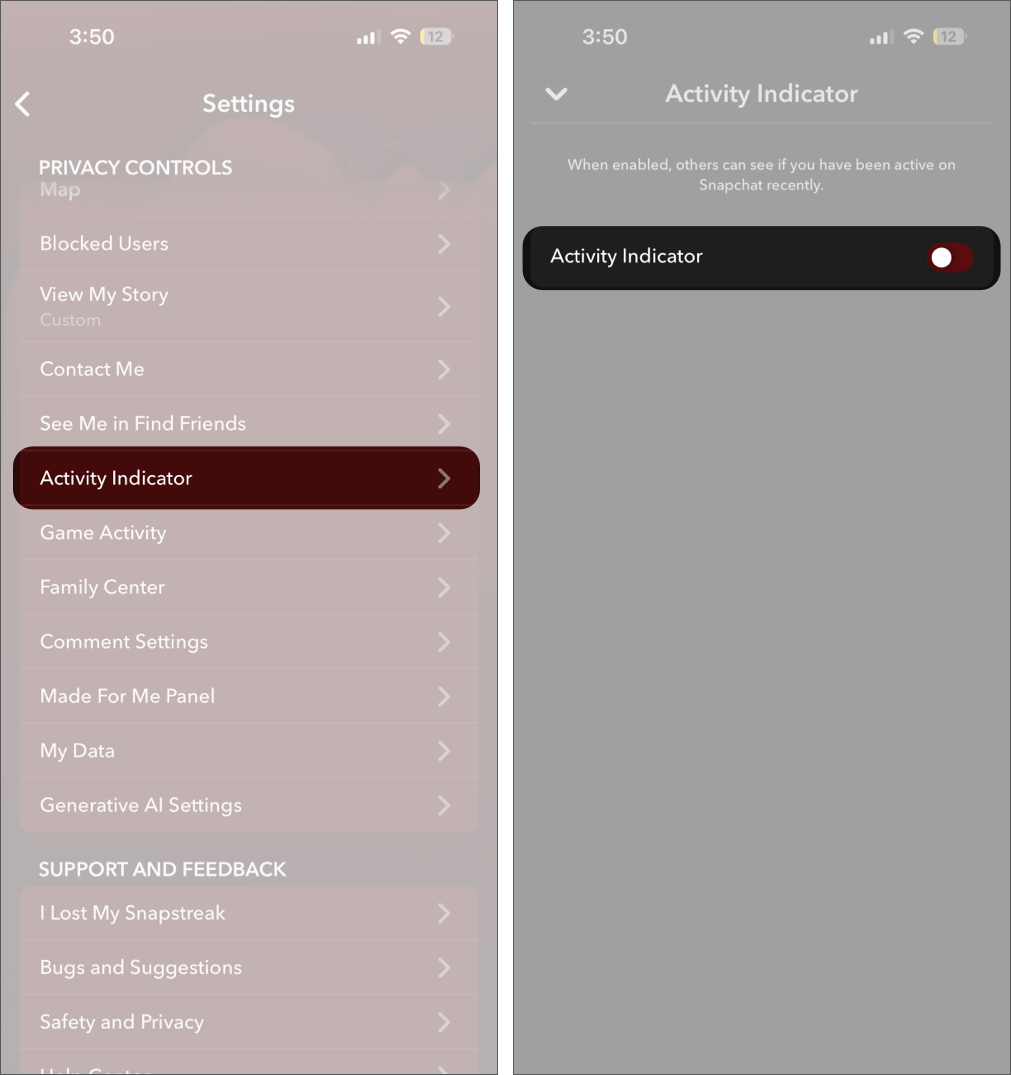
Activity Indicator, as the name suggests, adds a green dot under your profile picture on Snapchat to show when you are active or recently online.
While it may seem like a small visual cue, it makes your app usage visible to others and allows them to track when you are online without directly interacting with you. Over time, this can reveal patterns about how often you use Snapchat.
Turning it off removes that visibility entirely. Your activity status is no longer shared, helping keep your usage private and preventing others from monitoring when you are active.
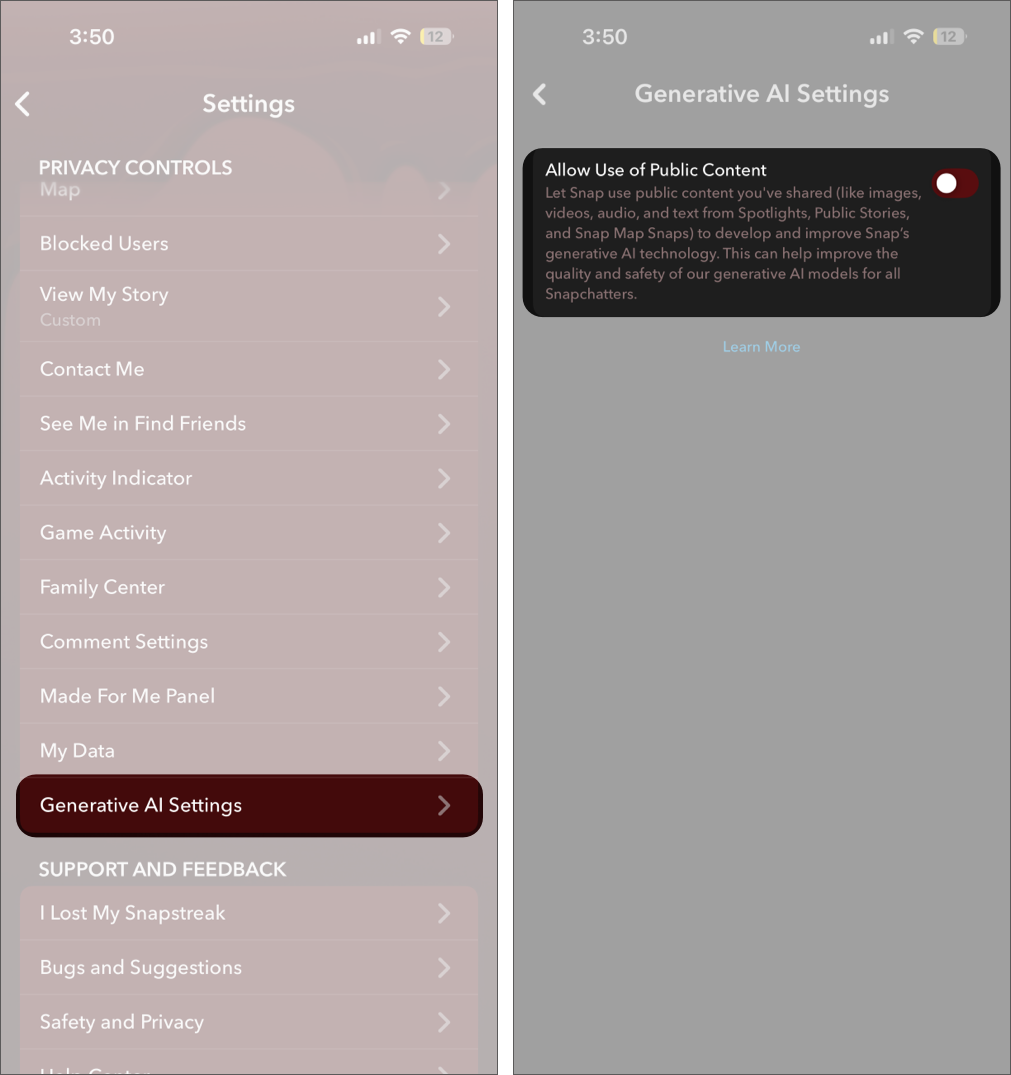
Snapchat’s ecosystem now includes AI-driven features like My AI, which interact with user data.
Reviewing AI permissions, clearing stored data, and limiting access reduce unnecessary data retention. This step is subtle but important for maintaining long-term privacy.
These changes do not alter how Snapchat looks, but they significantly improve its behavior in the background.
Overall, the experience becomes more controlled and private, with fewer surprises and more clarity around who can see, contact, or track your activity.
You may like to read: What is and How to get Place Loyalty badges?
These changes took less than ten minutes in total. Yet they completely transformed how I use the app. It now feels like a private communication tool instead of a semi-public platform.
If you haven’t checked your settings in a while, go through them once. You will likely find at least two or three things worth tightening.
Which of these Snapchat settings are you going to change first? Drop a comment and let’s compare notes.
Also read:











