
FaceTime Like a Pro
Get our exclusive Ultimate FaceTime Guide 📚 — absolutely FREE when you sign up for our newsletter below.

FaceTime Like a Pro
Get our exclusive Ultimate FaceTime Guide 📚 — absolutely FREE when you sign up for our newsletter below.


Deleting the Netflix app won't stop your subscription. If you're ready to cancel, here's how to end your Netflix membership based on your billing provider and what happens after you do.
 ByVikhyat
I first canceled Netflix after finishing Stranger Things. I was sure there’d be a Cancel Membership button somewhere in the app, so I spent a couple of minutes tapping through menus before realizing I was looking in the wrong place. Since my subscription was billed through Apple, Netflix couldn’t cancel it for me.
If you’re running into the same problem, don’t keep digging through the Netflix app. The first thing to check is how you’re paying for Netflix, because that determines where you need to cancel it.
Here’s how to cancel your Netflix subscription, regardless of how you signed up.
Before you cancel your membership, keep these points in mind:
If you subscribed directly through Netflix, using the website is the quickest and easiest option.
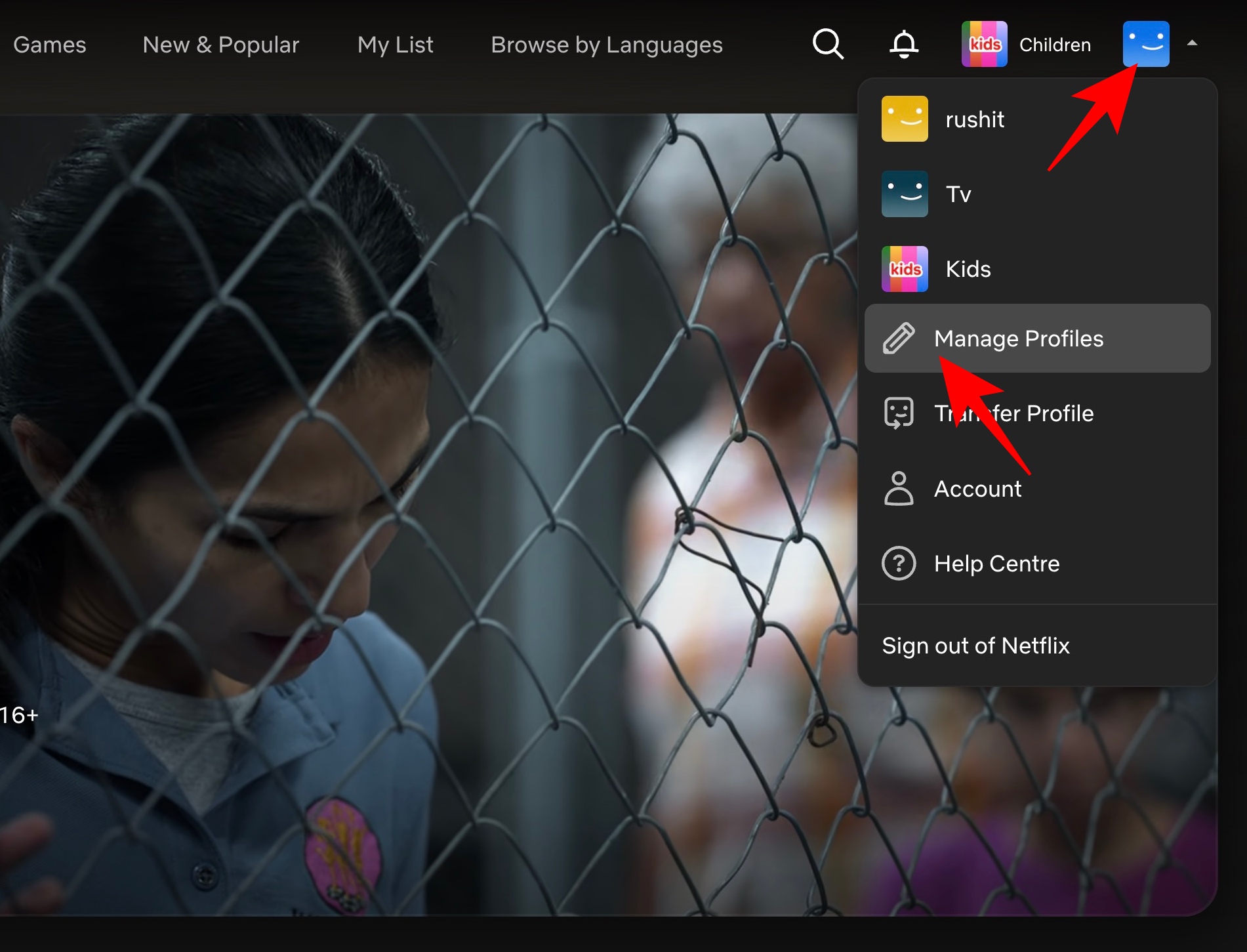
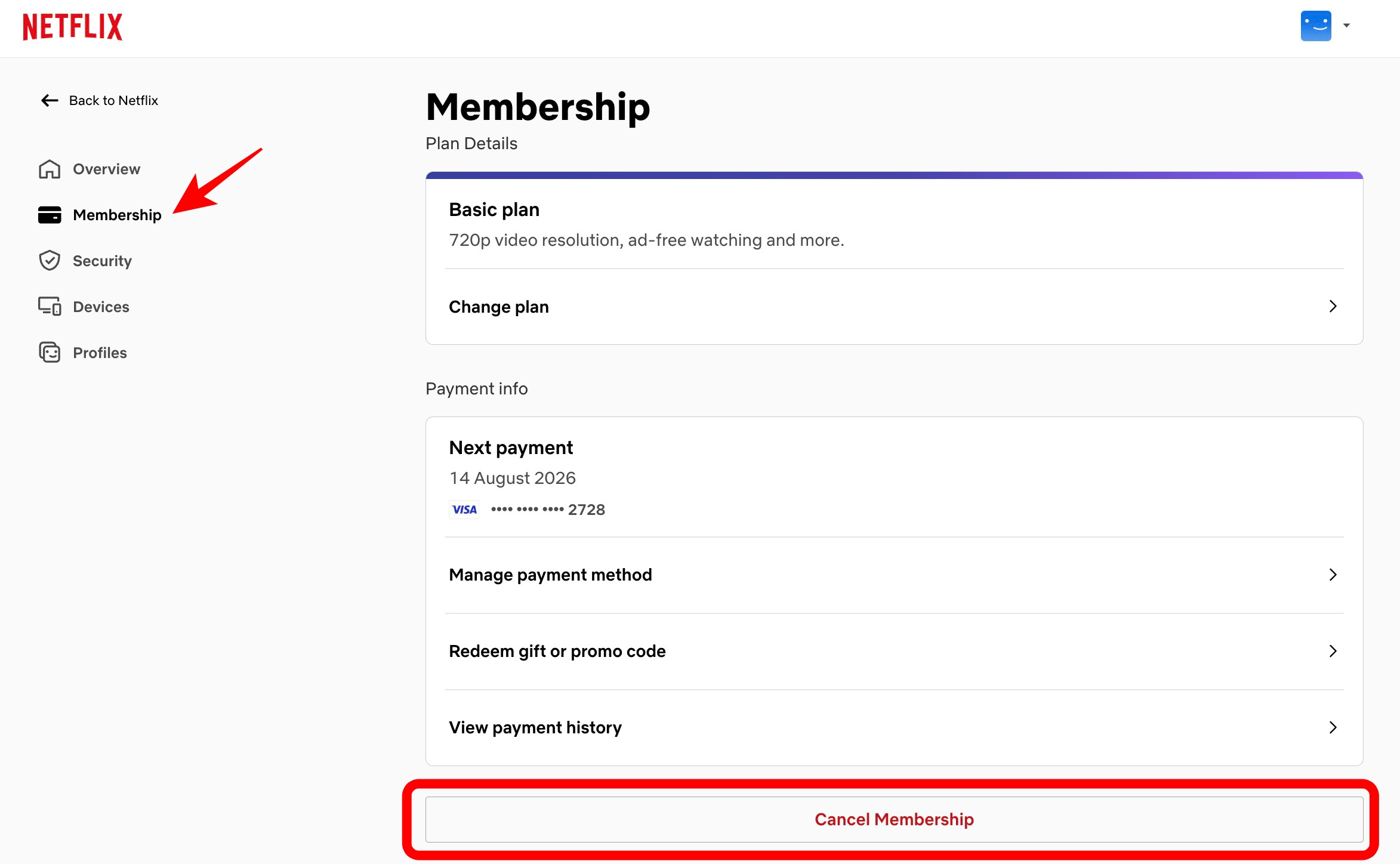
Your membership will remain active until the end of your current billing period, so you can continue watching until then.
The Netflix app doesn’t let you complete the cancellation directly. Instead, it redirects you to your account page in a web browser, where you can manage your membership.
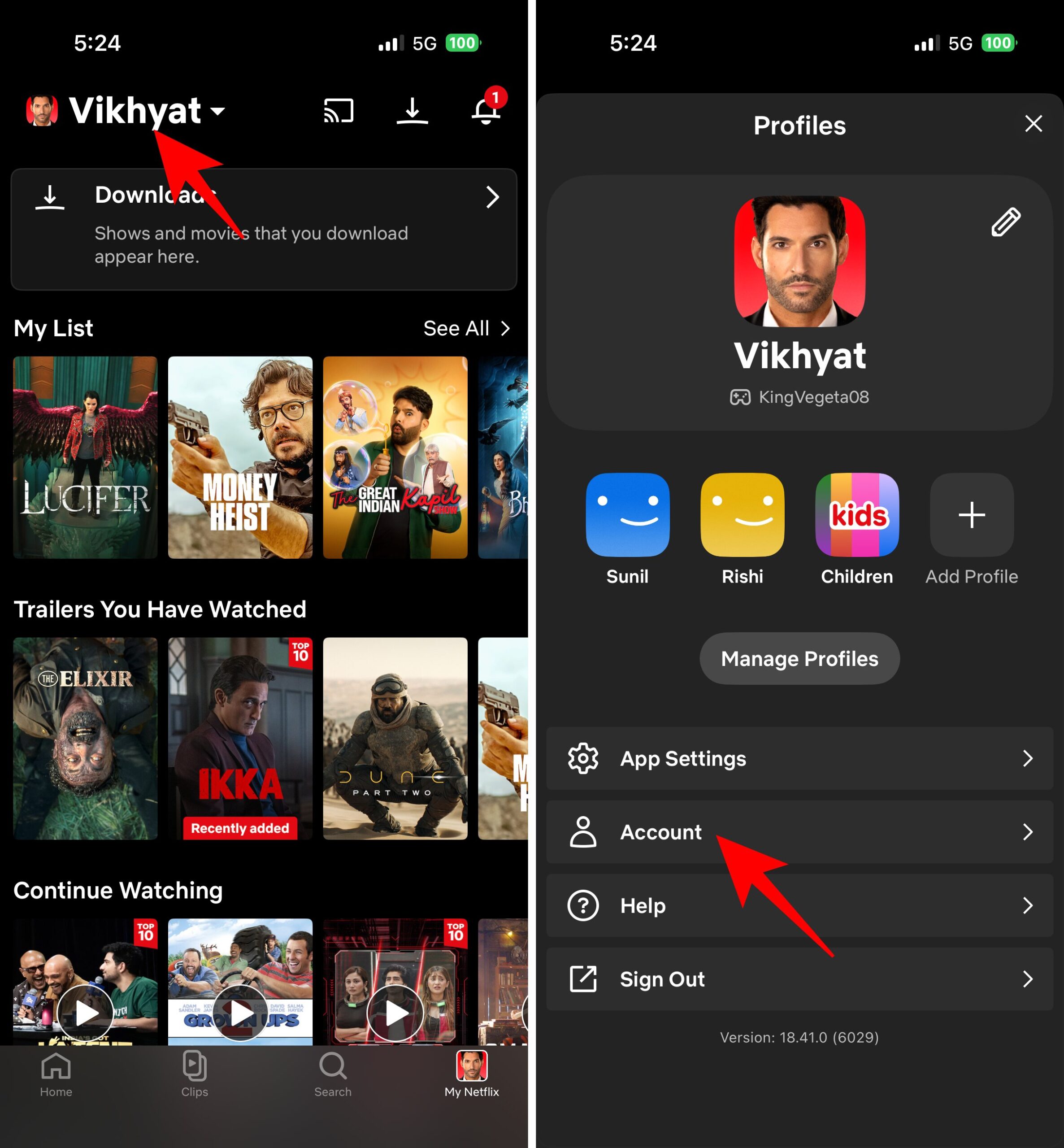
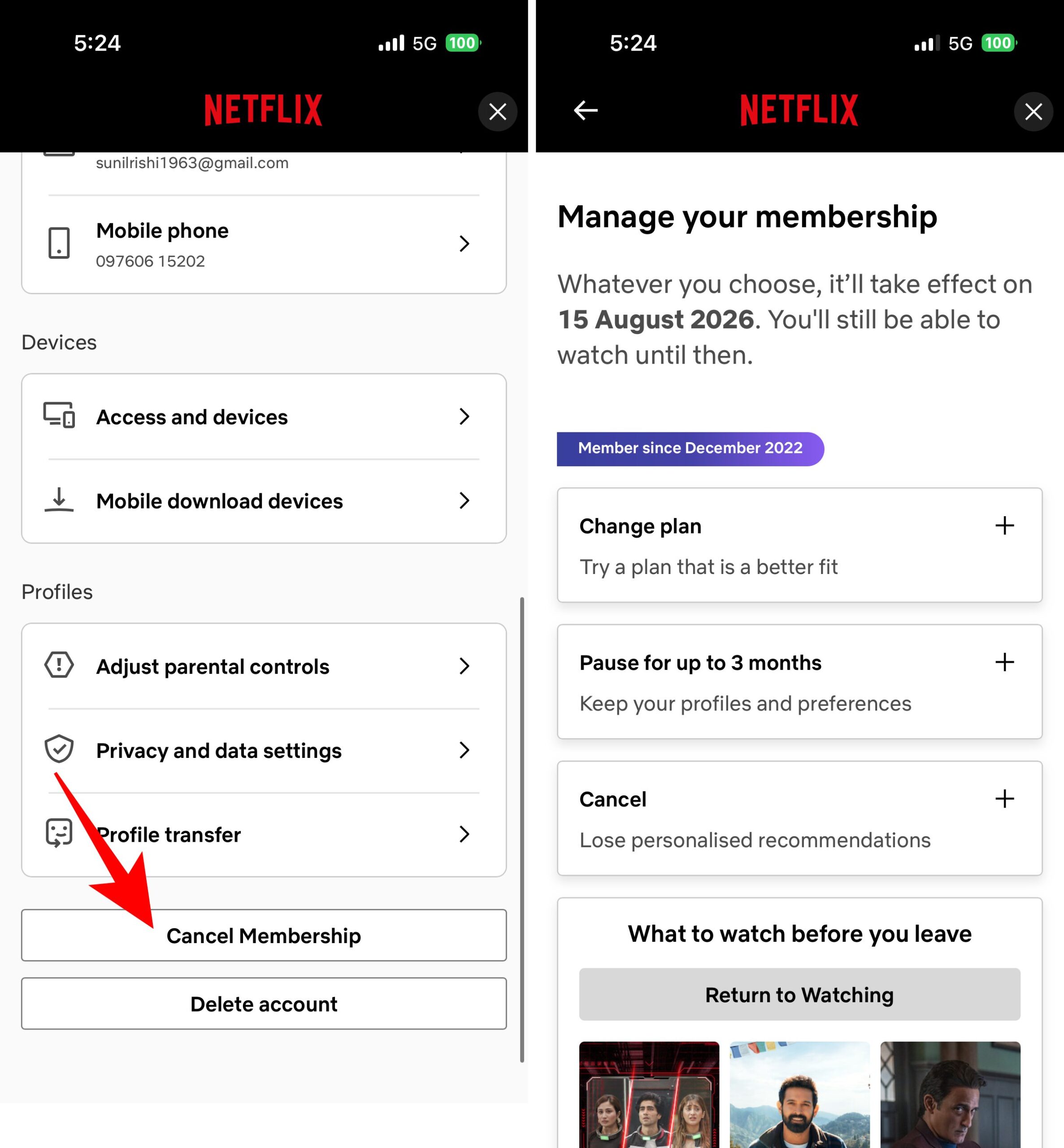
If you don’t see these options, your subscription is likely being managed by another billing provider.
If the cancellation option isn’t available on Netflix’s website or app, don’t assume something is wrong. In many cases, the membership is billed through Apple instead.
To cancel:
Note: You’ll only see Netflix here if you originally subscribed using your Apple Account.
If Google Play handles your Netflix payments, you’ll need to cancel your membership from the Play Store.
Some mobile and broadband plans include Netflix as part of the package. In those cases, Netflix doesn’t manage your billing, so you won’t find a cancellation option in your account.
Instead, sign in to your carrier or internet provider’s account and manage your Netflix membership there. If you can’t find the option, contact the provider’s support team for assistance.
No. While you can access your account and watch content from a Smart TV, the TV app doesn’t include an option to cancel your membership.
To cancel, sign in to Netflix from a web browser on your phone, tablet, or computer and follow the steps above.
The hardest part is figuring out who’s billing your Netflix subscription. Once you know whether it’s Netflix, Apple, Google Play, or your carrier, canceling it only takes a minute. Your membership stays active until the end of the current billing cycle, so you can keep watching until it expires.
Don’t miss these related reads:











