FaceTime Like a Pro
Get our exclusive Ultimate FaceTime Guide 📚 — absolutely FREE when you sign up for our newsletter below.

FaceTime Like a Pro
Get our exclusive Ultimate FaceTime Guide 📚 — absolutely FREE when you sign up for our newsletter below.


Parts and Service History helps you see which iPhone components have been replaced and whether Apple can verify them. Here’s how to check the history and understand each label.
When you send your iPhone for a repair or plan to buy a refurbished one, its service history is more important than most people realise. Apple’s Parts and Service History feature makes it easy to see whether key components like the screen, battery, display, camera, or Logic Board have been replaced.
In this guide, you’ll learn how to check Parts and Service History on your iPhone and understand what each label really means, so you can make smarter decisions with confidence.
Parts and Service History is a built-in iOS feature that logs any component that has been replaced or serviced. It indicates whether the part is genuine Apple hardware, an unknown third‑party component, or a used part that was previously installed in another device.
Apple introduced this feature to:
Having genuine parts is important as they work better and last longer. Also, it helps keep up the resale value of your iPhone.
Apple uses software and repair-calibration processes to identify and configure replaced components. When a supported repair is completed, Apple’s systems can verify the component and install the calibration data required for it to work correctly.
For supported repairs, Repair Assistant can finish the calibration process after a part is replaced. On supported devices, it can also calibrate a previously used part from another device of the same model.
The best part is:
Note: If your iPhone has never been repaired, the Parts and Service History section will not appear at all.
You should check this section in several situations:
Apple gradually rolled out this feature across models starting from iOS 15.2 and later:
| Models | Parts |
|---|---|
| iPhone XR, XS, XS Max, SE (2nd and 3rd gen) | Battery |
| iPhone 11 series | Battery and display |
| iPhone 12 series and newer | Battery, display, Logic Board assembly, front camera, and rear camera |
If you have an iPhone 15 or later, you can also see if the replaced Apple hardware was previously used in another iPhone.
Follow these simple steps:
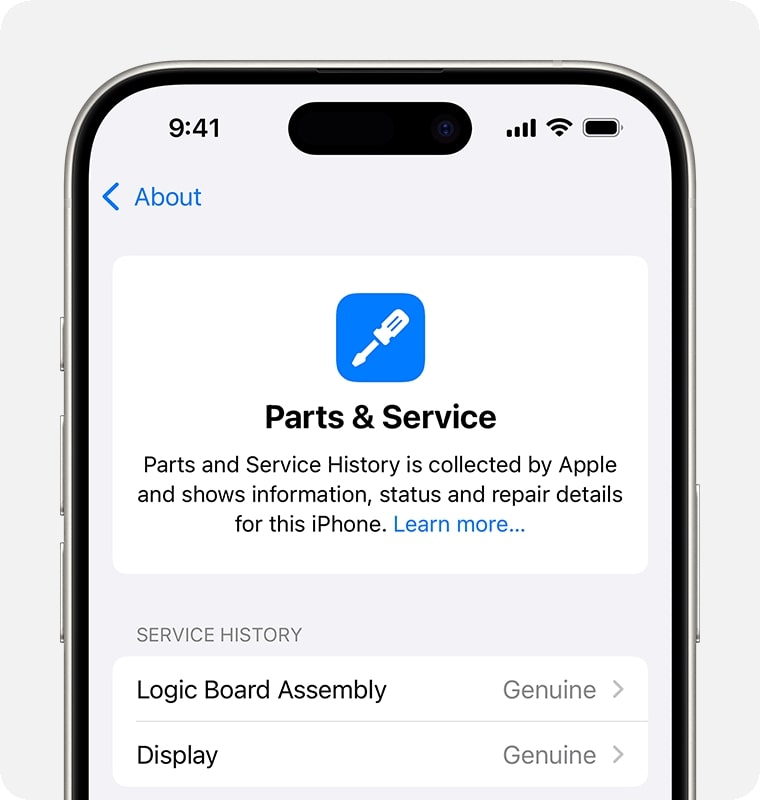
If the repair was not completed, it shows a Finish Repair message. It means the repair has not yet completed the required calibration process.
To finish the repair, connect the iPhone to Wi-Fi and make sure the battery is above 20 per cent. Then open Settings > General > About > Parts & Service History. Tap Restart & Finish Repair. Finally, follow the on-screen instructions.
A Genuine Apple Part means the repair was completed using genuine Apple parts and Apple’s repair/calibration processes.
It does not necessarily mean the repair was performed only by Apple or an Apple Authorised Service Provider. Apple also provides genuine parts to Independent Repair Providers and, where supported, through Self Service Repair.
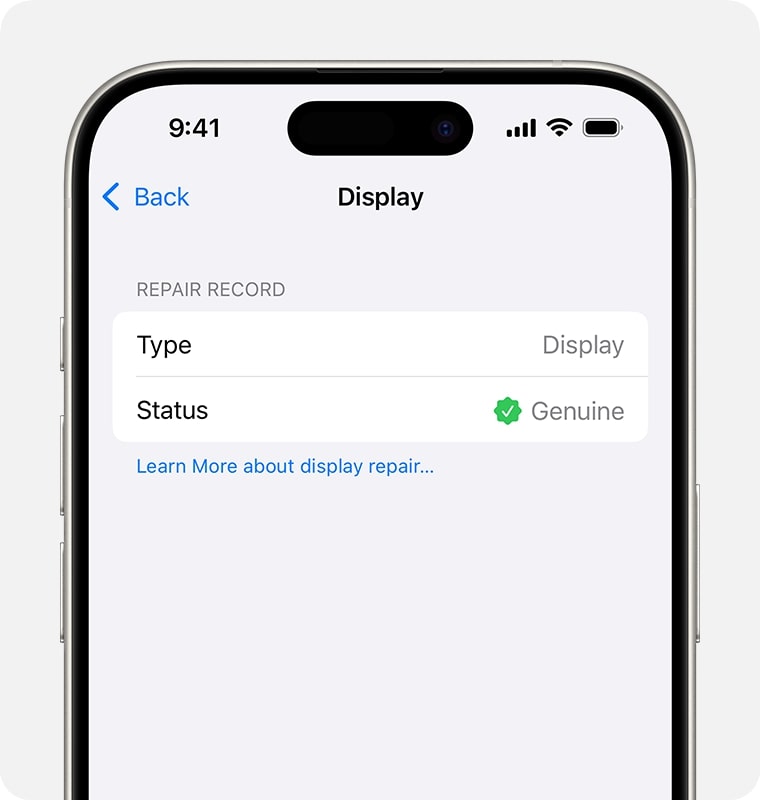
A Used label means the part was already used or installed in another iPhone.
On supported iPhone models, Repair Assistant can calibrate compatible reused parts from another device of the same model. A used part may function differently from a new part because of prior use or modification.
This label appears when Apple cannot verify the replacement part or its repair status. It can appear when a part is non-genuine, isn’t functioning as expected, hasn’t been verified and linked after the repair, or has been modified or otherwise cannot be verified.
An Unknown label does not automatically prove that a part is counterfeit or that the iPhone is unsafe. It means Apple could not verify the part or repair status. An Unknown part might affect the trade-in value of the device.
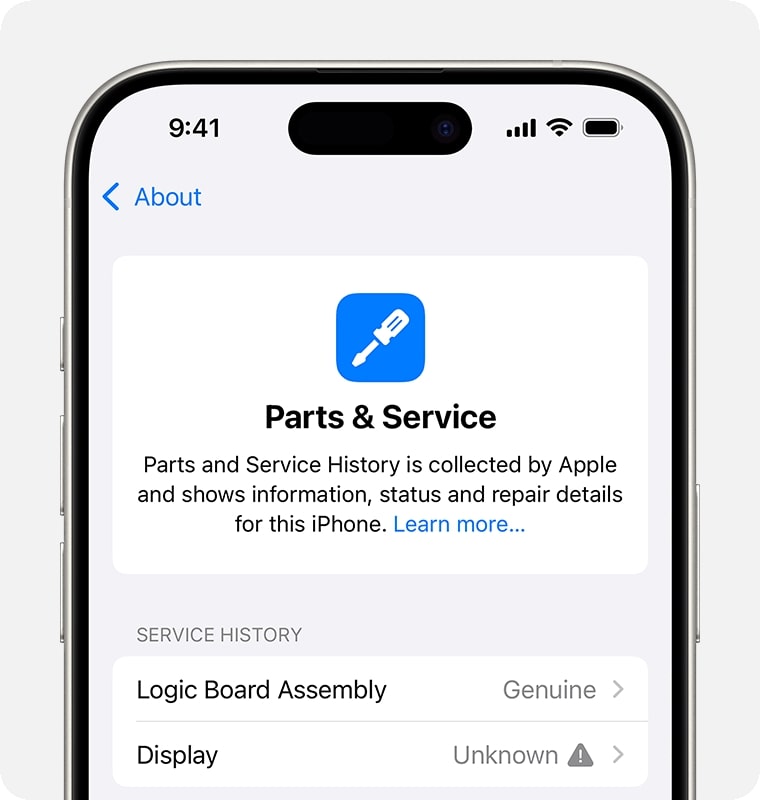
To help you combat poor-quality servicing, your iPhone shows a notification the first time you unlock it after a repair and again in five days if an unknown part is found.
This indicates the replacement part:
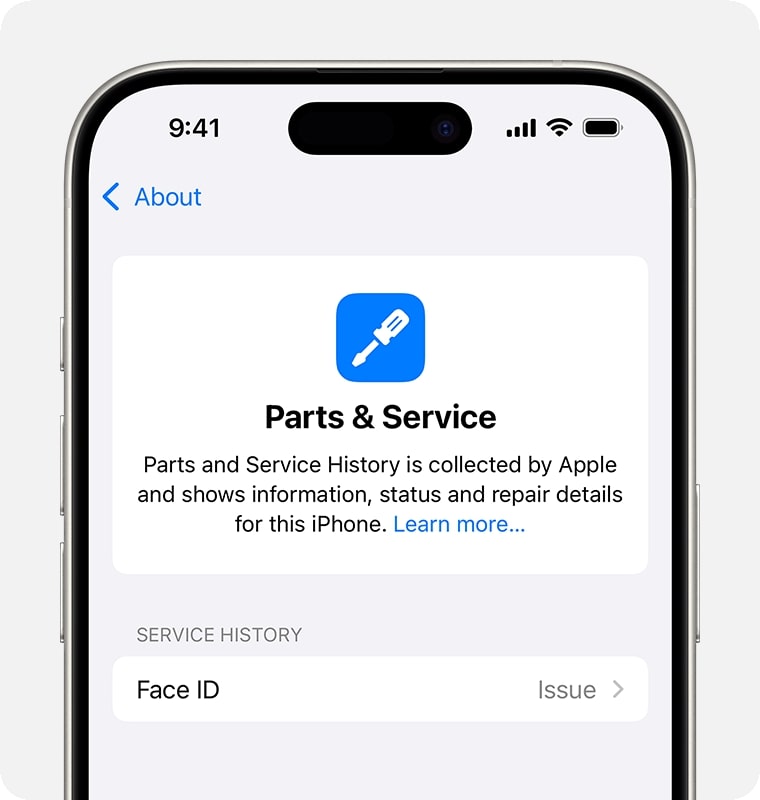
You can contact the repair service provider about this.
For display and battery repairs, you may also see the message “Apple has updated the device information for this iPhone.” Apple says this indicates that it has updated device information maintained for safety analysis and to improve future products.
If a component problem significantly affects the device’s functionality and needs attention, your iPhone can show a one-time notification that remains in Parts and Service History until dismissed.
You have a few options:
If buying a used iPhone, you may negotiate the price or consider returning the device to avoid future hassles and security issues.
Note that repairs performed by Independent Repair Providers are not covered by Apple’s warranty or AppleCare plans, although the provider may offer its own repair warranty.
Note: If you have multiple repairs for the same component, your iPhone will show the status of the most recent repair.
Checking Parts and Service History on iPhone is simple but extremely powerful. It helps buyers avoid scams, owners verify repair quality, and sellers understand what a future buyer or trade-in provider may see.
For iOS 27, the feature is more useful than ever because Apple now distinguishes between Genuine, Used, Unknown, and Unverified parts and provides Repair Assistant for completing calibration on supported repairs.
If you are preparing an iPhone for repair or trade-in, iOS 27 also gives you a new Ready for Repair or Trade-In workflow through Find My, making the preparation process different from older iOS versions.
If you found this guide helpful, save it and share it with anyone buying or selling an iPhone.
FAQs
Go to Settings > General > About > Parts and Service History. It will only appear if your iPhone has been repaired before.
An Unknown label means Apple could not verify the part or repair status. The phone may still work, but you should understand what was repaired and consider that the Unknown part might affect trade-in value.
No. This information cannot be erased or changed.
Yes. Unauthorised repairs may void parts of your warranty.
Yes. iPhones with genuine parts usually sell for more.
Apple may require replacement with genuine parts before providing coverage; otherwise, the warranty may be void.