
FaceTime Like a Pro
Get our exclusive Ultimate FaceTime Guide 📚 — absolutely FREE when you sign up for our newsletter below.

FaceTime Like a Pro
Get our exclusive Ultimate FaceTime Guide 📚 — absolutely FREE when you sign up for our newsletter below.


Learn what your favorite emojis mean! Follow these simple steps to quickly find out exactly what each emoji is about.
Emojis are cute, expressive, and sometimes confusing! With nearly 3,700 emojis available on iPhone and iPad, Apple has given us a fun and visual way to communicate everything from emotions to objects and symbols. But while it’s easy to insert emojis into messages, figuring out what they actually mean can be tricky.
Ever seen someone use the wrong emoji and completely change the tone of a message? It happens more often than you’d think. Fortunately, your iPhone has a hidden feature that helps you decode emoji meanings instantly. In this guide, we’ll show you how to make your iPhone read emoji meanings aloud and also share the most popular emoji definitions—including all the new additions in iOS 26!
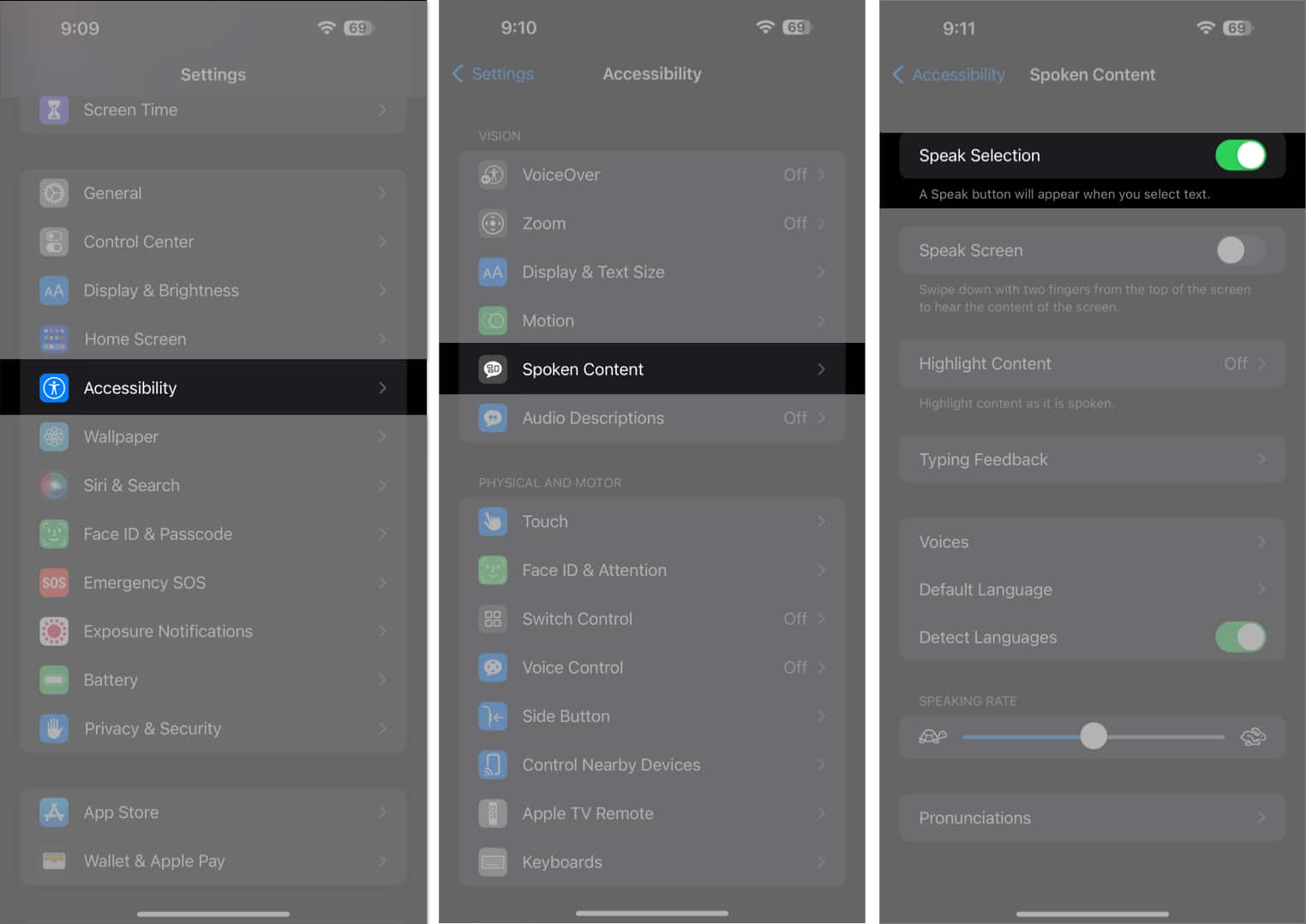
To get started, you’ll need to enable Speak Selection on your iPhone. This allows your device to read selected text out loud—perfect for interpreting emojis.
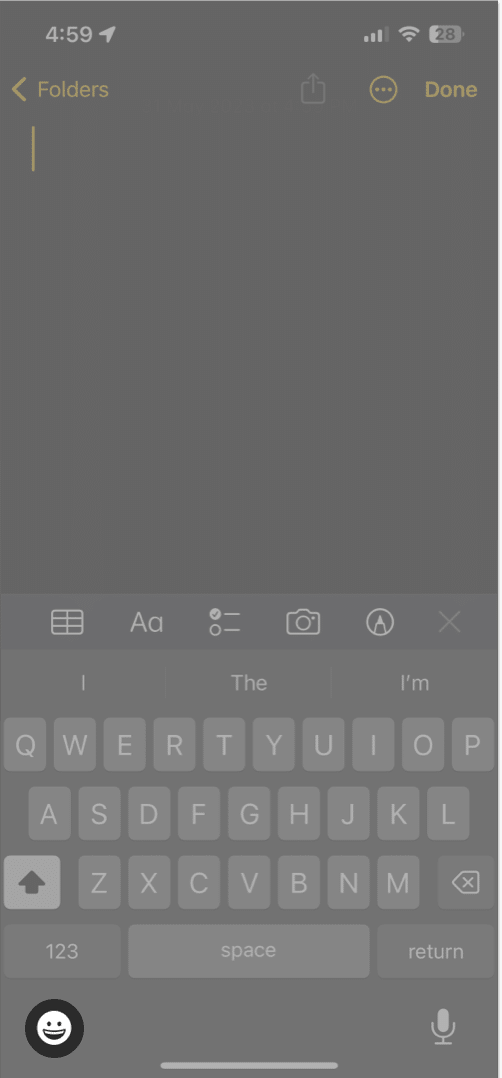
Once Speak Selection is enabled, follow these steps to hear what emojis mean—using a supported app like Notes:
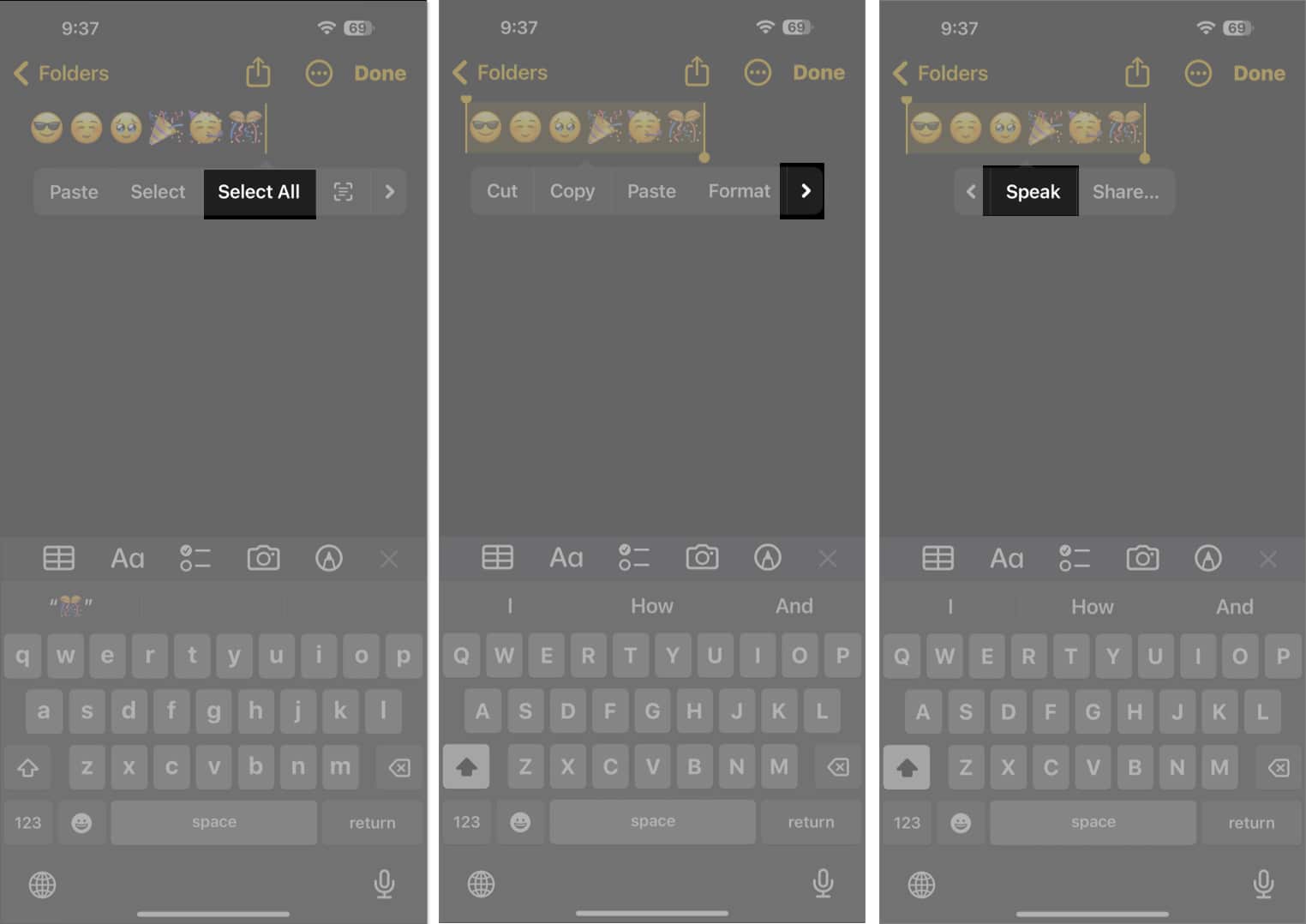
Now your iPhone will read the emoji aloud, giving you its intended meaning. Handy, right?
Here’s a quick-reference list of the most popular and commonly used emojis with their meanings:
| Emoji Symbol | Emoji Name | Emoji Meaning |
|---|---|---|
| 😂 | Face With Tears of Joy | Laughter; Cheerfulness |
| ❤️ | Red Heart | Love |
| 😭 | Loudly Crying Face | Crying, sadness; Can also mean something is very cute |
| 😎 | Smiling Face With Sunglasses | Cool; Sunglasses |
| 😍 | Smiling Face With Heart-Eyes | Love, endearment |
| 👍 | Thumbs up | OK, understood; Good |
| 😊 | Smiling Face With Smiling Eyes | Happy; Blushing |
| 🥶 | Cold Face | Cold, freezing |
| 🙏 | Hands Pressed Together | Thanks; High five; Prayer |
| 🙈 | See-No-Evil Monkey | Embarrassed, blushing |
| 😘 | Face Blowing a Kiss | Blowing a kiss; Love |
| 😱 | Face Screaming in Fear | Scared; Surprised, shocked |
| 😬 | Grimacing Face | Unsure; Tense |
| 🙌 | Hands Raised in Celebration | Appreciation |
| 👏 | Clapping Hands | Clapping; Celebration |
| 🔥 | Fire | Approval, appreciation; Hot |
| 😄 | Beaming Face With Smiling Eyes | Happiness, joy |
| 💔 | Broken Heart | Sadness; Brokenhearted |
| 🤣 | Rolling on the Floor Laughing Face | Laughter; Joy |
| 👌 | OK Hand Sign | Understood; Agreement |
| ☹️ | Frowning Face | Sadness; Disappointment |
| 😡 | Red Angry Face | Anger, madness |
| 🥰 | Smiling Face With Hearts | Love; Appreciation |
| 💯 | Hundred Points Symbol | Excellent; Understood |
| 👀 | Eyes | Surprised, shocked; Shifty |
| 😪 | Sleepy Face | Tired |
| 😞 | Disappointed Face | Upset, disappointed |
| 🤬 | Face With Symbols Over Mouth | Angry, distraught |
| 🤒 | Face With Thermometer | Sick |
| 🥺 | Pleading Face | Cute, adorable; Admiration |
| 🤯 | Exploding Head | Mind blown; Shock |
| 😏 | Smirking Face | Confident |
| 🥵 | Hot Face | Hot |
| 💀 | Skull | Skull; Laughter |
| 👋 | Waving Hand | Greetings, goodbye |
| 🤡 | Clown Face | Funny |
| 🤷♂️ 🤷♀️ | Man/Woman Shrugging | Uncertainty; Indifference |
| 🎉 | Party Popper | Celebration, excitement |
| 💕 | Two Hearts | Love |
| 😴 | Sleeping Face | Tired |
| 🍀 | Four Leaf Clover | Lucky |
| ✅ | Check Mark Symbol | Approval, understanding |
| 🤔 | Thinking Face | Deep in thought |
| 😐 | Neutral Face | Indifference; Unsure; Awkward |
| 😕 | Confused Face | Confused |
| 😉 | Winking Face | Wink; Joking; Cheeky |
| 😇 | Smiling Face With Halo | Innocent |
| 😮 | Surprised Face With Open Mouth | Shock, surprise |
| 🤢 | Nauseated Face | Sick, nausea |
| 🧐 | Face with monocle | Suspicious look |
| 🫠 | Melting face | Blushing |
| 🫶 | Heart hands | Depicts love |
| 🫡 | Saluting face | Respect |
| 🫢 | Face with open eyes and hand over mouth | Giggling |
| 💪 | Flexed Bicep | Strong |
With iOS 26, Apple adds even more personality to your conversations! Based on final approvals from the Unicode Consortium and iOS 26.4 release, a total of 163 new emoji designs will land in the final iOS 26.4 update.
List of 13 completely new iOS 26 emojis:
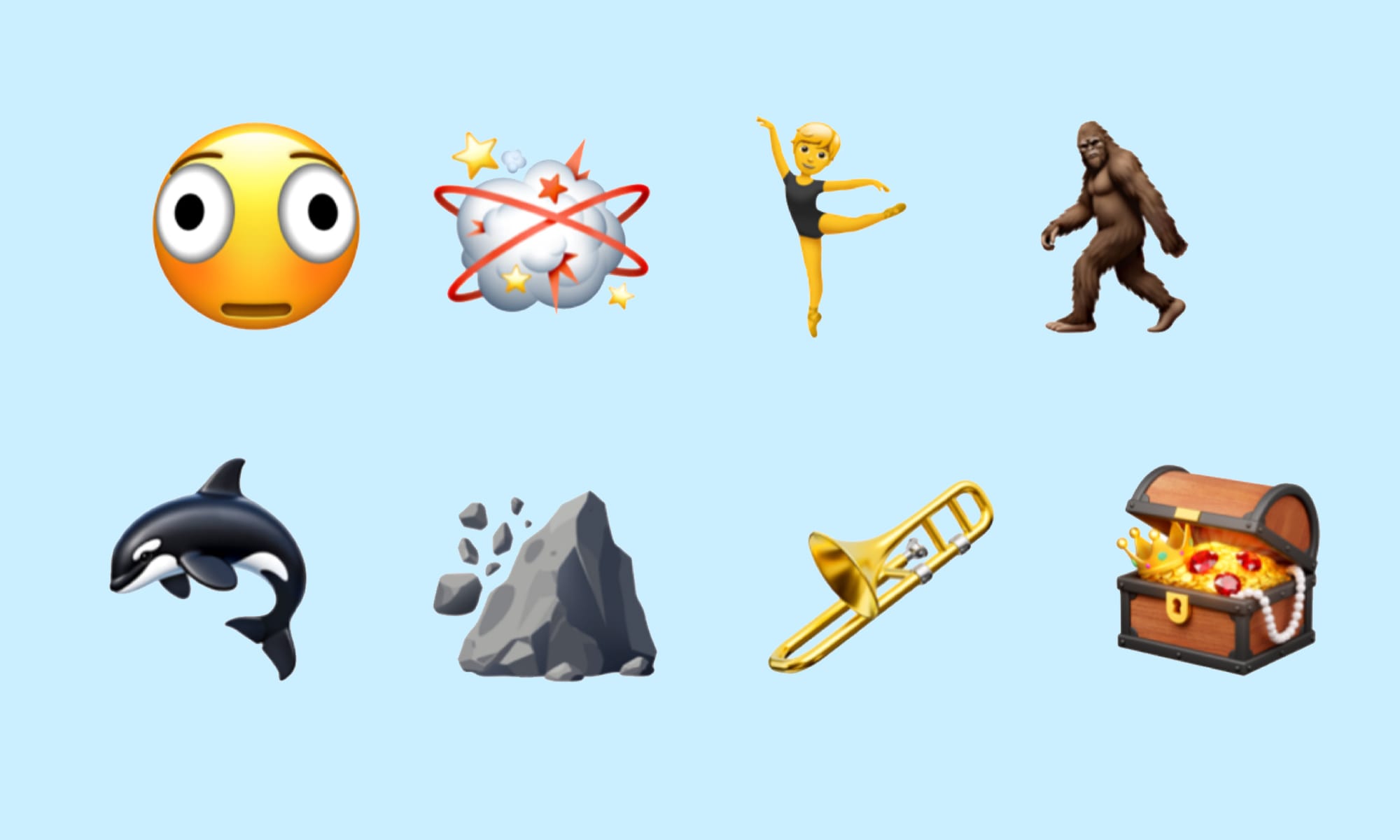
Along with these new emoji concepts, Apple is adding new skin tones to the existing 🤼 People Wrestling and 👯 People With Bunny Ears emojis, bringing the total to 150 emojis.
iOS 18 introduced a powerful new feature called Genmoji, which lets you create custom emojis from text prompts. It’s powered by Apple Intelligence and makes emoji creation fun and personal.
You can even blend multiple emojis to create one-of-a-kind reactions—perfect for expressing those “no words can explain” moments!
Looking for what came in the iOS 18.4 emoji batch? Here’s your list:
| Emoji Symbol | Emoji Name |
|---|---|
| Sleepy/tired face with bags under the eyes | |
| Fingerprint | |
| A leafless tree | |
| Root vegetable | |
| Harp | |
| Shovel | |
| Splatter | |
| Flag of Sark | 🇨🇶 |
Wrapping up…
Emojis have become a universal language of expression. Now that you know how to find emoji meanings on your iPhone, you can text with confidence and avoid those awkward mix-ups.
Whether you’re laughing, loving, or just feeling a little, there’s an emoji for everything.
So, what’s your go-to emoji? Drop it in the comments below!
Also read:












