
FaceTime Like a Pro
Get our exclusive Ultimate FaceTime Guide 📚 — absolutely FREE when you sign up for our newsletter below.

FaceTime Like a Pro
Get our exclusive Ultimate FaceTime Guide 📚 — absolutely FREE when you sign up for our newsletter below.


Your Bitmoji avatar doesn’t have to stay on your Snapchat profile forever. Here’s how to unlink or delete it, and what happens once it’s gone.
 ByVikhyat
Bitmoji is deeply tied to how Snapchat looks and feels. It appears on your profile, in chats, on Snap Map, and even inside stickers, which is why most users don’t think about removing it until they actually want a change.
That change can happen for different reasons. Sometimes the avatar no longer feels relevant, sometimes you just want a cleaner profile, or you might be planning to create a new Bitmoji from scratch. Whatever the reason, Snapchat does let you unlink your Bitmoji.
Keep reading to learn how to remove your Bitmoji on Snapchat and what happens when you do it.
Removing your Bitmoji doesn’t affect your Snapchat account itself; it only changes how your profile appears across the app. Since Bitmoji is integrated into multiple parts of Snapchat, unlinking it removes that visual layer entirely while keeping everything else intact.
Here’s what changes after you remove it:
Note: If your Bitmoji was created in Snapchat rather than the Bitmoji app, removing it will permanently delete your avatar, along with saved outfits and items.
You can unlink your Bitmoji directly from Snapchat settings, though the option is slightly buried. Here’s how to do it:
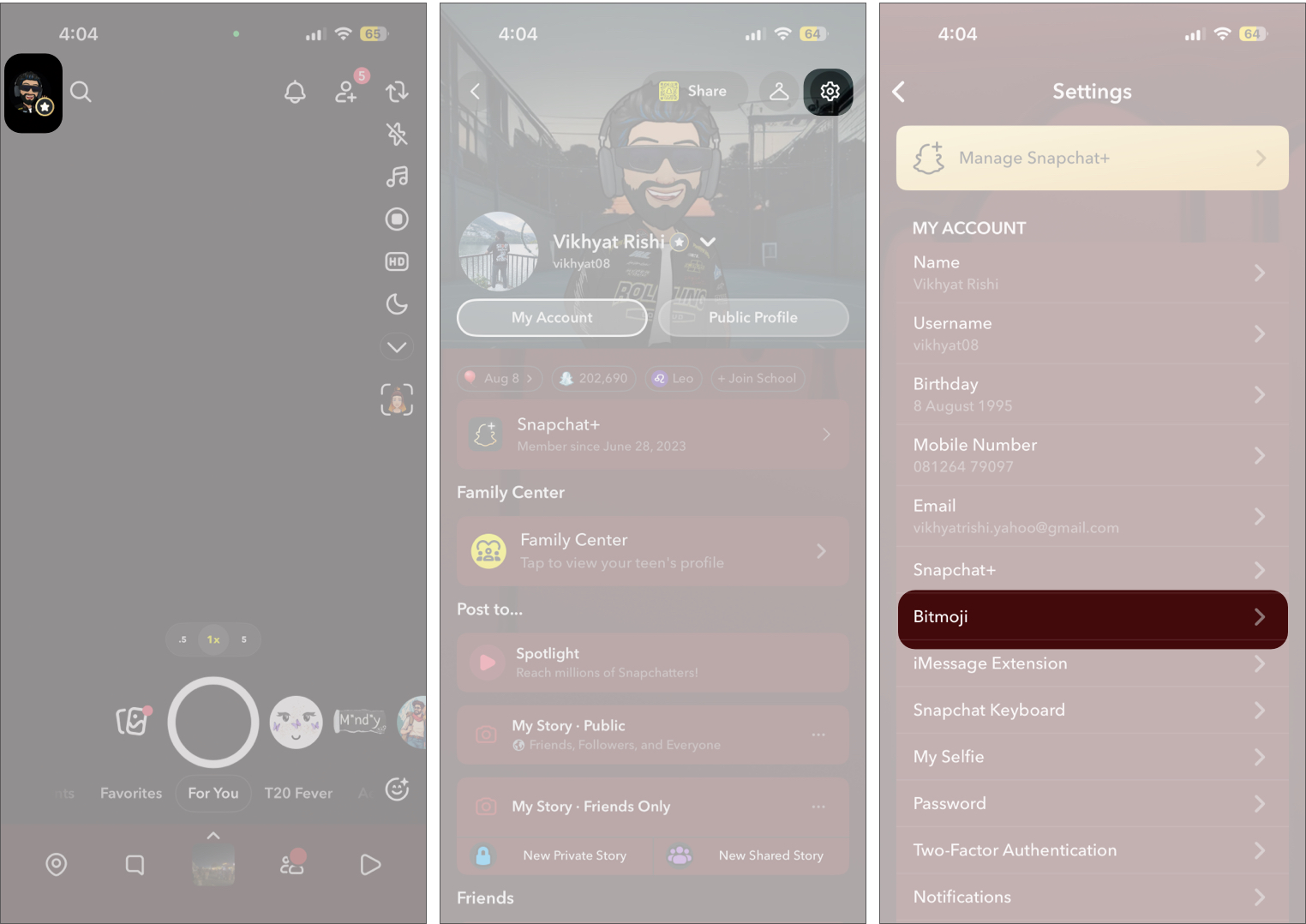
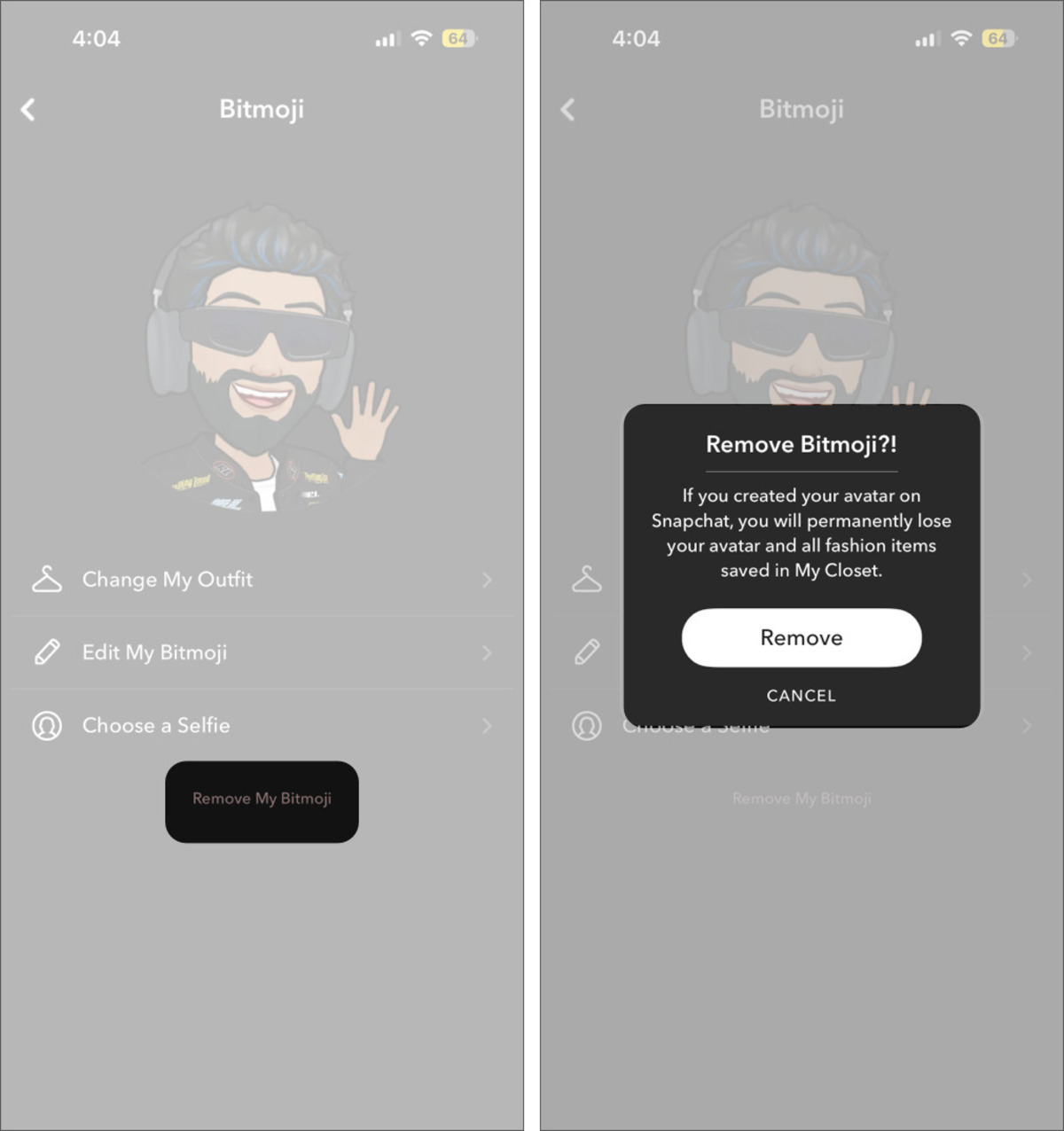
Once removed, your profile picture area will show the default blank silhouette instead of your Bitmoji avatar.
You may like to read: What is and How to get Place Loyalty badges?
Bitmoji is not just your profile avatar on Snapchat. It also shows up in stickers, Friendmoji, and shared interactions inside chats. That means other people can sometimes use your Bitmoji in conversations, even when you are not actively sending it. Not everyone may be comfortable with that.
If you want more control over where your Bitmoji appears and who can use it, Snapchat offers a way to limit that. Here’s how:
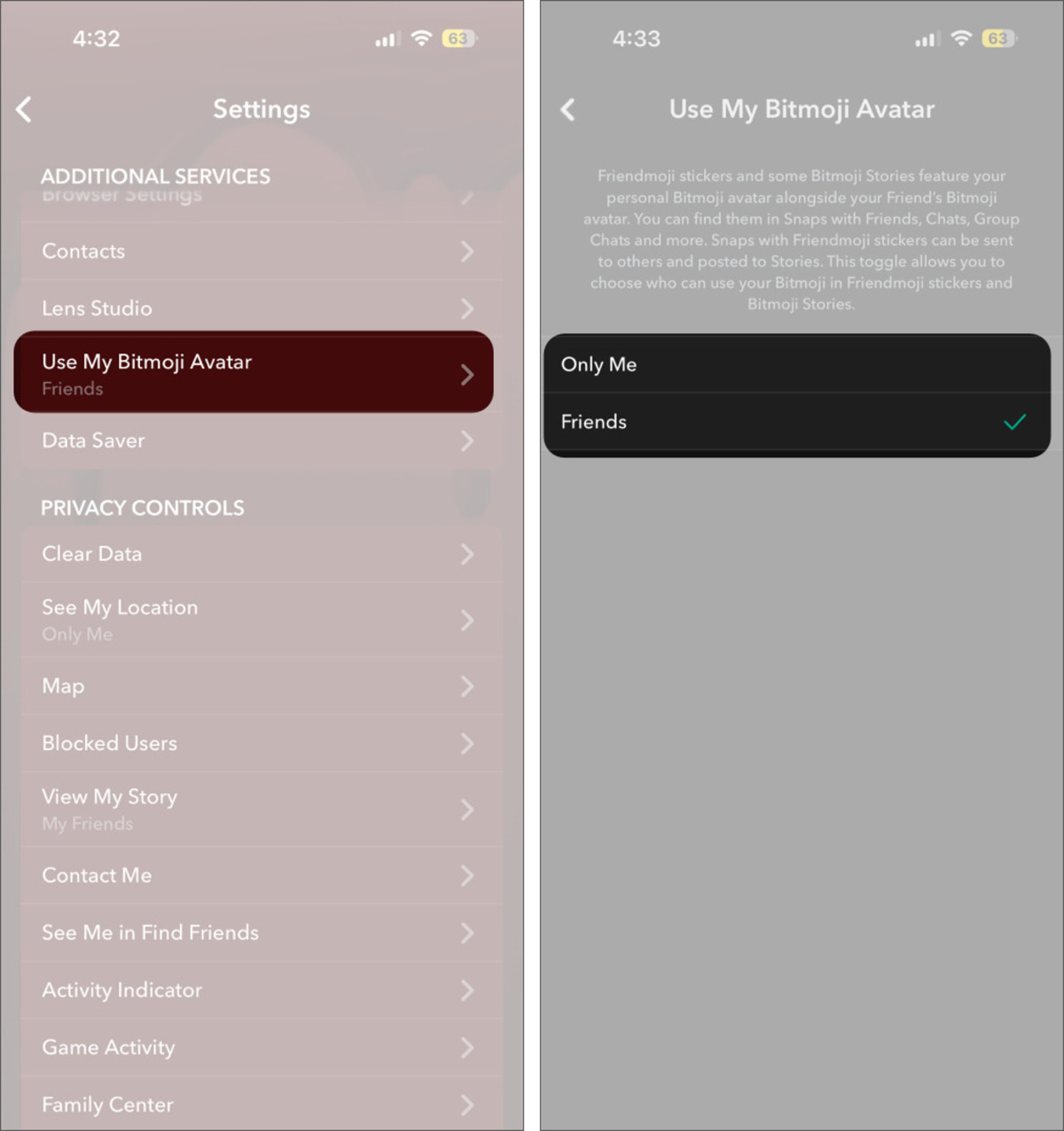
If you change your mind later, you can always create a new Bitmoji.
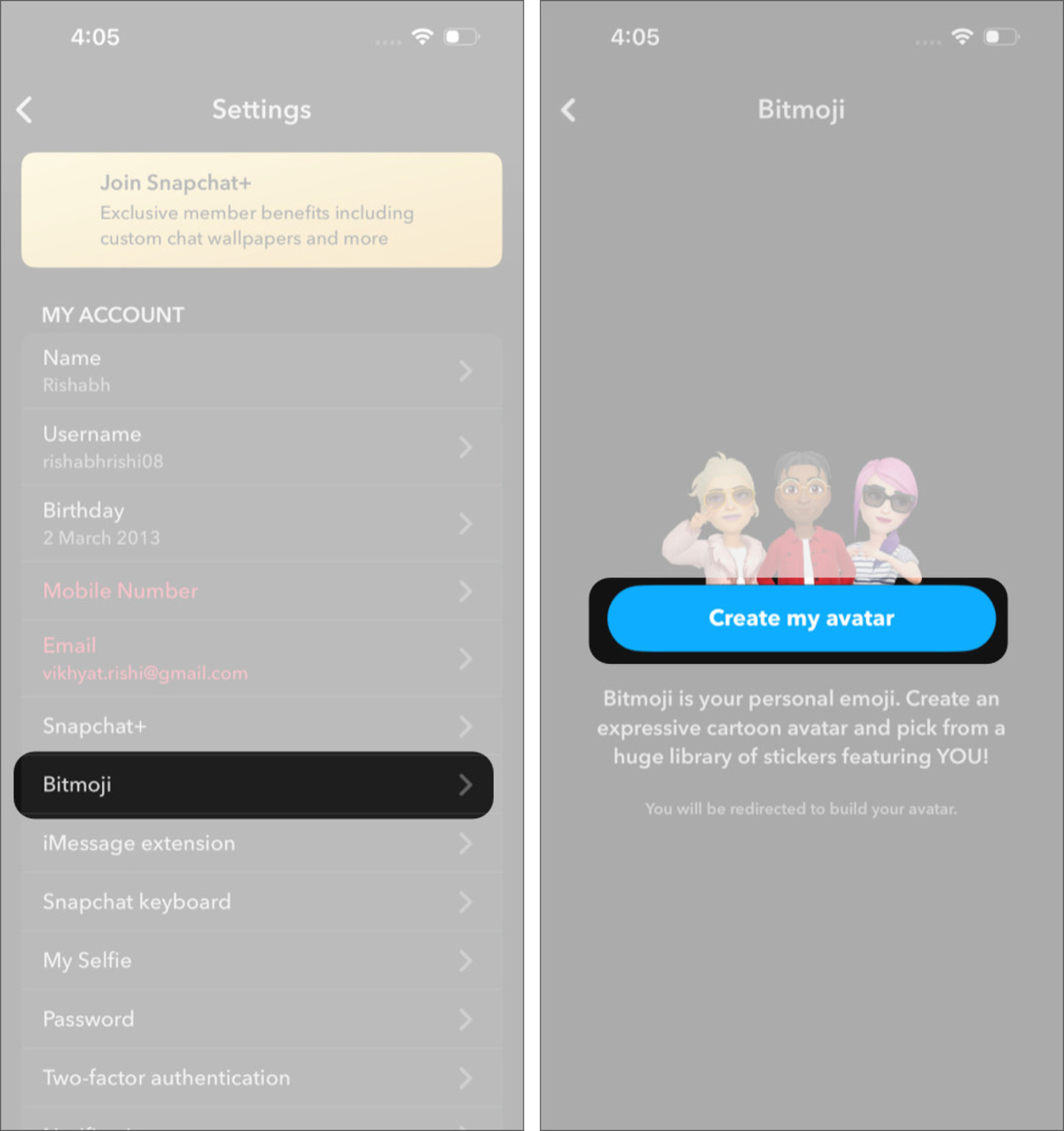
Keep in mind that this creates a completely new Bitmoji. It will not restore the one you removed earlier.
If you use Bitmoji often in chats or stickers, keeping it makes sense. If it’s something you rarely pay attention to, removing it can make your profile feel cleaner without losing anything important.
Since you can always create a new Bitmoji later, it’s easy to experiment and see what you prefer.
FAQs
After unlinking your current Bitmoji, you can connect a different Bitmoji account to Snapchat.
Deleting your Bitmoji removes the outfits and accessories you’ve saved in your closet.
You might also like:











