FaceTime Like a Pro
Get our exclusive Ultimate FaceTime Guide 📚 — absolutely FREE when you sign up for our newsletter below.

FaceTime Like a Pro
Get our exclusive Ultimate FaceTime Guide 📚 — absolutely FREE when you sign up for our newsletter below.


Safari is the browser that comes with your iPhone — and all Apple devices, for that matter. But what if Safari isn’t quite your cup of tea? The good news is Apple not only lets you download a different browser for your iPhone but also makes it possible for you to set a different browser as your default. Are you one of those who’ve switched and are now wondering how to disable Safari from your iPhone?
It’s worth noting that Safari is deeply integrated into the Apple ecosystem, making its complete removal a bit tricky. But don’t worry; there are workarounds to remove Safari from your iPhone. Let’s dive into what you need to know.
Deleting Safari from your iPhone is almost impossible unless you’re a tech wizard. It’s deeply embedded and not really meant to be removed. This is mainly because Safari is integrated so closely with Apple’s operating system. Plus, Apple uses a security feature called System Integrity Protection (SIP) to keep the system’s core parts safe, including Safari.
If you’re not a tech expert, tweaking these settings could lead to some pretty serious issues, possibly even a non-functioning iPhone.
While you can’t uninstall Safari, you’re not entirely out of options. You can’t delete it, but you can disable and wipe out its data. It’s like putting Safari into a dormant state — it’s still there, but it won’t get in your way.
You can do several things to “remove” Safari’s existence from your iPhone.
You can disable Safari, rendering it undiscoverable in the App Library and Home Screen. To do this:
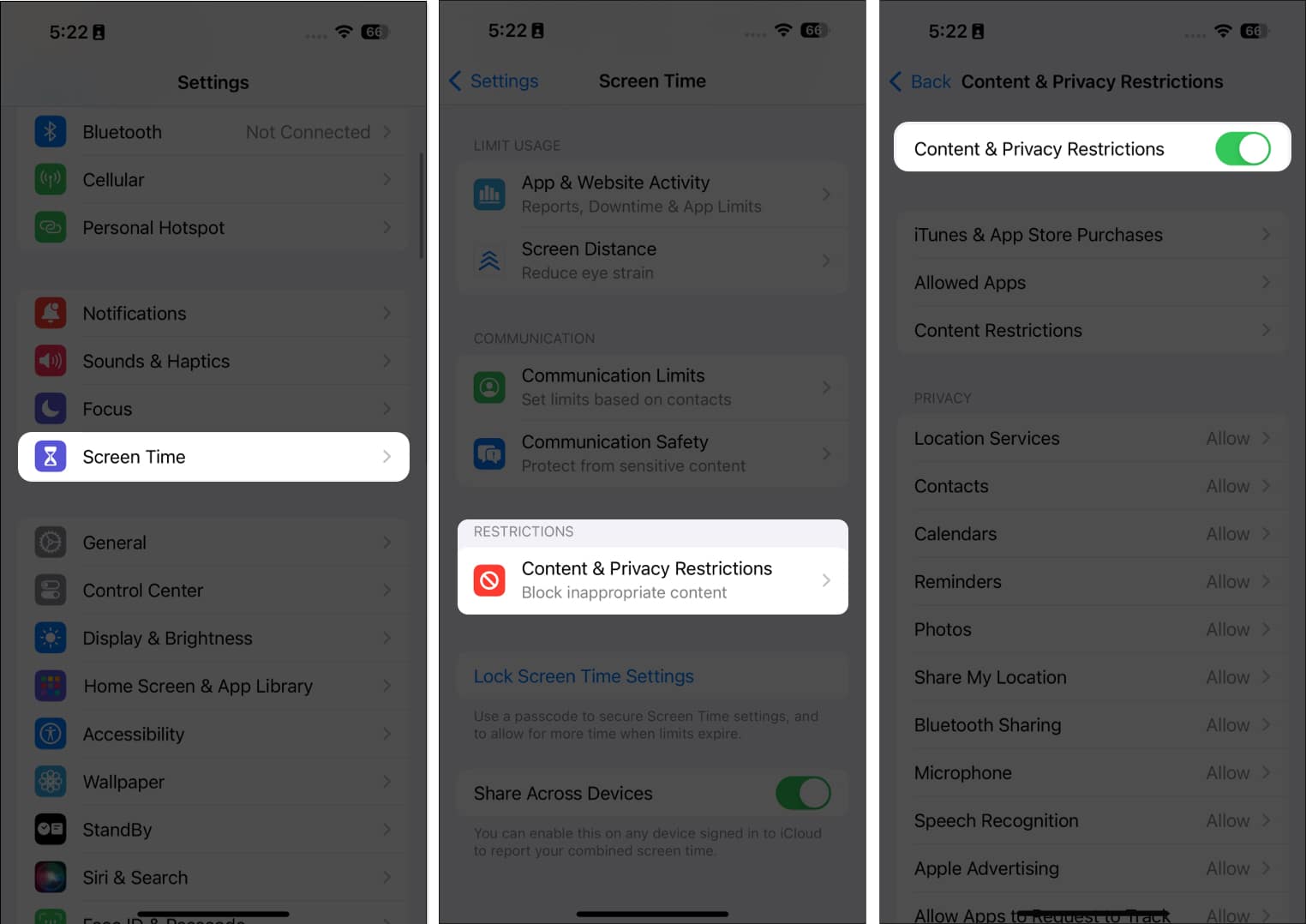
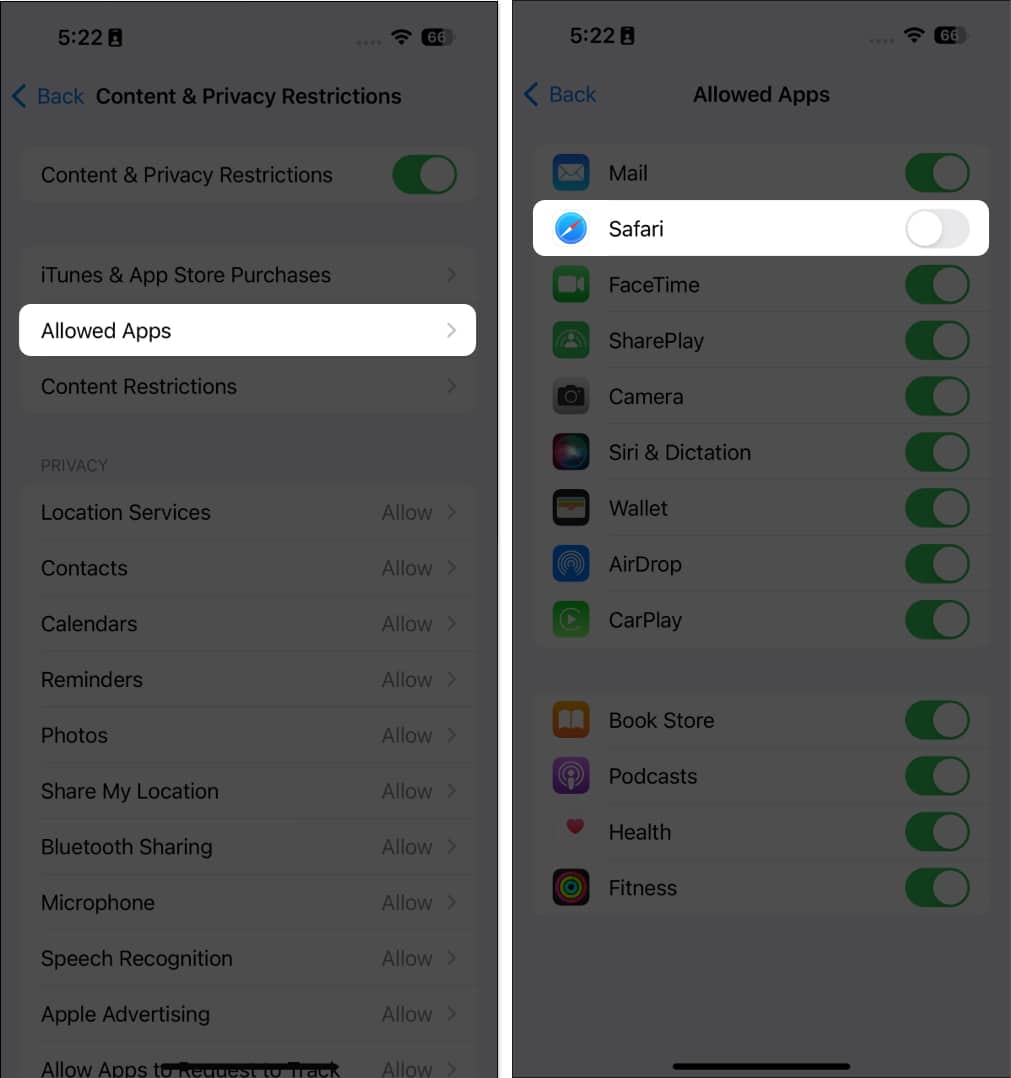
Screen Time has many other uses besides hiding apps on your iPhone. You can also use it to set communication limits for your child and limit their digital exposure.
While you can’t permanently remove Safari from your iPhone, you can remove it from your Home screen and leave it buried in the App Library.
Tap and hold anywhere on your Home Screen, tap the Remove (-) icon on the left side of Safari → Remove from Home Screen.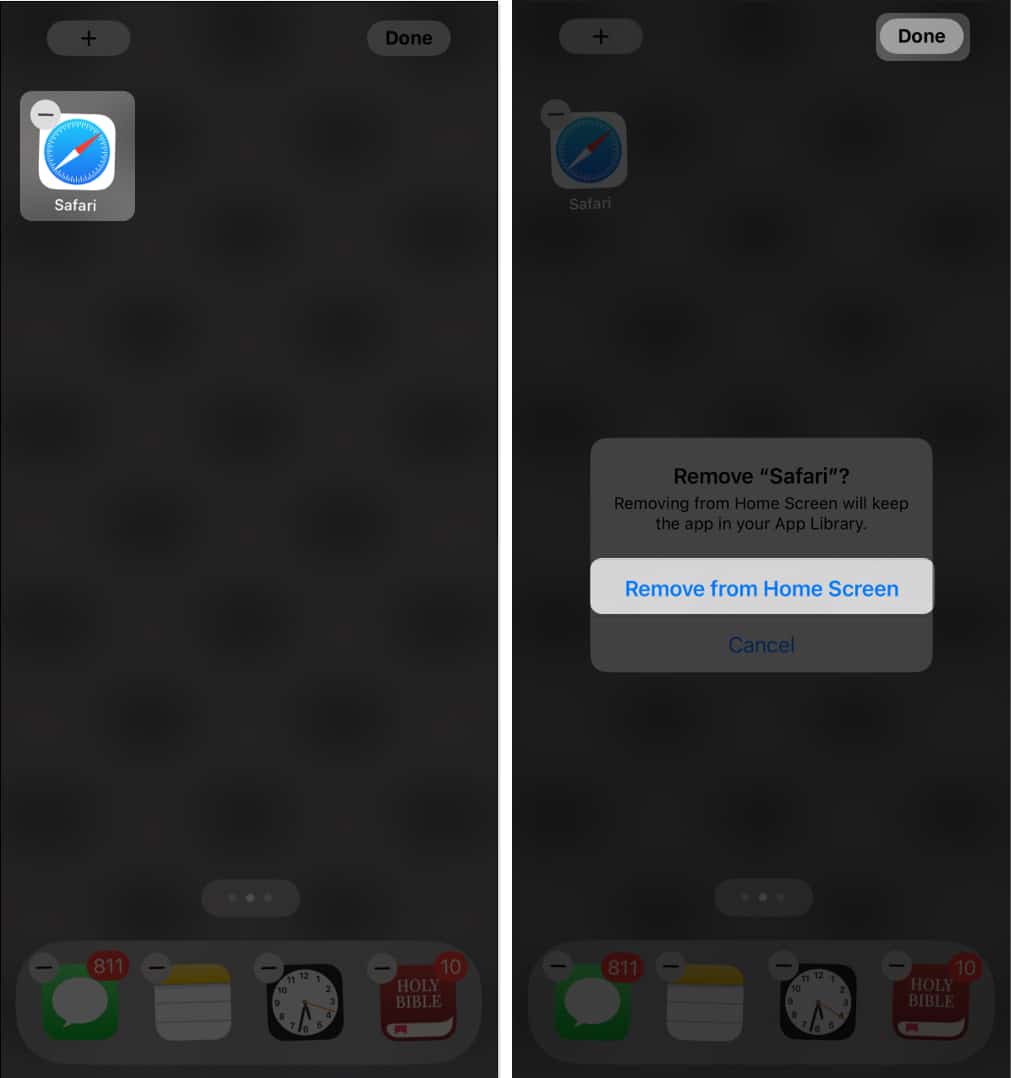
Instead of removing Safari, you may also consider switching your default browser. For instance, you can change it from Safari to Chrome or any other downloaded browser of your choice.
Just go to Settings → Scroll down and tap the browser that you want to set as default → Select Default Browser → Pick the desired browser.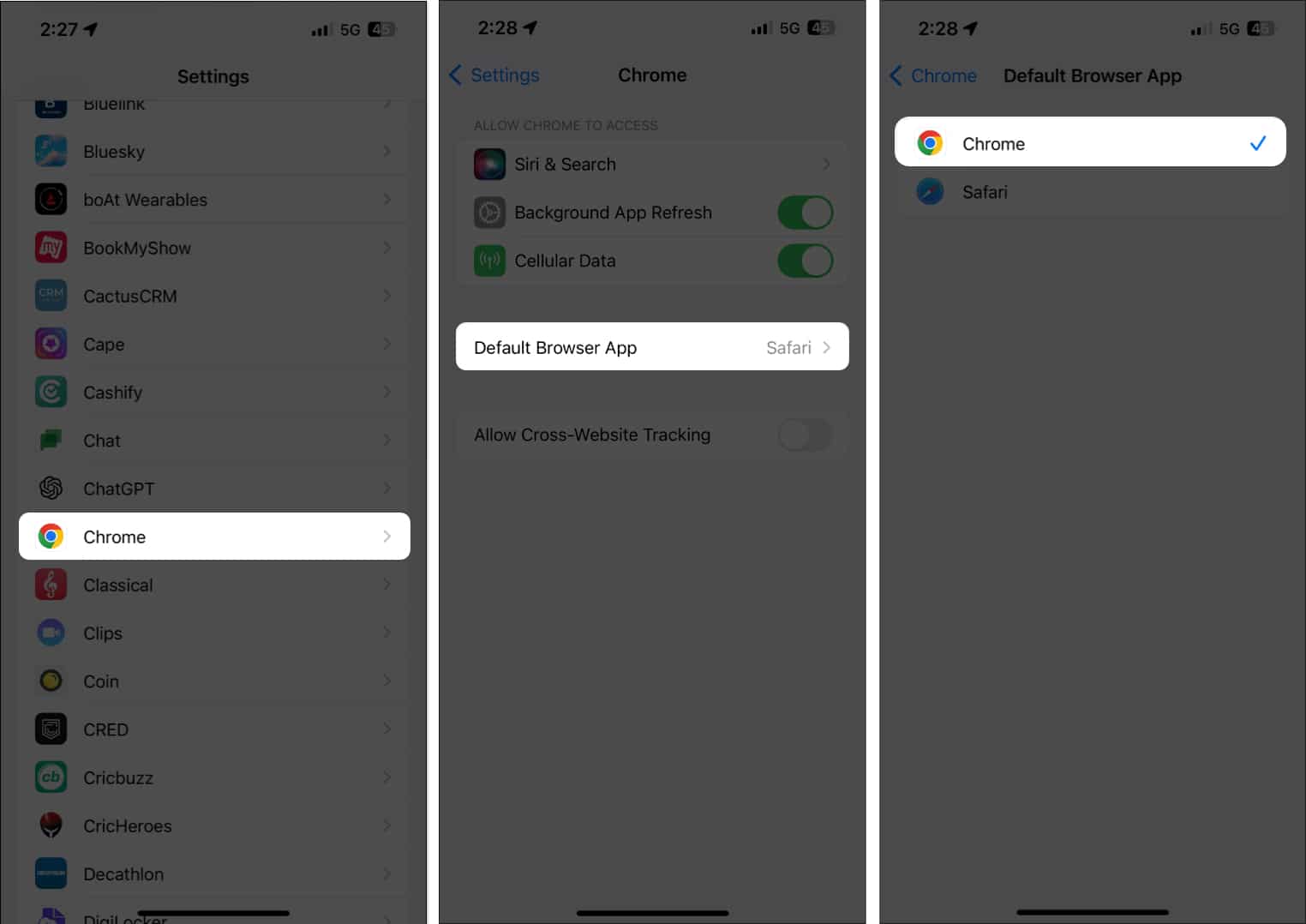
That’s it; this simple step ensures that when you open links or browse the web, your preferred browser takes the lead, pushing Safari into the background.
There are plenty of reasons why a person would like to delete Safari from their iPhones and switch to a different browser:
If you’re looking for a different browser, here are the best Safari alternatives for your iPhone.
Wrapping up…
While Apple doesn’t make it easy to totally remove Safari from your iPhone, there are several workarounds to keep it hidden and inactive. I’m curious to know—what’s your reason for wanting to ditch Safari? Do you have another browser that better fits your needs? Drop a comment and let us know your browser of choice and why you prefer it over Safari!
Read more: