FaceTime Like a Pro
Get our exclusive Ultimate FaceTime Guide 📚 — absolutely FREE when you sign up for our newsletter below.

FaceTime Like a Pro
Get our exclusive Ultimate FaceTime Guide 📚 — absolutely FREE when you sign up for our newsletter below.


Share Audio lets two people listen to the same film or playlist from one device. Here is which devices support it, how to connect a second pair of AirPods, and how to manage volume for each.
There’s something special about listening to music or watching a movie with someone. Thanks to the share audio, feature you can connect two pairs of AirPods or Beats headphones to the same iPhone or iPad for a joint listening experience.
So, let’s learn how to connect multiple AirPods to a single iPhone or iPad.
To use the share audio feature on iPhone or iPad, you need one of the below devices running iOS 13/iPadOS 13 or later.
The share audio feature will work with the below headphones:
You can also share audio with two AirPods from your Mac and Apple TV 4K with tvOS 14 and later.
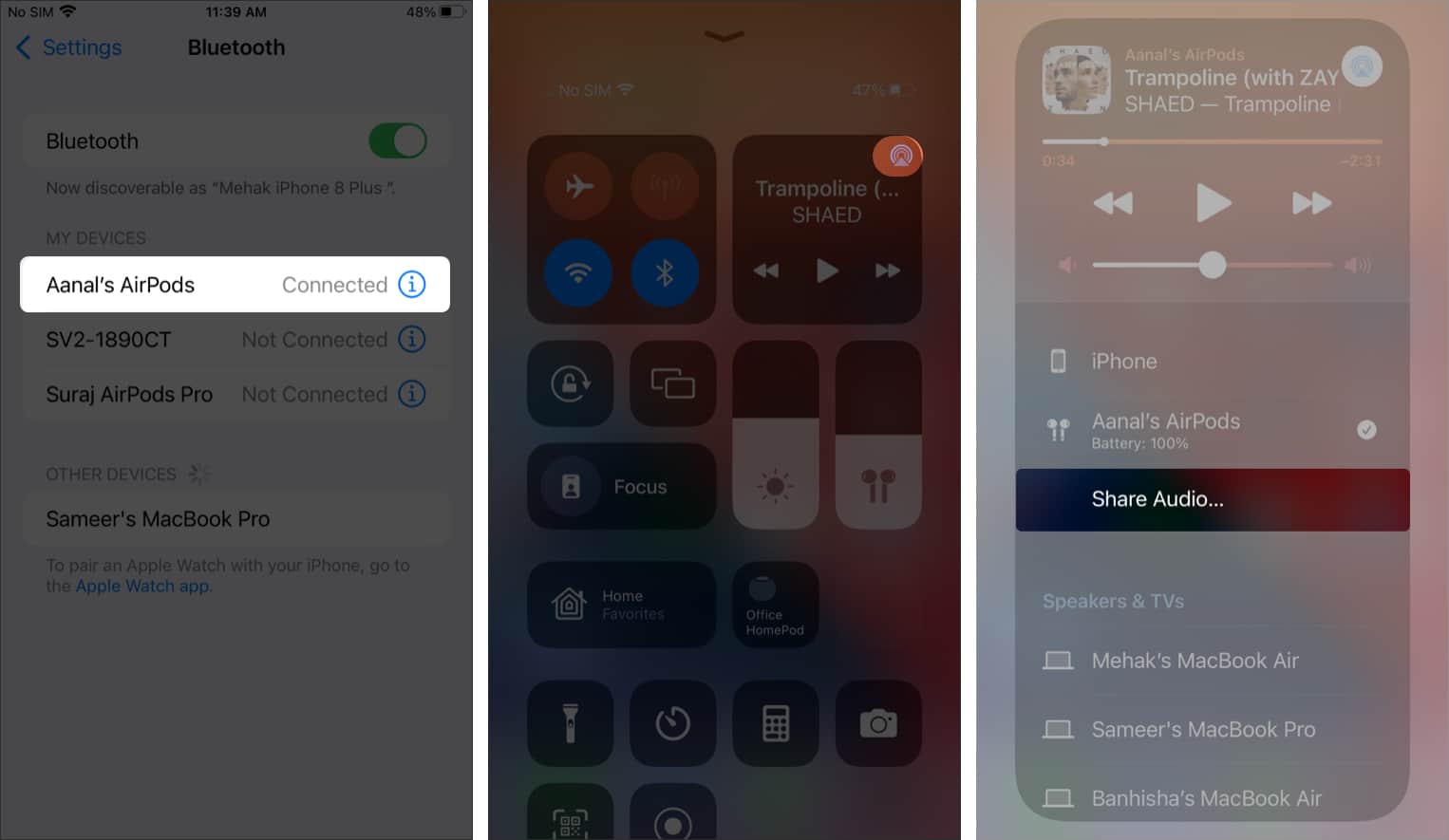
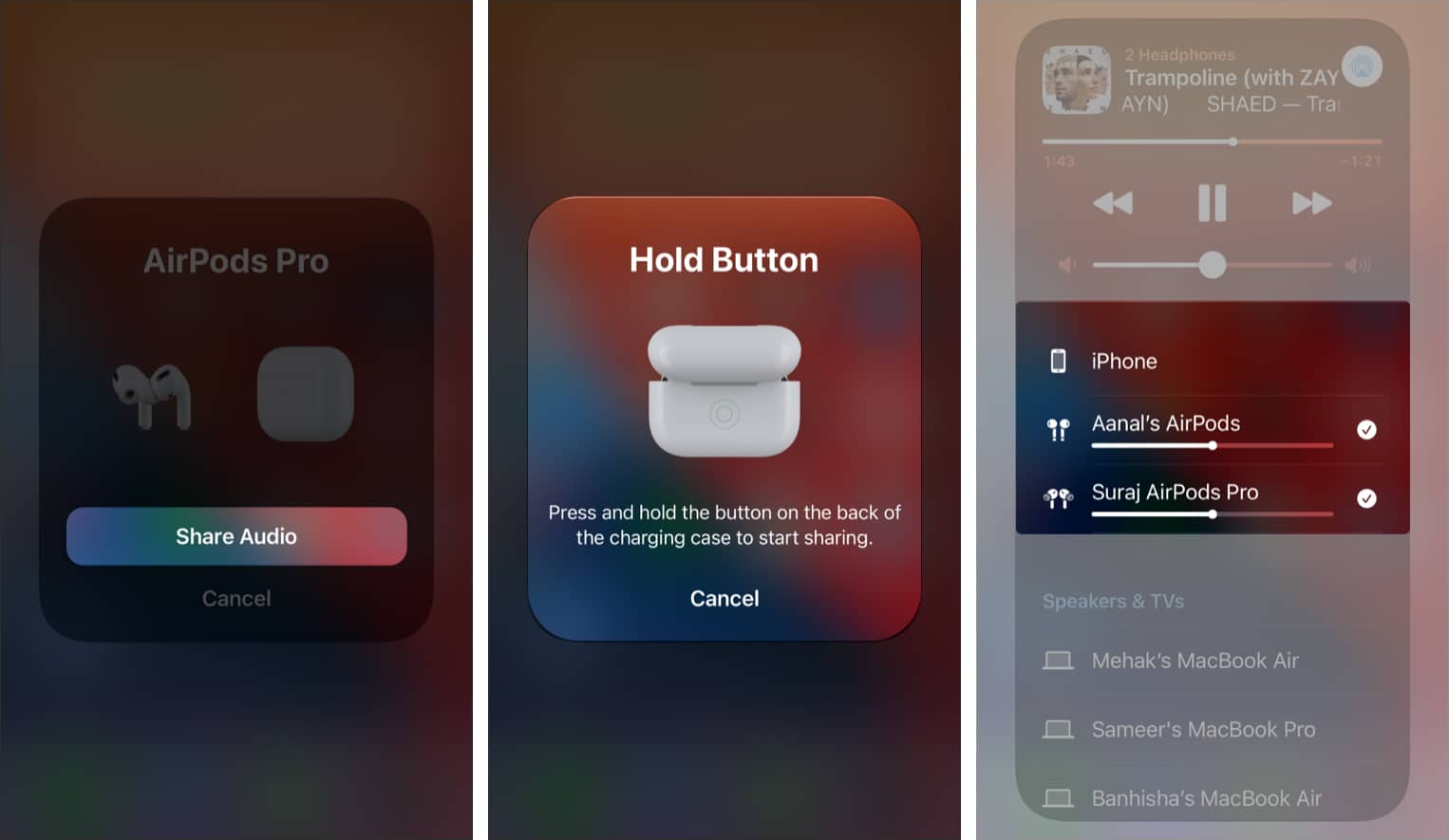
That’s it! Once connected, you’ll see both AirPods displayed on the screen.
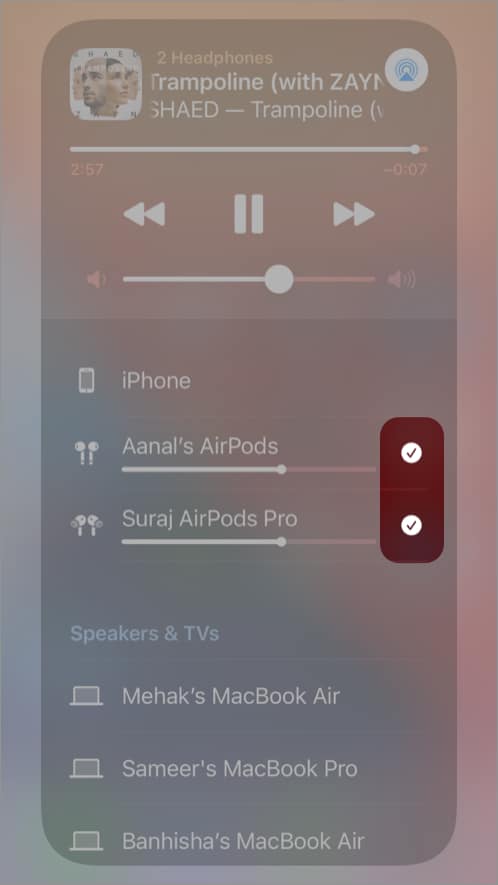
That’s about it. As you can see, it’s pretty simple to listen to audio on two pairs of AirPods simultaneously from the same iPhone or iPad. Let me know in the comments below if you have any questions or issues.
Read more: