
FaceTime Like a Pro
Get our exclusive Ultimate FaceTime Guide 📚 — absolutely FREE when you sign up for our newsletter below.

FaceTime Like a Pro
Get our exclusive Ultimate FaceTime Guide 📚 — absolutely FREE when you sign up for our newsletter below.


A broken iTunes library shows missing tracks and duplicate entries. Here is what to save first, how to delete and rebuild the library on Mac and Windows, and what a reset actually fixes.
Whenever something goes wrong in iPhone and iPad, users normally reset their devices as a final resort. After going through rigmarole of different complex processes, a dejected iPhone user would certainly go for factory reset. But what if the user faces issues in his/her iTunes?
We have done much research in iTunes on different issues faced by users, but resetting iTunes library is something new we have been asked recently by many Apple fans.
Before we delve into this journey of resetting iTunes for your Mac and PC, here are a few things you must remember.
If you prefer to avoid technical tasks and only have a small amount of content to remove, here’s a quick solution. The best part is the steps work for both Mac and PC. I have demonstrated the process via a Windows PC.
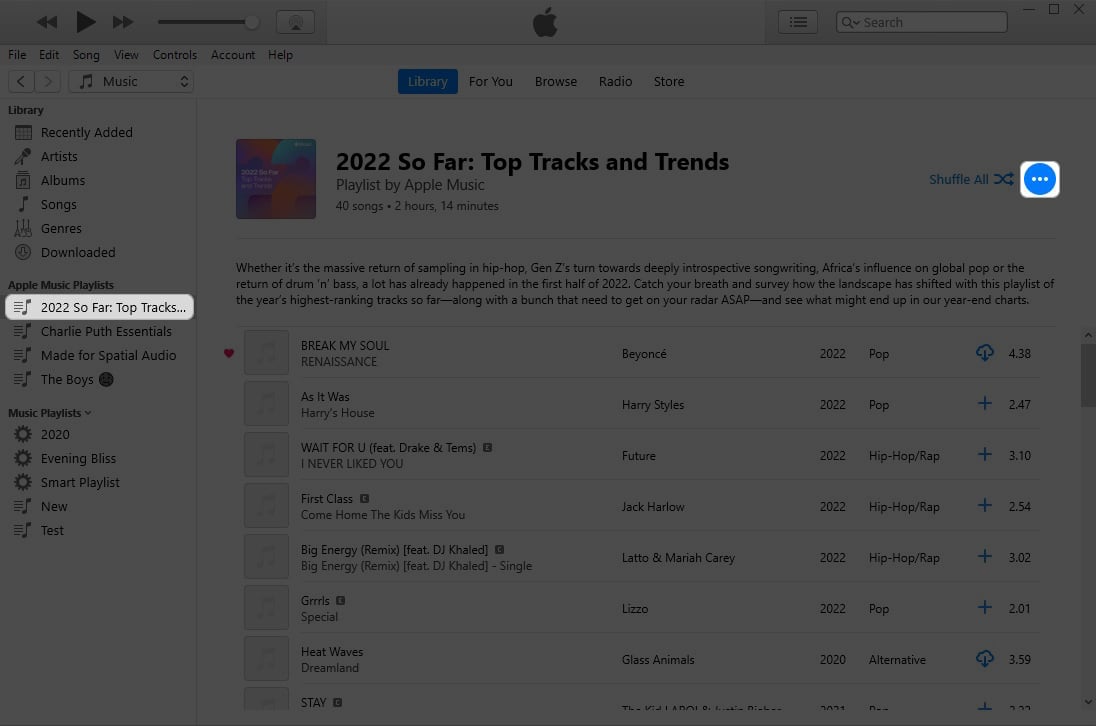
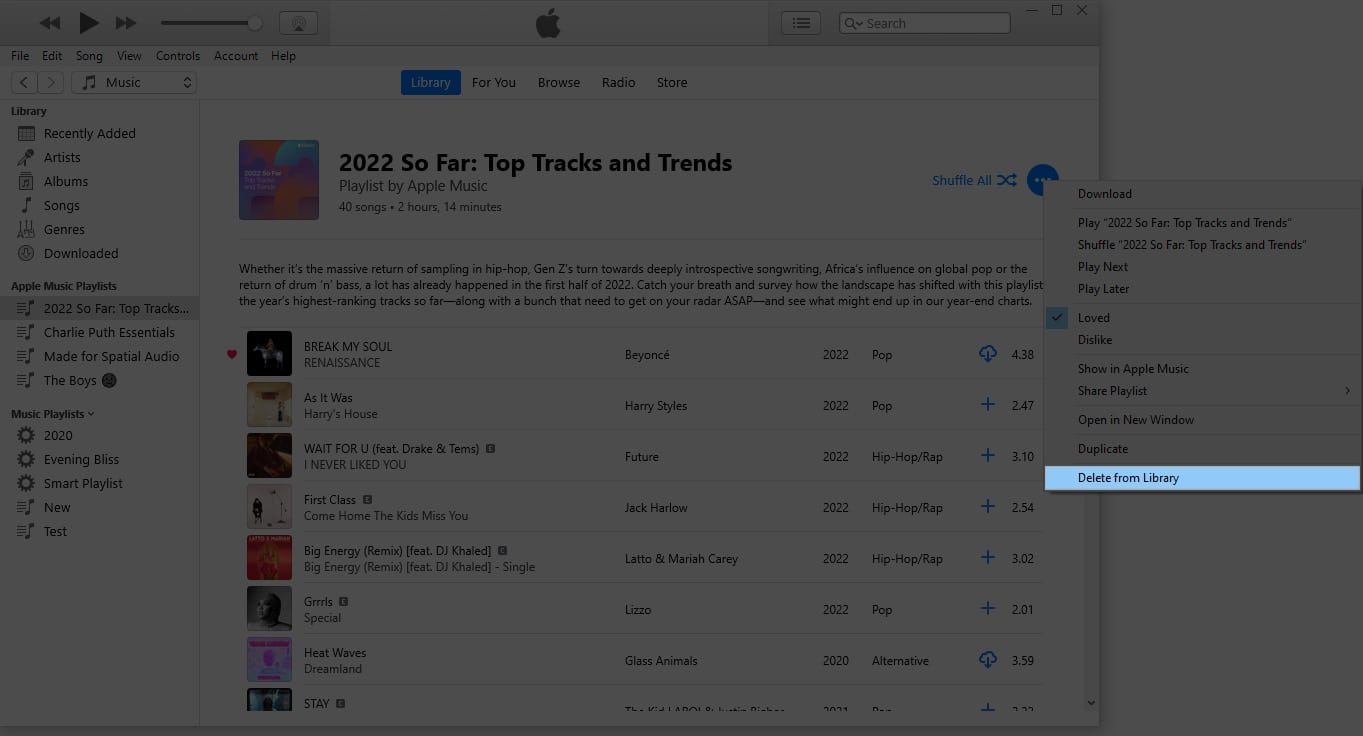
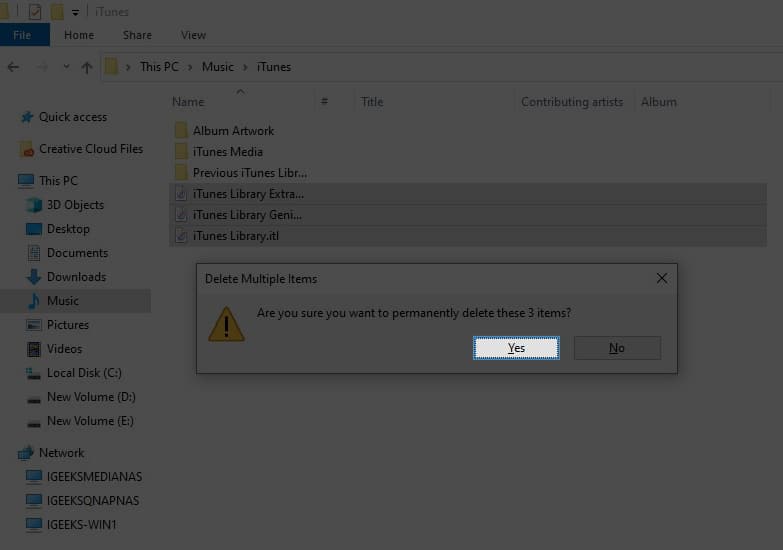
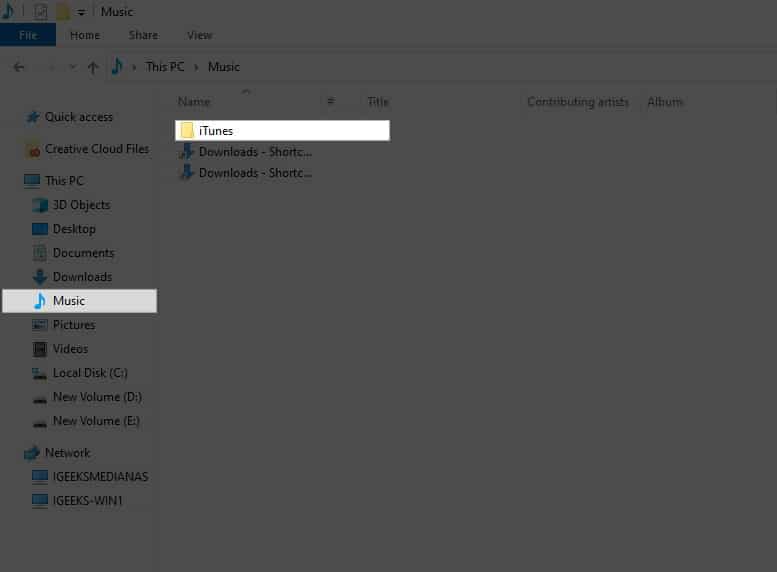
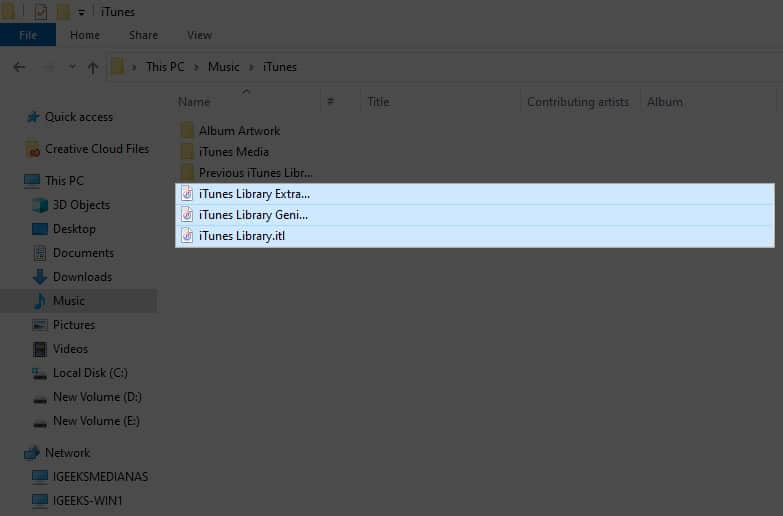
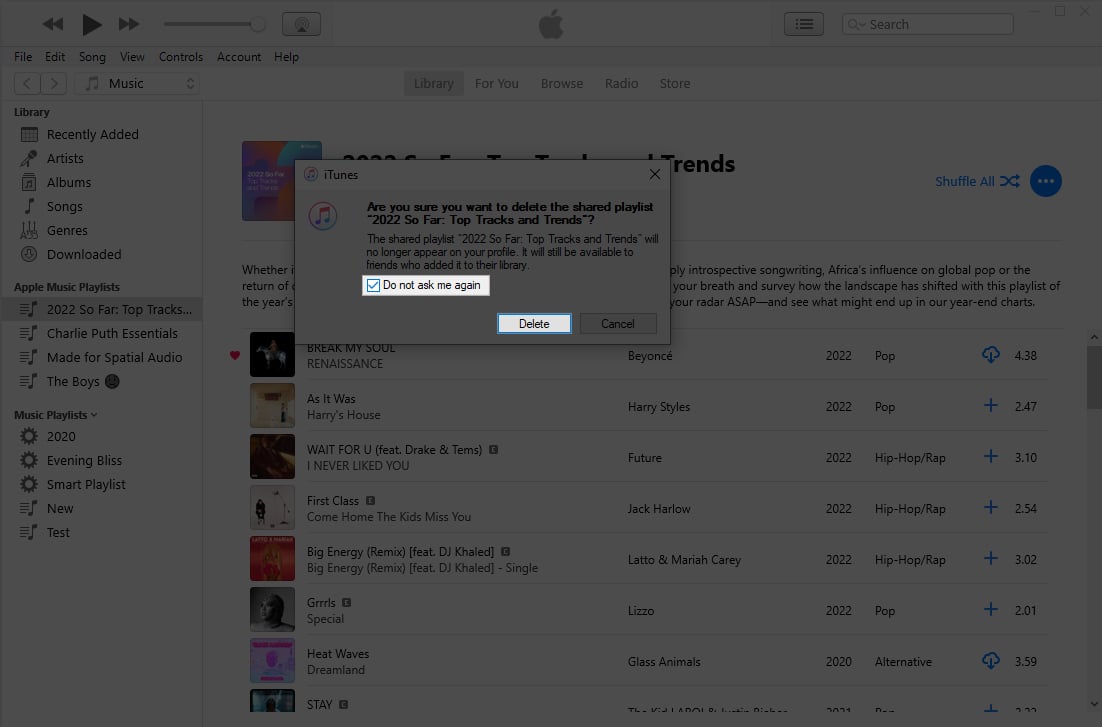
Note: Upon following the steps, regardless of the device, you can head to the iTunes app and create a new music library accordingly.
Now that you know the nooks and crooks of resetting iTunes on Mac and PC, let’s hover through some of this practice’s benefits.
Given all these benefits, it’s safe to conclude that resetting the iTunes library regularly allows for a more streamlined and optimized user experience for all users on this platform.
Keep the music alive!
And there you have it, folks! Your iTunes library is now dancing to a new beat. Whether on the sleek Mac stage or the Windows performance arena, resetting your iTunes library is the backstage pass to a seamless audio experience. So, hit reset and let the music play on.
Thank you for reading. If you found this guide helpful, please take a moment to share your thoughts in the comment section below.
Read more:












