FaceTime Like a Pro
Get our exclusive Ultimate FaceTime Guide 📚 — absolutely FREE when you sign up for our newsletter below.

FaceTime Like a Pro
Get our exclusive Ultimate FaceTime Guide 📚 — absolutely FREE when you sign up for our newsletter below.


I checked my Instagram settings and realized a few important ones were missing. Here are the privacy changes you should make right now
 ByVikhyat
You don’t really notice how open your Instagram account is until something small breaks that illusion, like a random reply to your story from someone you don’t recognize or an unexpected message request that feels completely out of place.
At first, it feels normal. That’s how social platforms work. But once I actually went through Instagram’s privacy settings properly, it became clear how much control is available and how little of it is turned on by default.
I didn’t realize how many people could reach me until I changed a few of these settings. If your goal is to reduce spam, limit unwanted interactions, and take control of who can see and contact you, these are the settings that genuinely make a difference.
Instagram is built around visibility. It wants your content to be discoverable, your profile easy to access, and your interactions frictionless. That’s great for growth, but it doesn’t always align with how you actually want to use the app.
By default, people can send you message requests, tag or mention you, and interact with your content without much restriction. Your activity status can even reveal when you’re online, which creates subtle pressure to respond.
None of this is necessarily a problem on its own. But the issue is that most of it is enabled without you ever choosing it.
Privacy on Instagram isn’t a single switch. It’s a set of small decisions. Once you start adjusting them, the experience becomes noticeably calmer and more intentional.
The difference between a noisy Instagram experience and a controlled one comes down to a handful of settings. These aren’t hidden tricks or advanced tweaks. They’re basic controls most people never revisit.
Keeping your account public means anyone can view your posts, watch your stories, and follow you without approval. That includes fake profiles, bots, and people completely outside your network.
Switching to a private account changes that instantly. Every follow request becomes a decision, and your content is only visible to people you’ve approved.
In my case, this was the single biggest shift. The audience felt smaller, but far more relevant. Instagram stopped feeling like a public feed and started feeling personal again.
Steps:
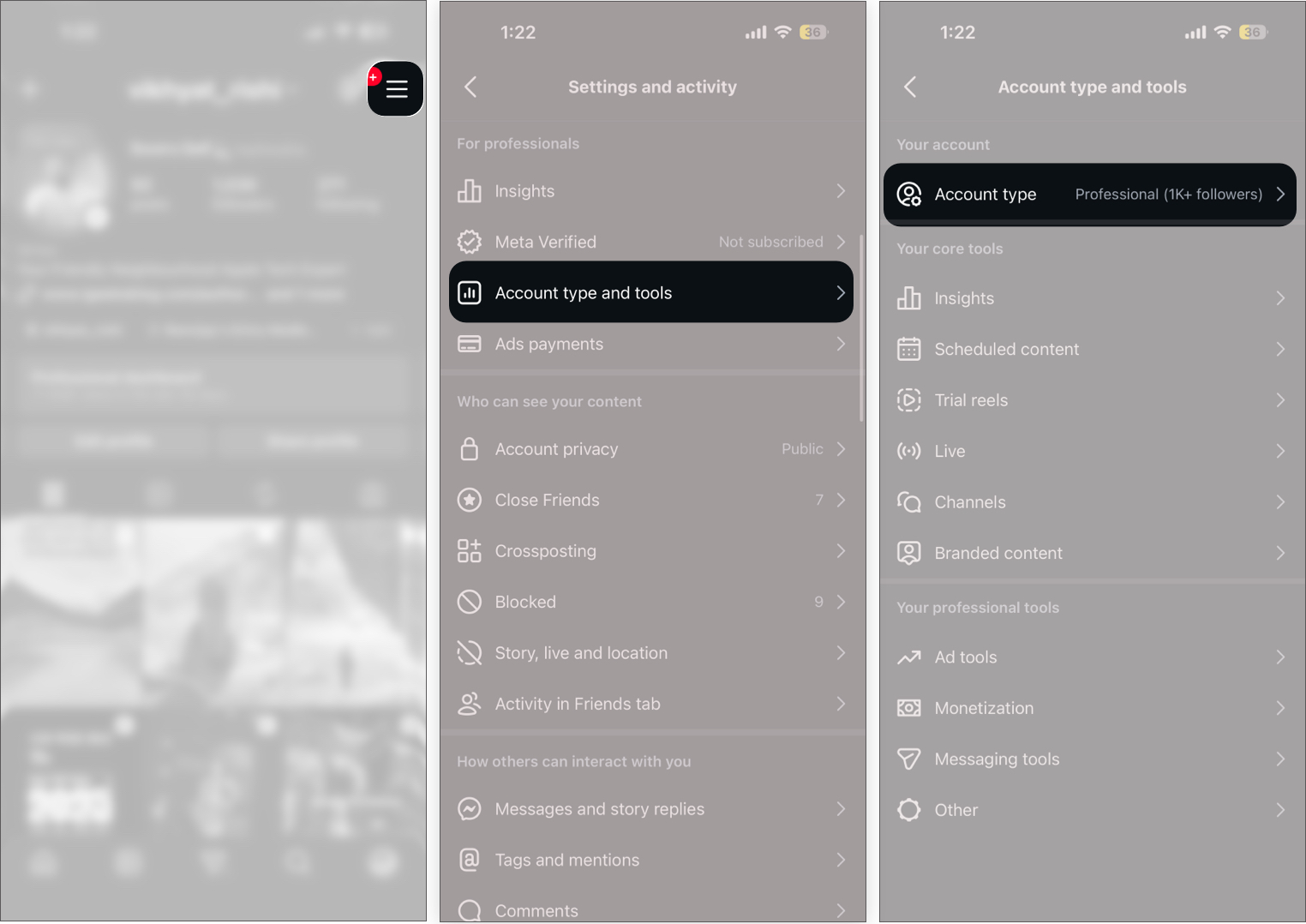
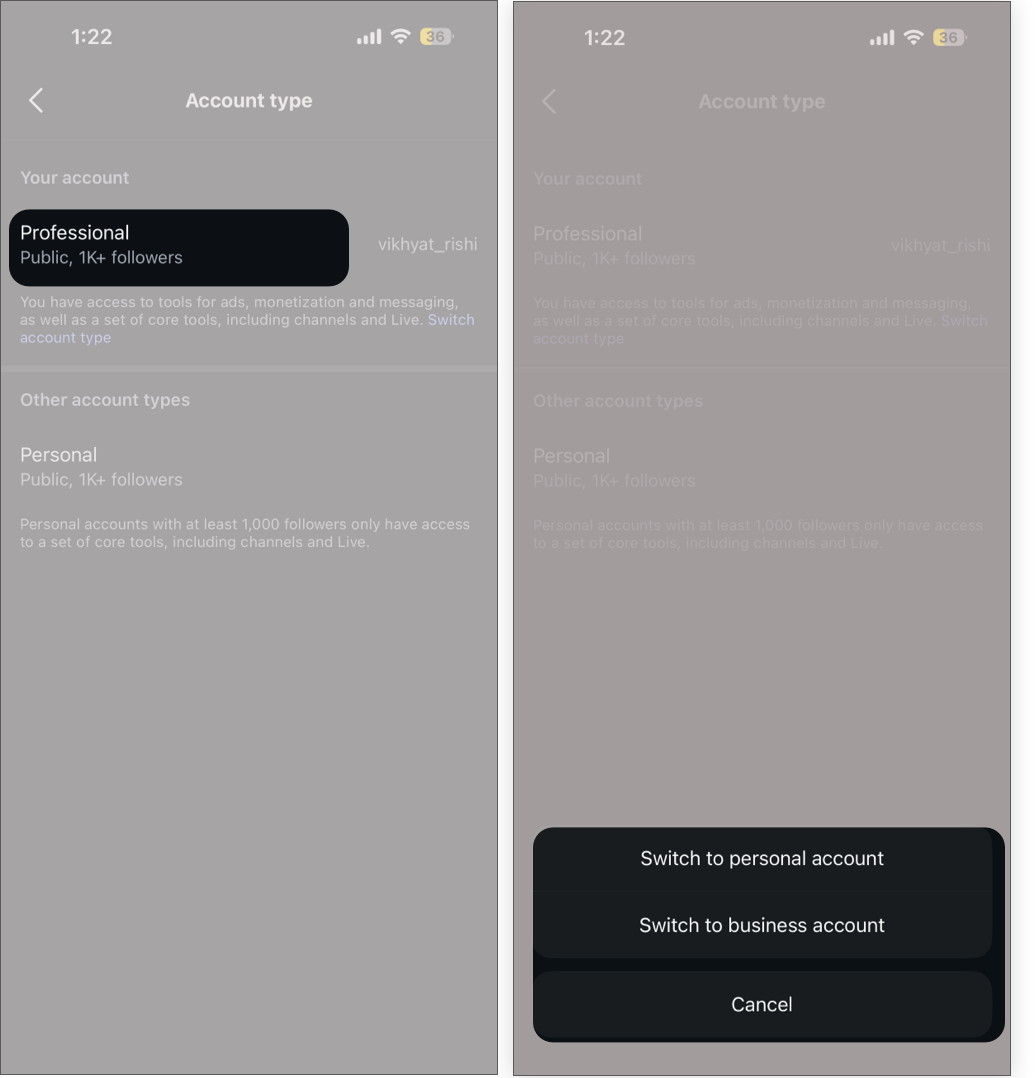
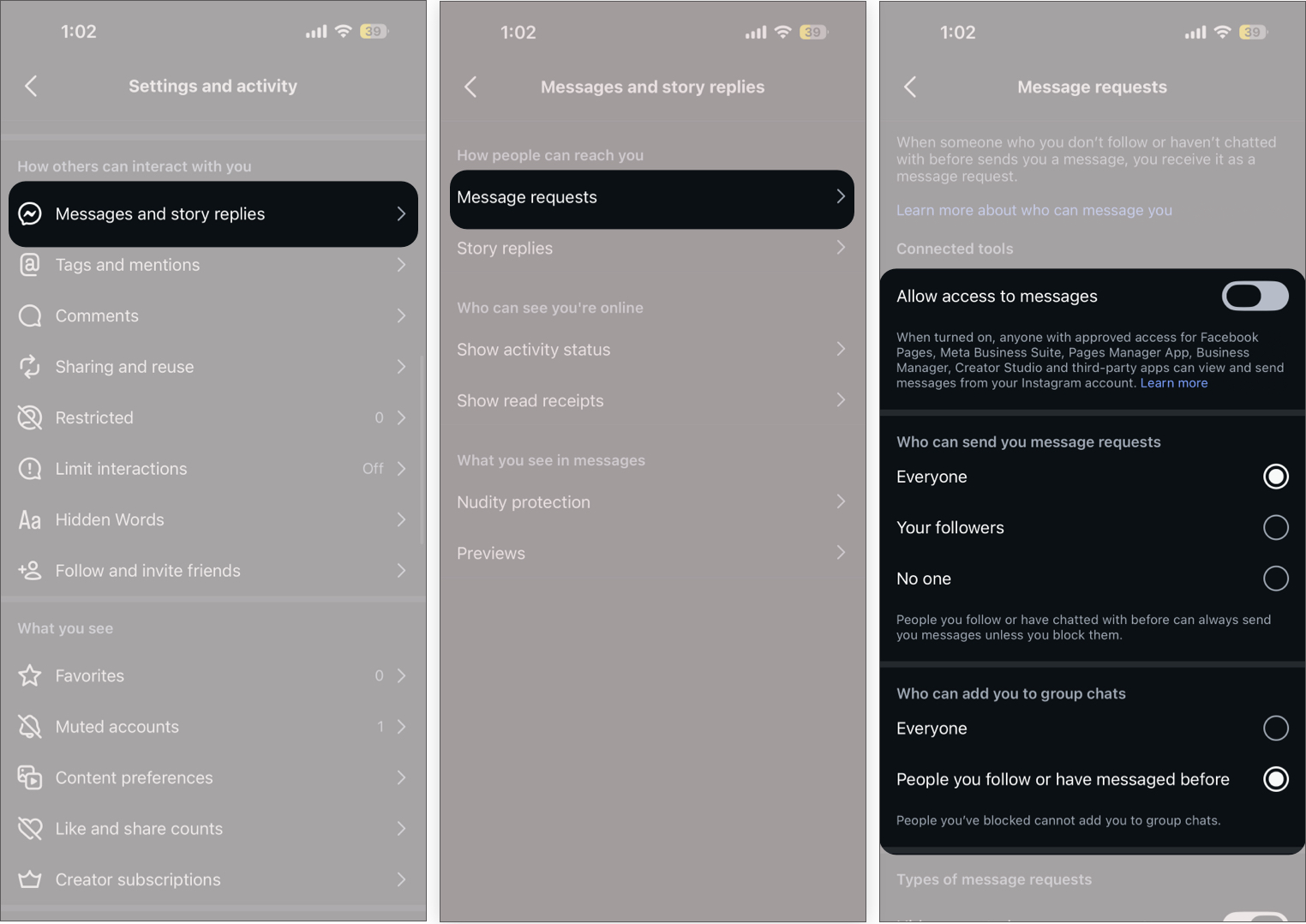
This is where most unwanted interactions come from.
By default, Instagram allows a wide range of people to send message requests. That’s why inboxes slowly fill up with spam, random links, or irrelevant conversations.
Once I adjusted this setting, the difference was immediate. Fewer distractions, fewer interruptions, and far more relevant messages.
Steps:
Stories feel casual, but they’re also one of the most viewed parts of your account.
The problem is, they’re usually shared with your entire follower list, even people you don’t actively interact with anymore.
Once I started using Close Friends and hiding stories from specific people, it completely changed how I posted. It felt more intentional and less like broadcasting.
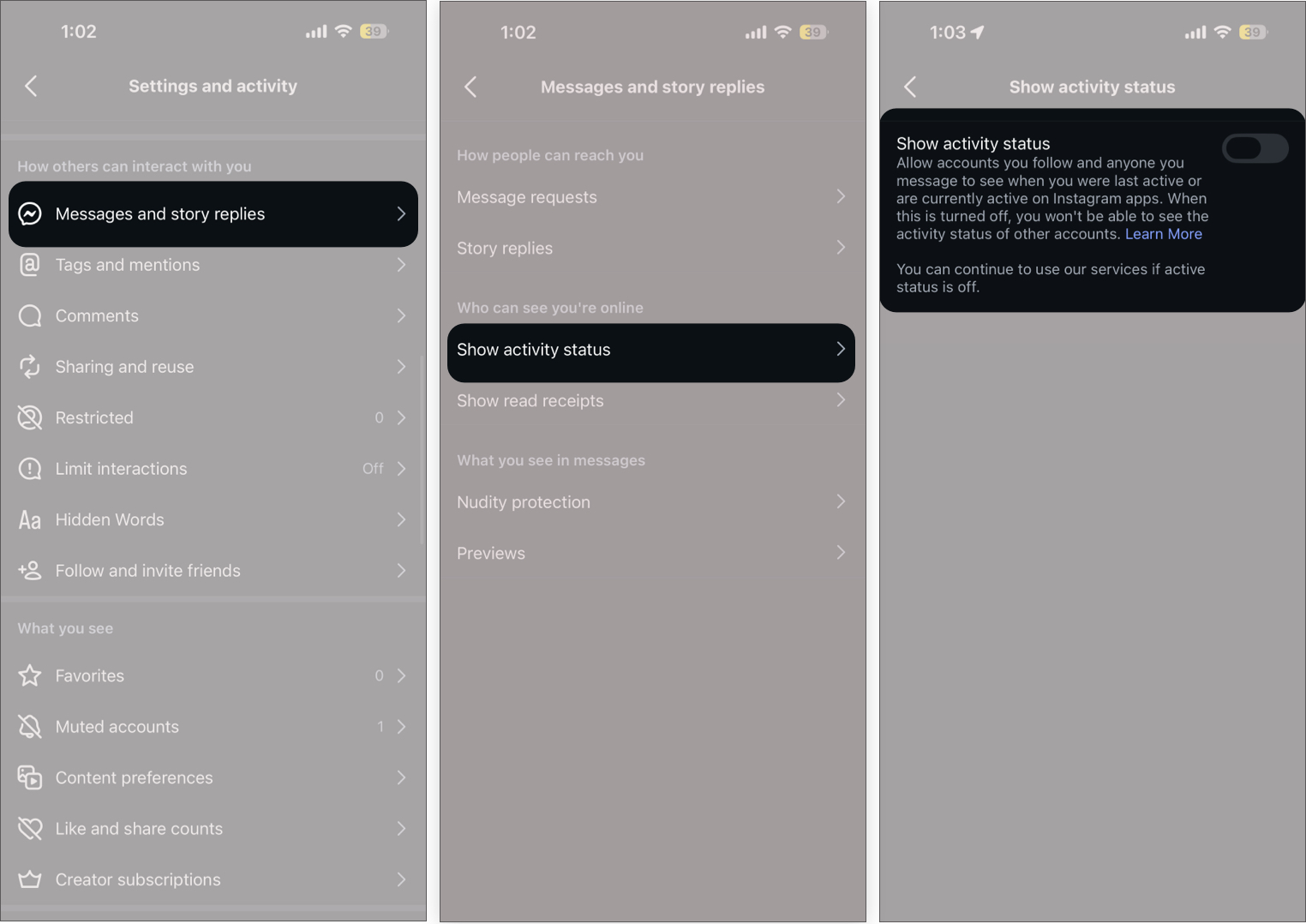
This one looks small, but it makes a noticeable difference.
When people can see that you’re online or recently active, it creates an expectation that you should reply quickly. Over time, that adds unnecessary pressure.
Turning it off removes that completely.
Steps:
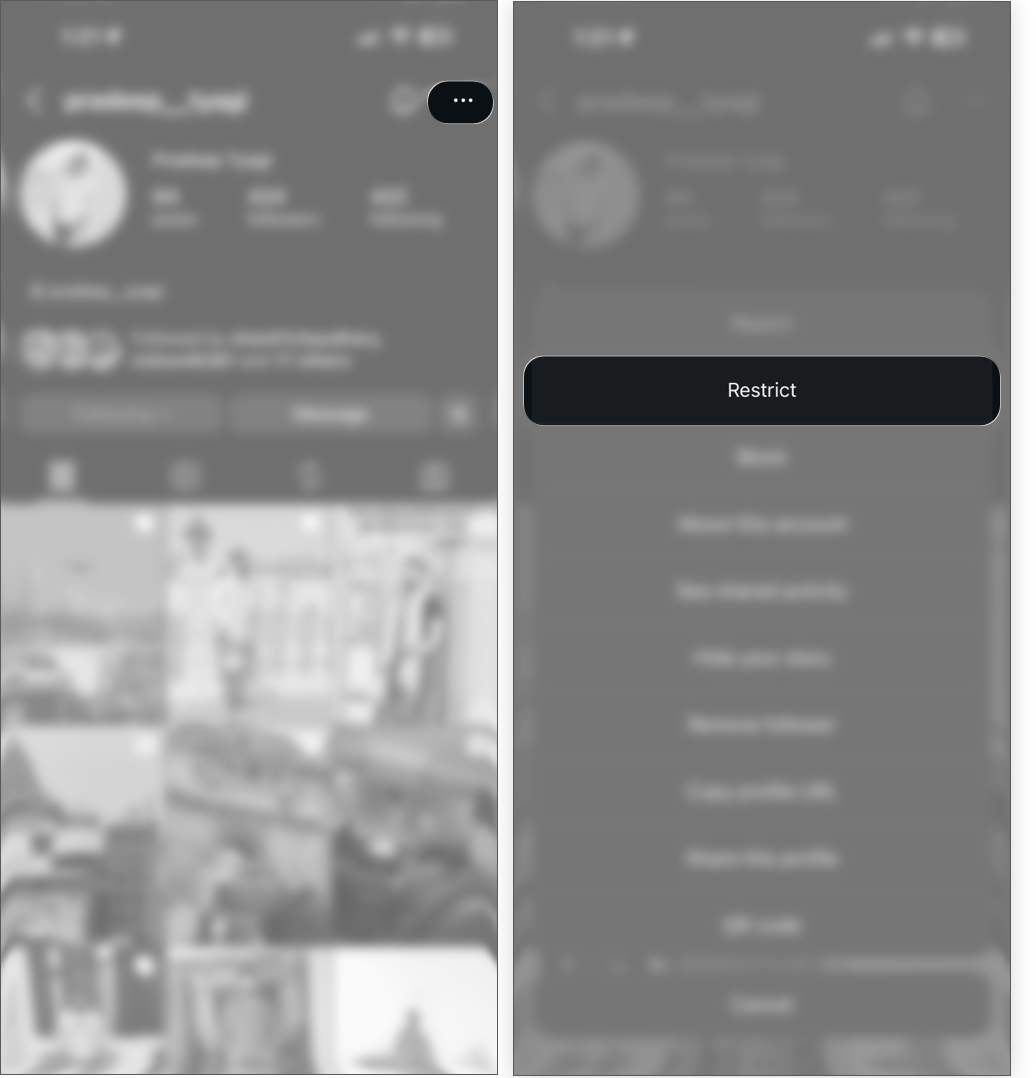
Not every situation calls for a block. Sometimes, you just want to limit how someone interacts with you without making it obvious. That’s where Restrict works better.
I’ve used this in cases where blocking felt too aggressive, but ignoring interactions wasn’t enough.
Steps:
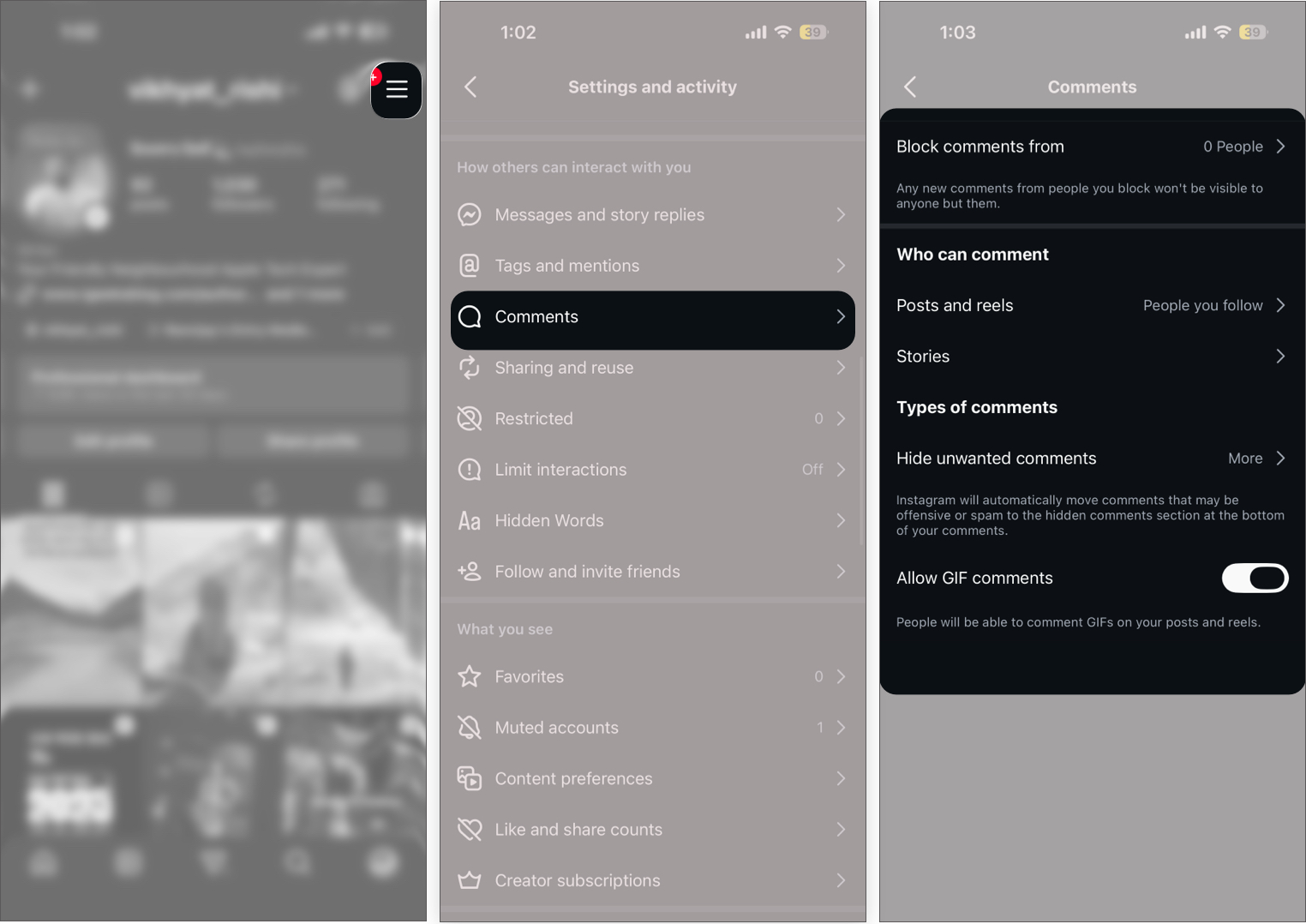
An open comment section sounds great in theory, but in practice, it can get messy quickly.
Spam, irrelevant replies, or low-quality comments slowly change how your posts feel. Once I enabled filters, the difference was noticeable almost immediately.
Steps:
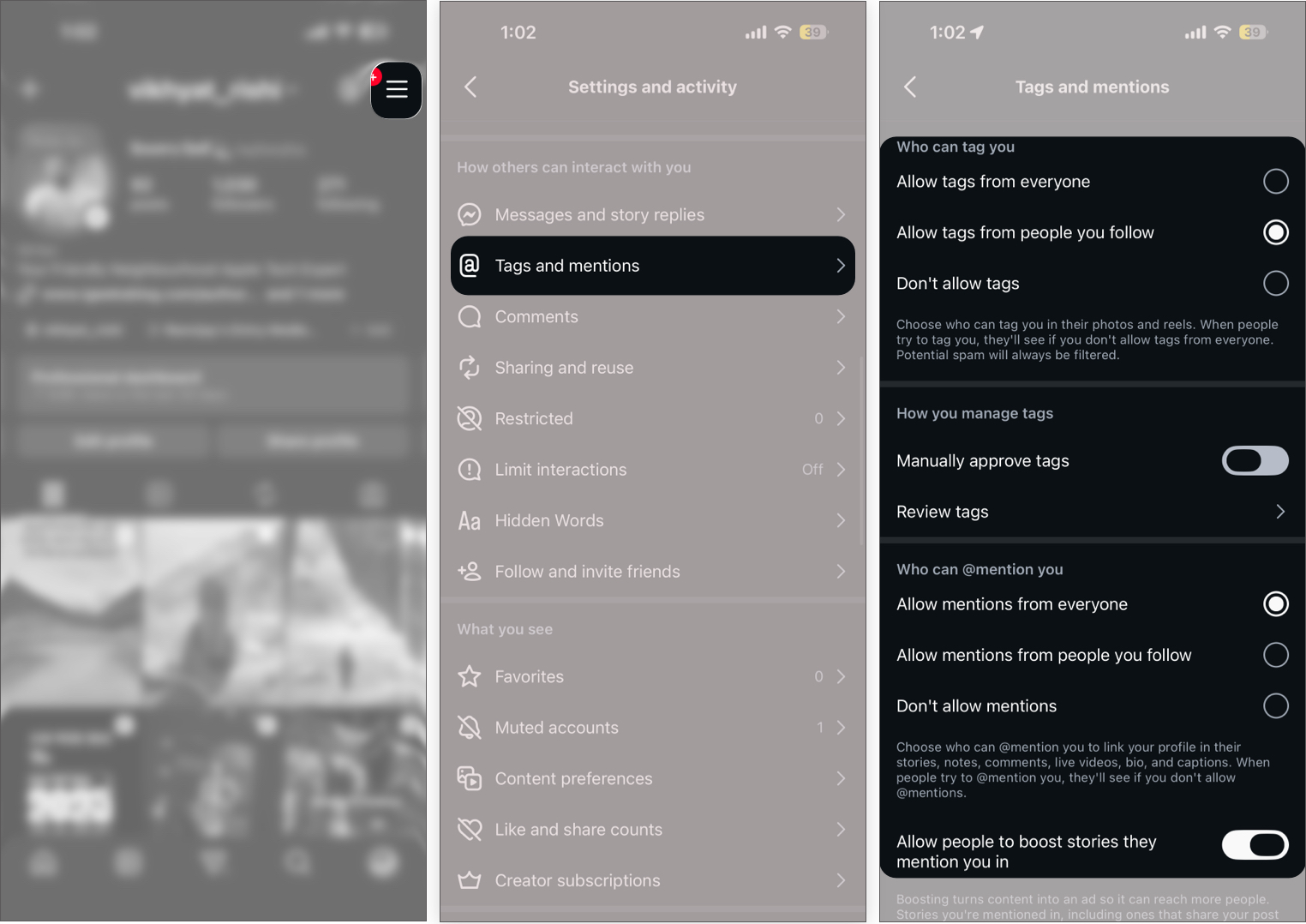
Being tagged or mentioned can extend your reach, but it also opens the door to unwanted exposure.
I didn’t pay attention to this setting earlier, but once I restricted it, random tags and unnecessary mentions dropped significantly.
Steps:
None of these settings feels dramatic on its own. But once you apply them together, the difference is clear.
In my experience, Instagram started feeling less reactive and more intentional. Instead of constantly managing what shows up, you shape how the platform works for you.
And that’s the real shift.
Most people don’t leave Instagram because of features. They leave because it starts feeling overwhelming.
The interesting part is, you don’t need to quit or drastically change how you use it. You just need to adjust how much access you’re giving away by default.
Once you do that, the platform feels completely different.