Apple’s iOS 26 and macOS 26, bring a powerful collection of new accessibility features designed to make devices more inclusive for all users. These updates focus on empowering people with disabilities through intuitive tools and AI-driven accessibility enhancements. In this article, I’ll break down the most impactful hidden accessibility features in iOS 26 and macOS 26, arriving in Fall 2025.
MacBooks use built-in accelerometers to display animated dots that match a vehicle’s motion.
Helps reduce motion sickness.
iOS 26 adds more customization for even better personalization.
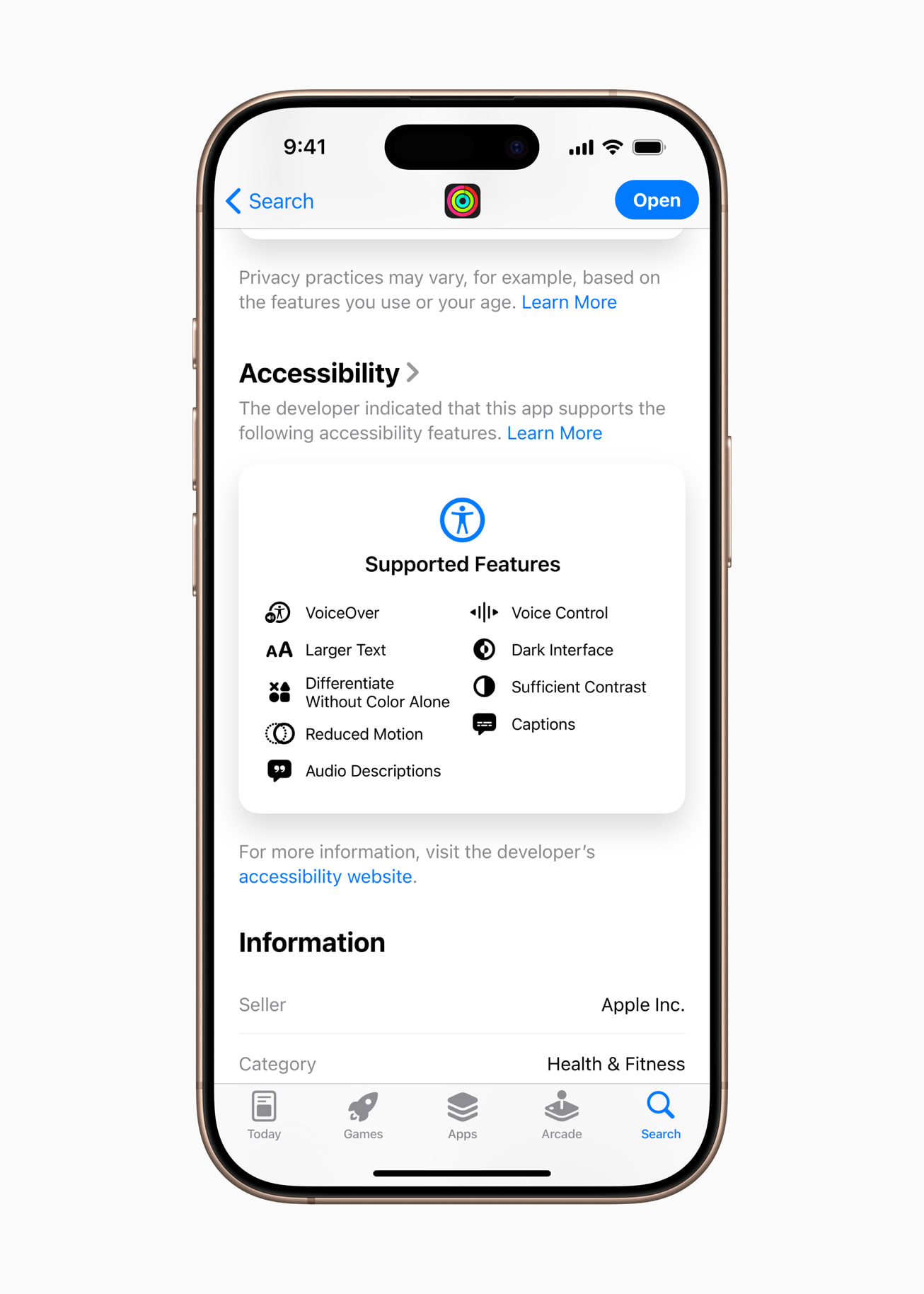
Accessibility Nutrition Labels in the App Store
Image credit: Apple
Apple is adding Accessibility Nutrition Labels to the App Store.
New section on app pages highlights features like VoiceOver support or adjustable text sizes.
Helps users quickly determine whether an app meets their needs.
This is a big win for inclusive app discovery.
New Background Sounds for Focus and Calm
iOS 26 expands Background Sounds to improve focus, relaxation, or sleep with soothing audio.
New sounds include:
Quiet Night
Fire
Rain
Babble
Airplane
Boat
Bus
Train
You can add them to Control Center, set timers, adjust volume, or tweak sound using Settings > Accessibility > Audio & Visual > Background Sounds.
Apple Vision Pro Accessibility Updates
The Apple Vision Pro gets substantial accessibility improvements in visionOS:
Zoom now enlarges the entire environment using the main camera.
VoiceOver’s Live Recognition uses on-device machine learning to detect environments, read text, and find objects.
Approved apps like Be My Eyes can now use the camera for hands-free visual interpretation.
Live Captions provide real-time dialogue captions in apps, including immersive Apple video formats.
Other Significant Accessibility Updates in iOS 26 and macOS 26
Apple has updated several existing features to make them smarter and more inclusive:
Eye Tracking now supports switch and dwell gestures for selection.
Head Tracking allows for full device control using only head movement.
Personal Voice creates a realistic custom voice in under a minute using 10 phrases; now supports Spanish (Mexico).
Assistive Access for Apple TV offers a simplified media player with a new custom app.
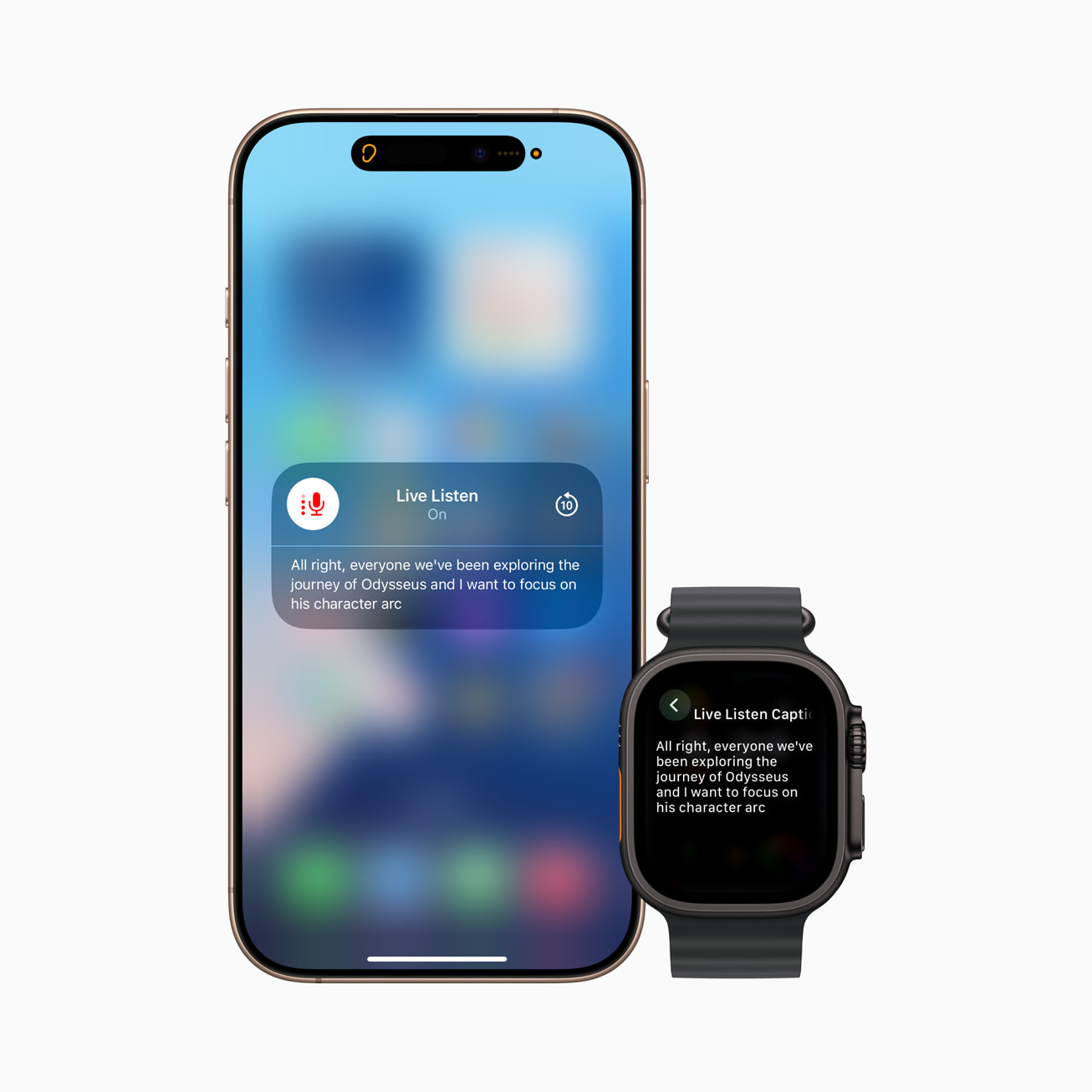
Sound Recognition detects if someone calls your name—ideal for the deaf or hard of hearing.
Music Haptics lets you sync haptics with vocals or full songs, and adjust intensity and textures.
Live Captions add support for more languages: English (India, UK, Singapore, Australia), Mandarin, Cantonese, French, Japanese, German, Spanish, and Korean.
CarPlay in iOS 26 supports Large Text accessibility and can now detect a crying baby using Sound Recognition.
Voice Control gets a dedicated programming mode in Xcode and now syncs vocabulary across devices.
Share your accessibility configurations (like VoiceOver and text size) temporarily between devices or sync them via iCloud.
These Apple accessibility updates are more than just features—they represent a commitment to inclusive design:
Ensure every user can personalize their Apple experience to match unique needs.
Empower people with disabilities to navigate and communicate independently.
Even users without disabilities benefit from enhancements like Background Sounds and Vehicle Motion Cues, which contribute to a smoother daily experience.
Availability Timeline
iOS 26 and macOS 26 Tahoe are now officially available, with features like Magnifier for Mac, head tracking, and Background Sounds ready to use.
Most updates shipped with the public release in September 2025.
Advanced features, such as BCI support, are planned to roll out later in the cycle.
Apple Just Made Accessibility Smarter
Apple’s 2025 updates to iOS 26 and macOS 26 Tahoe raise the bar for digital accessibility, from braille note-taking and Live Captions to machine-learning object recognition and brain-controlled interfaces.
These features are built not only to support people with disabilities but to enrich the experience for everyone. That’s what makes Apple’s approach to accessibility truly remarkable.
Which feature are you most excited about? Drop your thoughts in the comments below!
I’ve been writing about tech for over 5 years, with 1000+ articles published so far. From iPhones and MacBooks to Android phones and AI tools, I’ve always enjoyed turning complicated features into simple, jargon-free guides. Recently, I switched sides and joined the Apple camp. Whether you want to try out new features, catch up on the latest news, or tweak your Apple devices, I’m here to help you get the most out of your tech.




 ByRavi Teja KNTS and Ava Biswas