FaceTime Like a Pro
Get our exclusive Ultimate FaceTime Guide 📚 — absolutely FREE when you sign up for our newsletter below.

FaceTime Like a Pro
Get our exclusive Ultimate FaceTime Guide 📚 — absolutely FREE when you sign up for our newsletter below.


Signal supports stickers without giving up its privacy model. Here is how to use the built-in packs on iPhone, add third-party ones, and send your own Memoji stickers in a conversation.
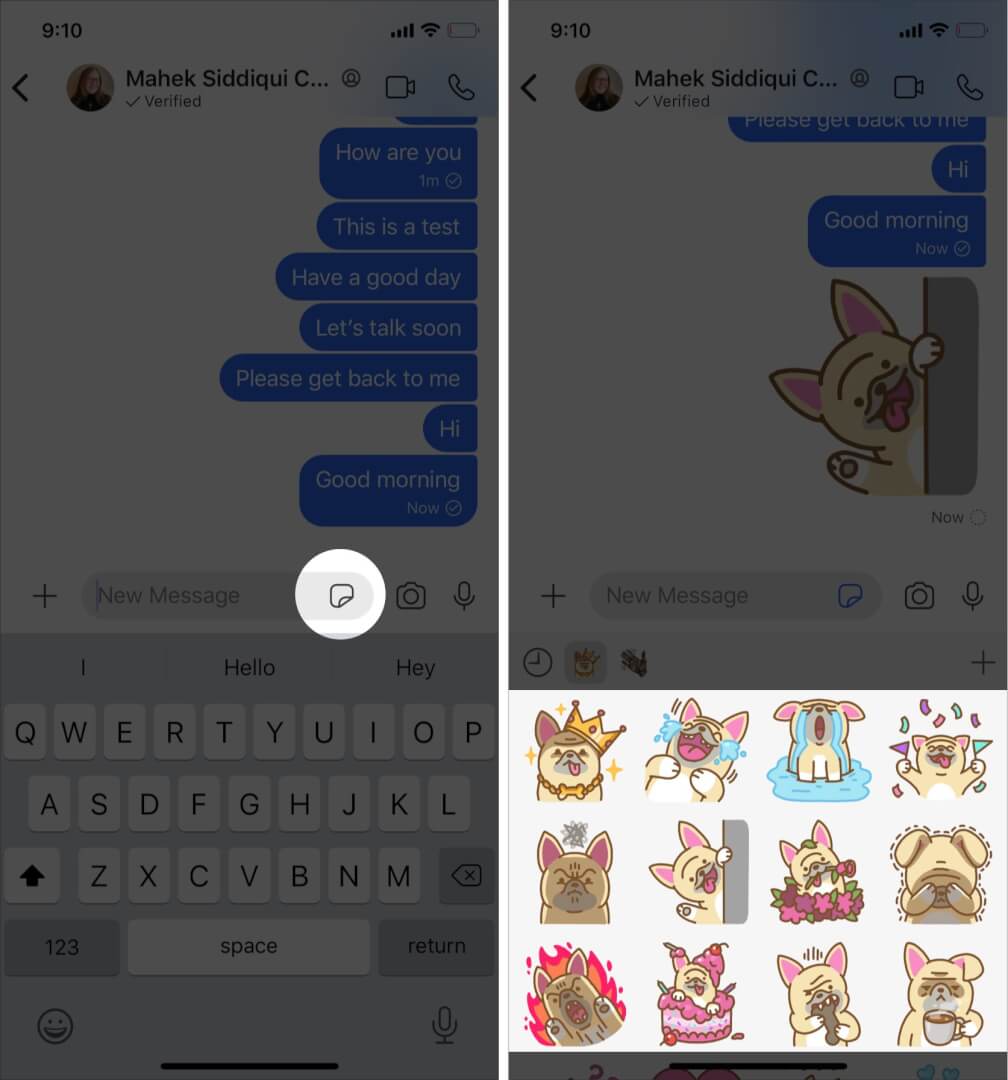
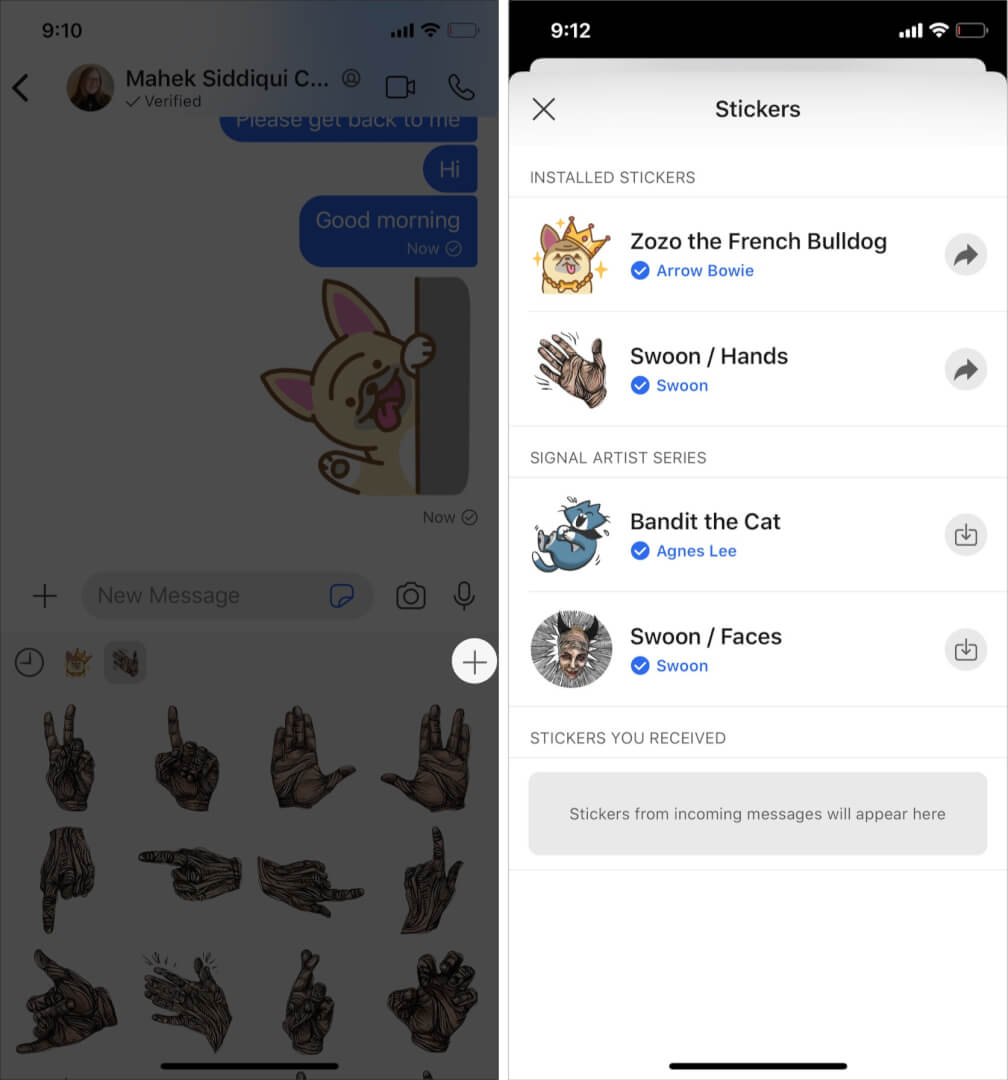
Did you know? You can use sticker packs in Signal Private Messenger to add some fun to your conversations! But how do you use sticker packs in the Signal app on your iPhone? If you have the same question, you have come to the right place. Although there are not as many stickers as on WhatsApp or Telegram, here’s how you can use the built-in as well as third-party sticker packs in Signal.
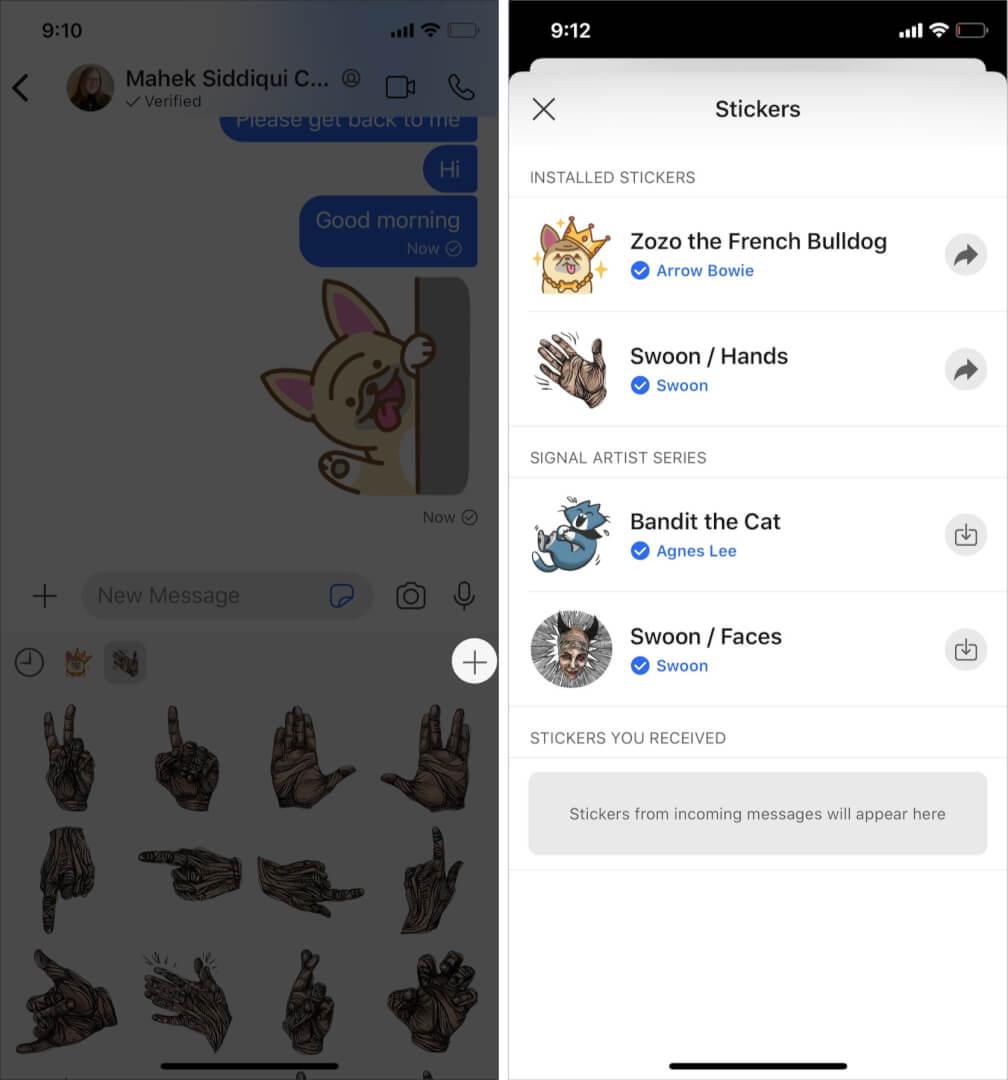
It will then be added to your available stickers, and you can use it in chats as usual.
Note:
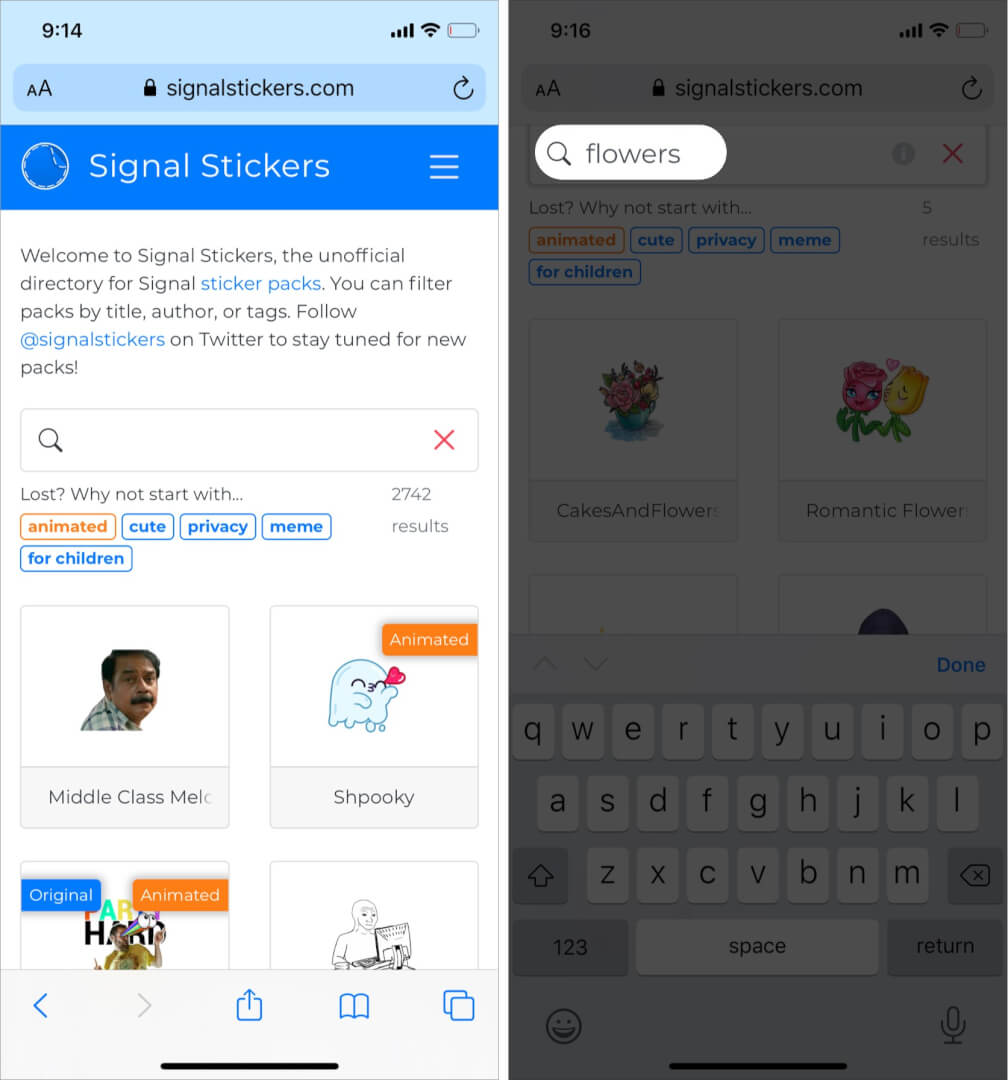
You can also add third-party sticker packs to Signal by downloading them from a website.
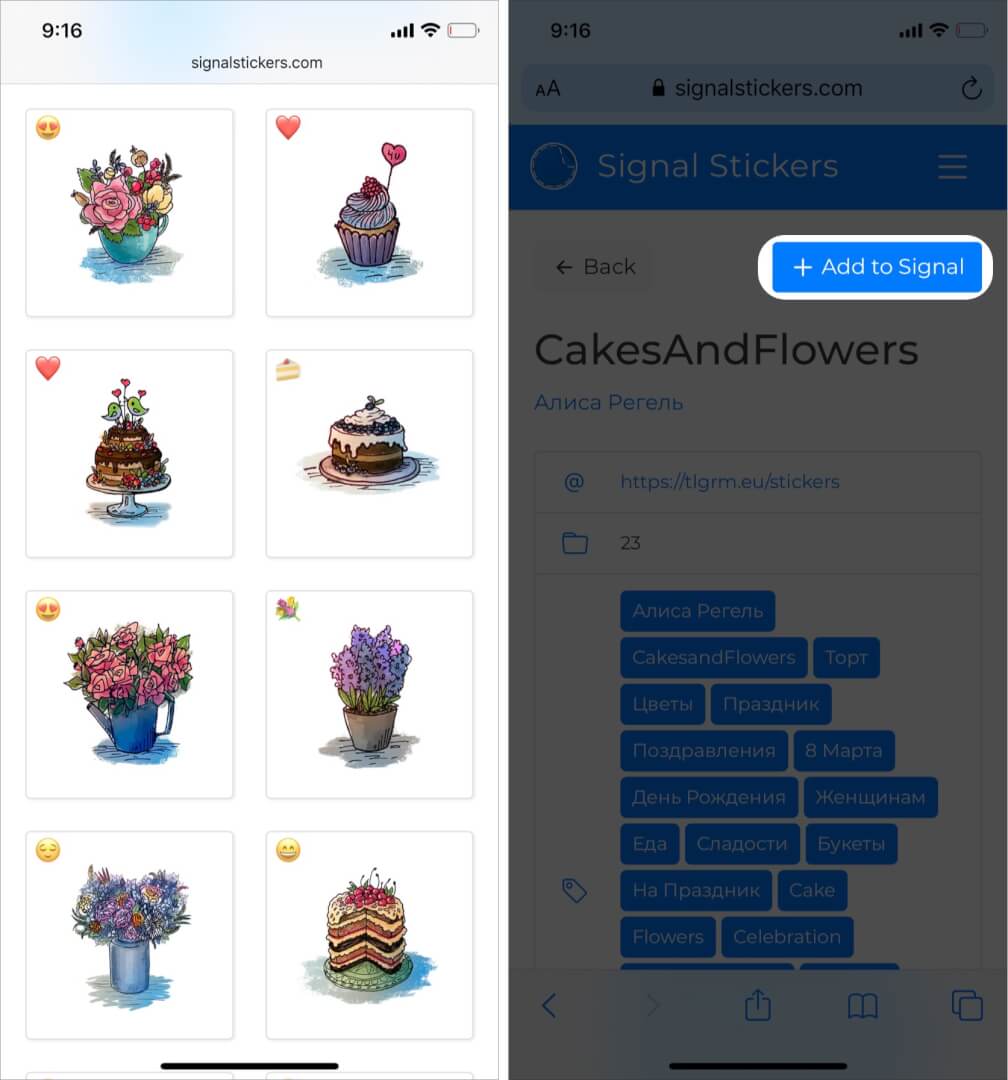
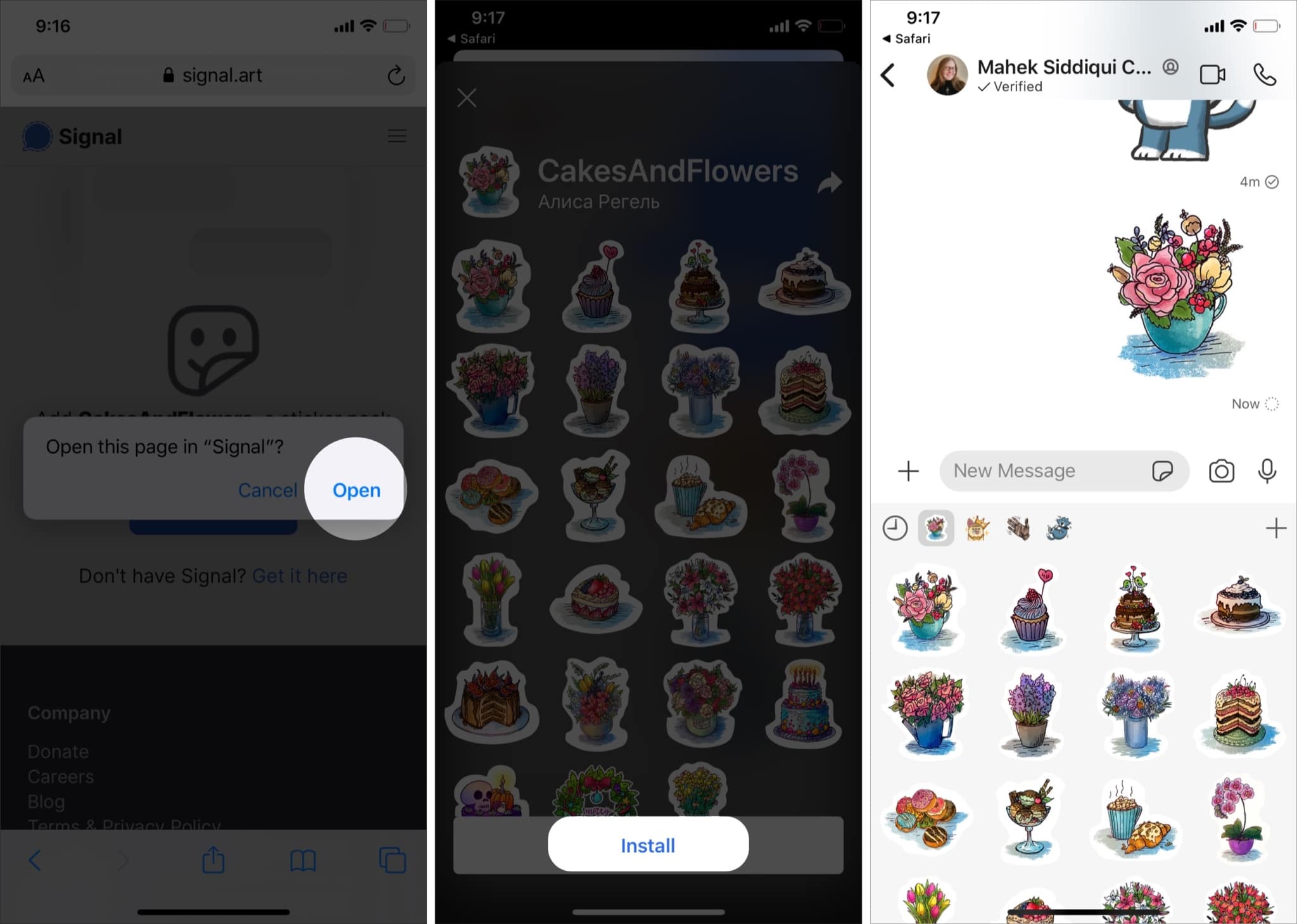
You can add more as needed by repeating the process.
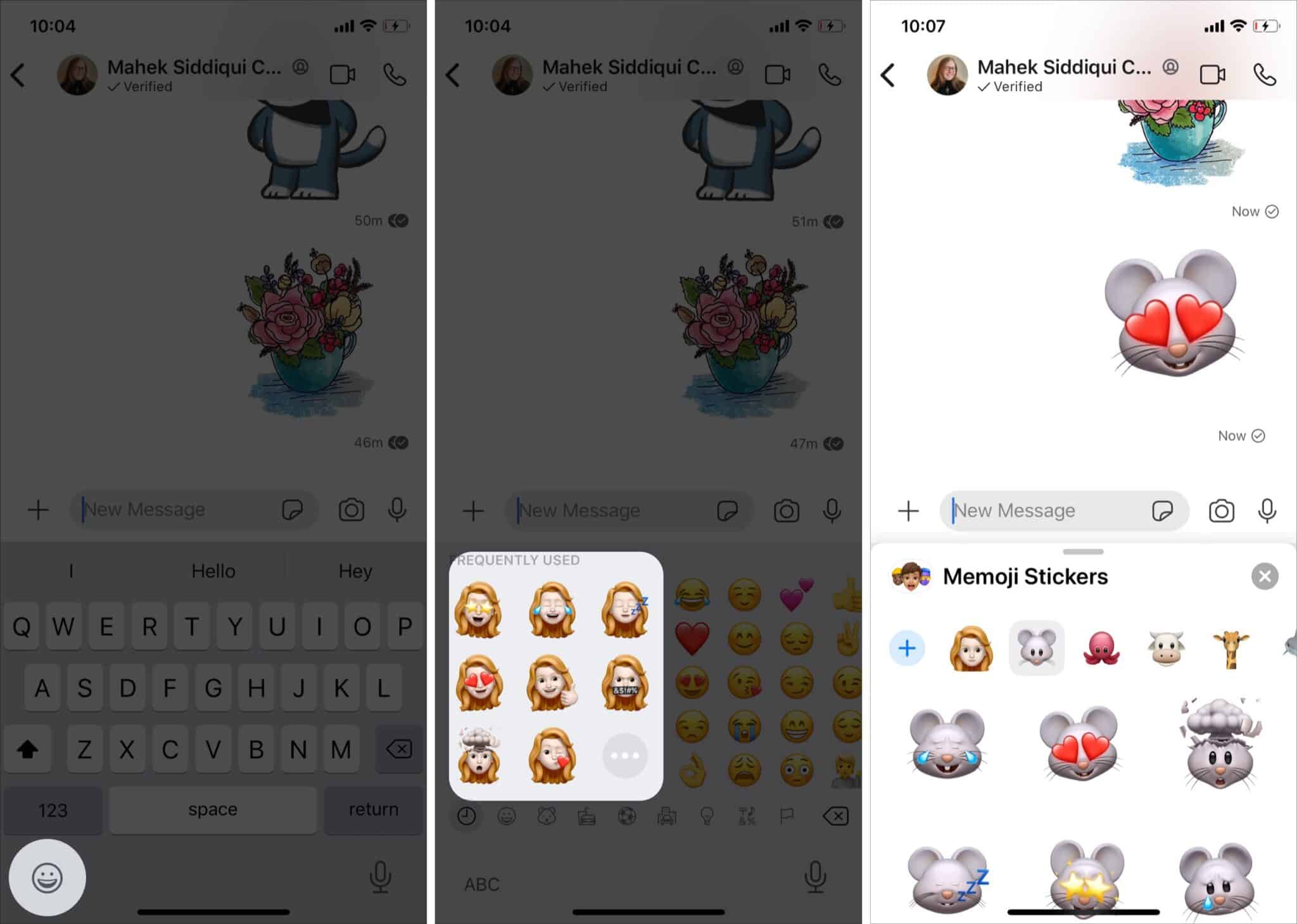
You can also use Memoji stickers in Signal. For this;
So, which are your favorite sticker packs in Signal so far? Share them in the comments below, and let me know if you have any other questions about this app.