FaceTime Like a Pro
Get our exclusive Ultimate FaceTime Guide 📚 — absolutely FREE when you sign up for our newsletter below.

FaceTime Like a Pro
Get our exclusive Ultimate FaceTime Guide 📚 — absolutely FREE when you sign up for our newsletter below.


Apple has expanded Visual Intelligence in iOS 27 with new ways to identify objects, interact with content, and get information directly from your screen.
 ByVikhyat
Visual Intelligence is no longer a feature you have to hunt for in iOS 27. Apple has moved it directly into the Camera app, making it much easier to access while also expanding what it can do. The update also brings Visual Intelligence to iPad, Mac, and Vision Pro, so the experience stays consistent across Apple’s ecosystem.
Here’s everything new with Visual Intelligence in iOS 27.
Visual Intelligence now has a dedicated Siri Mode inside the Camera app, sitting alongside Photo, Video, and Portrait modes. Instead of relying on a hardware shortcut, you can simply switch to Siri Mode, point the camera at an object or document, and capture an image.
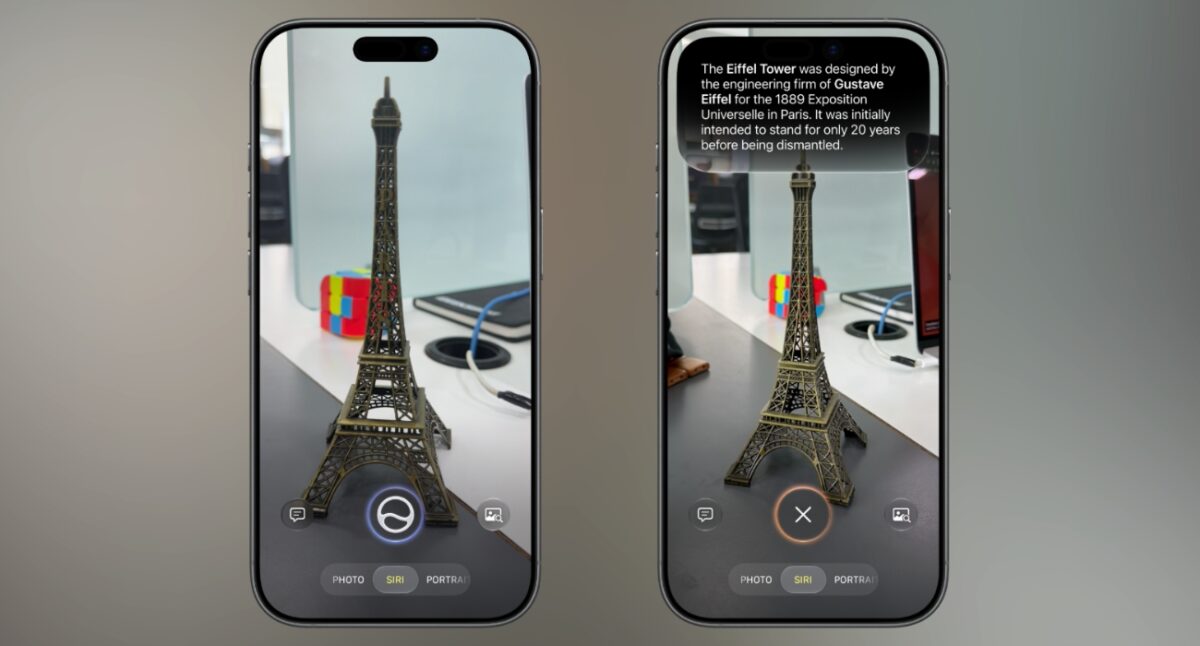
After taking the photo, Siri presents relevant information and lets you ask follow-up questions in the same interface. Camera Control still launches Visual Intelligence with a long press, but Siri Mode is now the primary way to access it.
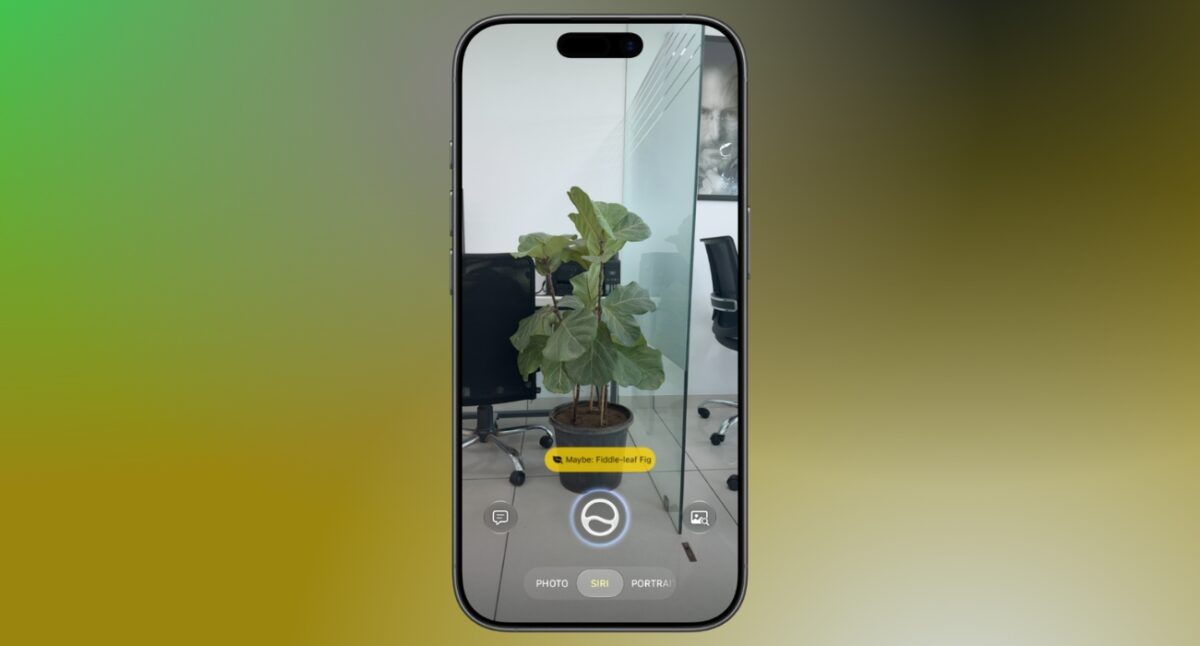
Visual Intelligence can recognize what is in front of the camera and suggest useful actions automatically.
Point the camera at a plant, and you’ll see an option to identify it. Capture a meal, and Siri can offer nutritional information. The suggested actions change depending on the subject, reducing the need to type or speak a prompt.
In earlier versions, some complex Visual Intelligence requests could be redirected to ChatGPT.
With iOS 27, Siri handles image understanding and web search within the same experience, allowing you to continue asking questions without switching services or starting a new conversation.
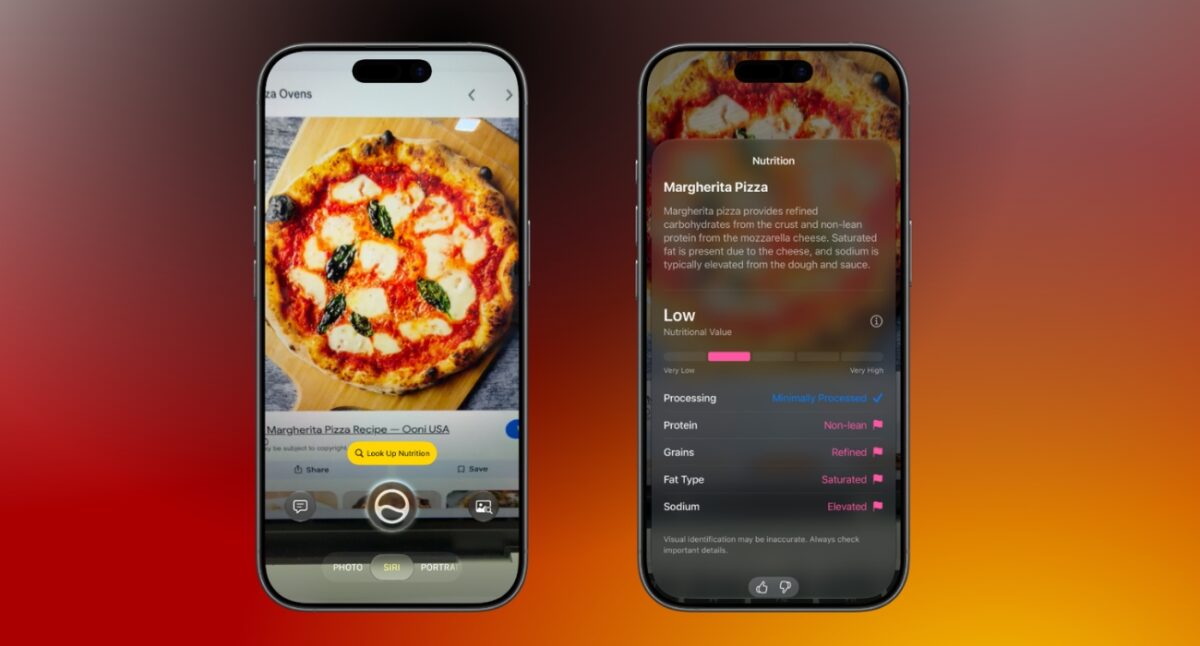
Photograph a meal or food item, and Siri provides information about its nutritional value, ingredients, and general dietary considerations instead of focusing only on calorie estimates.
Take a photo of a restaurant bill, and Siri calculates how much each person owes based on individual orders. Users in the US can also send or request payments through Apple Cash directly from the results.
Capture a schedule, timetable, or event flyer, and Siri can create multiple Calendar or Reminders entries in a single step.
Photograph a business card, and Siri extracts details such as name, phone number, email address, and company before creating a new contact.

Take a photo of a membership card or printed barcode, and Siri converts it into a Wallet pass on your iPhone.
Visual Intelligence supports a growing list of everyday tasks, including:
Many existing Visual Intelligence features continue to be available:
Every Visual Intelligence interaction is stored in the Siri app, allowing you to revisit previous searches whenever needed. Users can choose whether to keep this history for one month, one year, or indefinitely.
Apple is expanding Visual Intelligence beyond the iPhone.
Take a screenshot or swipe up from the bottom-left corner with Apple Pencil to start using Visual Intelligence.
On a Mac running macOS Golden Gate 27, Press Command + Shift + Space, select any area of the screen, and ask Siri questions about the selected content.
Visual Intelligence works with real-world objects viewed through the headset, allowing users to get information without additional gestures.
| Device | Requirement |
|---|---|
| iPhone | iPhone 15 Pro or later |
| iPad | Apple silicon iPad or iPad mini with A17 Pro |
| Mac | Any Apple silicon Mac |
| Vision Pro | Any model running visionOS 27 |
With iOS 27, Apple has made Visual Intelligence easier to access and available on more devices than before. Whether those changes make it a feature you use regularly will depend on how often you find yourself reaching for Siri to understand what’s in front of you.
Which new Visual Intelligence feature are you most excited to try in iOS 27? Let us know in the comments.
Must Read: