
FaceTime Like a Pro
Get our exclusive Ultimate FaceTime Guide 📚 — absolutely FREE when you sign up for our newsletter below.

FaceTime Like a Pro
Get our exclusive Ultimate FaceTime Guide 📚 — absolutely FREE when you sign up for our newsletter below.



Are your iPhone or iPad apps frozen? Here's how to fix it on current iOS and iPadOS and keep apps running smoothly with simple steps and prevention tips.

Meet the all-new iPhone Air: Apple’s slimmest iPhone yet with a titanium body, Pro-level performance, advanced cameras, and all-day battery life starting at $999.

Apple launches the iPhone 17 with a bigger 6.3-inch ProMotion display, all-48MP cameras, A19 chip, 30-hour battery life, faster charging, and $799 starting price.

Apple’s iPhone 17 Pro and Pro Max bring a bold new design, the powerful A19 Pro chip, 8x zoom cameras, a brighter 120Hz display, and the biggest batteries ever in an iPhone, starting at $1,099.

Running iOS 26 beta on your iPhone? Now that Apple has released the stable iOS 26 update, it’s time to switch. Here’s how to remove the beta and install the official version without losing your data.

X (Twitter) not working on your iPhone? From login errors to blank feeds, here are 10 easy fixes to get the app running smoothly again.

You can now record and transcribe phone calls right in the Phone app on supported iOS versions, no third-party apps required.

Scrolling Facebook in the dark? Switch to dark mode for a stylish, eye-friendly feed. Here’s how to enable it on iPhone, Android, desktop, and Messenger.

With iOS 18 and later, Apple's Notes app now supports live audio transcription. Learn how to use live transcriptions in Apple Notes on iPhone and Mac.

 Ava Biswas and Yash Wate
If AirDrop not working on your iPhone, iPad, or Mac, be it due to wrong AirDrop settings or compatibility issues, we've got you covered.

Seeing "Unable to Load Photo" or "Unable to Load Video" on your iPhone? This guide explains why it happens and how to fix it in just a few steps.

Learn how to troubleshoot and fix Mail app errors on iPhone with this easy-to-follow guide.

WhatsApp calls not working on your iPhone or Android? From poor internet to app glitches, here are 11 easy fixes to solve voice and video call issues fast.

Zoom into the subject or cut out the distracting item from your photos

With your iPhone at your disposal, you can use the Measure app to measure multiple dimensions of an object.

Confused by your iPhone's battery graphs and stats? Here's a simple guide to find what's draining your iPhone and how to optimize battery life.

Looking for an easy shortcut to close all open tabs at once in Safari. Here are multiple ways to close all tabs on iPhone or iPad.
Ava Biswas and Yash Wate
Apple's iPhone allows you to block phone numbers to avoid spam or unwanted calls. Here's how to block or unblock a number on your iPhone.
Ava Biswas and Yash Wate
Is your iPhone making random calls on its own? From ghost touches to Siri misfires, here’s how to stop accidental dialing and fix the issue for good.

Is Ask to Buy not showing up in Family Sharing? Here are 8 proven fixes to restore purchase approval requests on iPhone, iPad, and Mac.

Want to play YouTube videos in the background on your iPhone without keeping the app open? Here's how using Safari and YouTube Premium can do it.

Want to unlink your Facebook account from Instagram? Here are multiple ways to unlink Facebook from Instagram on iPhone and Computer.

In iOS 26, AirPods can pause automatically when you fall asleep, saving battery and improving rest. Here’s how to turn on the feature now.

Secure your Netflix account by signing out of all devices you don't use.

Do you have problems with your iPhone's voicemail? Here are 8 proven solutions to fix your voicemail not working on iPhone.
 Ayush Patel and Yash Wate
Tap your iPhone back to perform quick actions like taking a screenshot, running a shortcut, opening the front camera, etc.

With iOS 26, Apple has turned AirPods into more than just earbuds. You can now use them as a remote shutter for your iPhone camera, perfect for group shots, vlogging, and hands-free photography.
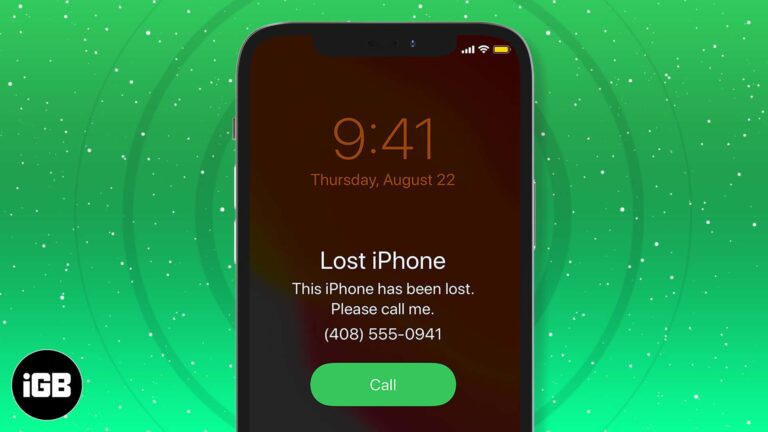
Here are effective ways to track and find your lost or stolen iPhone, along with tips to prevent it from being misplaced—all in our comprehensive guide!

Apple’s iOS 26 introduces Lens Cleaning Hints, a subtle alert that tells you when your iPhone camera lens is dirty, helping you avoid smudged photos.


